














Exness Automated Trading (EA)
Transaction
Exness Automated Trading (EA)
Exness allows for automated trading using EAs (Expert Advisors). With automated trading, you install an EA on MT4 (MetaTrader 4) or MT5 (MetaTrader 5), and trades are executed automatically according to pre-programmed trading rules.As a result, a major advantage is that trades are executed strictly according to your trading strategy, without being influenced by emotions, unlike discretionary trading. Additionally, Exness offers some of the narrowest spreads in the industry and leverage of up to 2,000x, making it well-suited for automated trading (EAs) and allowing you to manage your account funds efficiently.Furthermore, Exness provides a free VPS to those who meet certain criteria, so we encourage you to run your EAs on the VPS and enjoy automated trading in a stable, 24-hour environment.
Features of Exness Automated Trading (EA)
Exness’s automated trading (EA) is compatible with all account types and can be used by installing an EA (Expert Advisor) on MT4 (MetaTrader 4) or MT5 (MetaTrader 5). Please review the features of automated trading and enjoy efficient automated trading with Exness.
What Is Exness Automated Trading (EA)?
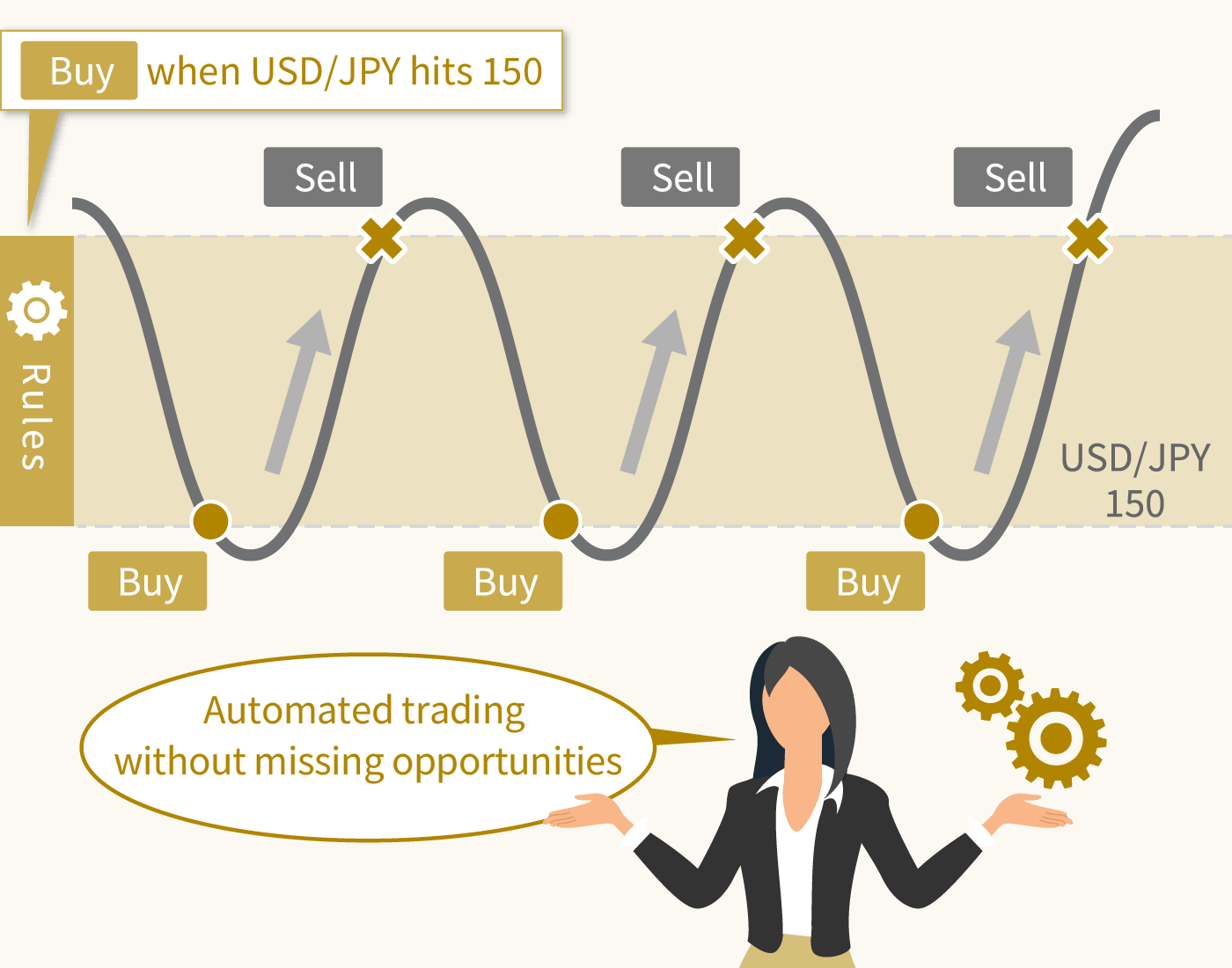
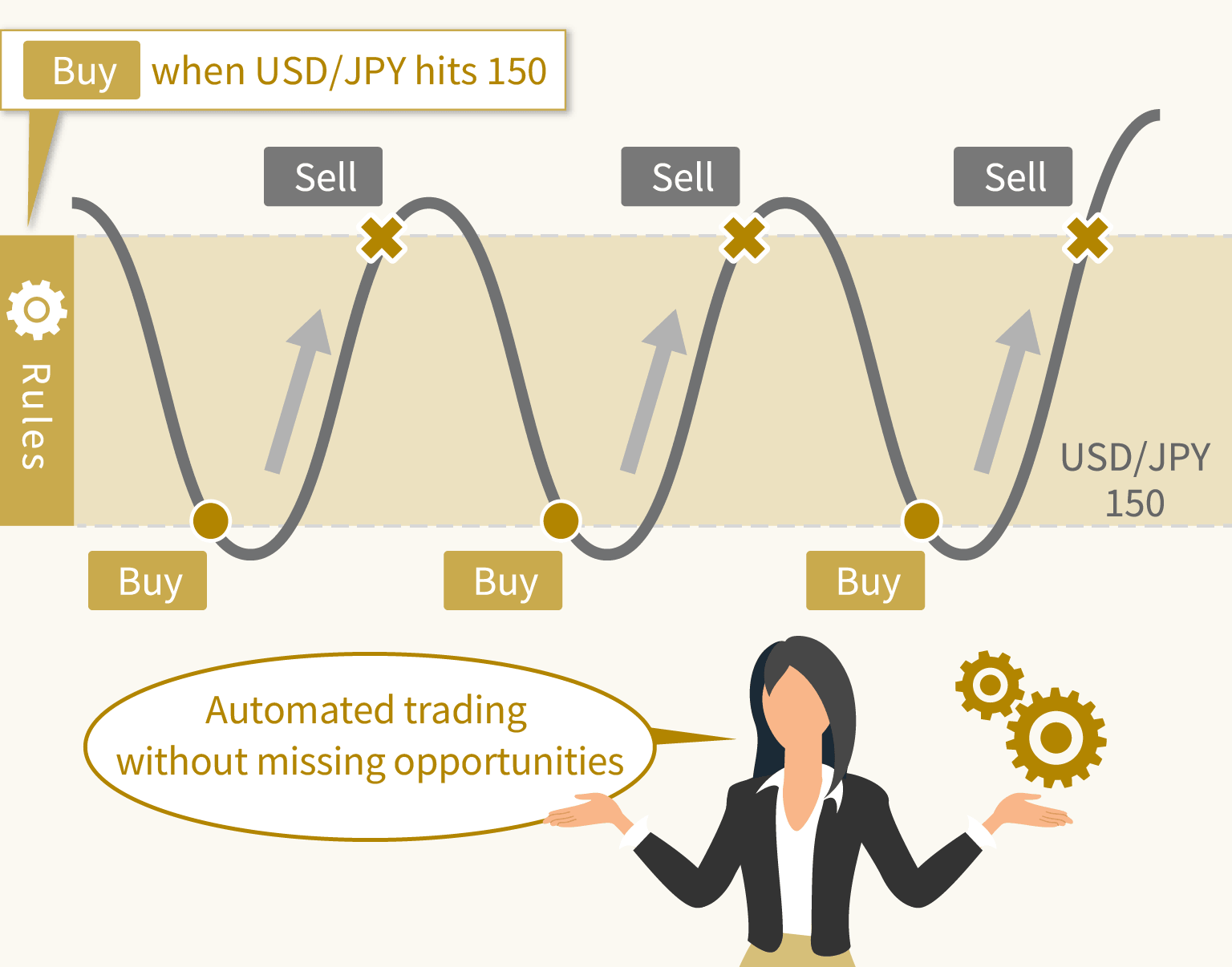
Exness’s automated trading (EA) is a system that automatically executes trades according to pre-programmed trading rules. By installing an EA (Expert Advisor) on Exness’s MT4 (MetaTrader 4) or MT5 (MetaTrader 5), you can conduct automated trading.For example, if you use an EA programmed to “buy when the USD/JPY (U.S. Dollar/Japanese Yen) rate reaches 150 yen,” an order will be placed automatically once the conditions are met, without you having to place the order yourself.With automated trading, all trades are executed automatically, so unlike discretionary trading, they are not influenced by emotions. Additionally, even those who find it difficult to set aside time for trading or who are new to FX can take advantage of automated trading to ensure they don’t miss out on trading opportunities.
Exness's automated trading (EA) is compatible with MT4 and MT5
Exness’s automated trading (EA) is compatible with the desktop versions of MT4 (MetaTrader 4) and MT5 (MetaTrader 5).You can start automated trading by installing your desired EA (Expert Advisor) on Exness’s MT4 or MT5. Please note that EAs are not compatible between MT4 and MT5, so be sure to install and use an EA that is compatible with your trading platform.
Compared to MT5, MT4 offers a wider variety of EAs, which are made available in various communities—both paid and free—making it easy for anyone to implement an EA. On the other hand, MT5 features significantly enhanced backtesting capabilities and processing power compared to MT4 for evaluating the performance of automated trading strategies. Choose the trading platform that best suits your trading style and enjoy automated trading.

Exness's automated trading (EA) is compatible with all account types
Exness’s automated trading (EA) is compatible with all five account types: “Standard Account,” “Standard Cent Account,” “Low Spread Account,” “Zero Account,” and “Pro Account.”Since automated trading is available without restrictions on any of these account types, you can choose the account that best suits your trading style. In particular, Exness’s Zero Account is highly recommended for automated trading, as it allows you to trade major currency pairs with a spread of 0.0 pips during most trading hours.Please review the features of each account type and select the one that best aligns with your EA’s trading strategy.
Benefits of Exness Automated Trading (EA)
Exness offers leverage of up to 2,000x (*), which is rare in the industry, along with some of the narrowest spreads in the industry, starting at 0.0 pips. You can take advantage of these same favorable conditions for automated trading as well.Exness provides a trading environment that is well-suited for automated trading, so please experience the convenience of automated trading for yourself.
(*) Leveraged trading involves high risk, and you may lose all of your invested capital. Please ensure you fully understand the risks before trading.
Trade with up to 2,000x leverage
Exness offers leverage of up to 2,000x across all account types. Since you can use this high leverage under the same conditions for automated trading, you can take on large trades even with a small amount of capital.While trading with high leverage involves risks, using automated trading allows you to execute consistent trades automatically without being swayed by emotions, thereby helping to mitigate the risks associated with high leverage. Please enjoy automated trading while efficiently generating profits under proper risk management.
Offering some of the narrowest spreads in the industry
Exness offers some of the industry’s narrowest spreads, starting at just 0.0 pips. Since these same spreads apply to automated trading, Exness is well-suited for high-frequency automated trading, allowing you to trade while keeping costs low.Furthermore, at Exness, spreads on major currency pairs (such as USD/JPY and EUR/USD) are fixed during 90% of the trading day, allowing you to use automated trading in a stable, low-spread environment.By conducting automated trading with instruments that have fixed spreads, it becomes easier to track unrealized losses while holding positions, enabling more precise risk management.
Furthermore, Exness offers low spreads and is well-suited for scalping EAs, allowing you to enjoy automated trading under favorable conditions.While many brokers prohibit scalping trades using EAs (Expert Advisors), Exness imposes no restrictions on trading strategies. Even beginners in FX trading can enjoy automated trading while keeping costs low and without missing out on profit opportunities.

Scalping is a trading strategy that involves repeatedly buying and selling over short time frames—ranging from a few seconds to a few minutes—to accumulate small profits. While the profit from a single trade is small, the short duration of each position allows you to trade while minimizing the risk of loss.Since scalping involves a high volume of trades, choosing the right FX broker and account type is crucial for keeping trading costs low.Exness offers spreads starting as low as 0.0 pips—below the industry average—and low transaction fees, allowing you to trade while keeping costs to a minimum. Furthermore, since Exness does not impose strict restrictions on scalping, you can enjoy scalping with peace of mind.
Offering Free VPS
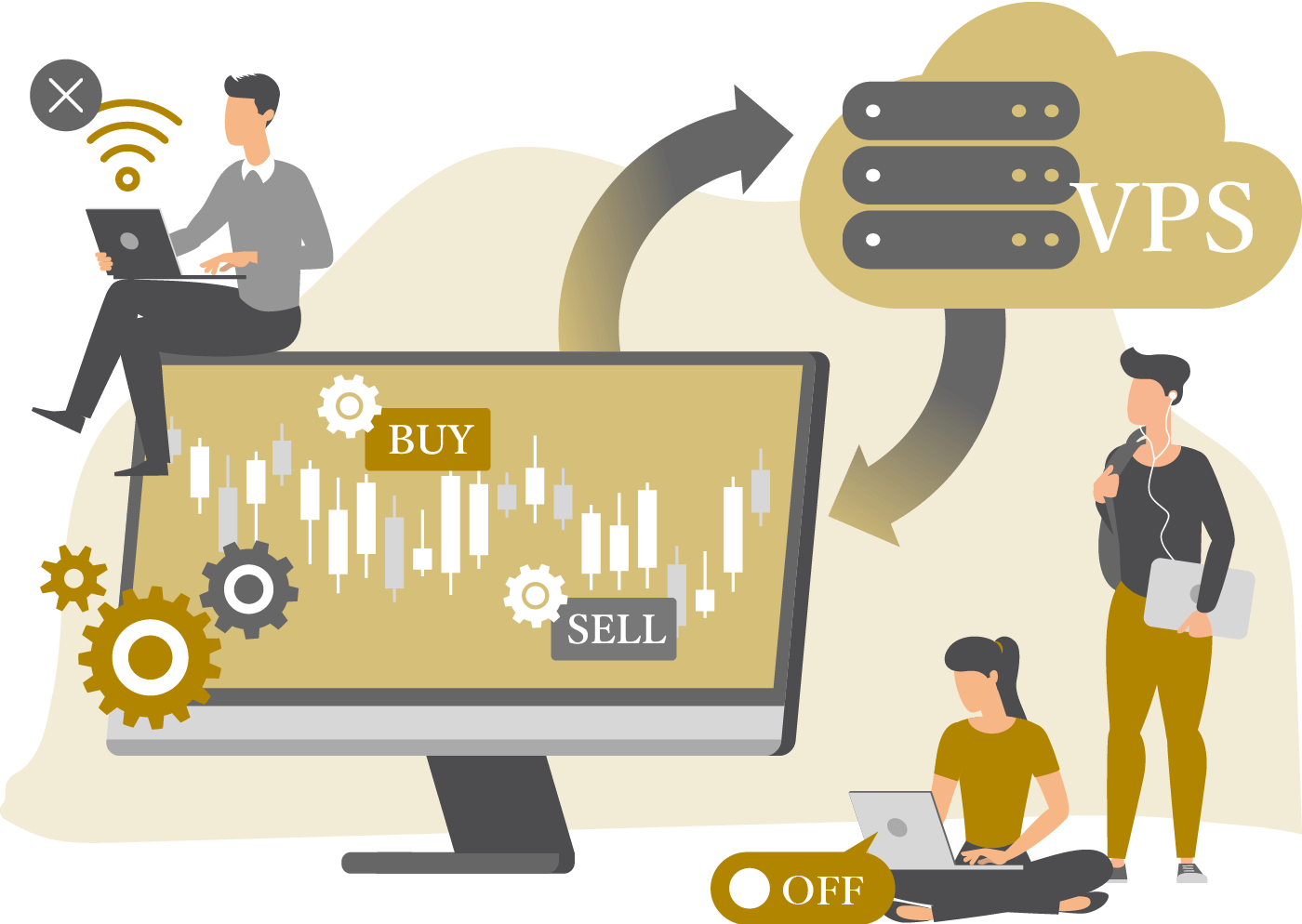
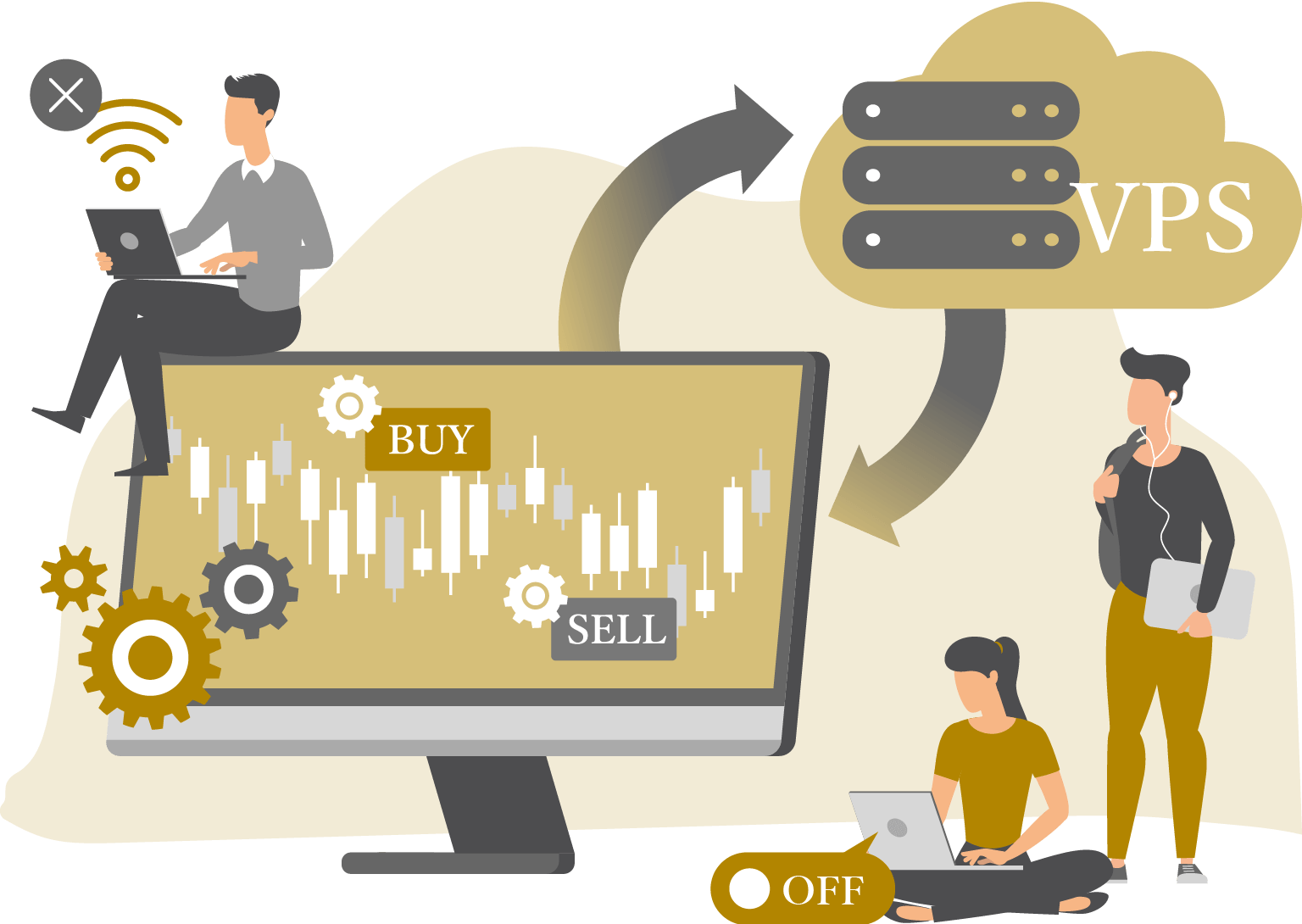
Exness offers a free VPS (Virtual Private Server) to users who meet certain criteria.VPS stands for Virtual Private Server. It consists of multiple independent virtual servers running on a single physical server, allowing users to freely utilize each virtual server. If you can run an EA (Expert Advisor) on a VPS, you can trade 24 hours a day even when your PC is turned off, and you won’t be affected by internet connection issues.A VPS maximizes the performance of automated trading and is an essential service for running your trading systems 24 hours a day. Please note that there are certain requirements to use Exness’s VPS for free, and you must meet one of the following conditions.
Steps to Set Up Exness Automated Trading (EA)
To use automated trading (EA) on Exness, you’ll need to install your desired EA (Expert Advisor) on the Exness trading platform (MT4/MT5) and complete the initial setup. Once the EA is set up, you can start automated trading right away.
If you do not yet have an Exness account, please first open a live account, then install the desktop versions of MT4 (MetaTrader 4) or MT5 (MetaTrader 5) and set up your EA. The steps for setting up an automated trading system (EA) are as follows:
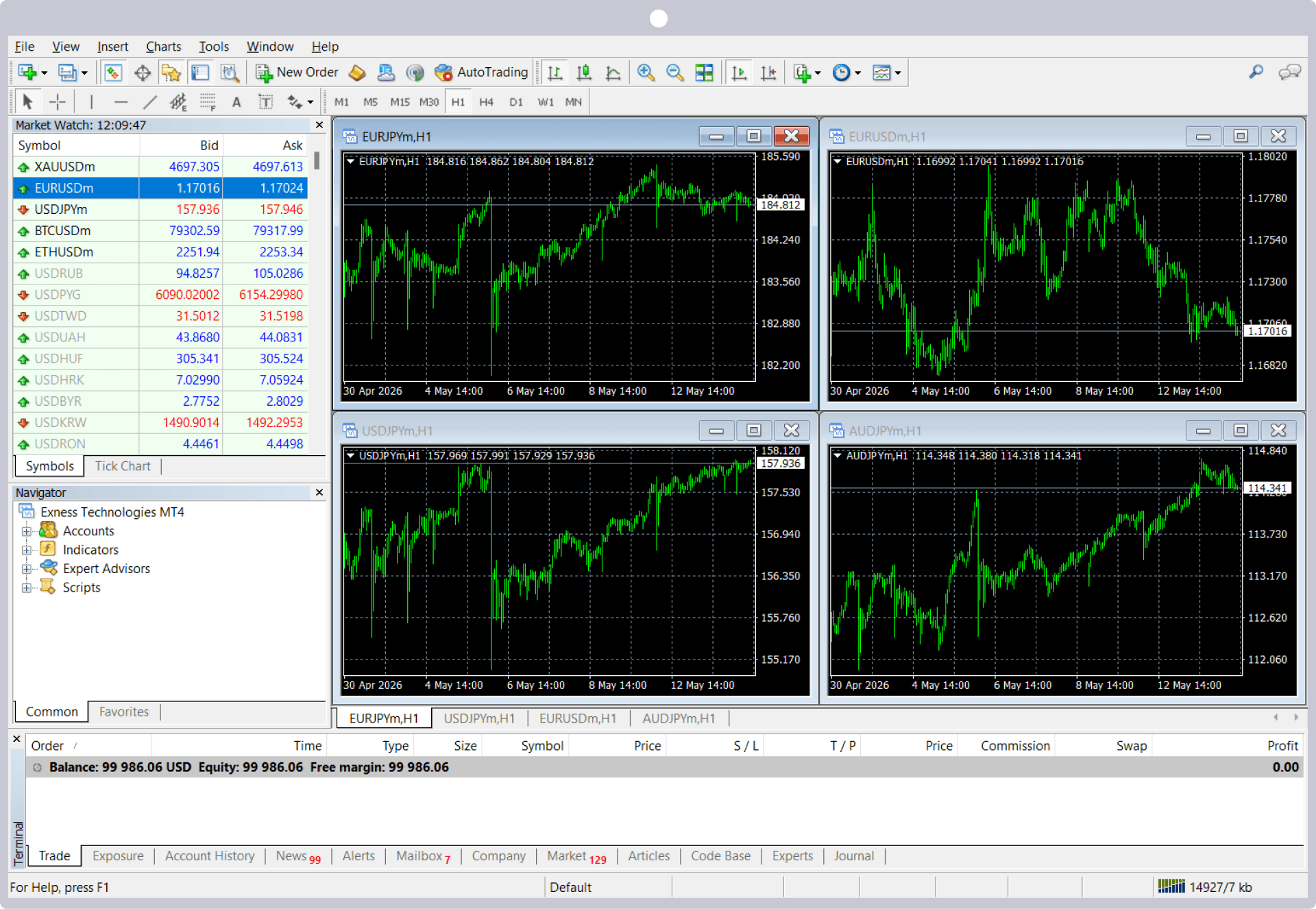
Launch MT4/MT5
Launch Exness's MT4 (MetaTrader 4) or MT5 (MetaTrader 5).
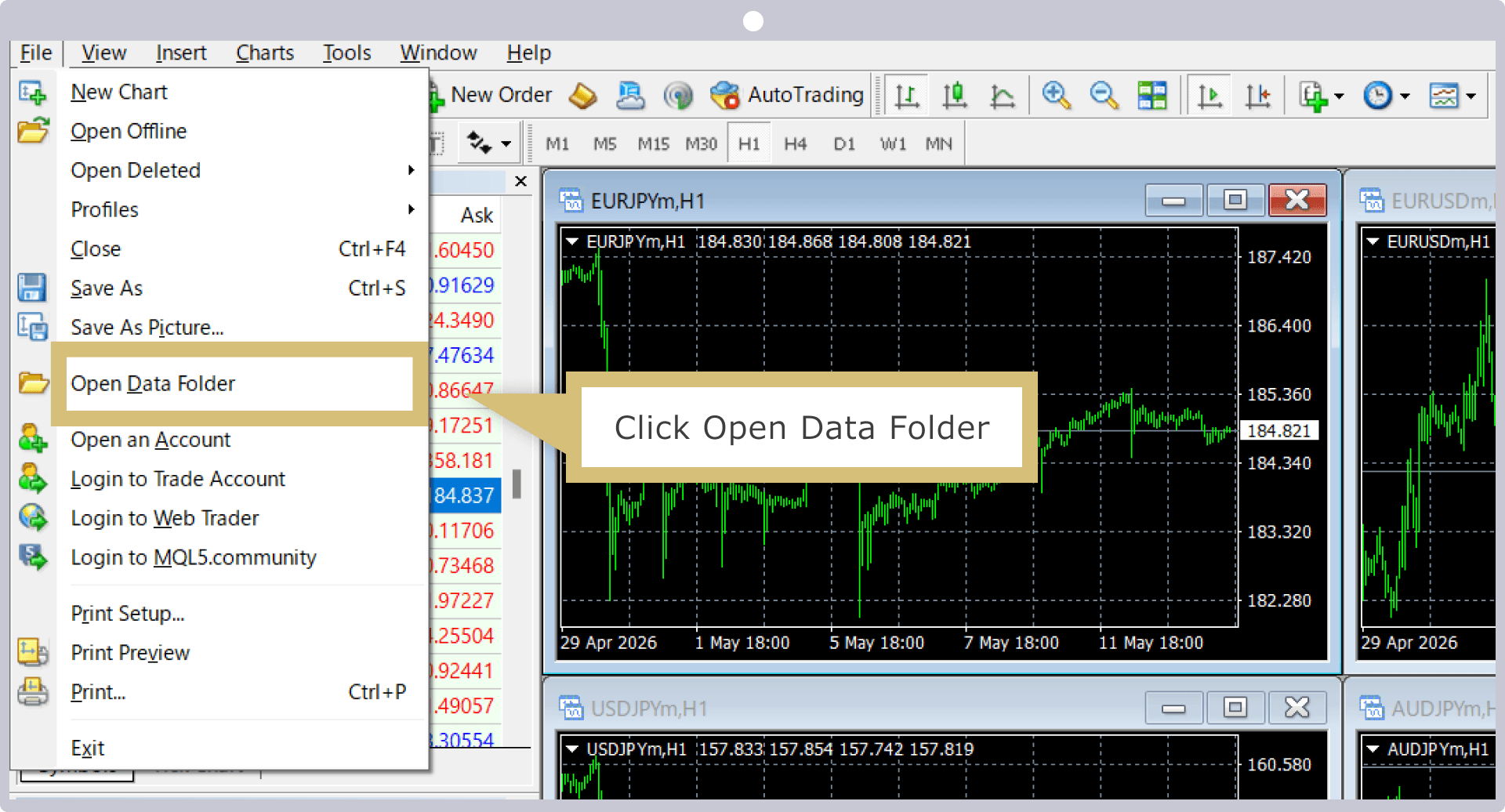
Open the Data Folder
Click "Open Data Folder" in the File menu.
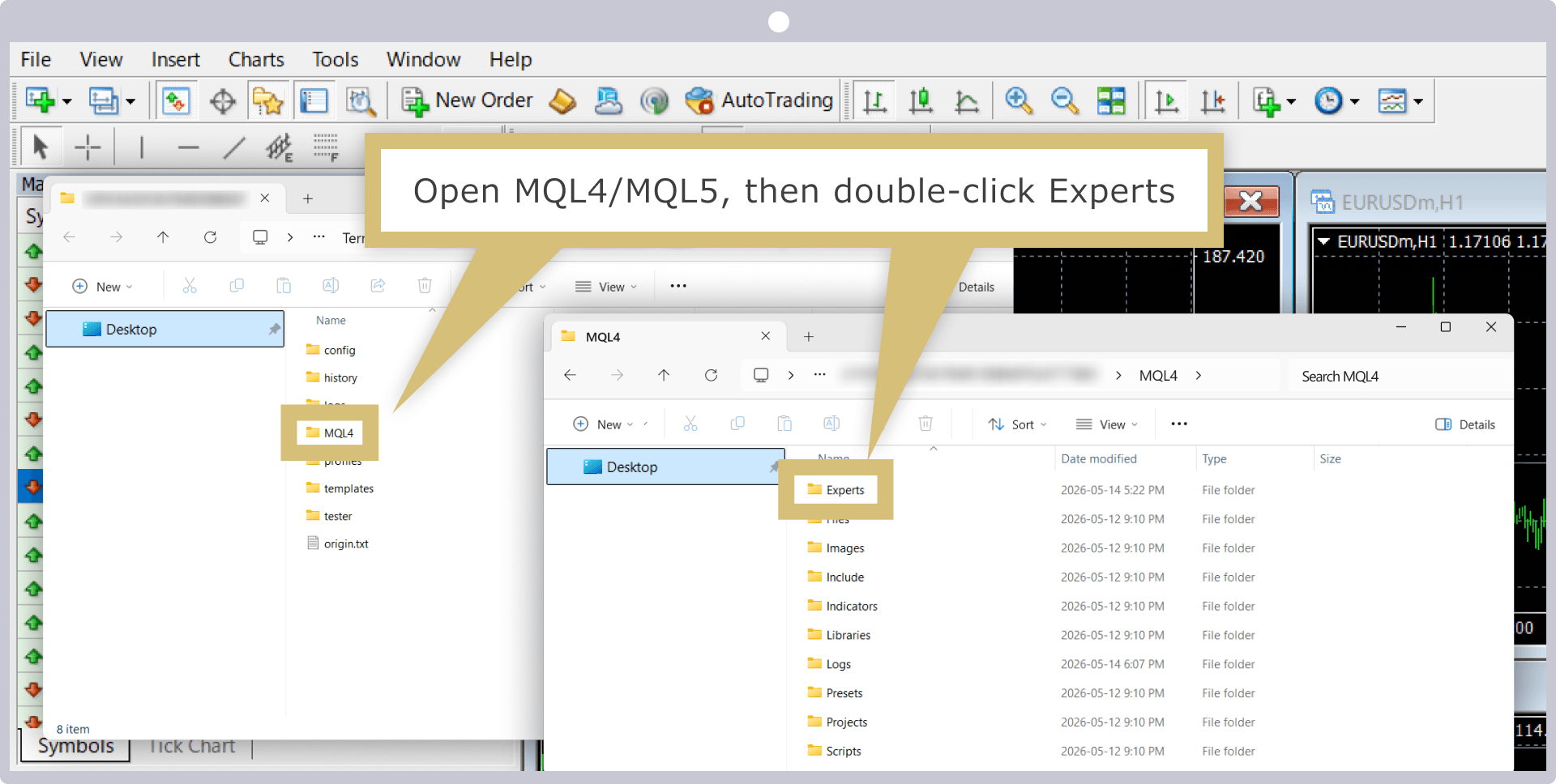
Open the Experts folder
Open "MQL4 or MQL5" and double-click the "Experts" folder.
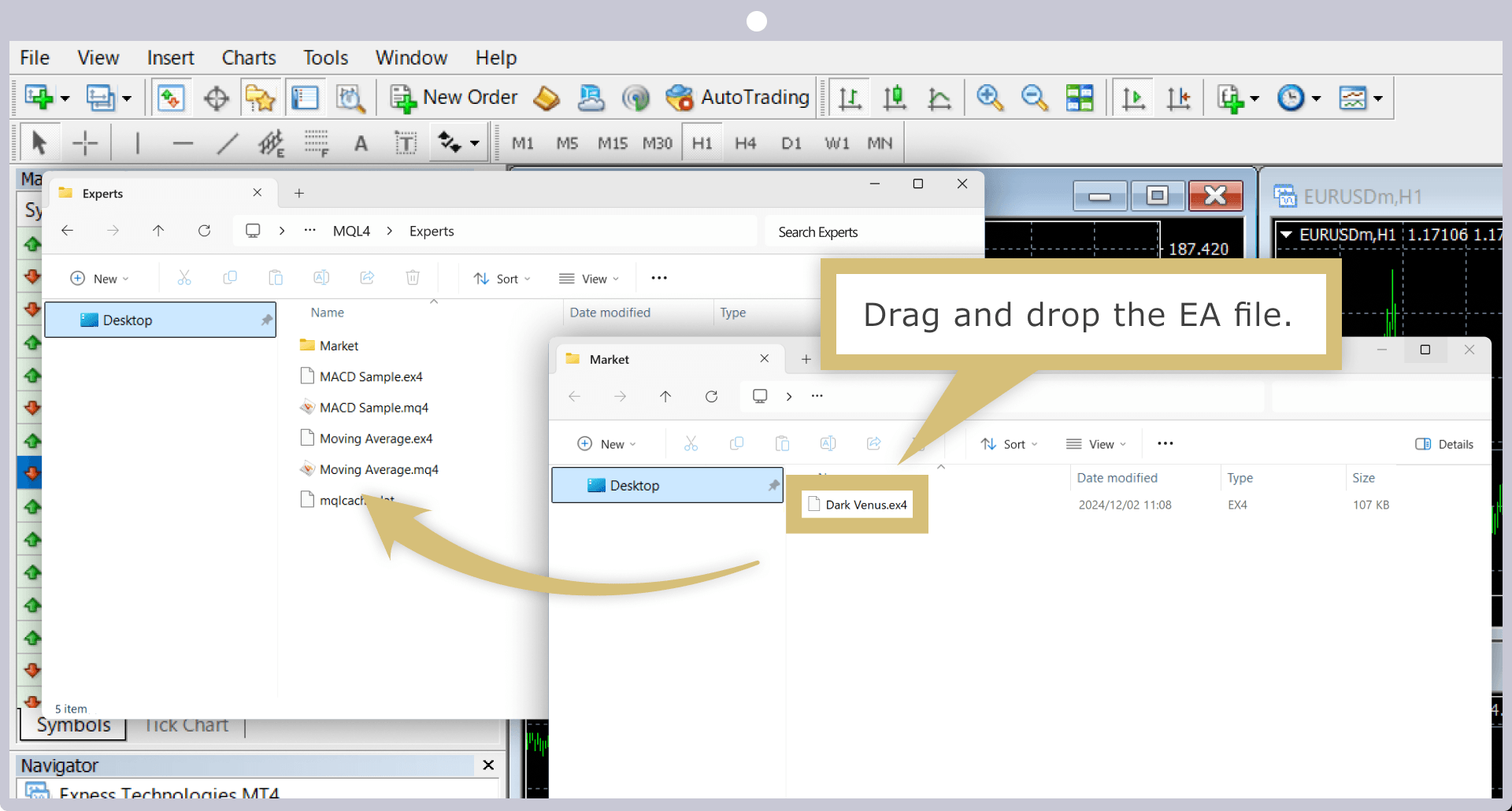
Installing the EA
Drag and drop the EA (Expert Advisor) you downloaded into the "Experts" folder.
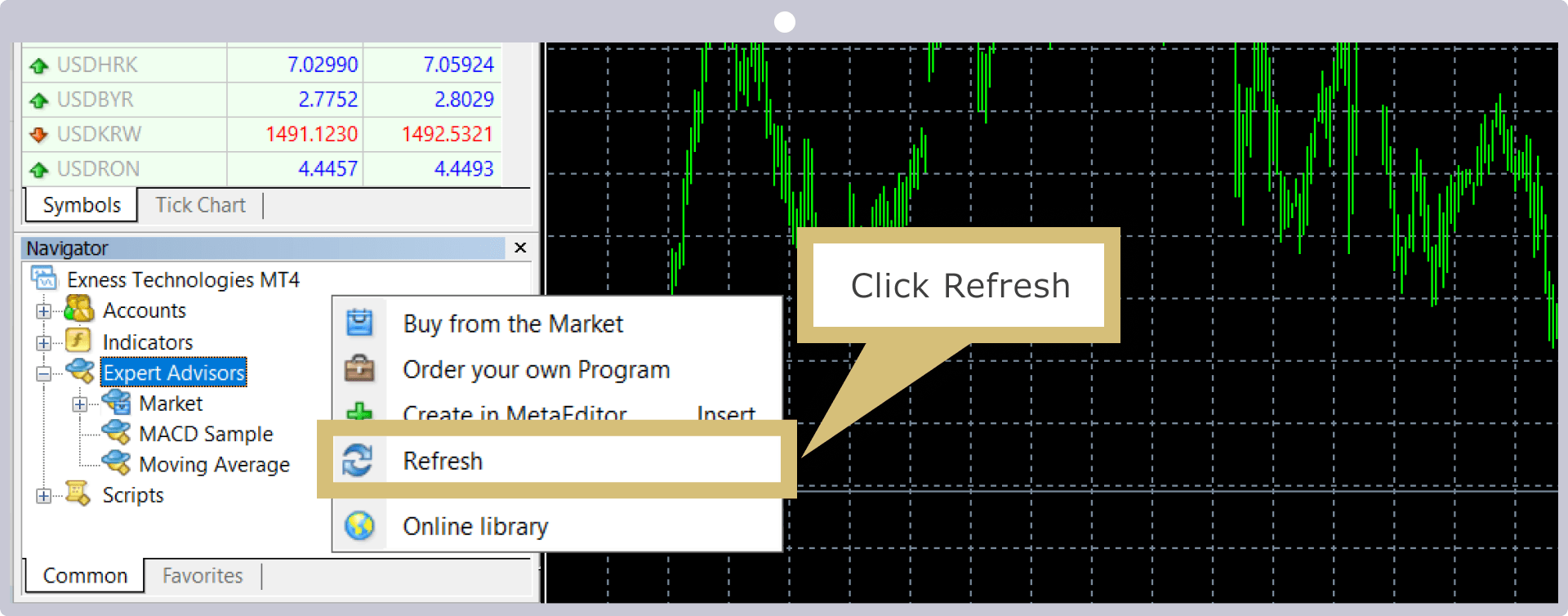
Restart MT4/MT5
Right-click "Expert Advisors" in the Navigator window, then click "Refresh."
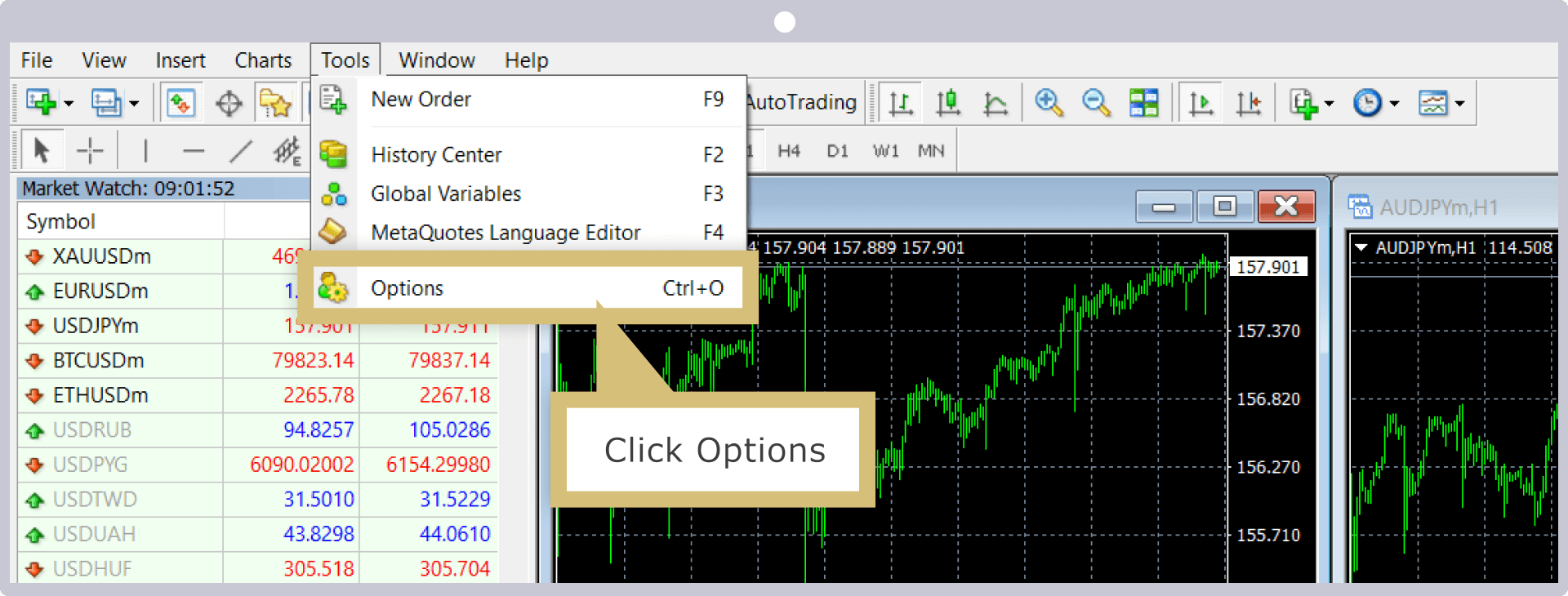
Configuring Options
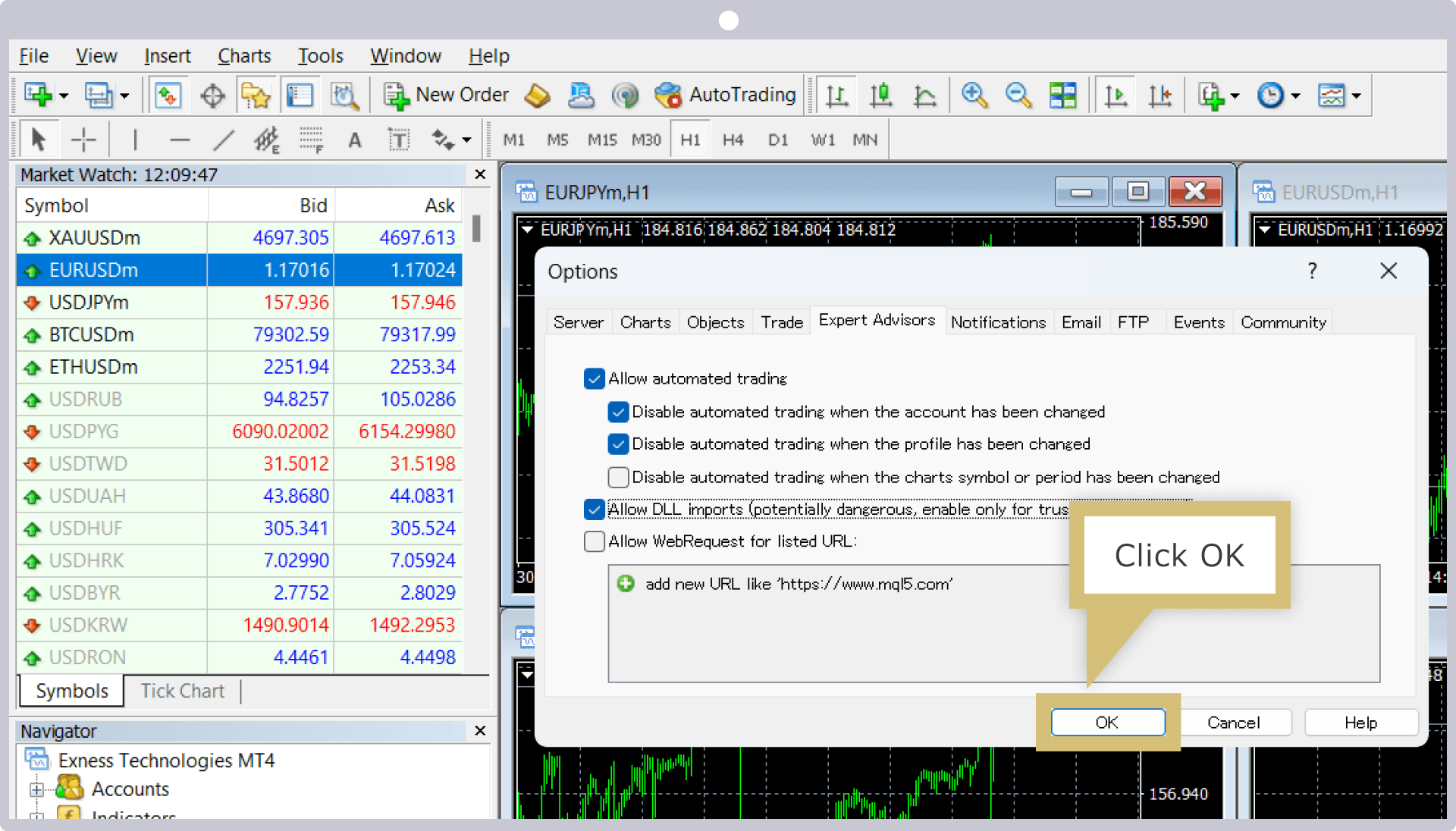
From the "Tools" menu, click "Options."
On the "Expert Advisors" tab, check the boxes next to "Allow automated trading" and "Allow DLLs (enabled only for trusted applications)," then click "OK."
Installing the EA
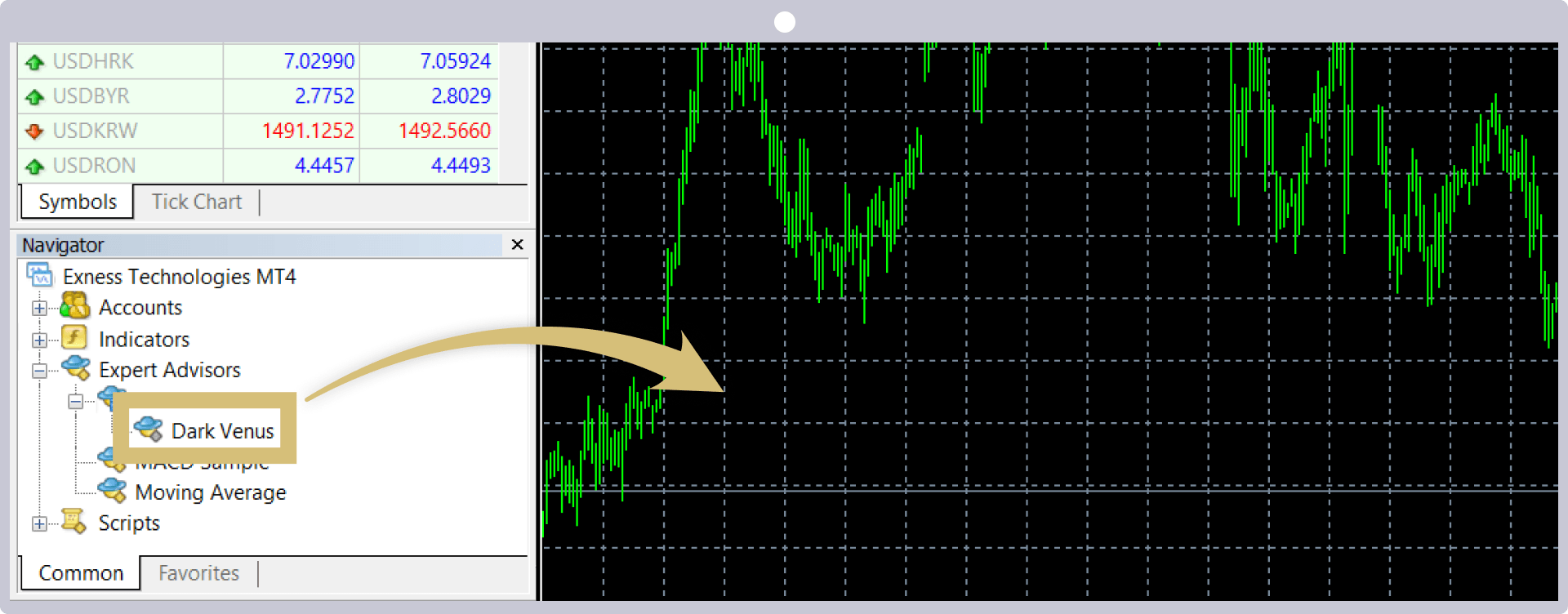
Click "Expert Advisors" in the "Navigator" window, then drag and drop the downloaded EA (Expert Advisor) onto the chart.
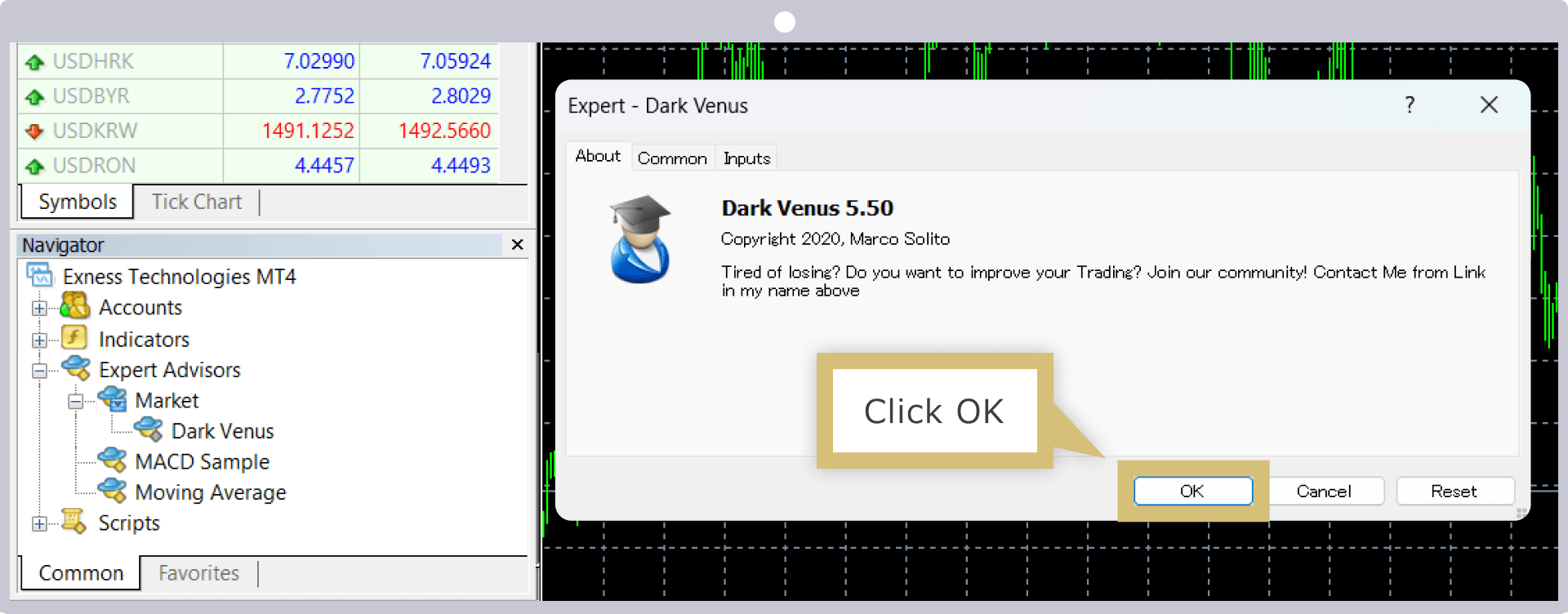
When the EA window appears, click "OK."
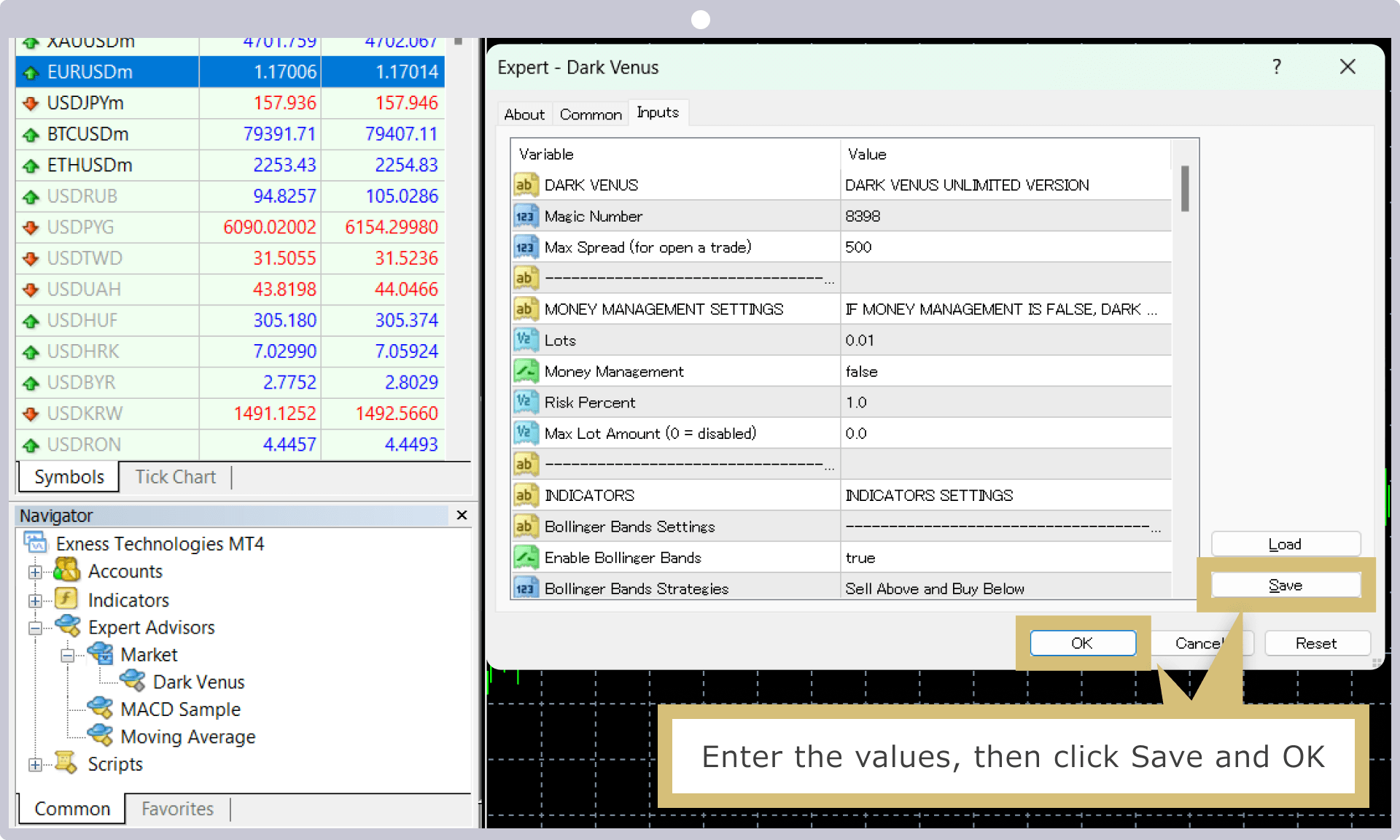
For EAs (Expert Advisors) installed on Exness’s MT4/MT5, you can modify existing parameters via the “Input Parameters” tab. If you wish to change a value, double-click the “Value” field, enter the new value, and then click “Save” and “OK.”Please note that if you wish to start automated trading using the default settings, you do not need to change any parameters.
Running an Automated Trading System (EA)
An "Automated Trading" icon will appear below the MT4/MT5 menu bar. Click the icon; if it turns green, automated trading has begun.
Automatic Trading (EA) Enabled

Automated Trading (EA) Off

That completes the installation of the EA (Expert Advisor) on Exness's MT4/MT5.
Key Points to Consider When Choosing an EA (Automated Trading System) on Exness
To successfully use automated trading (EA) on Exness, choosing the right EA (Expert Advisor) is crucial. While there are both free and paid EAs available, there are several key factors to consider when selecting one, such as whether it aligns with your trading style and strategy. Please use these guidelines as a reference when choosing an EA, and enjoy automated trading with the EA that best suits your needs.Here are the key points to consider when selecting an automated trading system (EA) on Exness:
Choose by the stocks you want to trade
When trading with automated trading systems (EAs) on Exness, we recommend that you verify the tradable instruments.Depending on the EA (Expert Advisor) you use, it may only trade specific currency pairs. If you use automated trading with currency pairs other than those specified by the EA, the price movements may not align with the trading program. To maximize the EA’s performance and generate profits, be sure to check the supported trading instruments.
In addition, Exness allows you to trade a wide range of CFD products, including FX currency pairs, precious metals, energy, stocks, stock indices, and cryptocurrencies. While some EAs may specify fairly obscure instruments, Exness offers a vast selection of over 200 tradable instruments, which means you’ll have a wider range of EAs to choose from.
Choose by Trading Strategy
When trading with automated trading systems (EAs) on Exness, we recommend that you review the trading strategies employed by the EA (Expert Advisor). Trading strategies vary depending on the EA; some use “scalping” techniques, while others employ “hedging,” for example.For example, if an EA uses a scalping strategy, it is important to select the optimal account type based on the “spread”; if it uses a hedging strategy, you should select the optimal account type by considering both the “spread” and “transaction fees.” In particular, since transaction costs double with hedging, choosing the optimal account type will help you efficiently aim to generate profits through automated trading.
Furthermore, since Exness has few restrictions and supports a wide range of trading strategies, you can enjoy automated trading without any limitations.While many brokers prohibit scalping with EAs or impose detailed restrictions, Exness allows you to use EAs without any restrictions on trading methods. As a result, the risk of being penalized for automated trading on Exness is low, and you can aim to generate profits without missing out on trading opportunities by utilizing a wide variety of EAs.
Examples of trading strategies permitted by Exness
Choose Based on Trading Performance
When trading with automated trading systems (EAs) on Exness, we recommend that you review the EA’s (Expert Advisor) trading performance. Many EAs available for download online provide backtest data published by their developers, allowing you to review their trading performance.By reviewing at least the “Total P&L,” “Profit Factor,” “Maximum Drawdown,” and “Number of Trades” metrics, you can determine whether an EA is effective.
Items to Check in Your Exness Trading History
| Item | Features |
| Total Profit and Loss |
|
| Profit Factor |
|
| Maximum Drawdown |
|
| Number of Transactions |
|
| Total Profit and Loss |
|
| Profit Factor |
|
| Maximum Drawdown |
|
| Number of Transactions |
|
Please note that even if an EA’s trading results are publicly available, we recommend that you conduct your own backtesting to verify the EA’s performance. By performing backtesting, you can verify the effectiveness of the logic programmed into the EA using historical market data.
Important Considerations for Exness Automated Trading (EA)
There are several points to keep in mind when trading with Exness’s automated trading (EA) system. Please review these precautions in advance so you can efficiently generate profits and enjoy automated trading. The following are the precautions to keep in mind when trading with Exness’s automated trading system.
Some EAs may not be compatible with Exness
At Exness, you are free to choose from a variety of EAs (Expert Advisors), both free and paid; however, some may only be usable with specific FX brokers. In particular, EAs distributed for free may require trading with a designated FX broker.If a specific FX broker is designated, the EA may not function properly on Exness, so be sure to check whether it is compatible with Exness before selecting an EA. If no specific FX broker is designated, you can enjoy automated trading (EA) on Exness’s MT4 (MetaTrader 4) or MT5 (MetaTrader 5).
Trading platforms other than MT4/MT5 are not supported.
Exness offers a variety of trading platforms in addition to MT4 (MetaTrader 4) and MT5 (MetaTrader 5), but only the desktop versions of MT4 and MT5 support automated trading (EAs).The “mobile versions of MT4/MT5,” “WebTerminal,” and “Exness Trading App” do not support automated trading. Therefore, if you wish to engage in automated trading with Exness, please use the desktop versions of MT4/MT5.
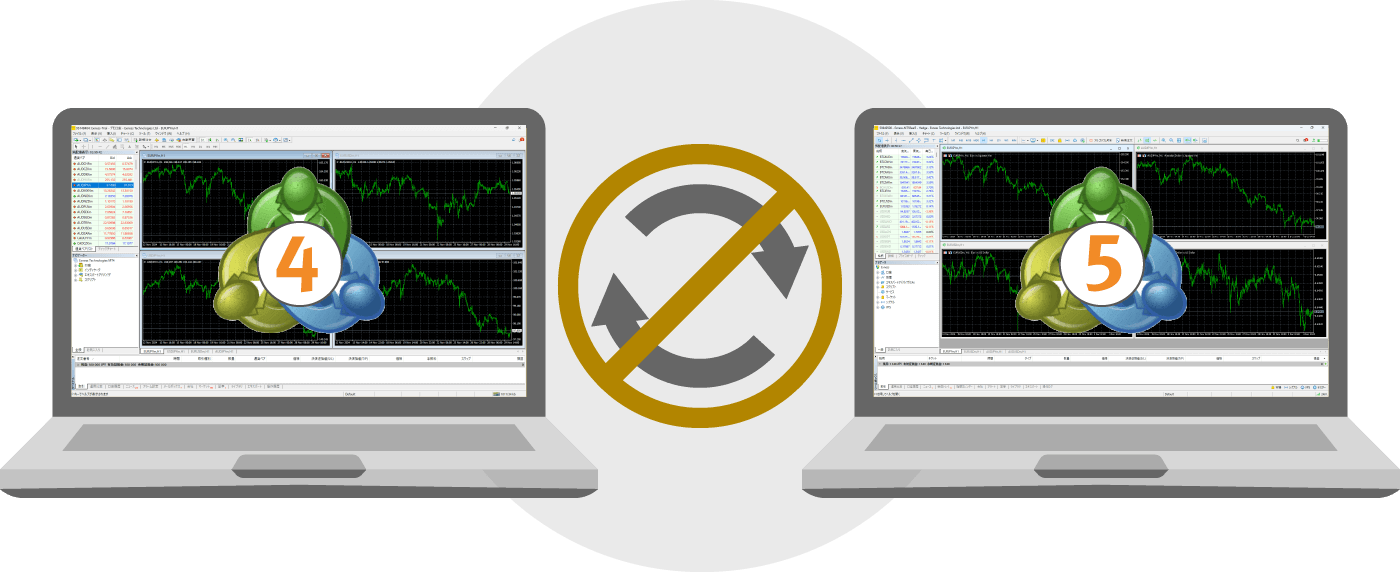
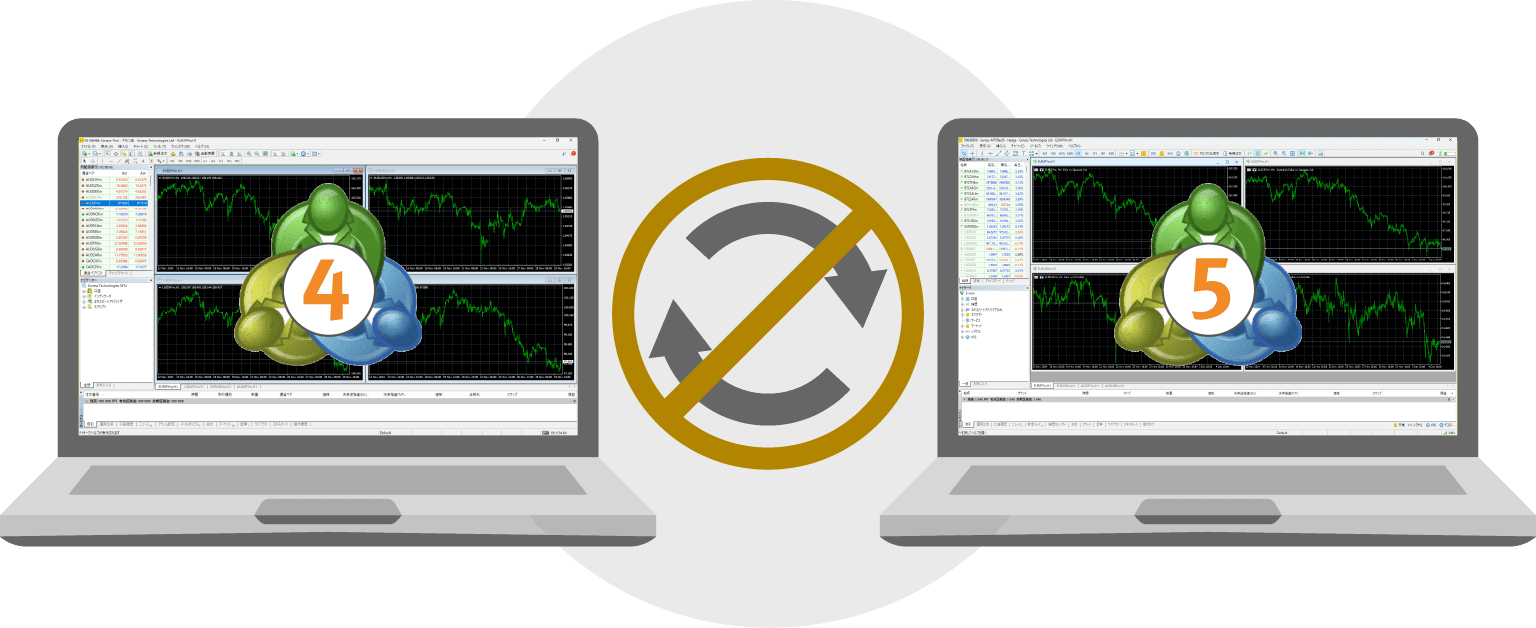
Please note that EAs (Expert Advisors) on Exness are not compatible between MT4 and MT5, so you cannot use a single EA to conduct automated trading on both MT4 and MT5. When purchasing a paid EA, please verify that it is compatible with your preferred trading platform before proceeding.
Check Whether the Automated Trading System (EA) Is Working Properly
Before engaging in automated trading on Exness, we recommend conducting a backtest to ensure it operates properly. A backtest is a process of checking and verifying how well an EA (Expert Advisor) performs using historical forex market data. An EA that has performed well in historical markets is more likely to continue delivering good results in the future.
While some EAs publish backtest results, there may be significant differences between those results and actual trading outcomes, depending on the backtest period. We recommend that you conduct your own backtests before trading and verify the track record of the EA you plan to use before starting automated trading.


VPSs need to be restarted periodically
When using a VPS for automated trading (EA) with Exness, we recommend restarting the VPS periodically. If you leave the VPS running continuously, memory constraints may cause the EA (Expert Advisor) to run slowly. If the EA’s processing speed slows down, it can affect order execution speed, and you may miss out on profit opportunities.To prevent losses, please restart your VPS regularly if you’re trading 24 hours a day using automated trading. Additionally, restarting the VPS on weekends—when most markets are closed—will help minimize any impact on your automated trading’s order and settlement processing.
Exness Automated Trading (EA) FAQs
-
Please tell me the benefits of trading with automated trading systems (EAs) on Exness.
Exness’s automated trading (EA) is available under favorable conditions, including leverage of up to 1:2000 and industry-leading tight spreads starting from 0.0 pips.In addition, those who meet certain criteria can use a VPS for free. Enjoy automated trading with Exness, which offers a trading environment perfectly suited for automated trading.
Read More
27.11.2024
-
Can I use automated trading (EA) on all Exness account types?
Yes, at Exness, you can trade using automated trading (EA) on all account types. All five account types offered by Exness allow you to use automated trading without any restrictions, so you can choose the account type that best suits your trading style and enjoy automated trading.
Read More
27.11.2024
-
Does the Exness trading platform support automated trading (EAs)?
Exness’s automated trading is supported only on the desktop versions of MT4 (MetaTrader 4) and MT5 (MetaTrader 5)."Mobile versions of MT4/MT5," "WebTerminal," and "the Exness Trading App" are not supported; therefore, if you wish to use automated trading, please install the desktop versions of MT4/MT5.
Read More
27.11.2024
-
Is it possible to trade using automated trading systems (EAs) on Exness?
Yes, Exness allows for automated trading using EAs (Expert Advisors). By installing an EA on MT4 or MT5, trades are executed according to pre-programmed rules, so they are not influenced by emotions. It is also recommended for those who find it difficult to set aside time for trading and for beginners in FX trading.
Read More
27.11.2024