














How to Withdraw Funds Using an Exness Credit/Debit Card
Withdrawal Methods
How to Withdraw Funds Using an Exness Credit/Debit Card
To withdraw funds from your Exness trading account using a "credit/debit card," log in to your Personal Area, select the card you used for your deposit from the options displayed at the top of the "Withdrawal" menu, and follow the instructions.
Withdrawals via credit or debit card are free of charge and can be processed 24 hours a day, 365 days a year; however, it takes 1 to 14 business days (up to 30 days) for the withdrawal (refund from the card issuer) to be processed.
However, to make withdrawals using a credit or debit card, you must first complete the profile verification (identity verification) process.
Exness Withdrawal Procedure Using Credit/Debit Cards
Exness does not allow the withdrawal of profits to credit or debit cards. Please withdraw the entire amount of your deposits to your credit or debit card first, and then request a withdrawal of your profits using another payment method listed in your deposit history.
The procedure for withdrawing funds from Exness using a credit or debit card is as follows.
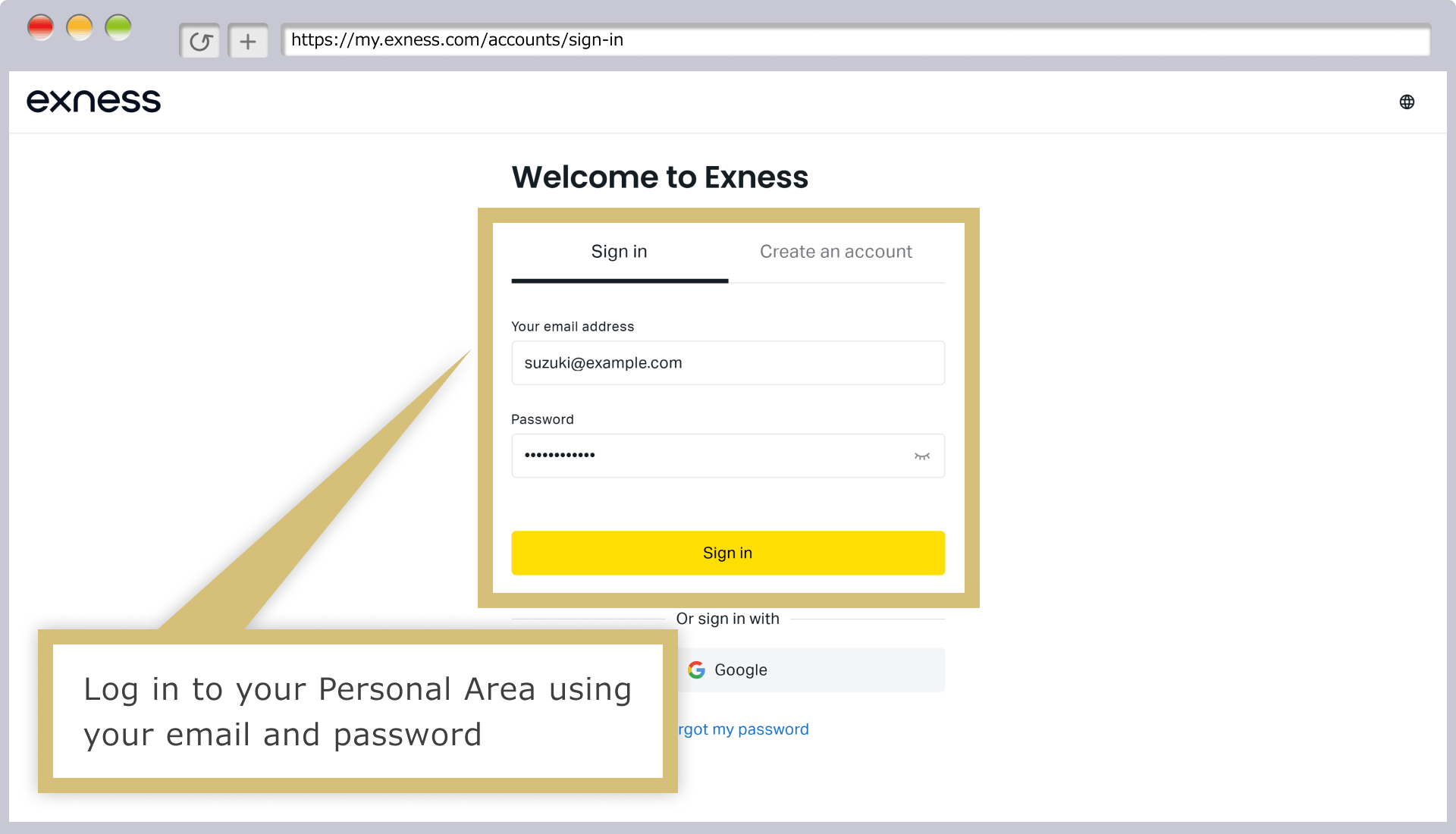
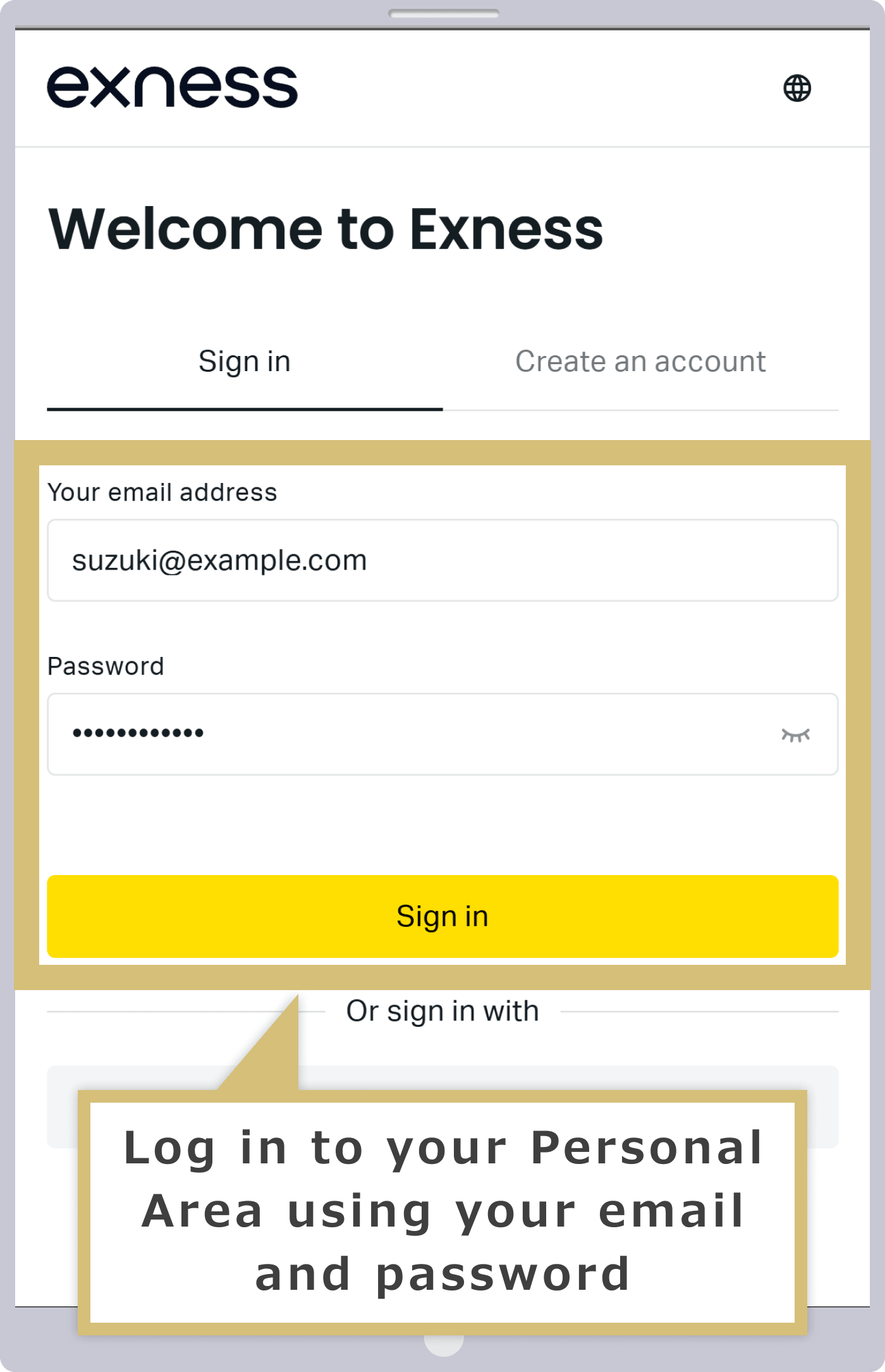
Log in to your Personal Area
Enter the "email address" you used to register with Exness and the "login password" for your Personal Area to log in to your Exness Personal Area.
Selecting the Withdrawal Menu
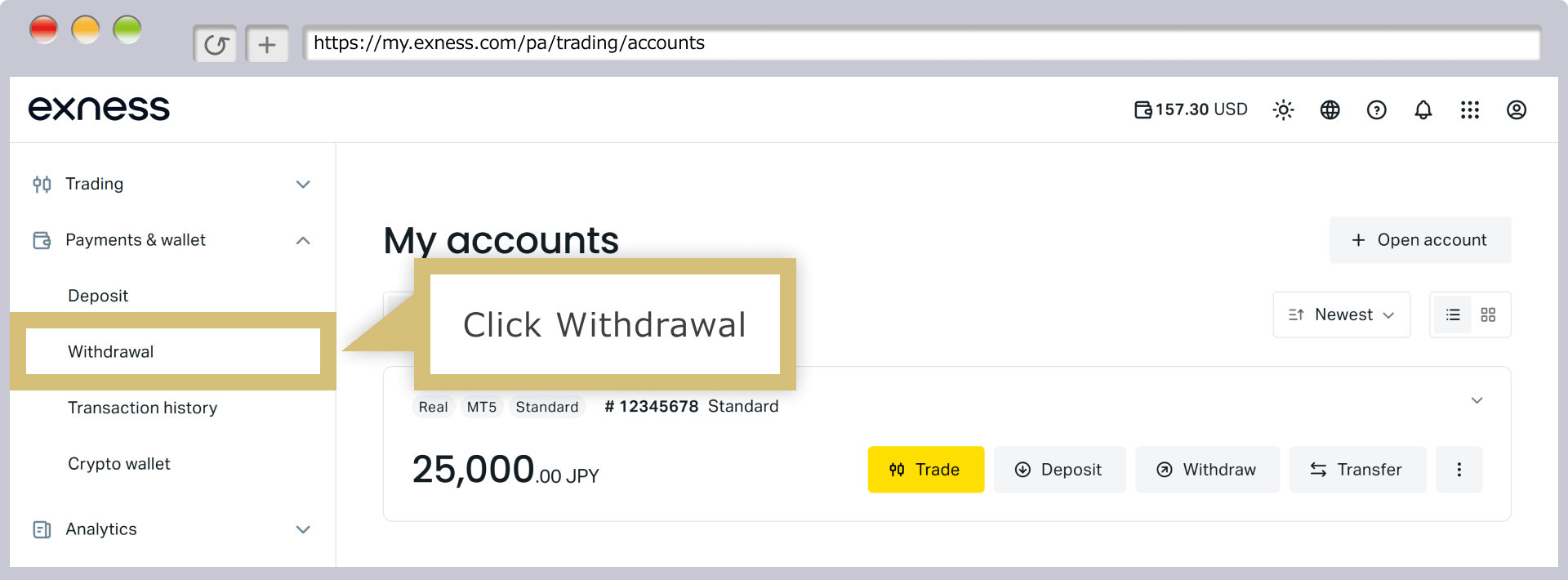
In your Personal Area, click "Withdrawal" in the menu on the left.
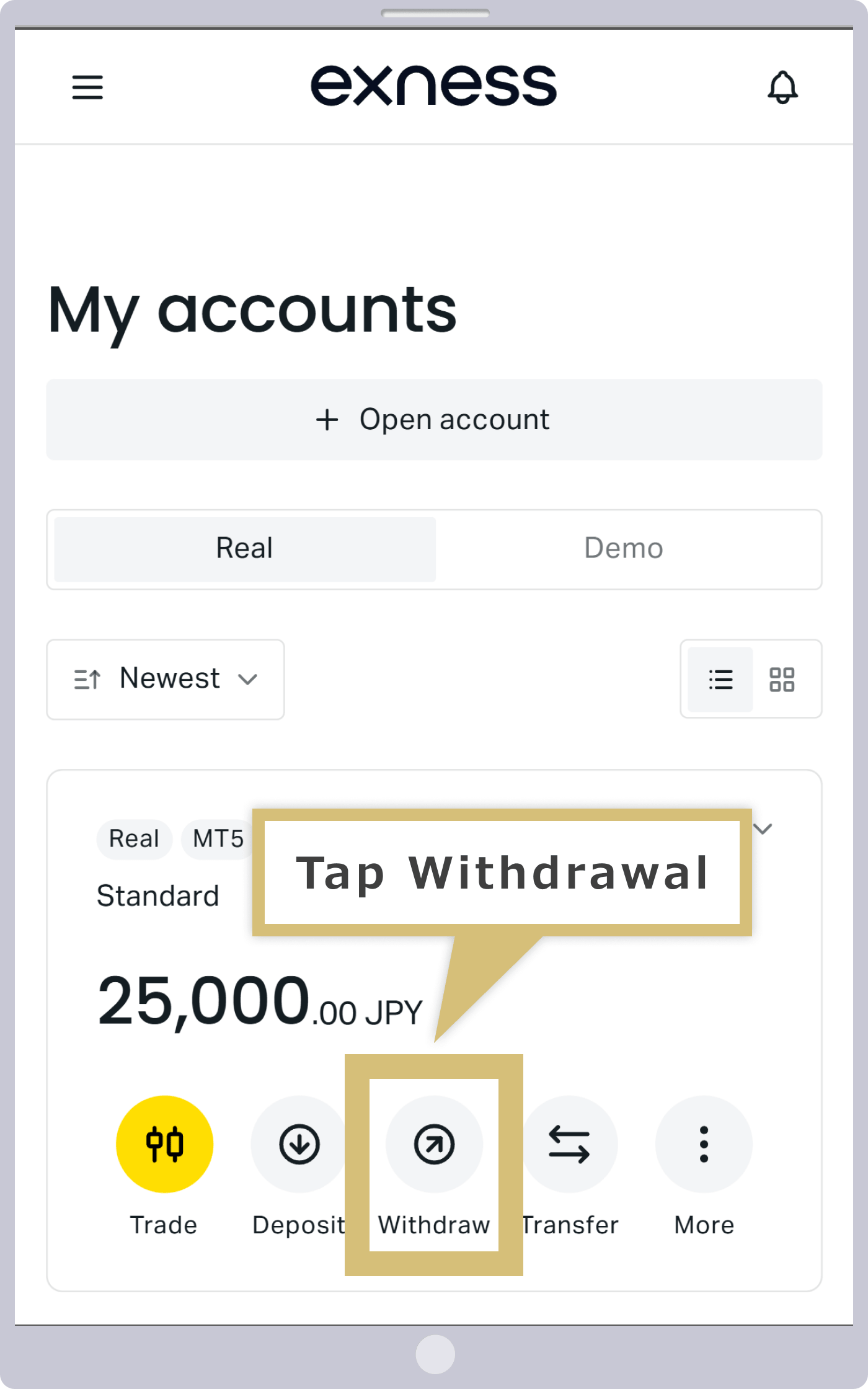
On the "My Account" page, tap "Withdraw" under your live trading account.
Selecting a Withdrawal Method
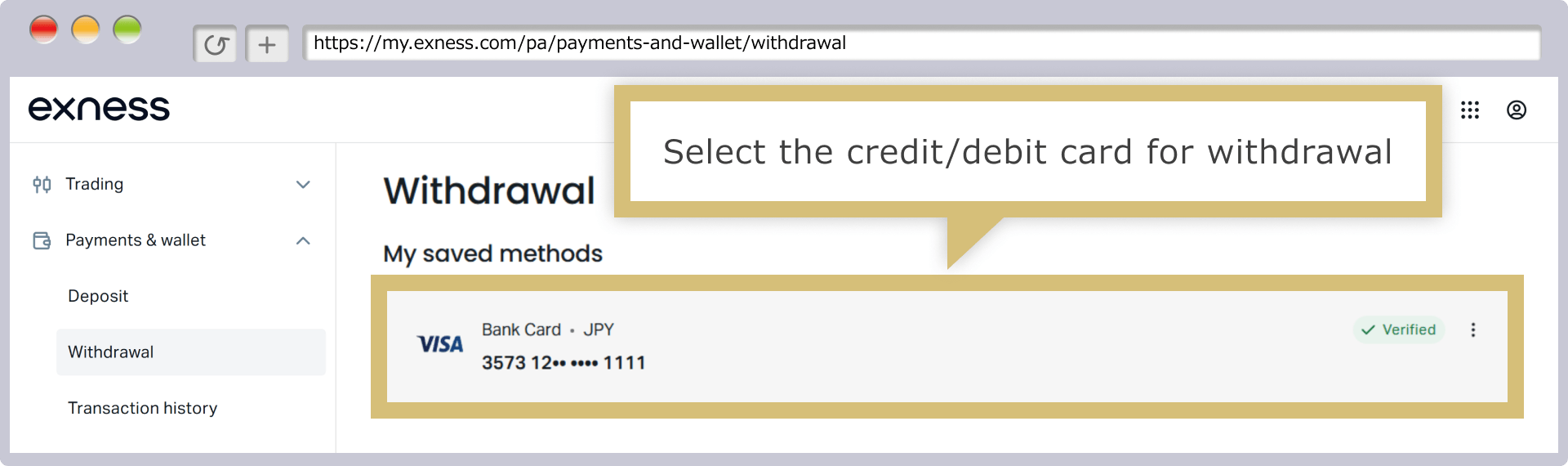
The "Recently Used Payment Methods" section displays a list of payment methods you've used to make deposits with Exness. Click the credit or debit card you wish to use for the withdrawal.
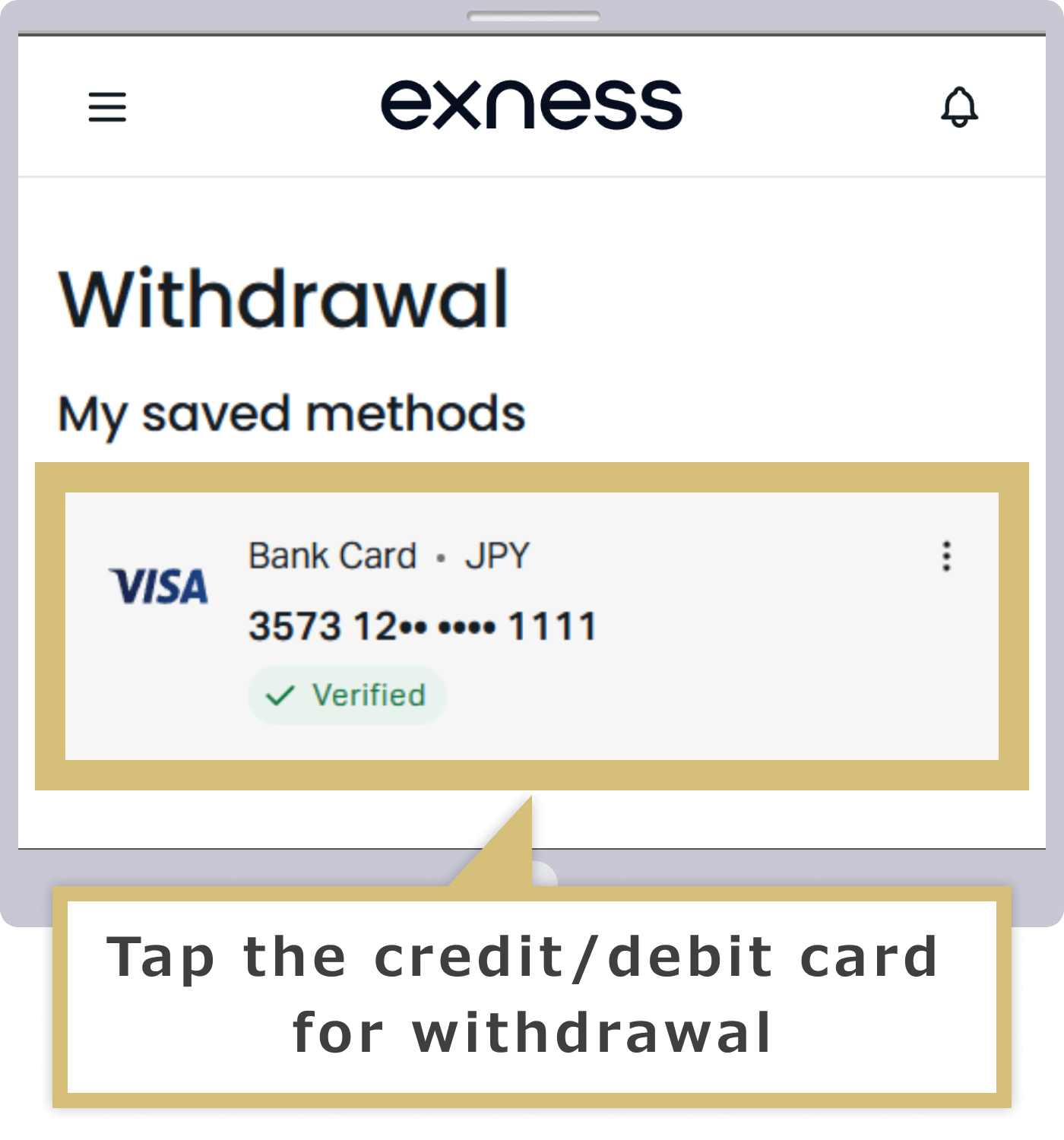
The "Recently Used Payment Methods" section displays a list of payment methods you've used to make deposits with Exness. Tap the credit or debit card you want to use for the withdrawal.

| Exness Support Team Contact Information |
[email protected] |
Selecting the Source Account and Entering the Withdrawal Amount
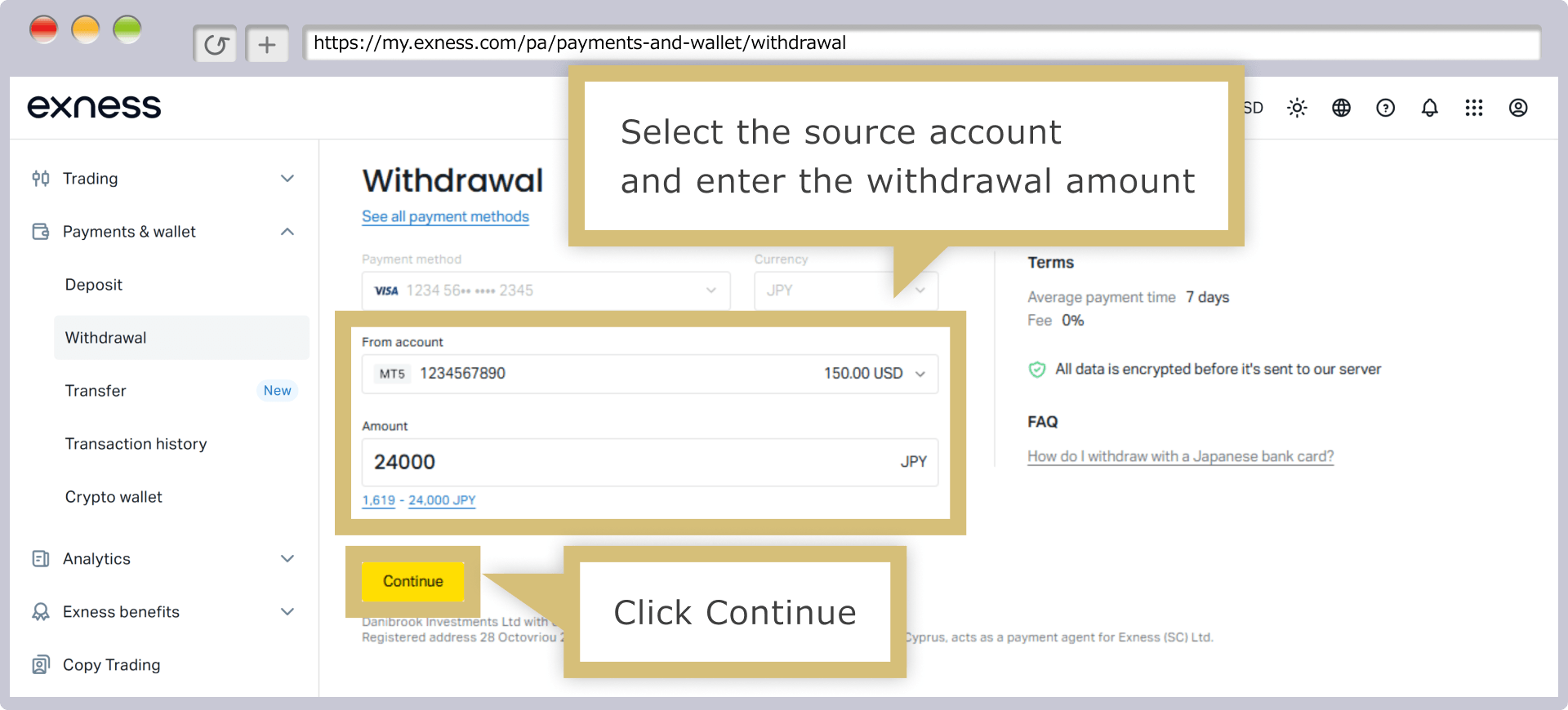
Select the "Transfer Source Account," enter the "Amount," and then click "Continue."
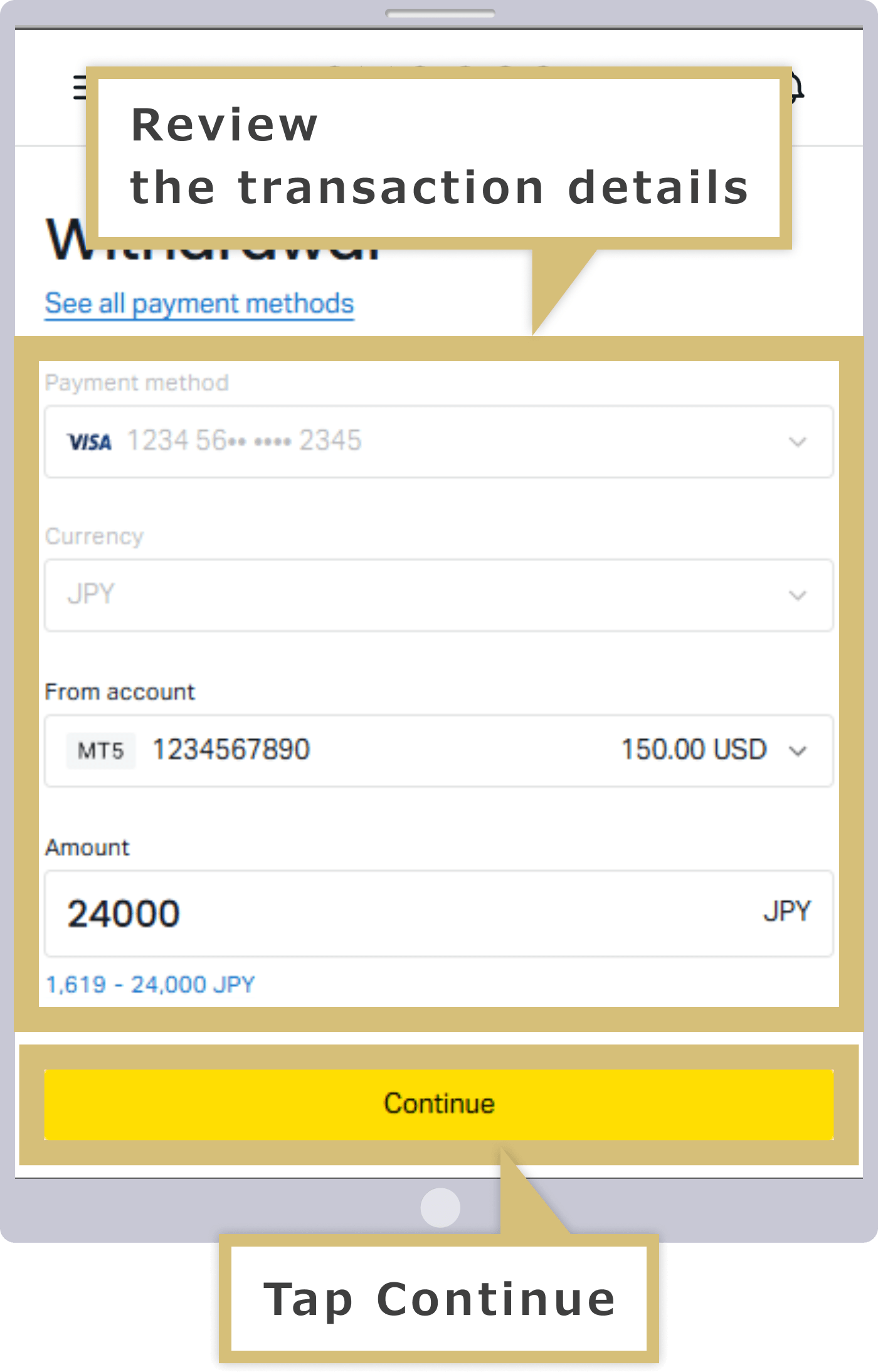
Select the "Transfer Source Account," enter the "Amount," and then tap "Continue."
Confirm Payment Details
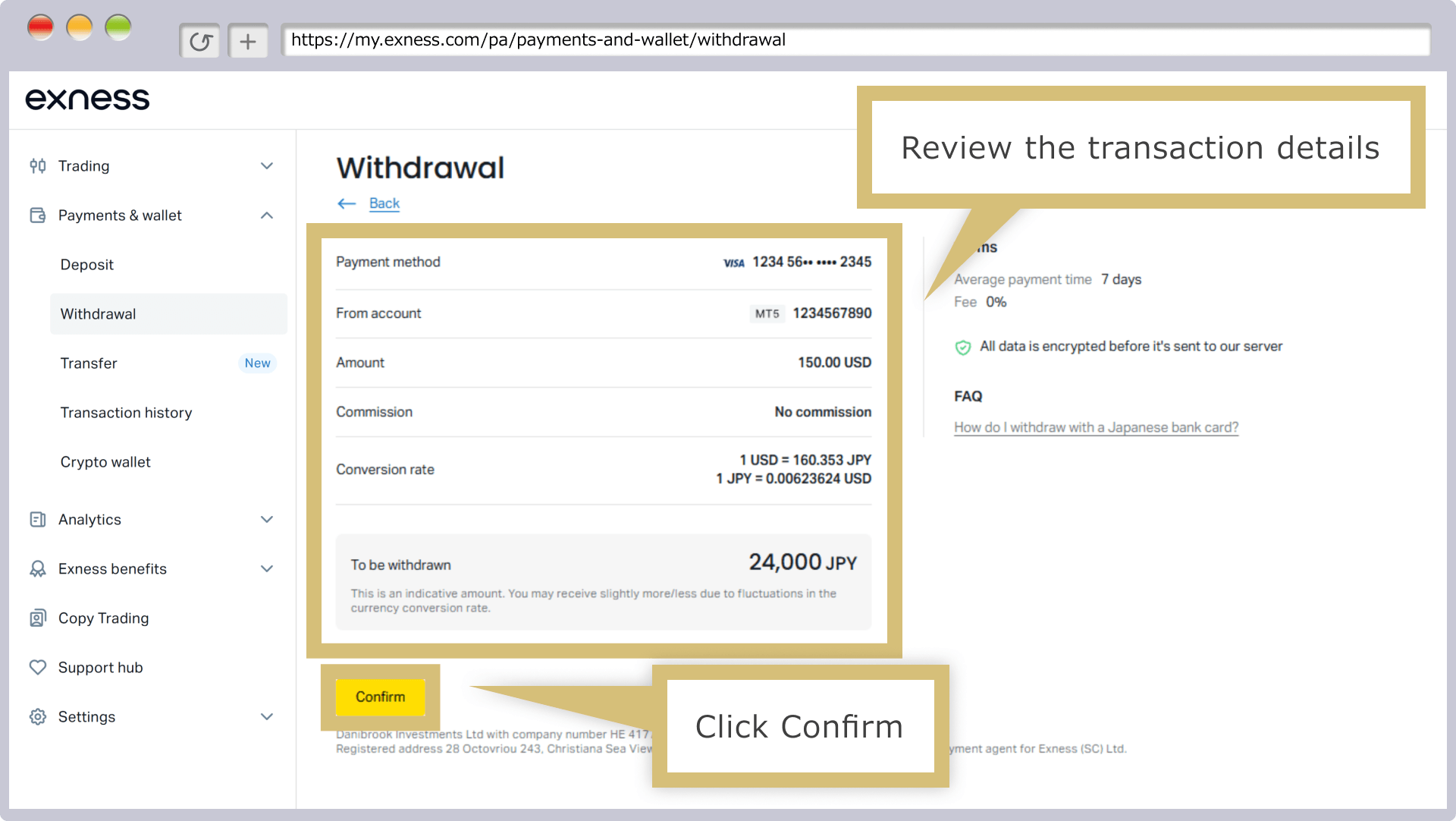
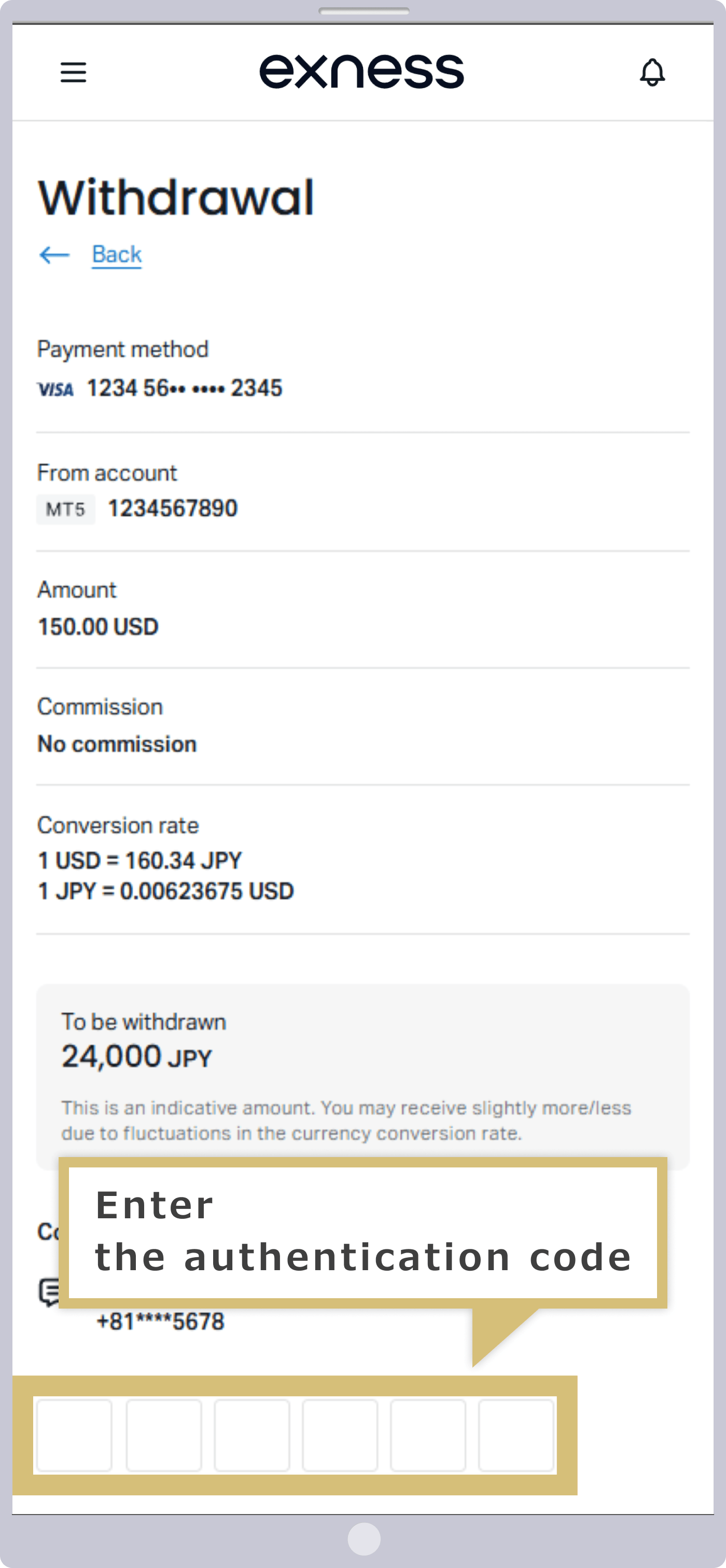
When the confirmation screen appears, verify that the payment details are correct and click "Confirm." An "Authentication Code" will be sent to the email address you registered or via text message to your cell phone, so please check your inbox or text messages.
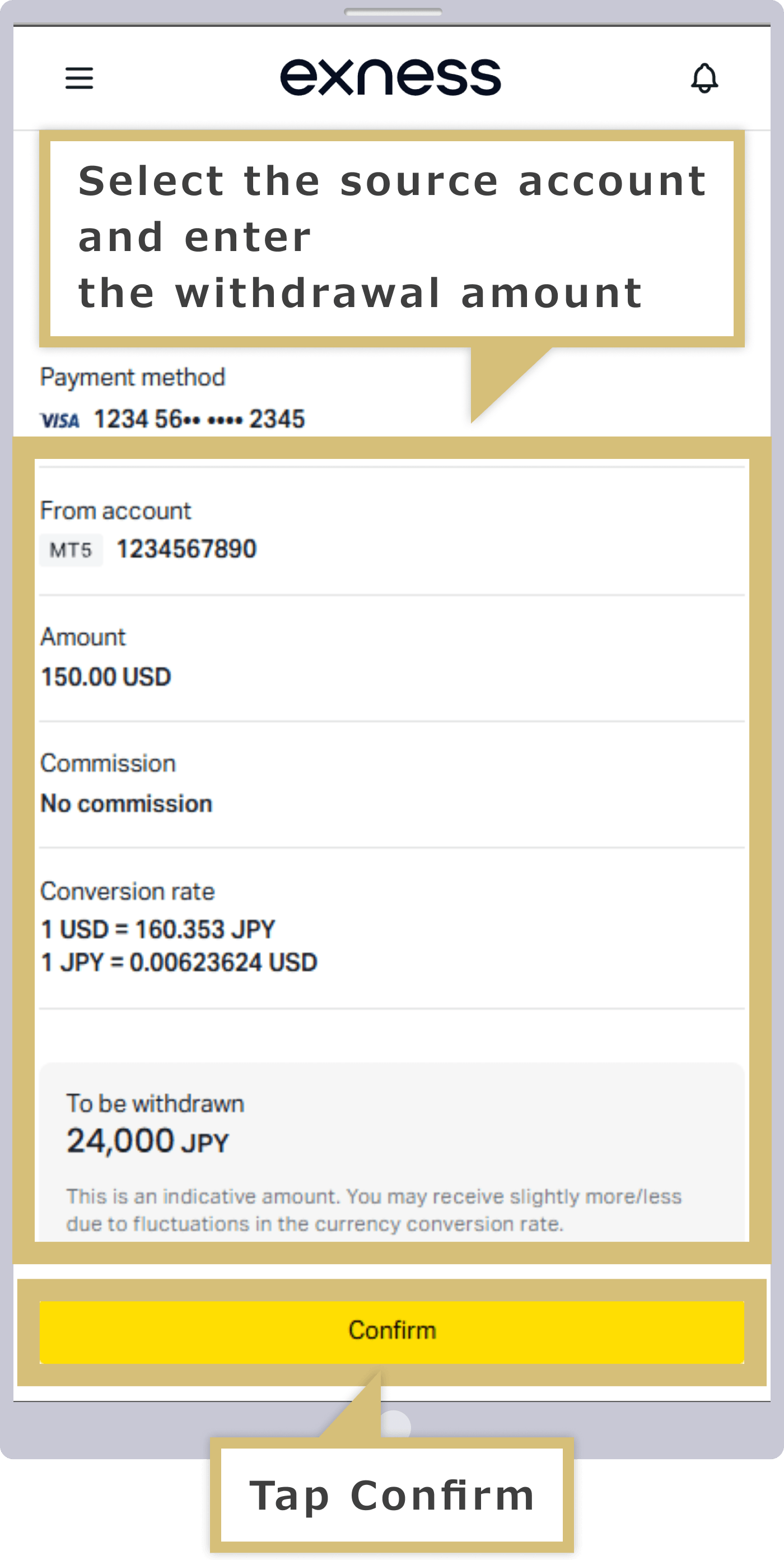
When the confirmation screen appears, verify that the payment details are correct and tap "Confirm." An "authentication code" will be sent to the email address you registered or via text message to your cell phone, so please check it.
Enter the verification code
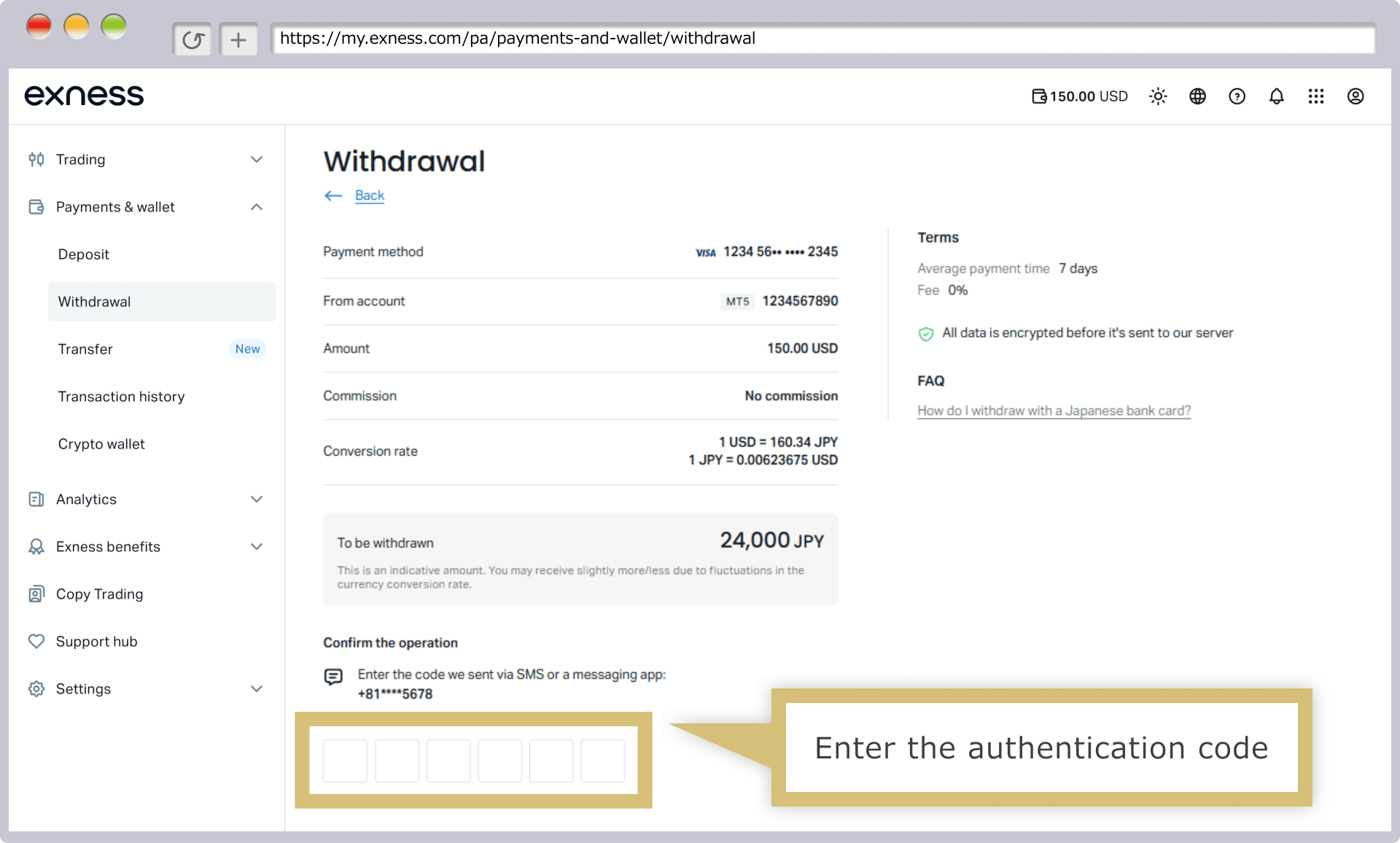
Enter the verification code you received in the "Verification Code" field, then click "Confirm."
Enter the verification code you received in the "Verification Code" field, then tap "Confirm."
How to Check the Security Type
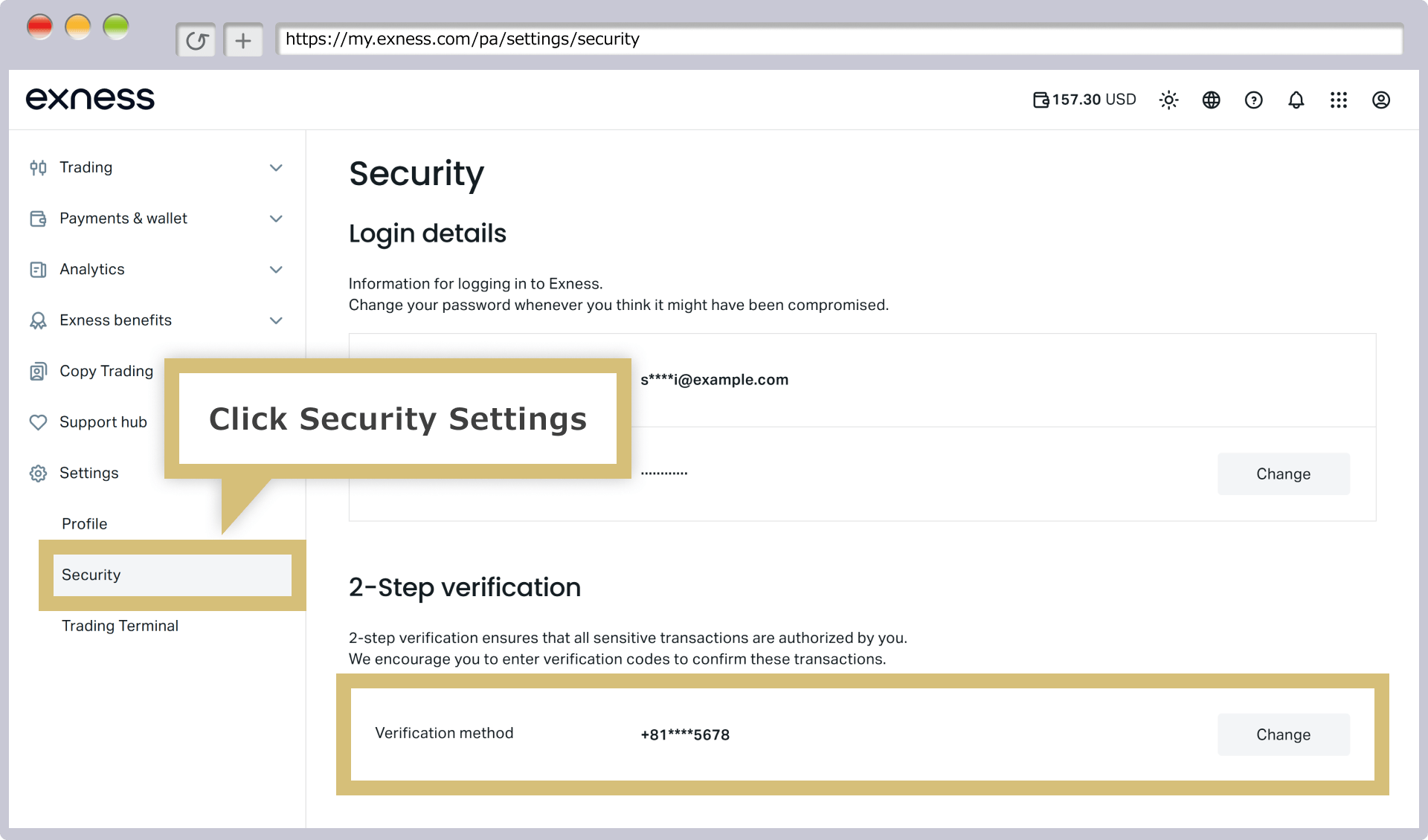
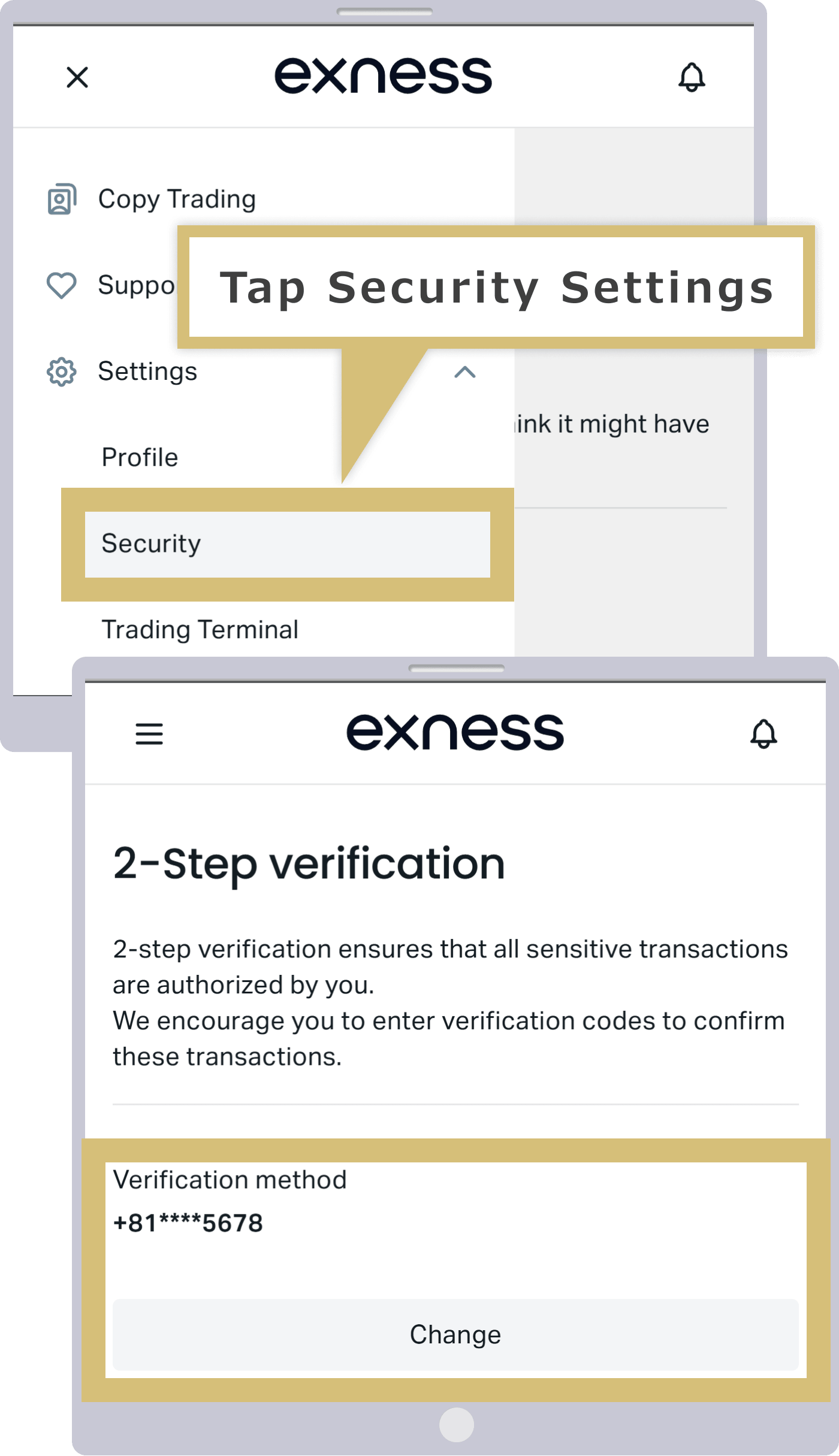
The verification code will be sent via the method specified for your security type (email or mobile phone). If you select the high-security type “mobile phone,” you can switch to the low-security type “email” within 30 days of your registration date. Please note that once 30 days have passed, you will not be able to switch from the high-security type to the low-security type.
You can check your current security type under "Settings" in the left-hand menu.
Completion of the Withdrawal Process
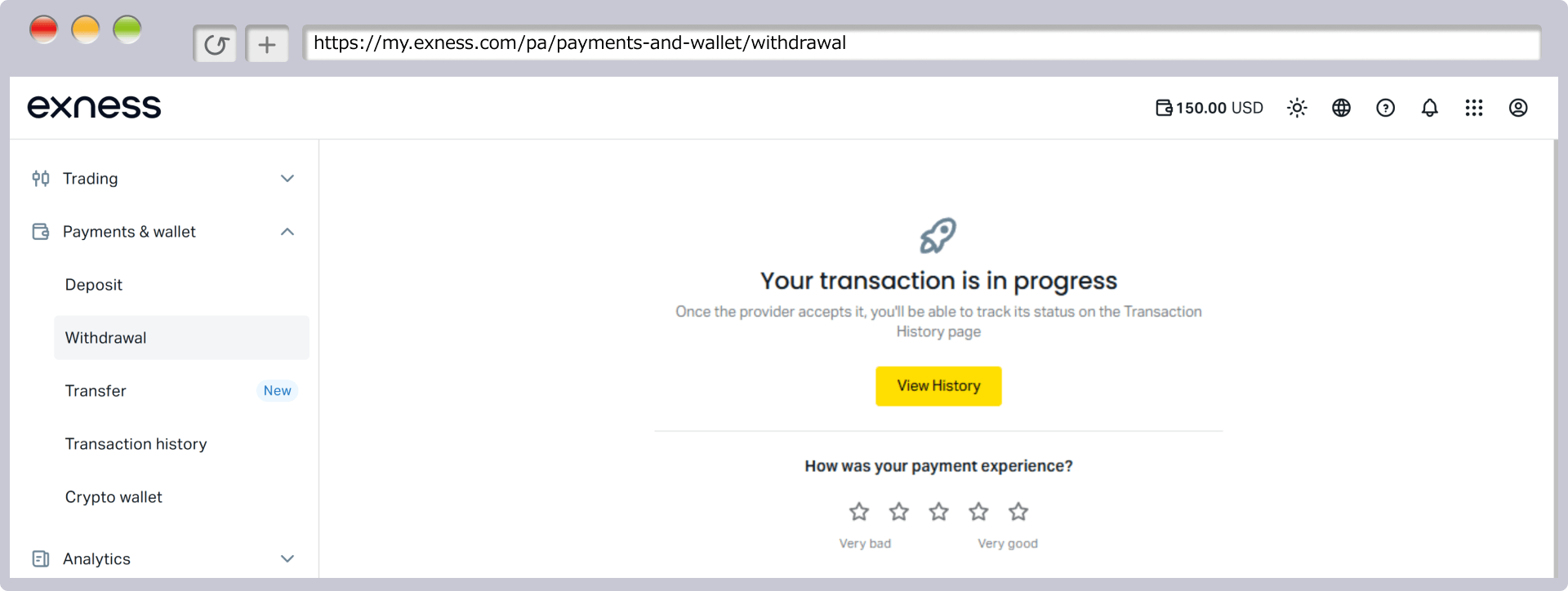
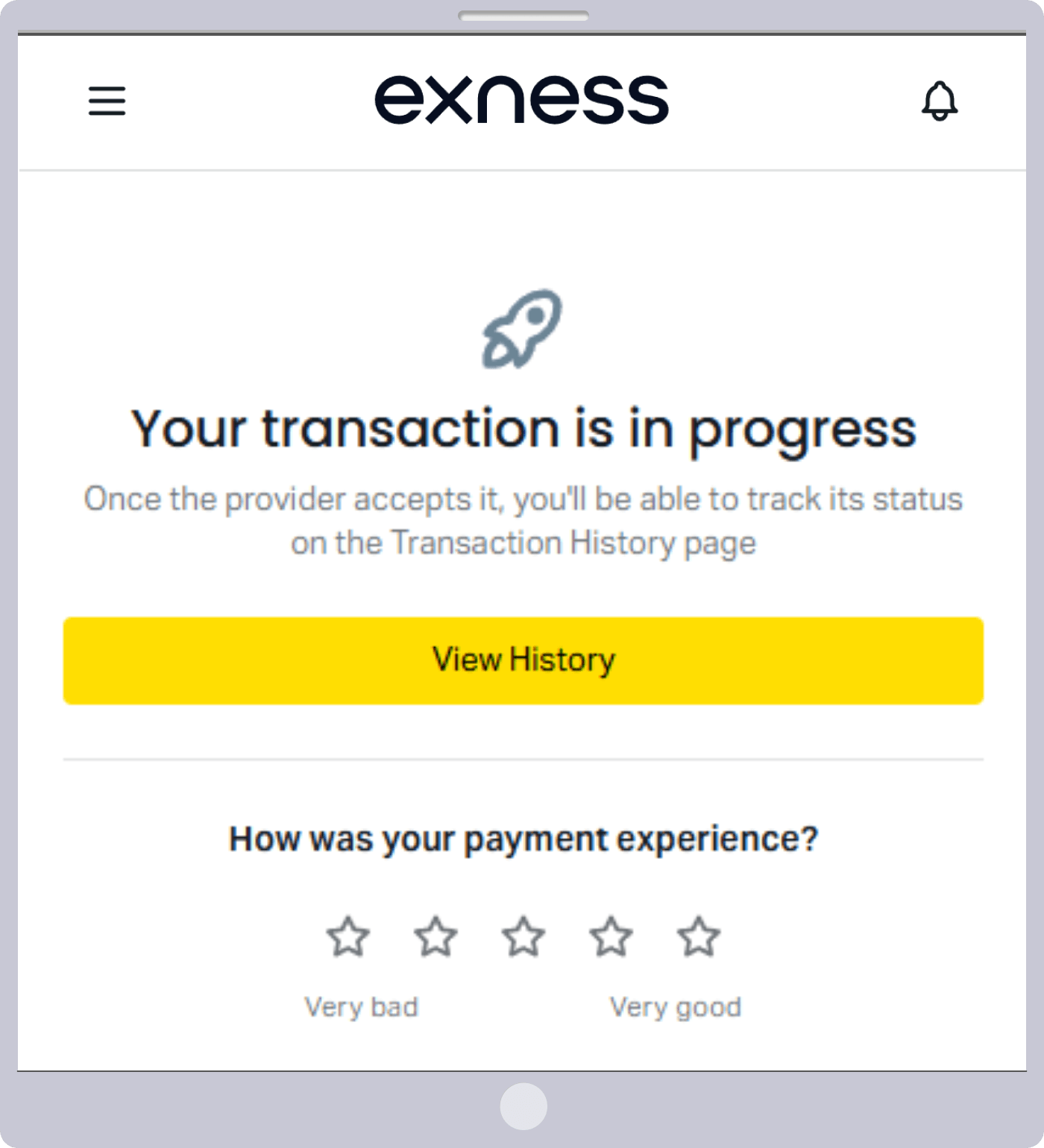
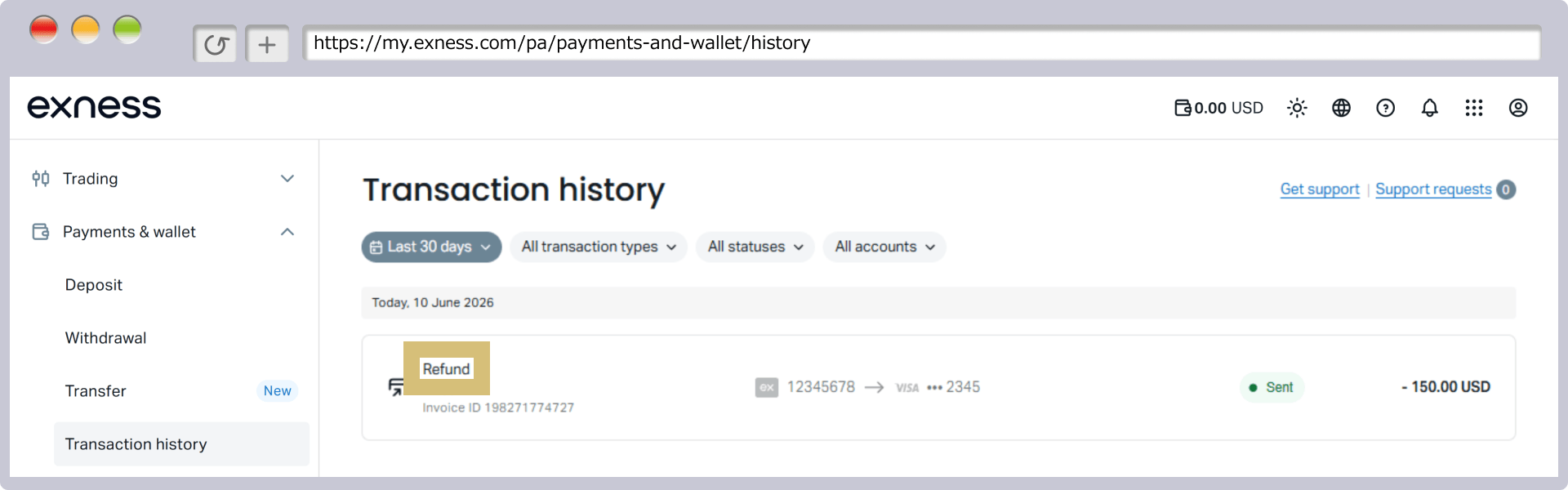
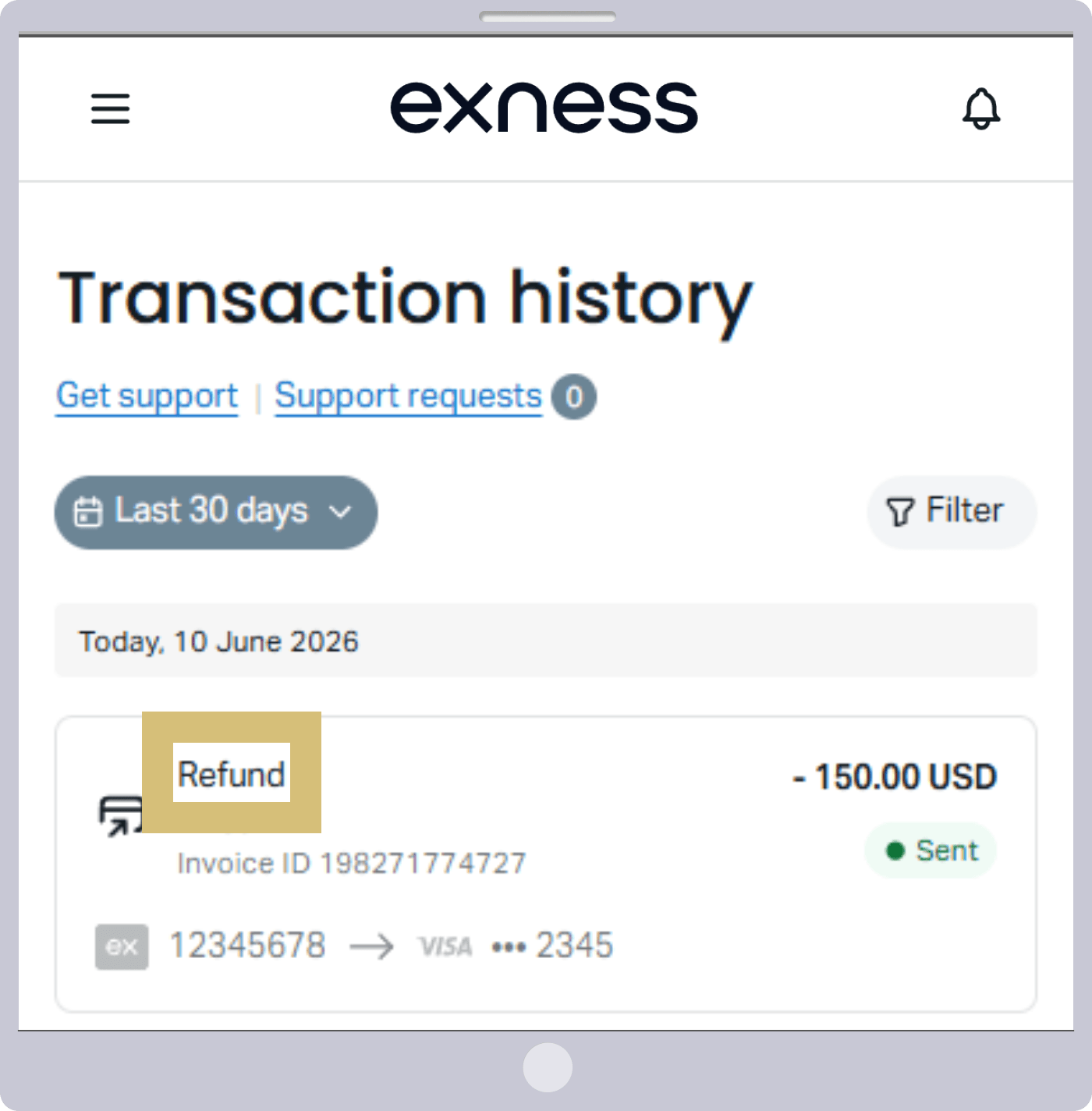
Once a withdrawal request from your Exness trading account to a credit or debit card is successfully processed, a message stating "Your transaction is being processed" will appear, and the withdrawal process is complete.
Please confirm that you have completed the withdrawal request from your Exness trading account to your credit or debit card.

Frequently Asked Questions (FAQ) About Withdrawals via Exness Credit/Debit Cards
-
If I withdraw funds from Exness to a credit or debit card, how long does it take for the transaction to appear on my card statement?
After initiating a withdrawal from Exness to a credit or debit card, Exness will process the withdrawal within 24 business hours, and the funds will appear on your card statement within 1 to 14 business days. However, the time it takes for the refund to be processed may vary depending on your card issuer, so please check with your card issuer for details.
Read More
18.11.2021
-
Can I withdraw my profits from Exness to a credit or debit card?
No, at Exness, withdrawals made via credit or debit card are treated as refunds of the amount you deposited, so you cannot withdraw profits that exceed your total deposit amount. The withdrawal amount must always be equal to the deposit amount. Please withdraw your profits using a withdrawal method other than a credit or debit card.
Read More
18.11.2021
-
If I have a history of deposits made to Exness using multiple credit/debit cards, how do I make a withdrawal?
At Exness, if you have a deposit history using multiple credit or debit cards, you must withdraw the cumulative deposit amount for each card to the respective card. Please note that you cannot withdraw funds to a different card or withdraw an amount exceeding the cumulative deposit amount for each card.
Read More
18.11.2021
-
Is there a withdrawal limit when withdrawing funds from Exness using a credit or debit card?
Yes, at Exness, withdrawals made via credit or debit card are treated as refunds, so the withdrawal amount must always be equal to the deposit amount. Therefore, the minimum withdrawal amount per transaction is the minimum deposit amount (3 USD or more), and the maximum limit is the total deposit amount (up to 10,000 USD).
Read More
18.11.2021
-
I am unable to make a withdrawal even though I have a deposit history with Exness using a credit or debit card.
Exness has a time limit for withdrawals to credit/debit cards; once 90 days have passed since your deposit, you will no longer be able to withdraw funds to a credit/debit card. If 90 days have passed, please withdraw your funds via an online wallet.
Read More
18.11.2021