














Exness: How to Verify Your Profile on a Live Trading Account
How to Open an Account
Exness: How to Verify Your Profile for a Live Trading Account
The profile verification (identity verification) process at Exness is completed by submitting identity verification documents and proof of address after verifying your email address and phone number and registering your personal information and financial details.The process takes only about 5 to 10 minutes to complete on your end, after which Exness will process your application for approval within 24 hours.
Please note that to verify your profile, you will need a valid photo ID (such as a driver’s license, passport, or My Number Card) and proof of address issued within the last 6 months (such as a certificate of residence, seal registration certificate, utility bill, or bank statement).Once all profile verification procedures are complete, the restrictions on your account will be lifted, and you will be able to use Exness’s services without any restrictions.
About Exness Profile Verification (Identity Verification)
The Exness Group operates under strict regulations set by financial regulatory authorities around the world, adhering to the standards established by each authority to ensure the safety of client funds.As a result, Exness maintains AML (Anti-Money Laundering) compliance and implements strict KYC (Know Your Customer) identity verification procedures.
The profile verification process at Exness is completed by submitting identification documents and proof of address after you have registered your personal information and financial details, such as your source of income and investment experience.
Documents Required for Exness Identity Verification
To complete identity verification (profile verification) with Exness, you must submit a valid government-issued photo ID (passport, My Number Card, driver’s license,Residence Card, etc.) and proof of address issued within the last 6 months (certificate of residence, seal registration certificate, utility bill, bank statement, local tax payment notice, etc.).
Requirements for Each Supporting Document
| Identification Documents (ID) |
|
| Proof of Address |
|
| Verification of Identity Documents (Submission of Identification) |
|
| Proof of Address |
|
Differences in the Service Before and After Profile Verification
| Before Profile Verification | After Profile Verification | |
| Opening a New Live Trading Account |
 Available Available
|
Available
|
| Open an Additional Account |
Available
|
Available
|
| Depositing Funds into Your Trading Account |
 Unavailable Unavailable
|
No restrictions
|
| Available Deposit (Payment) Methods |
Unavailable
|
All Deposit Methods |
| Trading |
Unavailable
|
Available
|
| Withdrawals from Trading Accounts |
Unavailable
|
Available
|
| Opening a New Live Trading Account | |
| Before Profile Verification |
Available
|
| After Profile Verification |
Available
|
| Opening an Additional Account | |
| Before Profile Verification |
Available
|
| After Profile Verification |
Available
|
| Depositing Funds into Your Trading Account | |
| Before Profile Verification |
Unavailable
|
| After Profile Verification |
No restrictions
|
| Available Deposit (Payment) Methods | |
| Before Profile Verification |
Unavailable
|
| After Profile Verification |
All Deposit Methods
|
| Trading | |
| Before Profile Verification |
Unavailable
|
| After Profile Verification |
Available
|
| Withdrawals from Your Trading Account | |
| Before Profile Verification |
Unavailable
|
| After Profile Verification |
Available
|
If you do not have a live trading account with Exness, please click here to open one.
Exness Profile Verification (Identity Verification) Procedure
You can complete the profile verification (identity verification) process for Exness through your Personal Area. Click here to access your Personal Area.
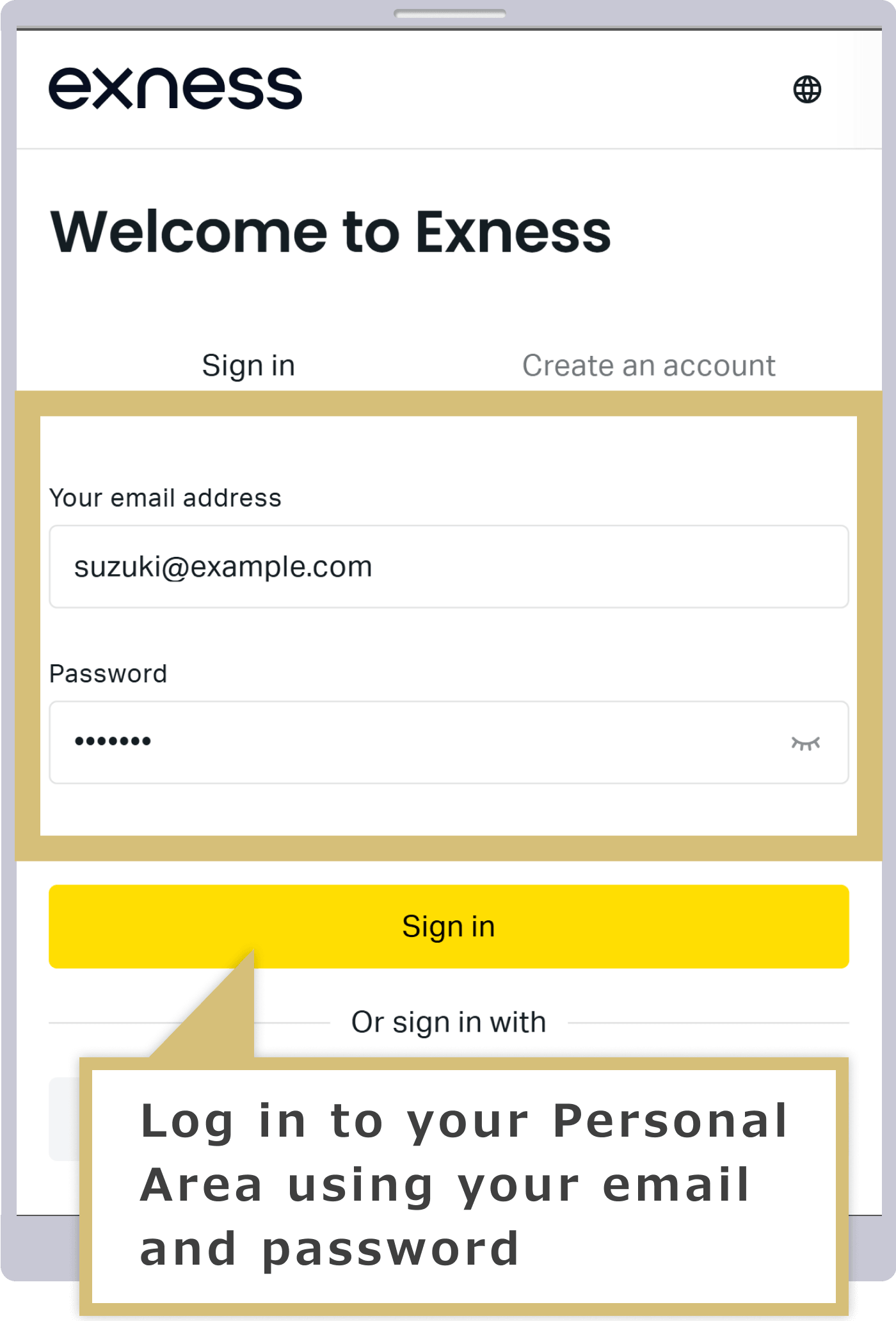
Log in to your Personal Area
Enter the "email address" you used to register with Exness and the "login password" for your Personal Area to log in to your Exness Personal Area.
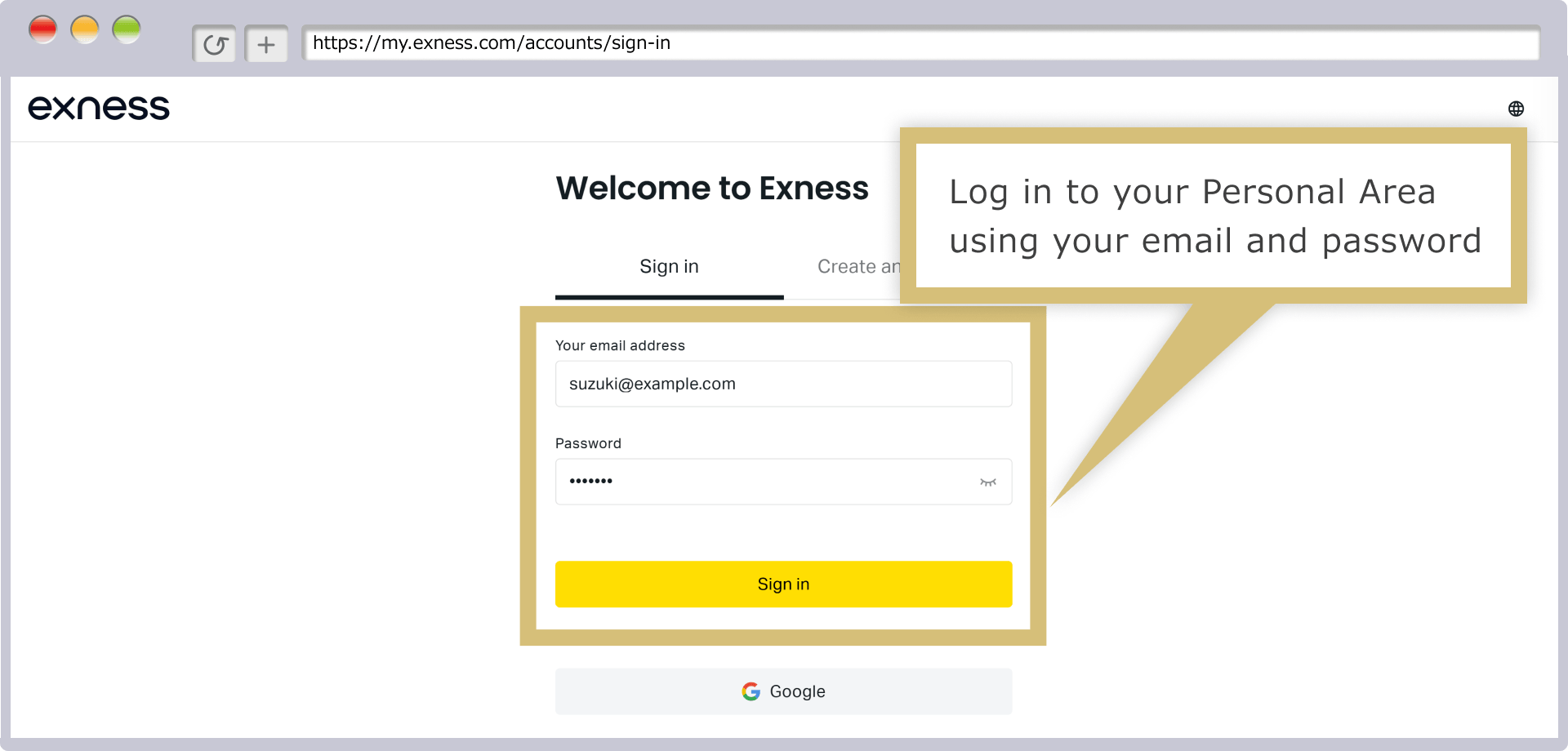
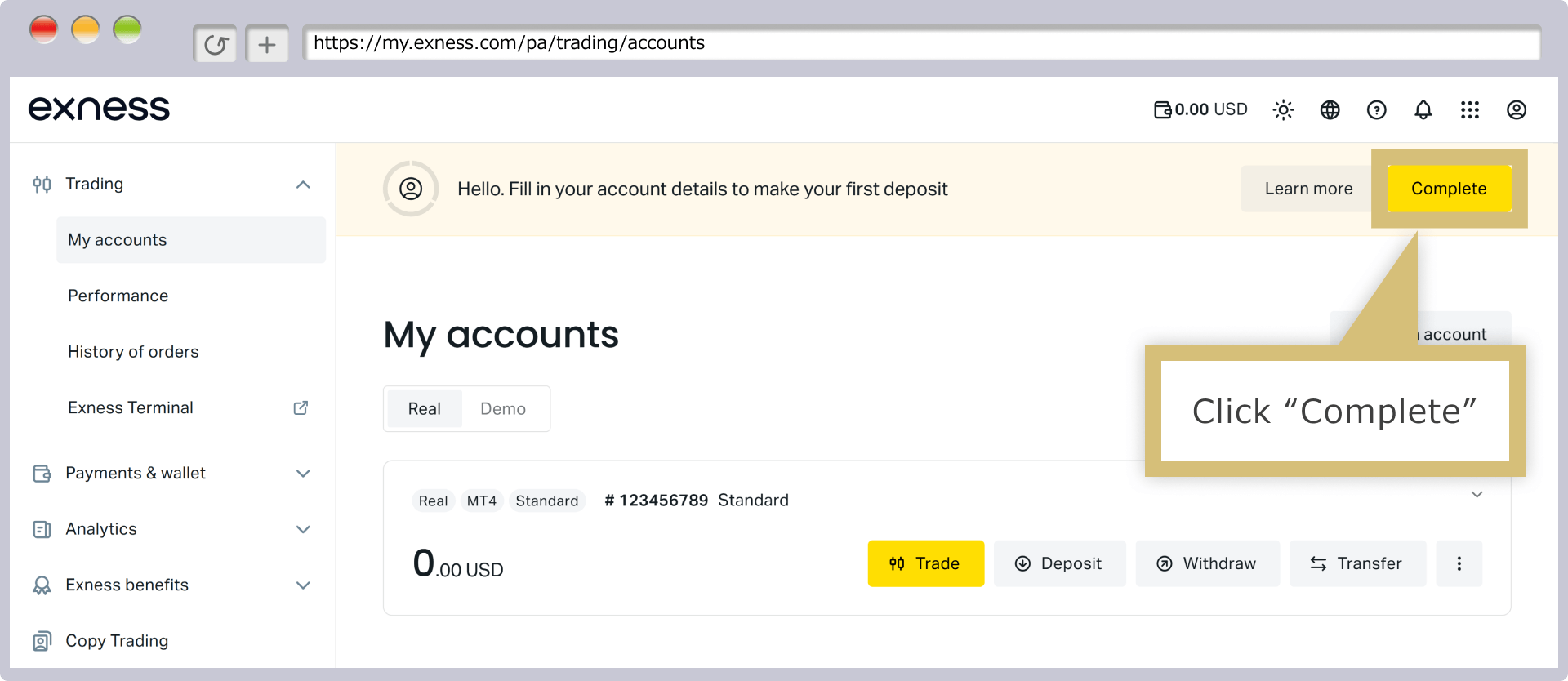
After logging into your Personal Area, click "Respond" in the upper-right corner of the screen to proceed with the profile verification process.
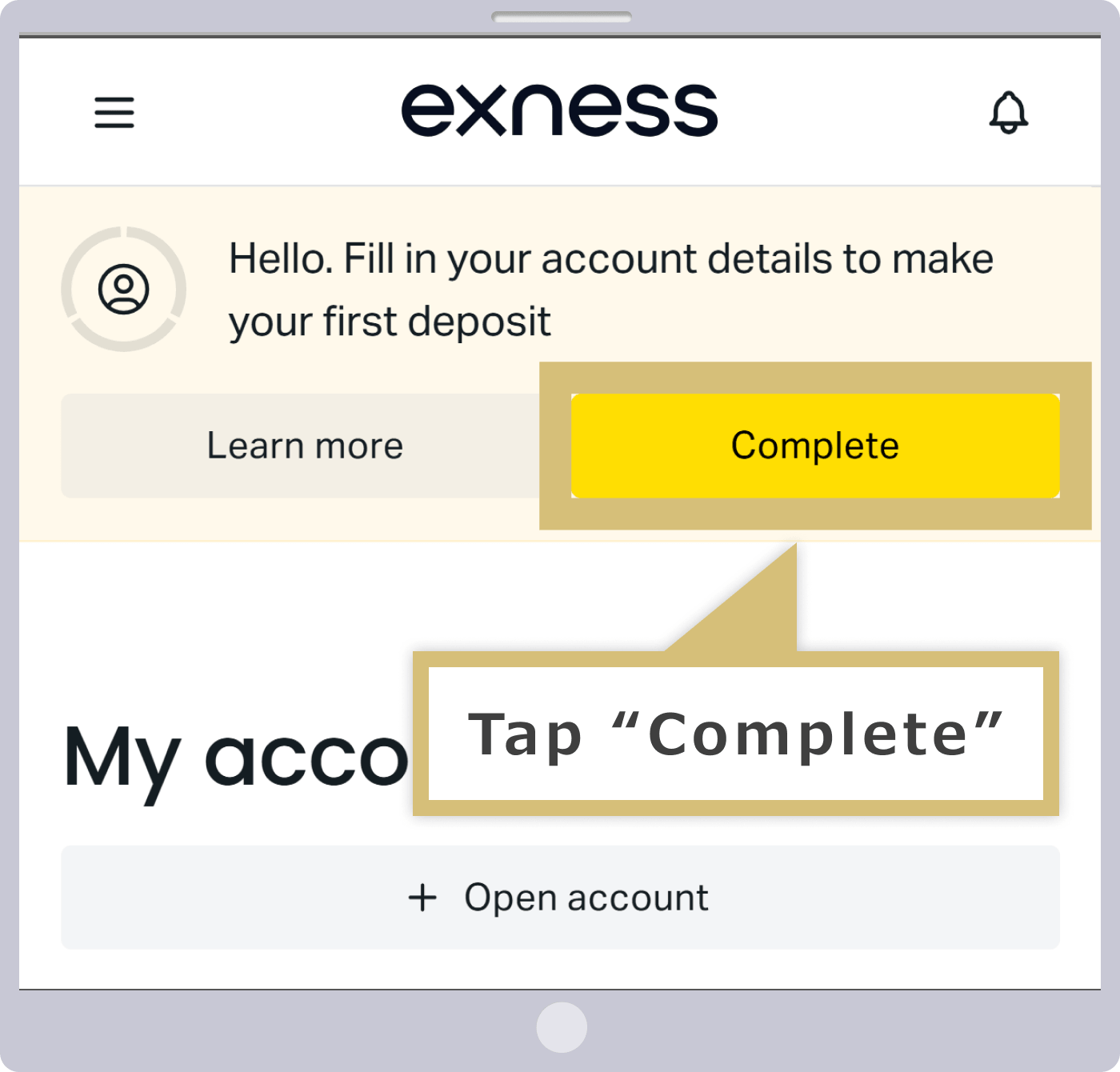
After logging into your Personal Area, tap "Respond" in the upper-right corner of the screen to proceed with the profile verification process.
Email Address Verification
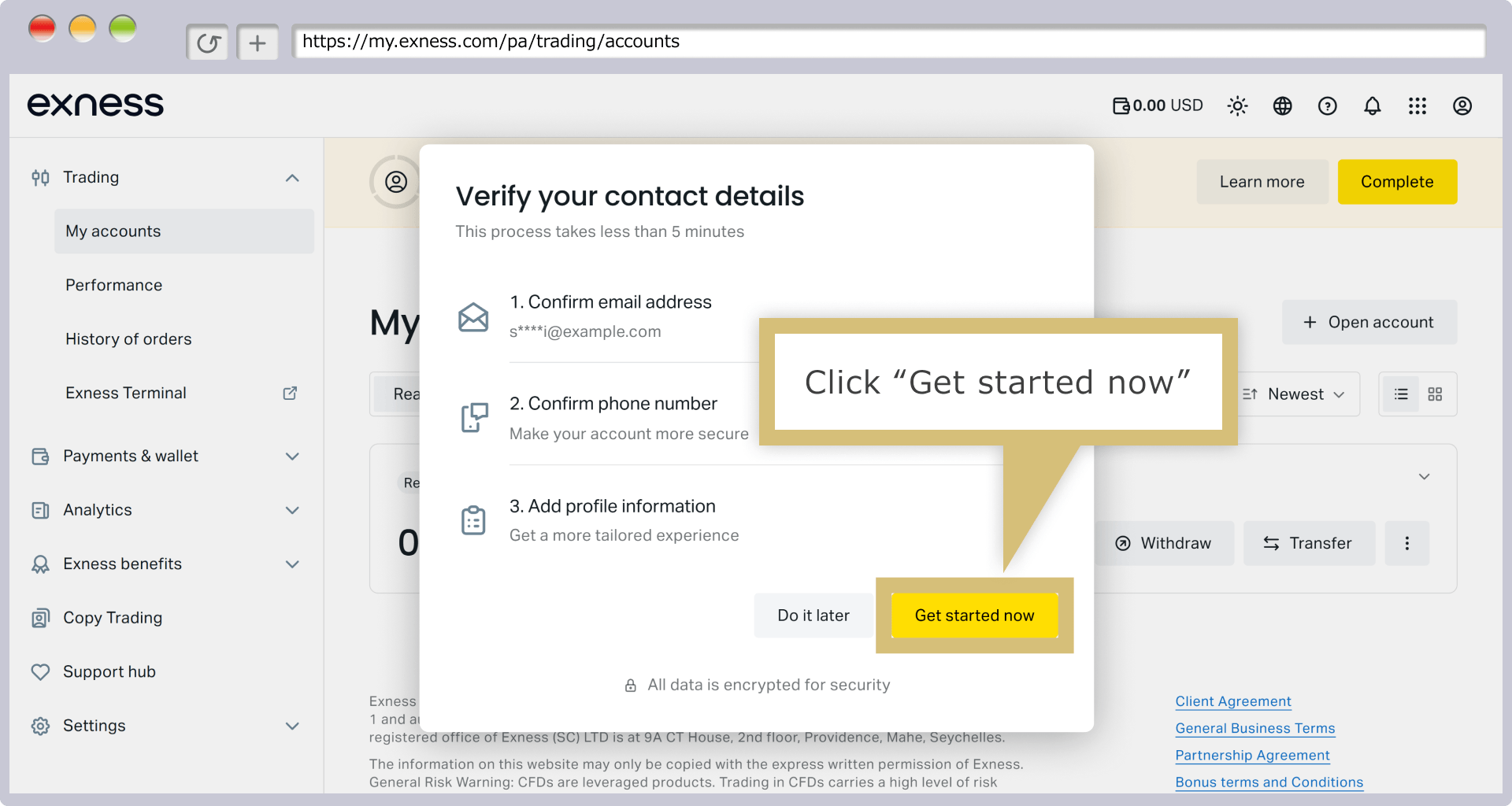
When the screen that says "Just 3 more steps until you can make a deposit" appears, click "Get Started Now."
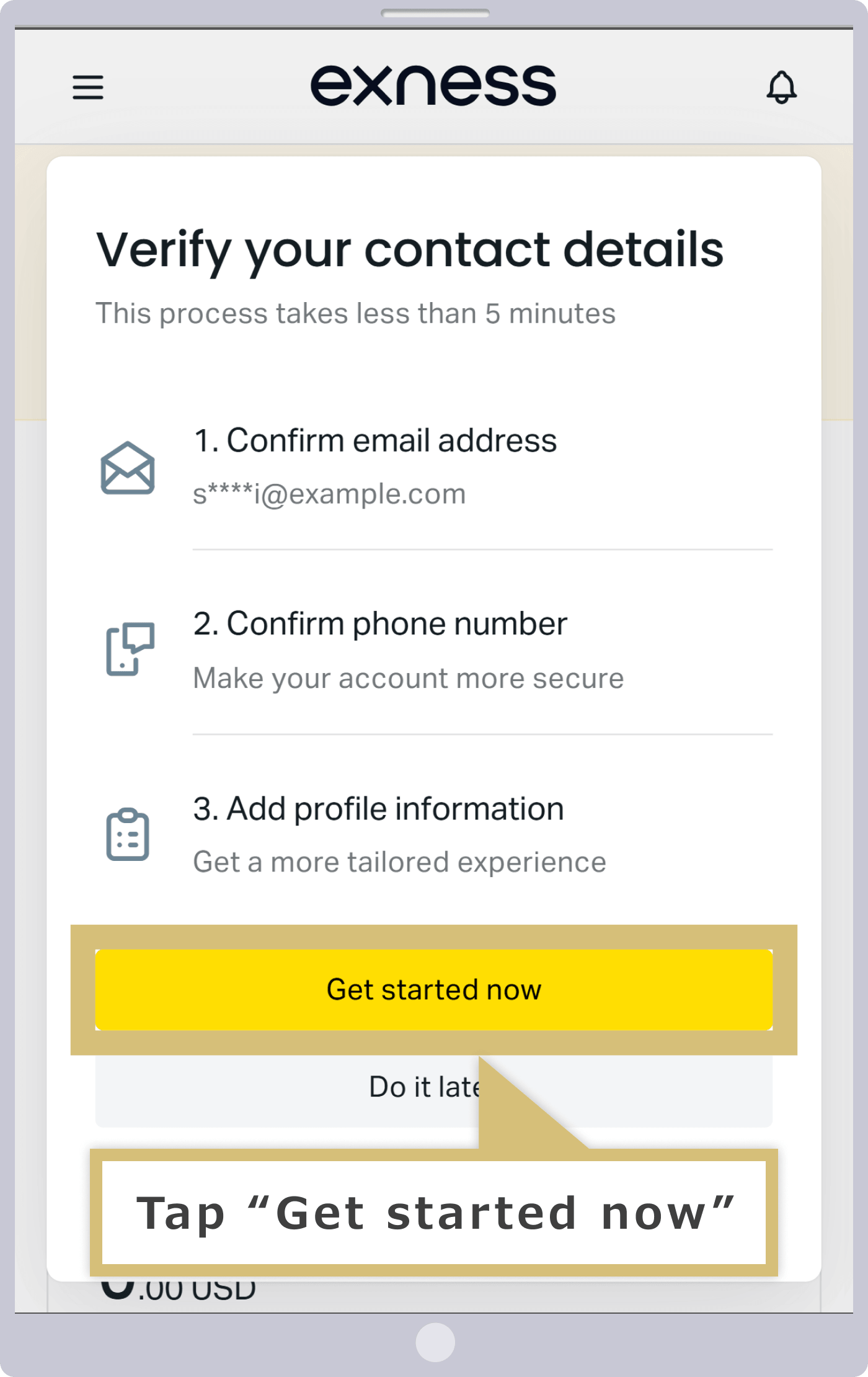
When the screen that says "Just 3 more steps until you can make a deposit" appears, tap "Get Started Now."
Exness will send an email with the subject line “Email Address Verification” to the email address you provided during registration. Please check the verification code in the body of the email.
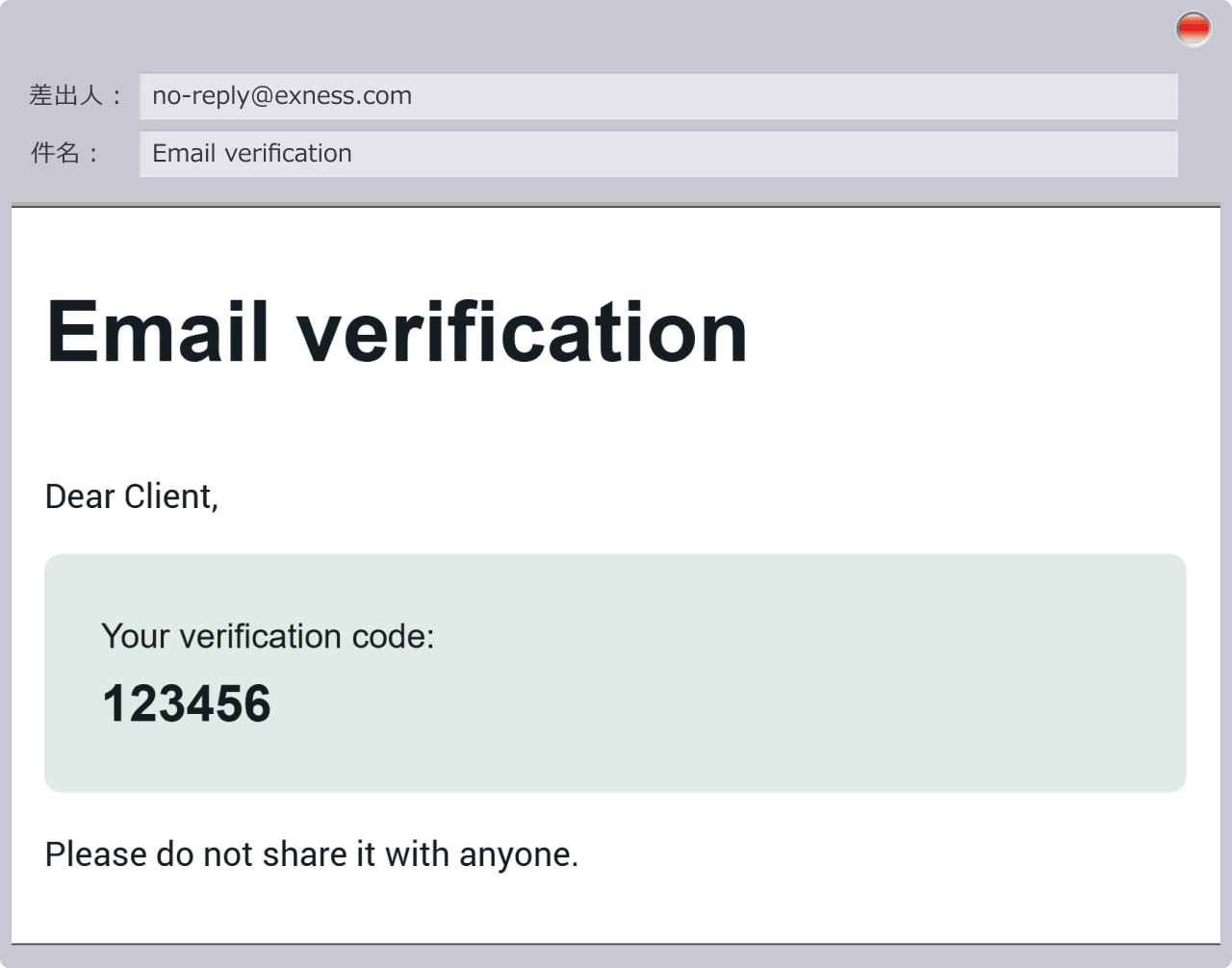
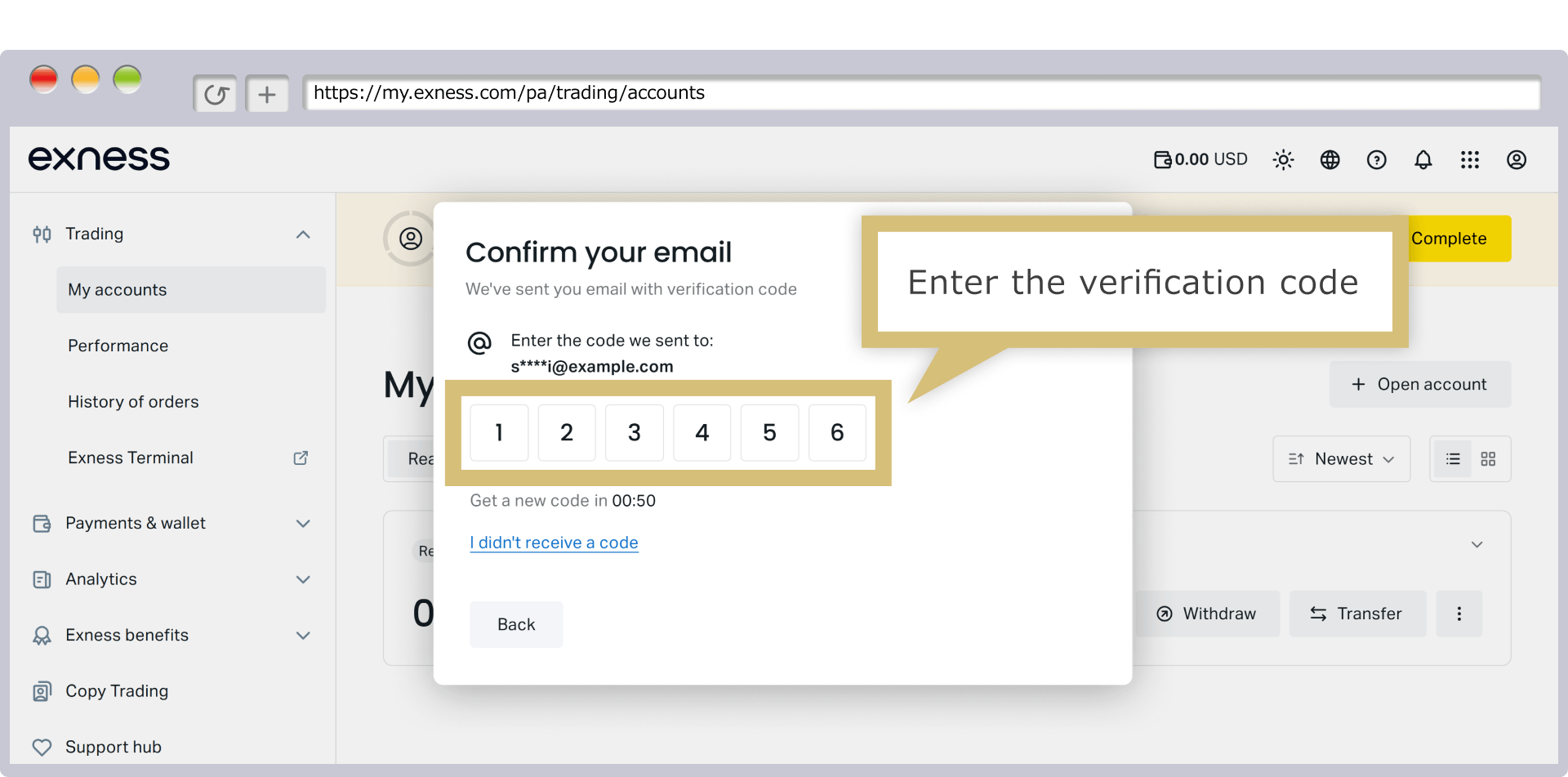
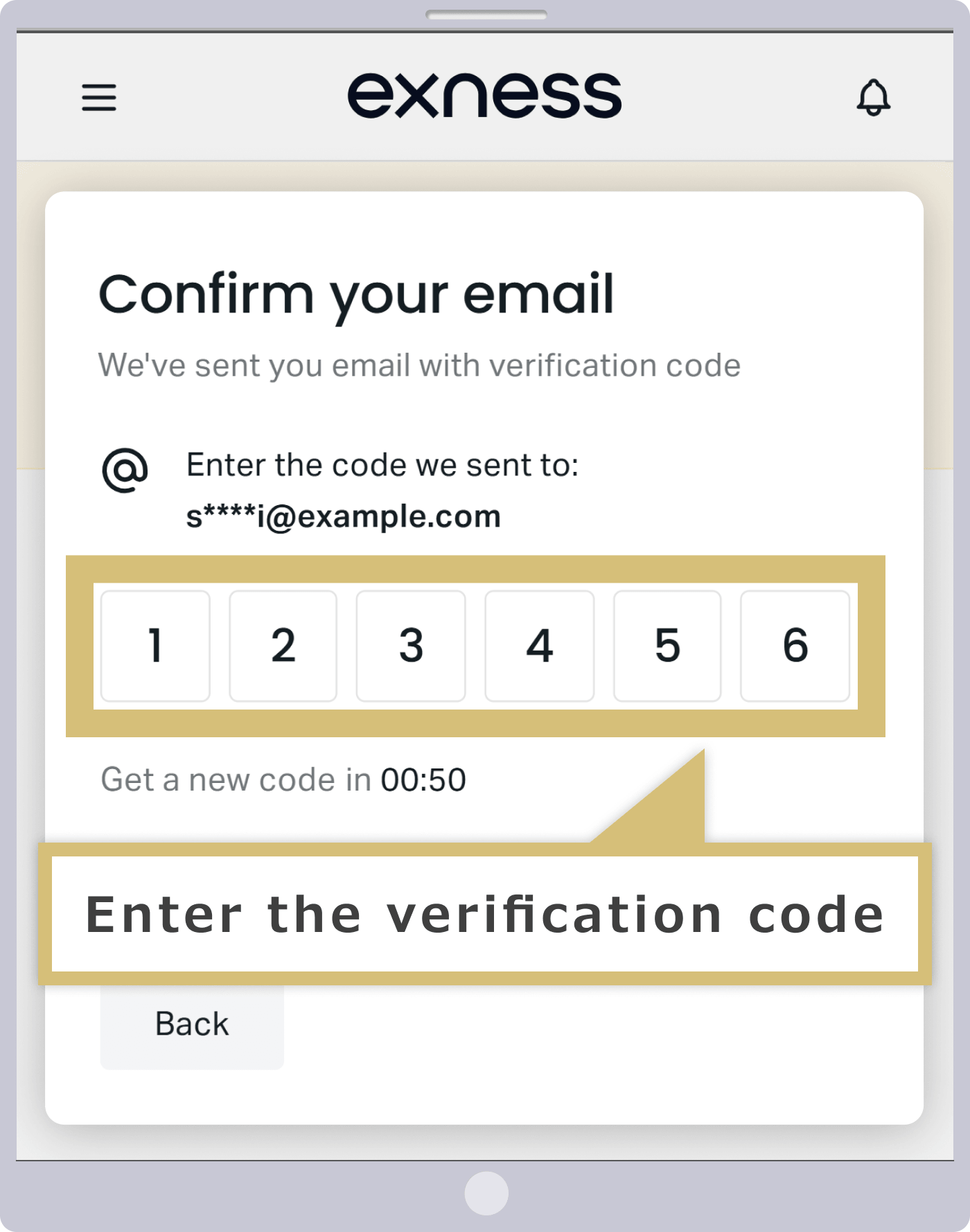
Please enter the verification code you received via email on the verification screen.
Phone Number Verification
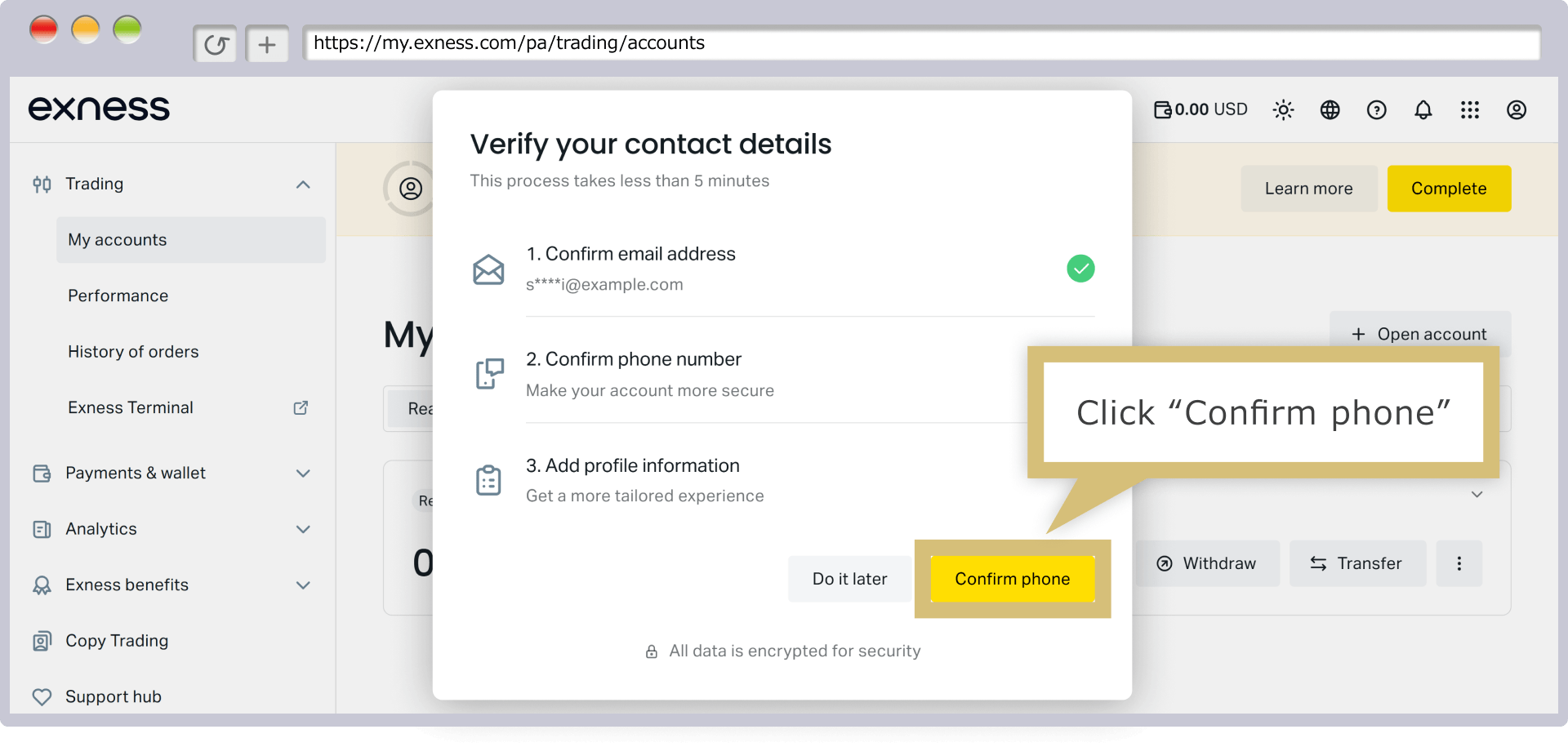
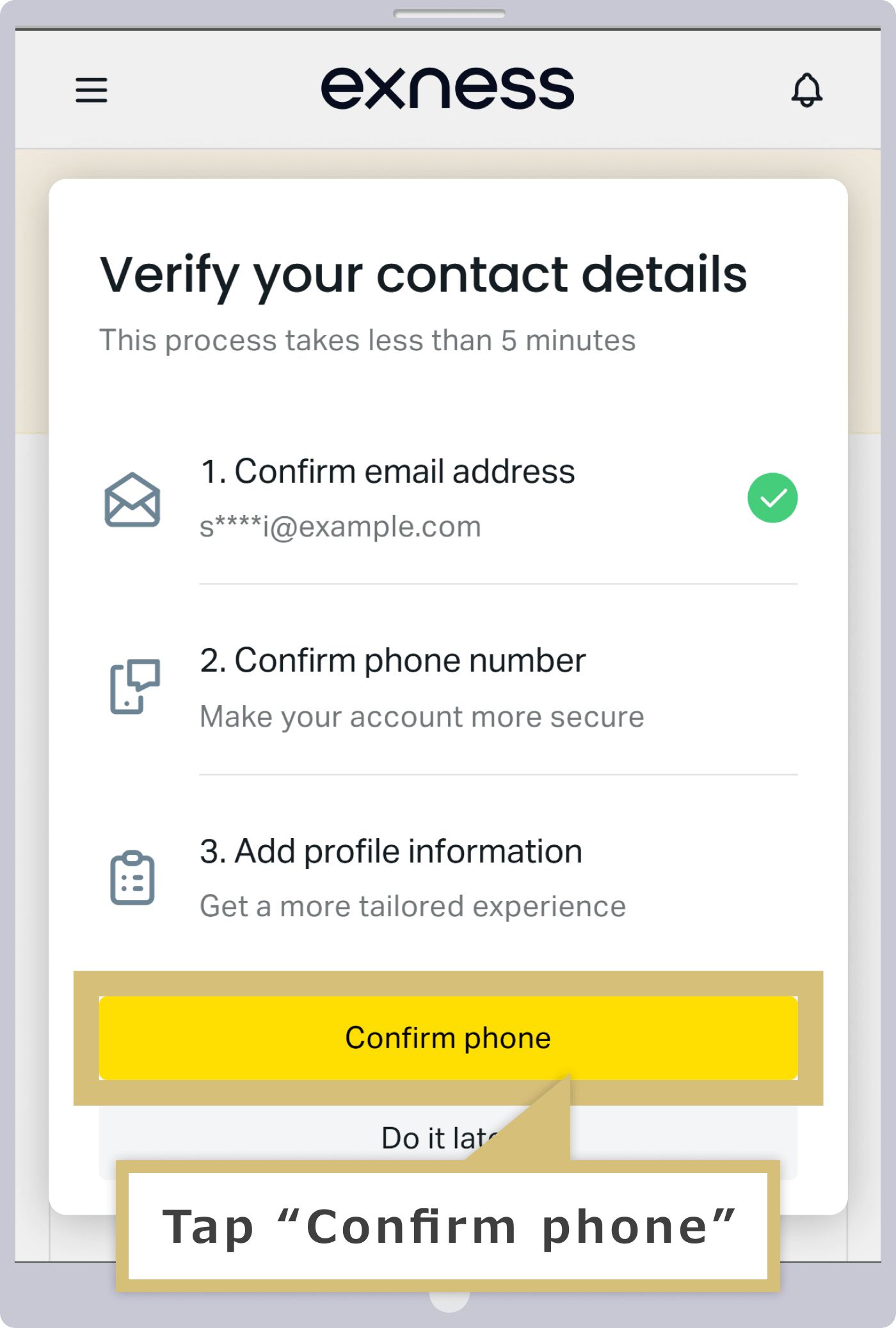
Next, verify your phone number. When "Verify Contact Information" appears, click "Confirm Phone Number."
Next, verify your phone number. When "Verify Contact Information" appears, tap "Confirm Phone Number."
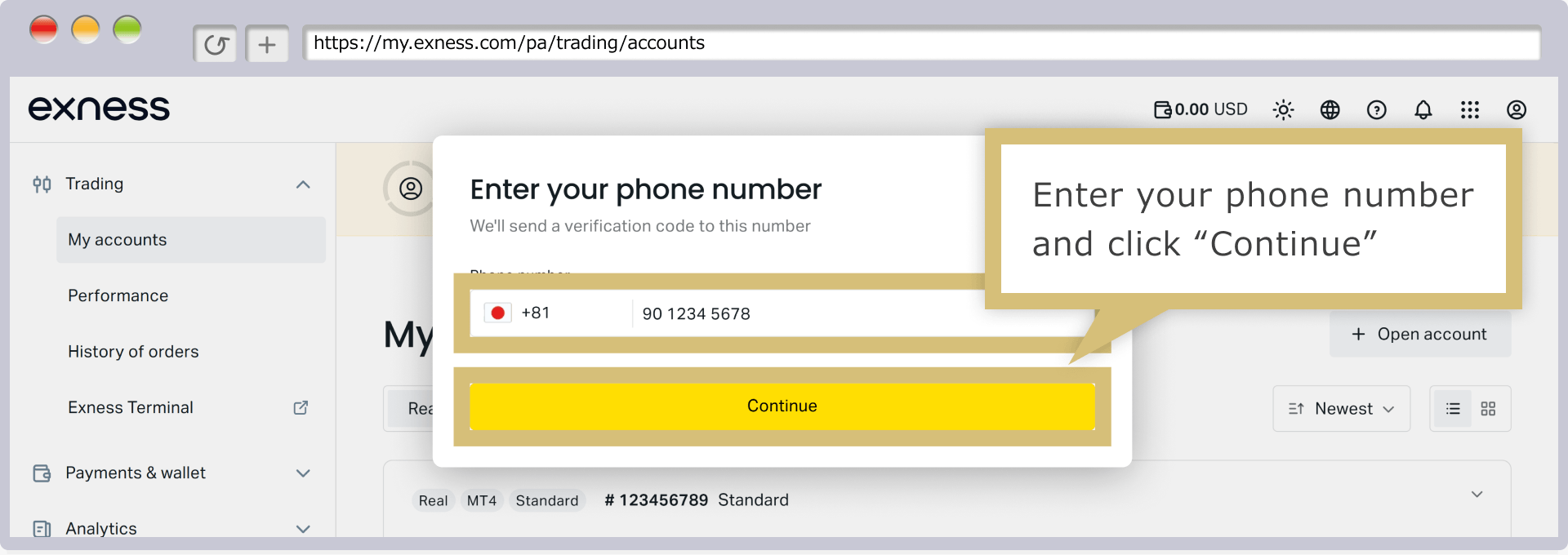
Please enter a phone number that can receive SMS (text messages) in the phone number field, then click "Continue."
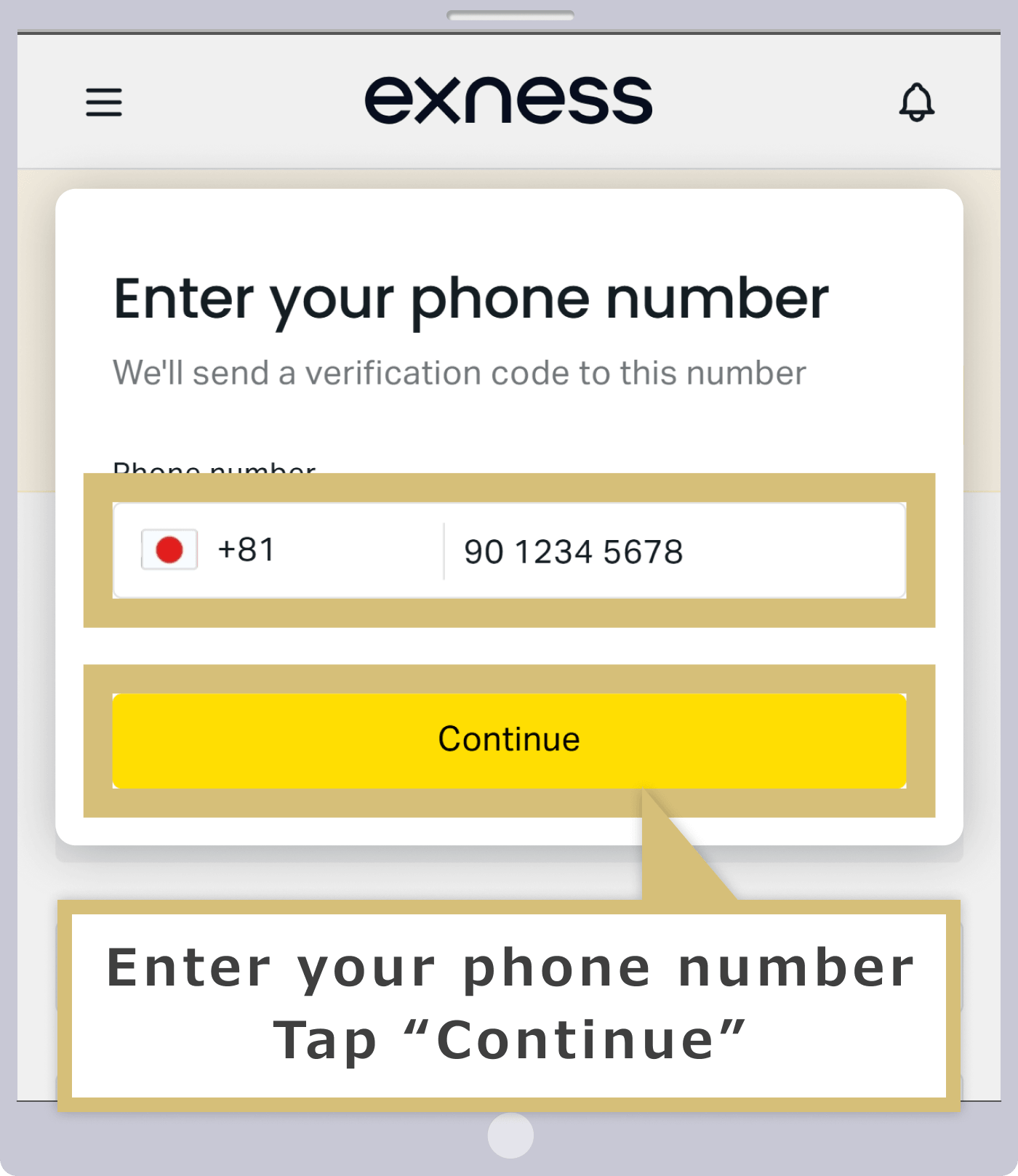
Enter a phone number that can receive SMS (text messages) in the phone number field, then tap "Continue."
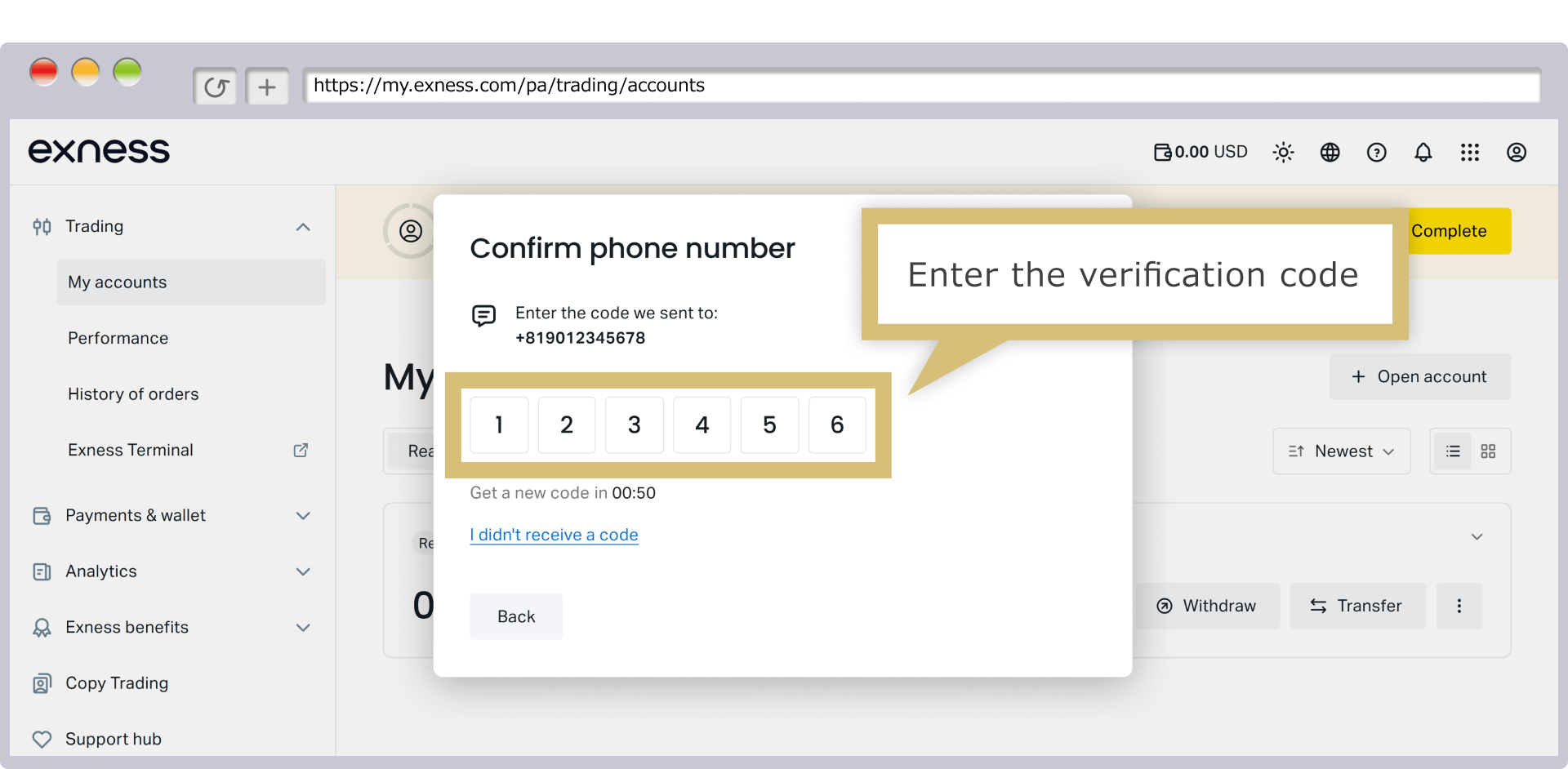
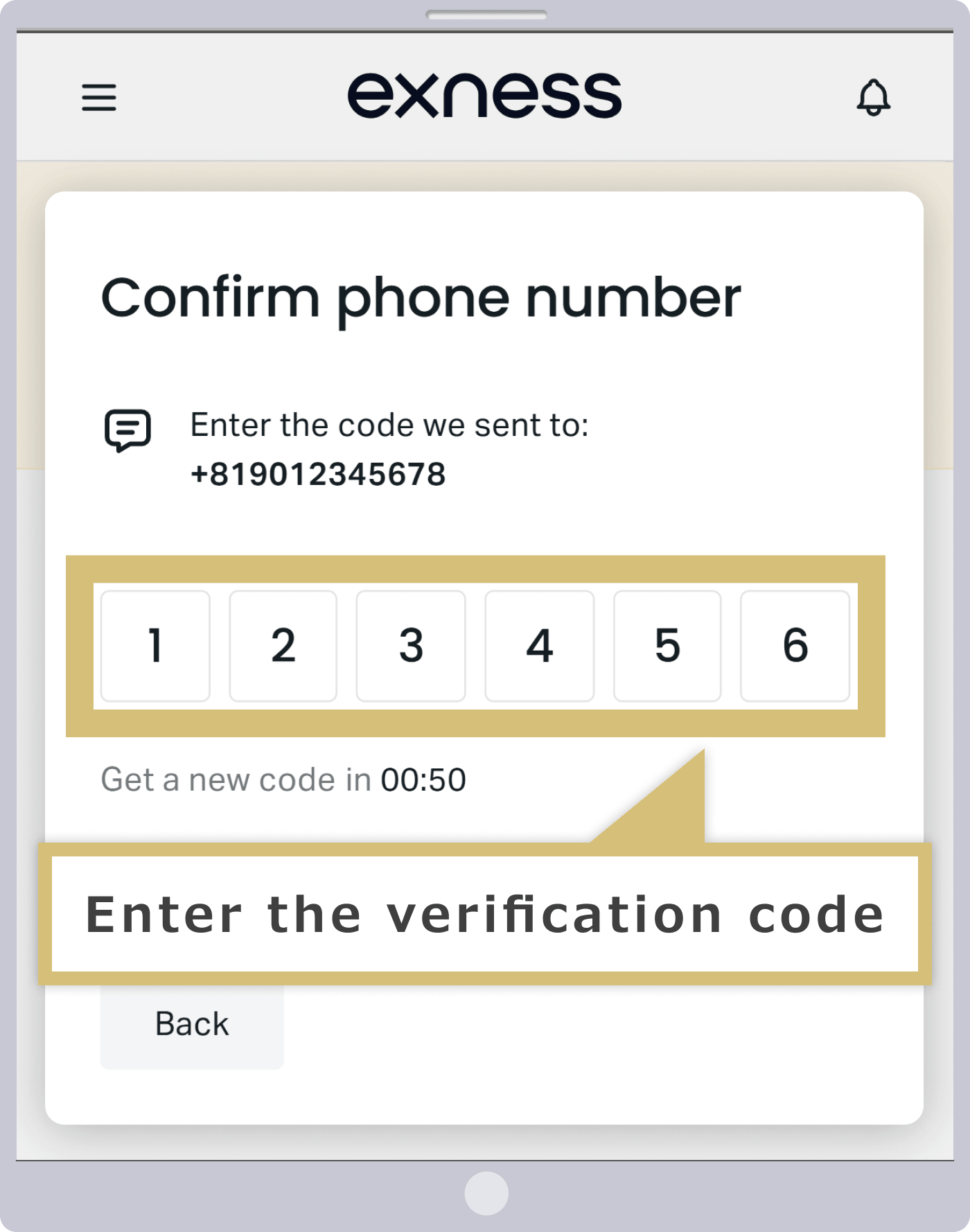
A 6-digit verification code will be sent via SMS to the phone number you entered, so please check to make sure you've received it.
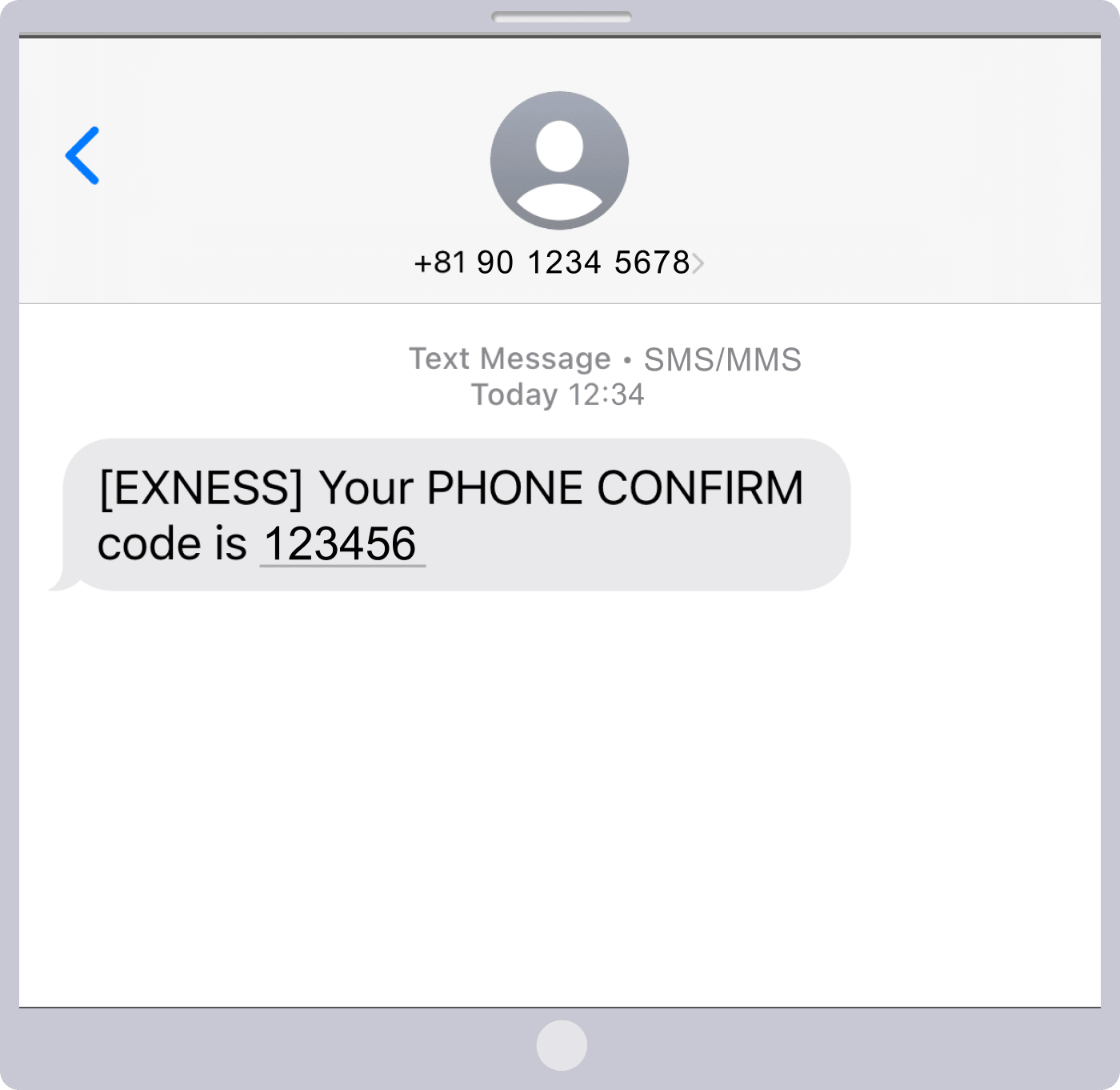
On the authentication screen, enter the verification code you received via SMS.
Registration of Personal Information
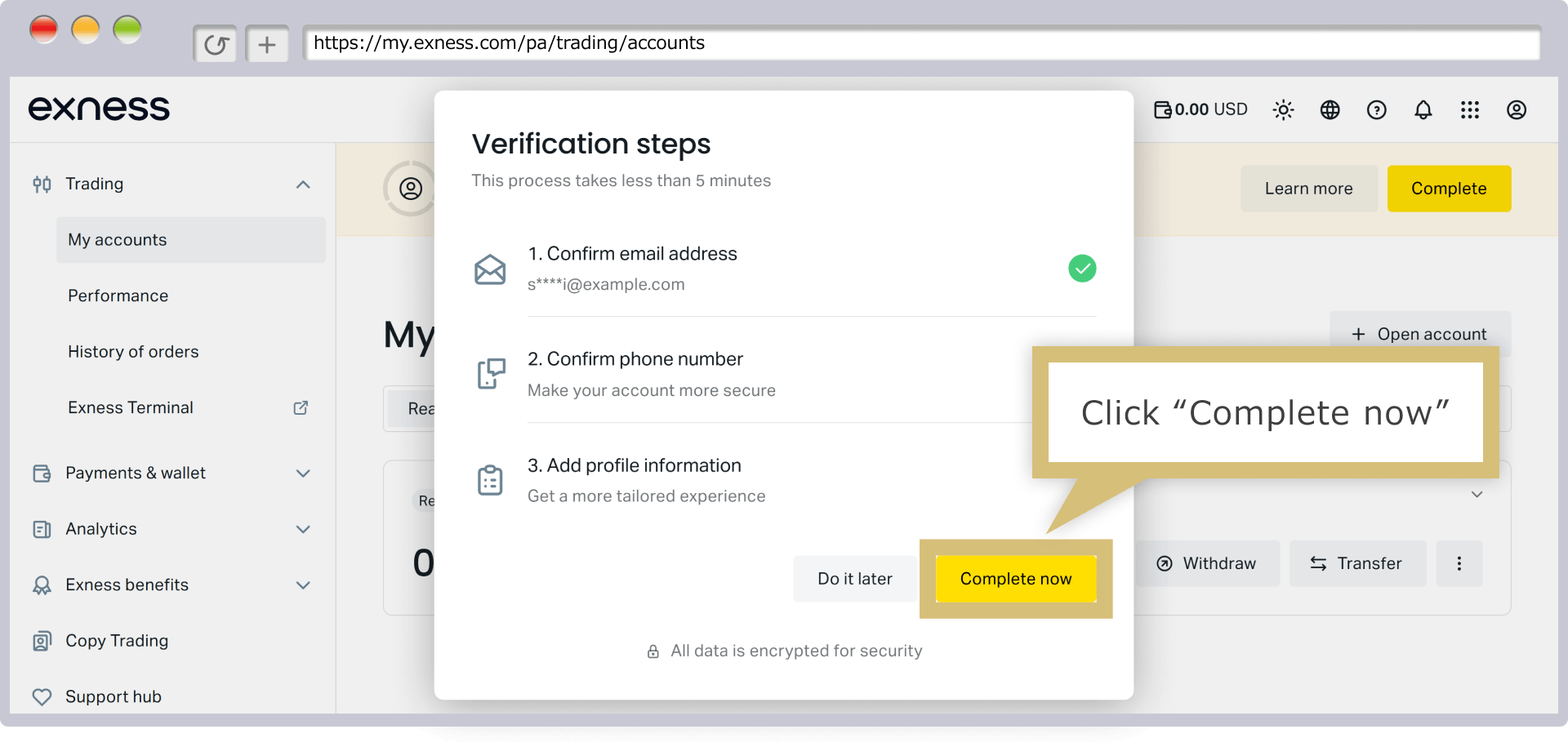
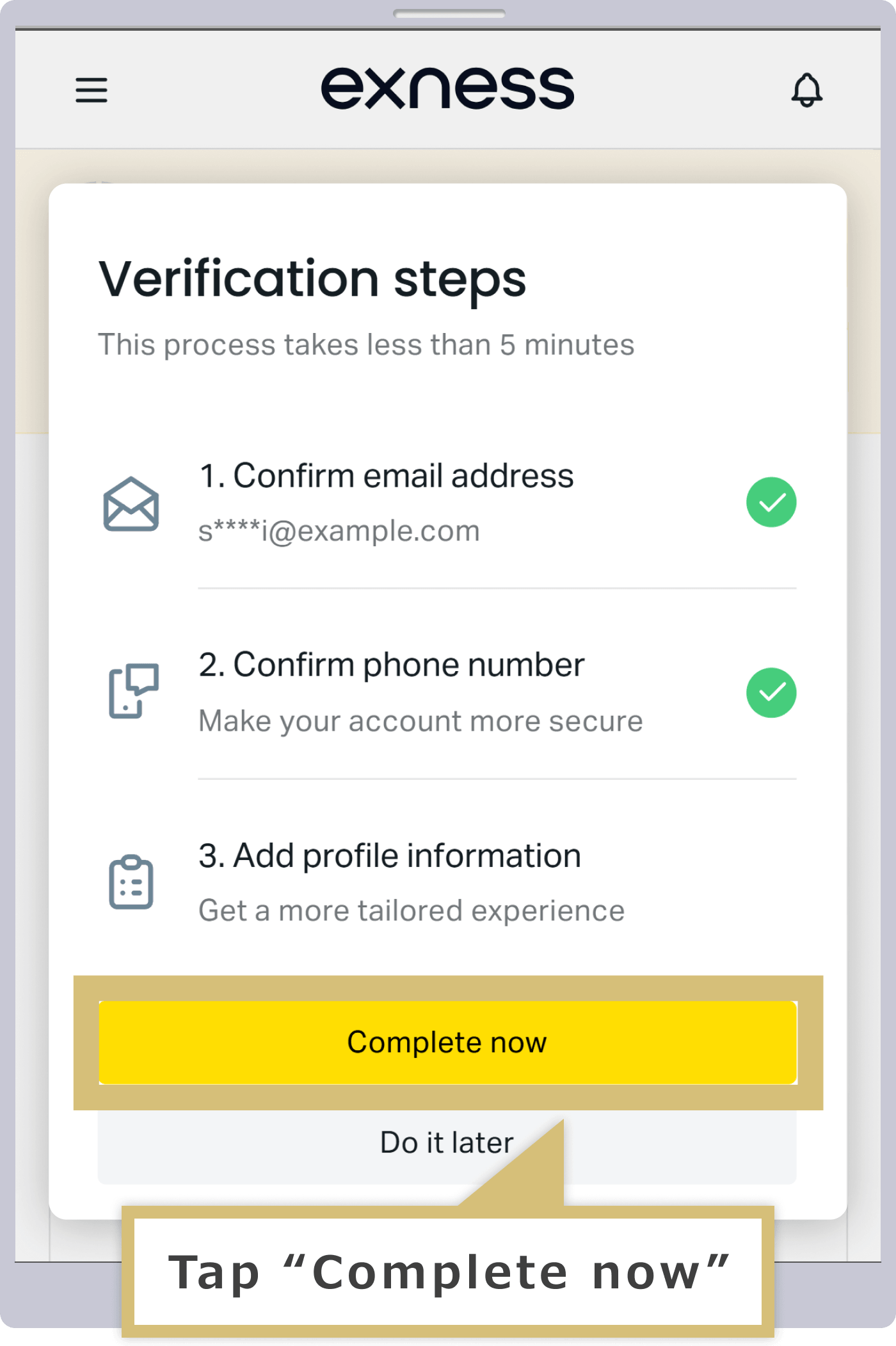
When the authentication screen appears, click "Complete Now."
When the authentication screen appears, tap "Complete Now."
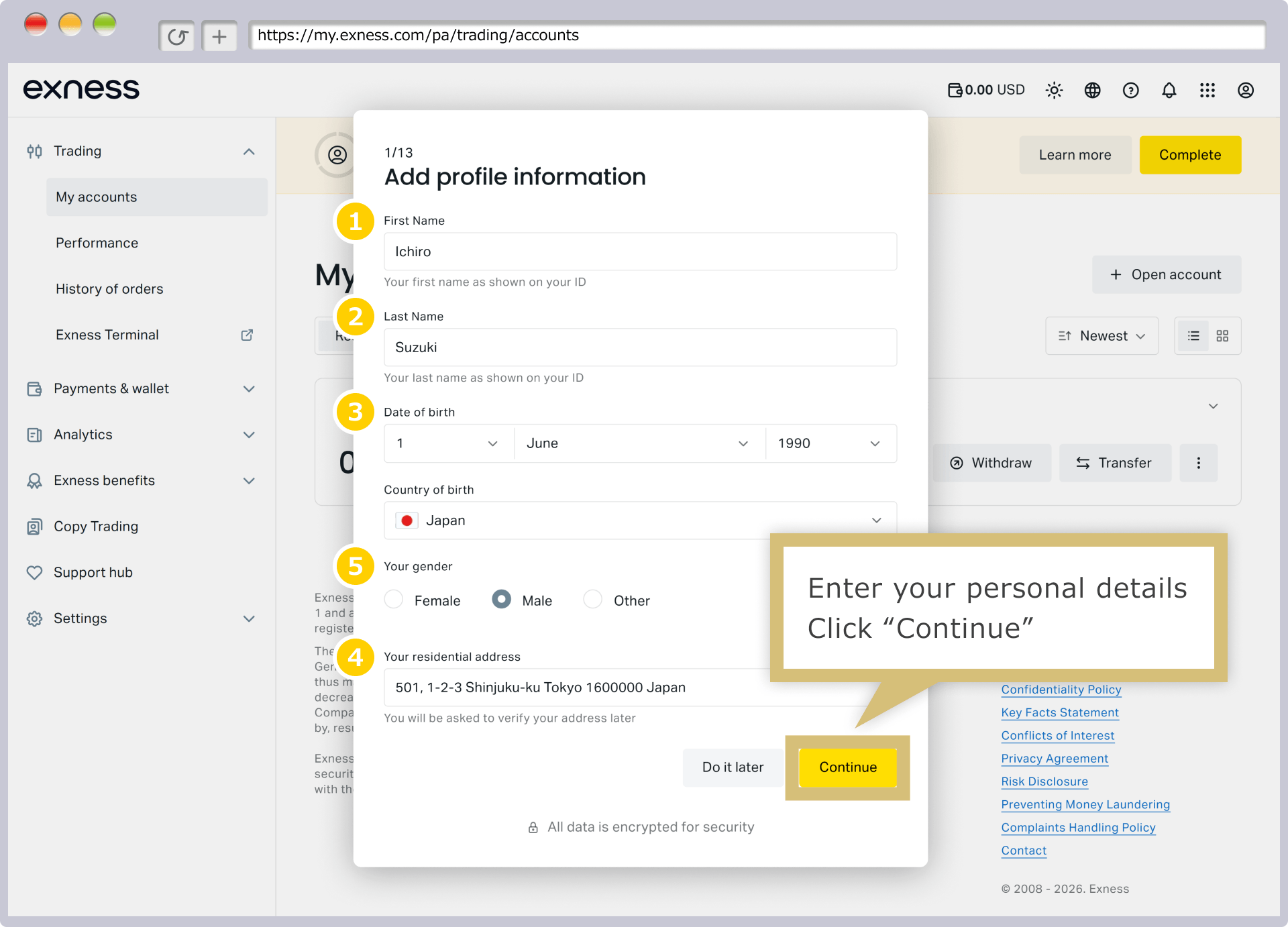
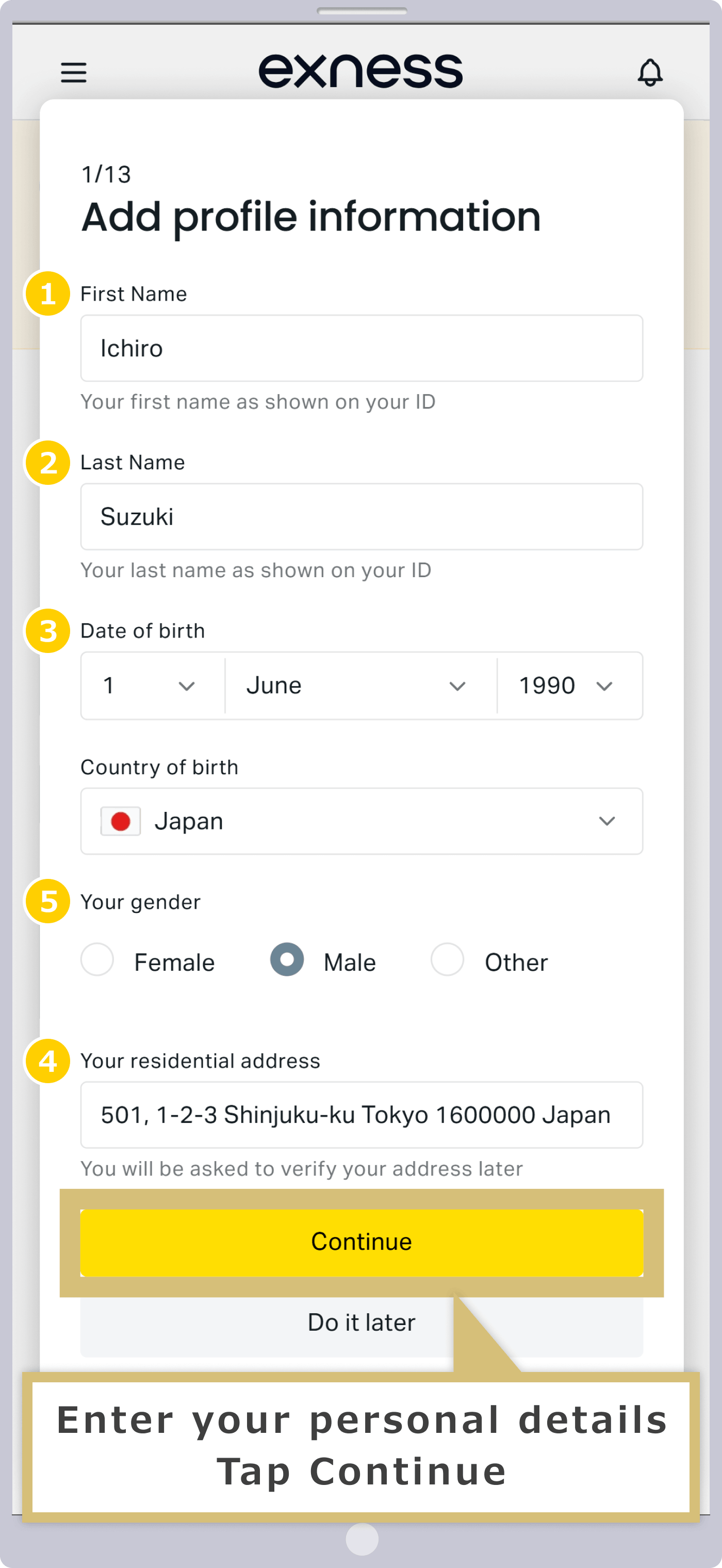
When the profile information registration screen appears, enter your name, date of birth, address, and gender. The information you provide must match the information on the identification documents you will submit in a later step.
|
Name |
Example: Ichiro |
|
Last Name |
Example: Suzuki |
|
Date of Birth |
Example: June 1, 1990 |
|
Country of Birth |
Example: Japan |
|
Gender |
Example: Male |
|
Address |
Example: 501, 1-2-3 Shinjuku-ku, Tokyo 1600000, Japan |
|
Name |
|
Example: Ichiro |
|
Last Name |
|
Example: Suzuki |
|
Date of Birth |
|
Example: June 1, 1990 |
|
Country of Birth |
|
Example: Japan |
|
Gender |
|
Example: Male |
|
Address |
|
Example: 501, 1-2-3 Shinjuku-ku, Tokyo 1600000, Japan |
For ① First Name and ② Last Name, please enter your name in the alphabet.
③ To enter your date of birth, select the dates from the drop-down menu in the order “day → month → year.”
④ Select your country of birth from the drop-down menu.
⑤ For gender, please select your gender from “Female,” “Male,” or “Other.”
⑥ Please enter your current address using the Latin alphabet.
Once you have finished entering all the information, click "Continue."
Once you have finished entering all the information, tap "Continue."
Registering Financial Information (Profile)
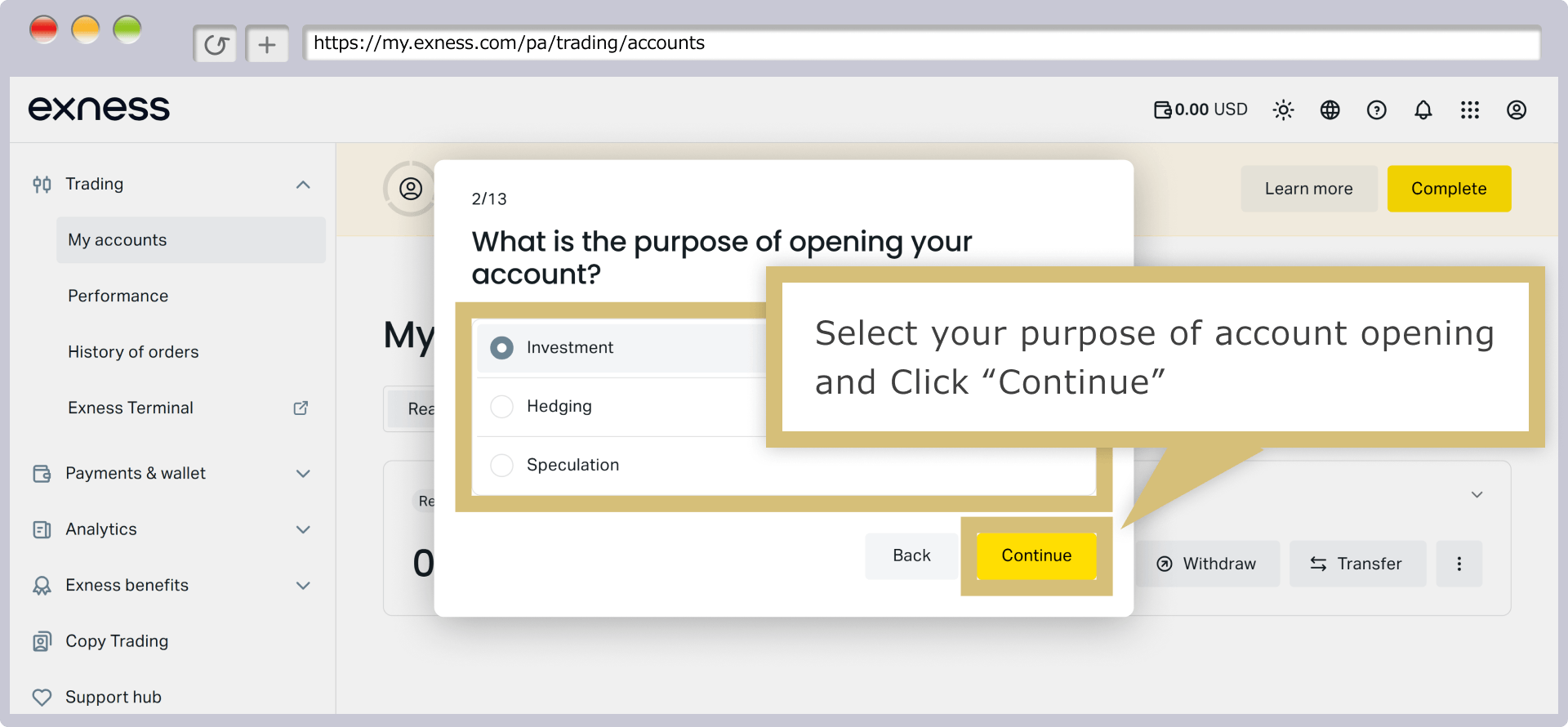
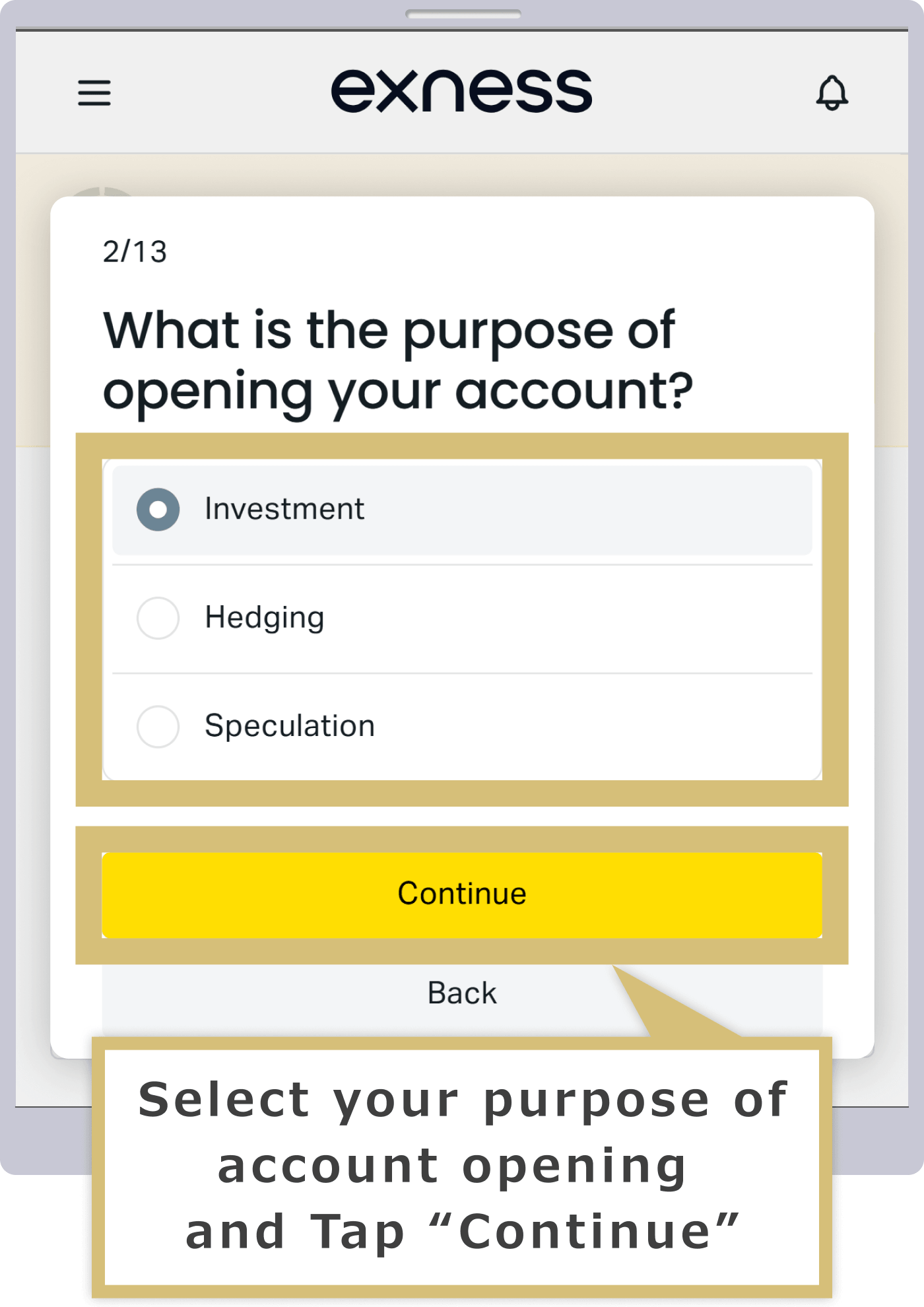
When the screen asking, “What is the purpose of opening this account?” appears, select your purpose from “Investment,” “Hedging,” or “Speculation.”
When the screen titled "Please describe your current employment status" appears, select your employment status and the relevant field or industry, then click "Continue."
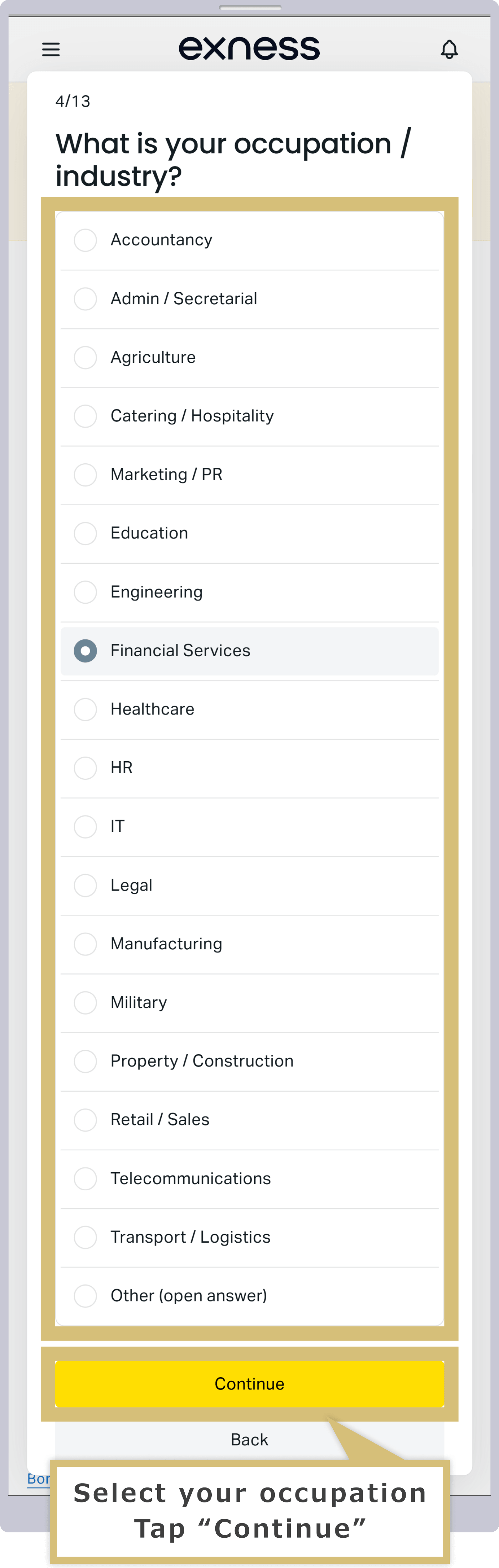
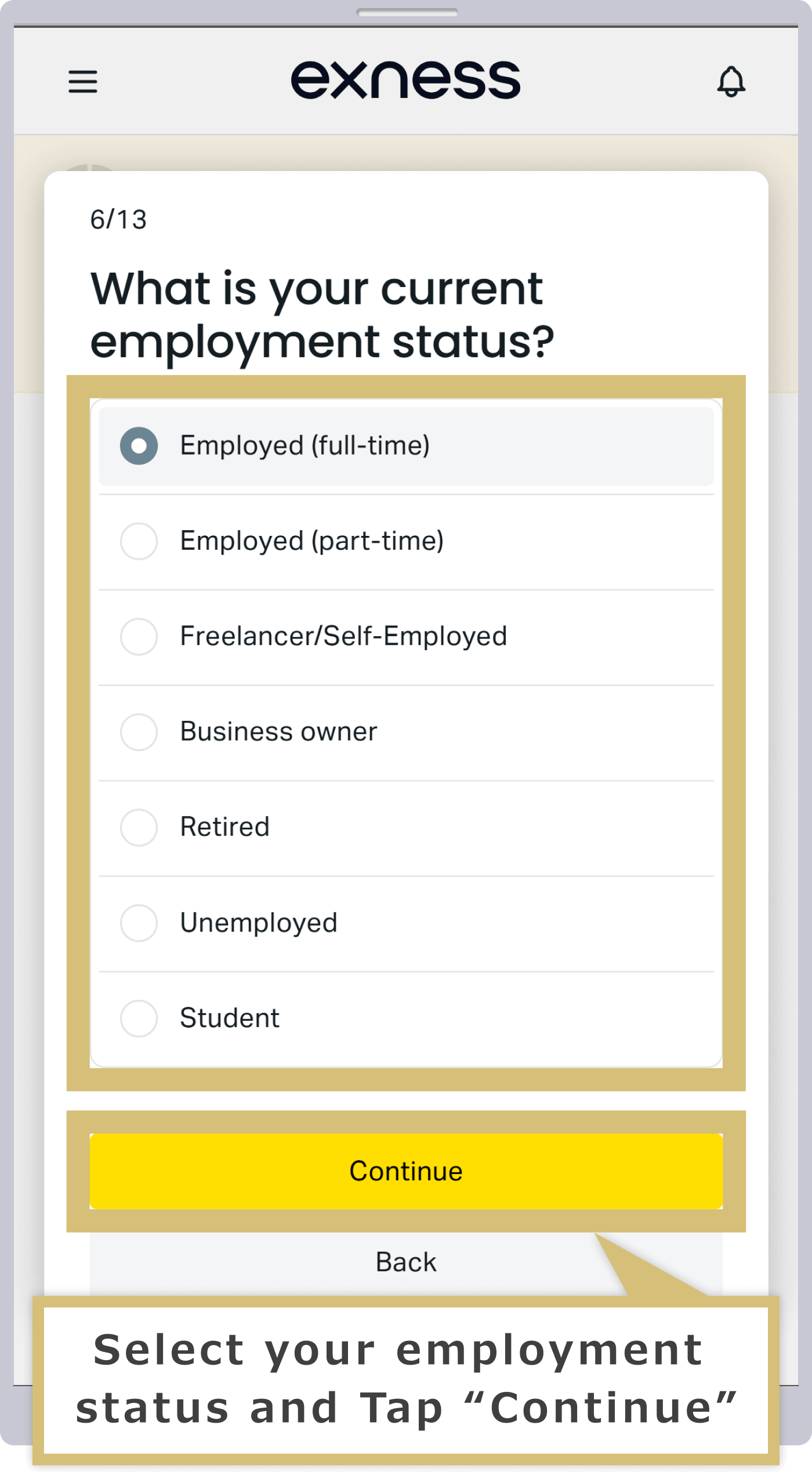
When the screen asking, "Please tell us your current employment status," appears, select your employment status and the relevant field or industry, then tap "Continue."
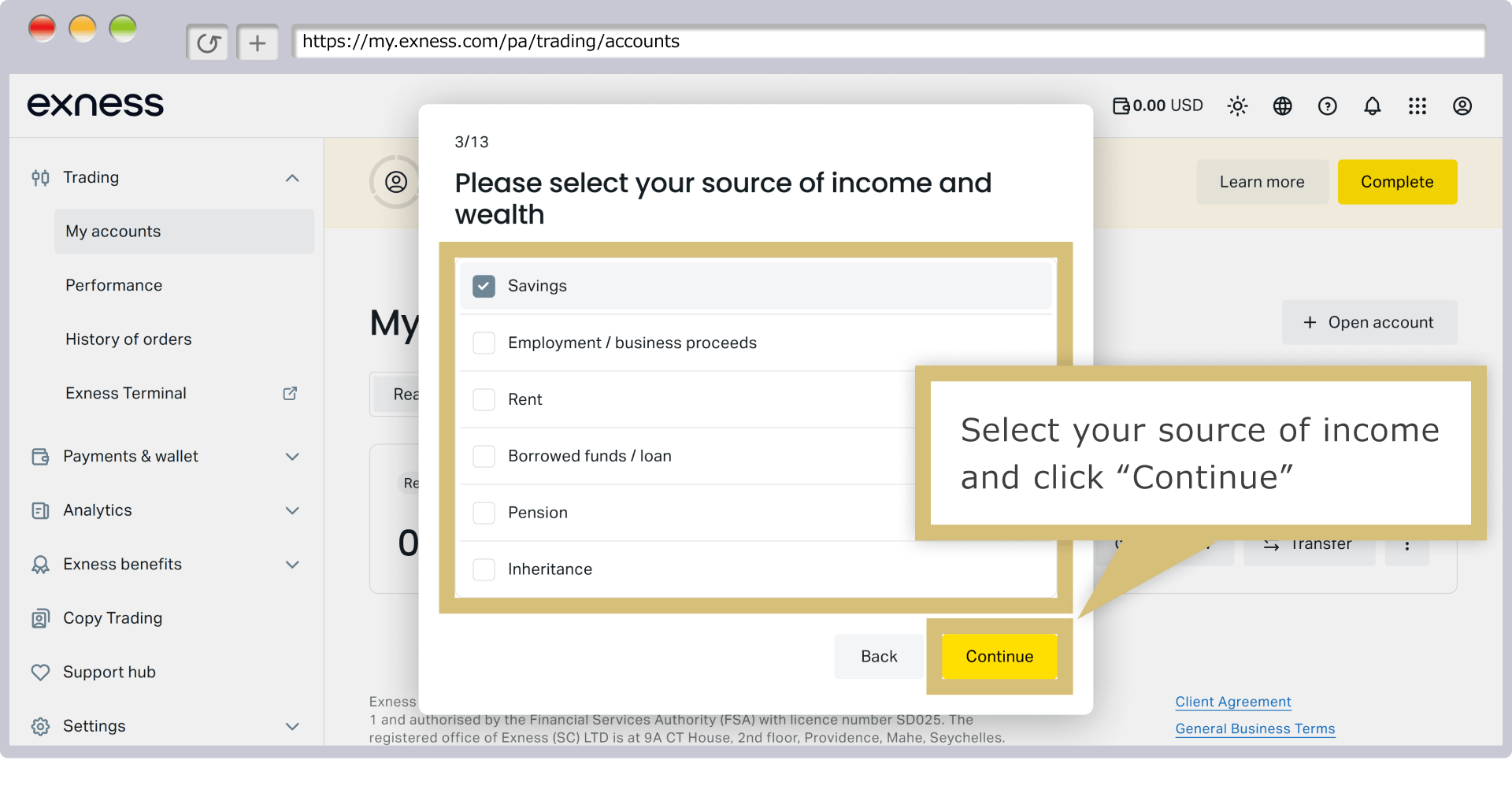
When the "Please select all sources of income and assets" screen appears, select your sources of income and click "Continue." You may select multiple sources of income.
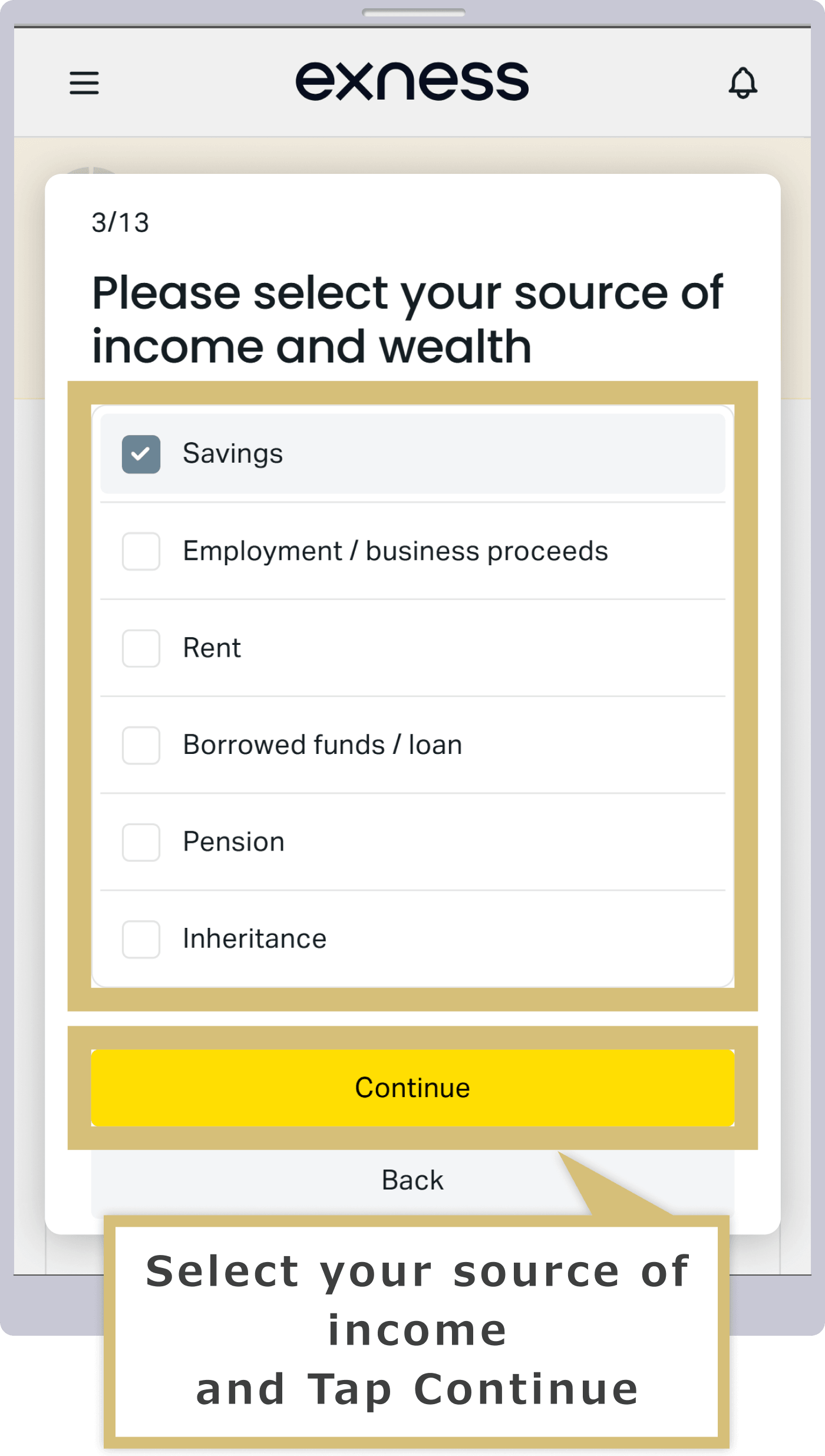
When the screen that says "Please select all sources of income and assets" appears, select your sources of income and tap "Continue." You can select multiple sources of income.
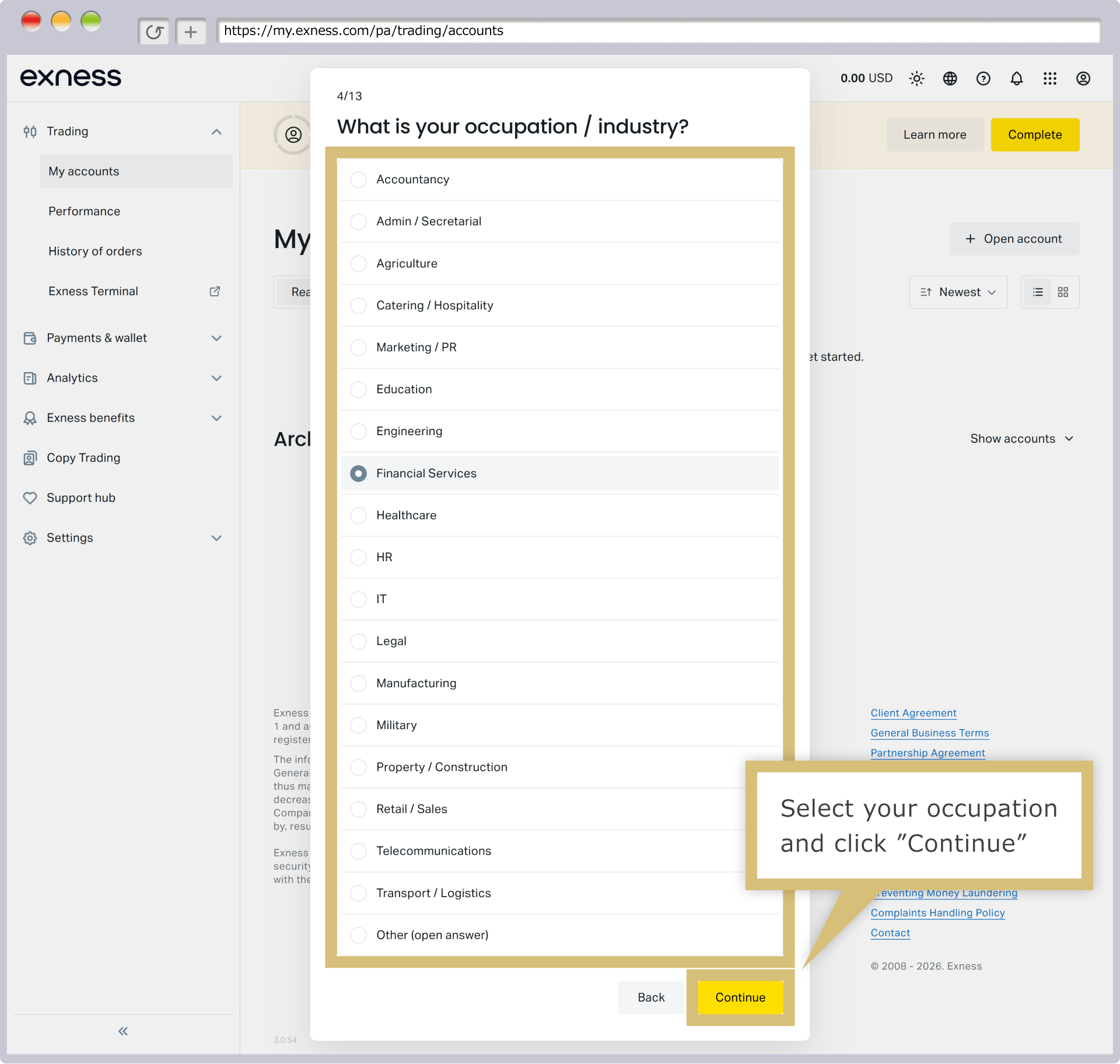
When the screen asking, “What is your estimated total liquid assets?” appears, select the total value of all your cash, bank deposits, and liquid assets converted to U.S. dollars, then click “Continue.”
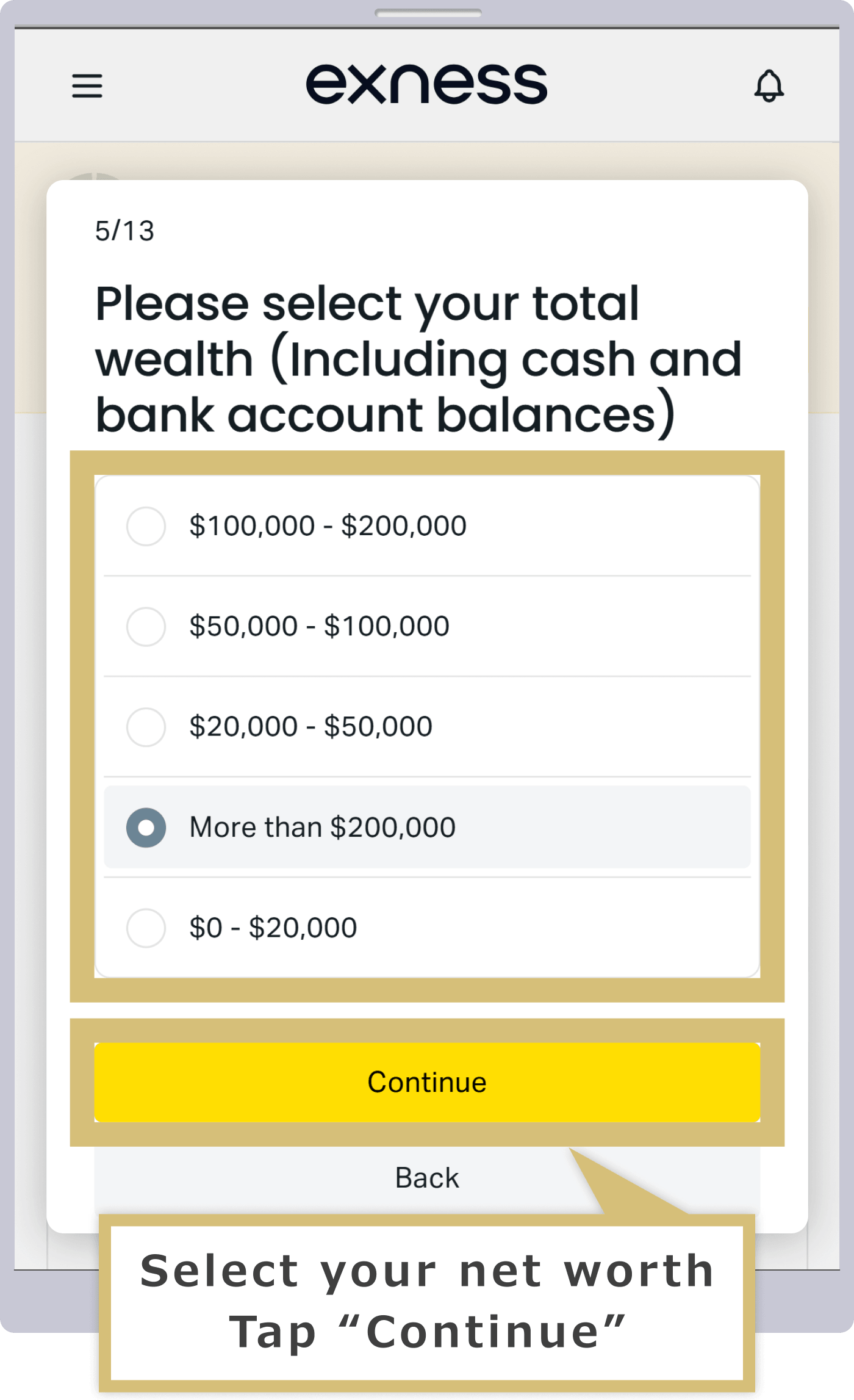
When the screen asking, “What is your estimated total liquid assets?” appears, select the total value of all your cash, bank deposits, and liquid assets converted to U.S. dollars, then tap “Continue.”
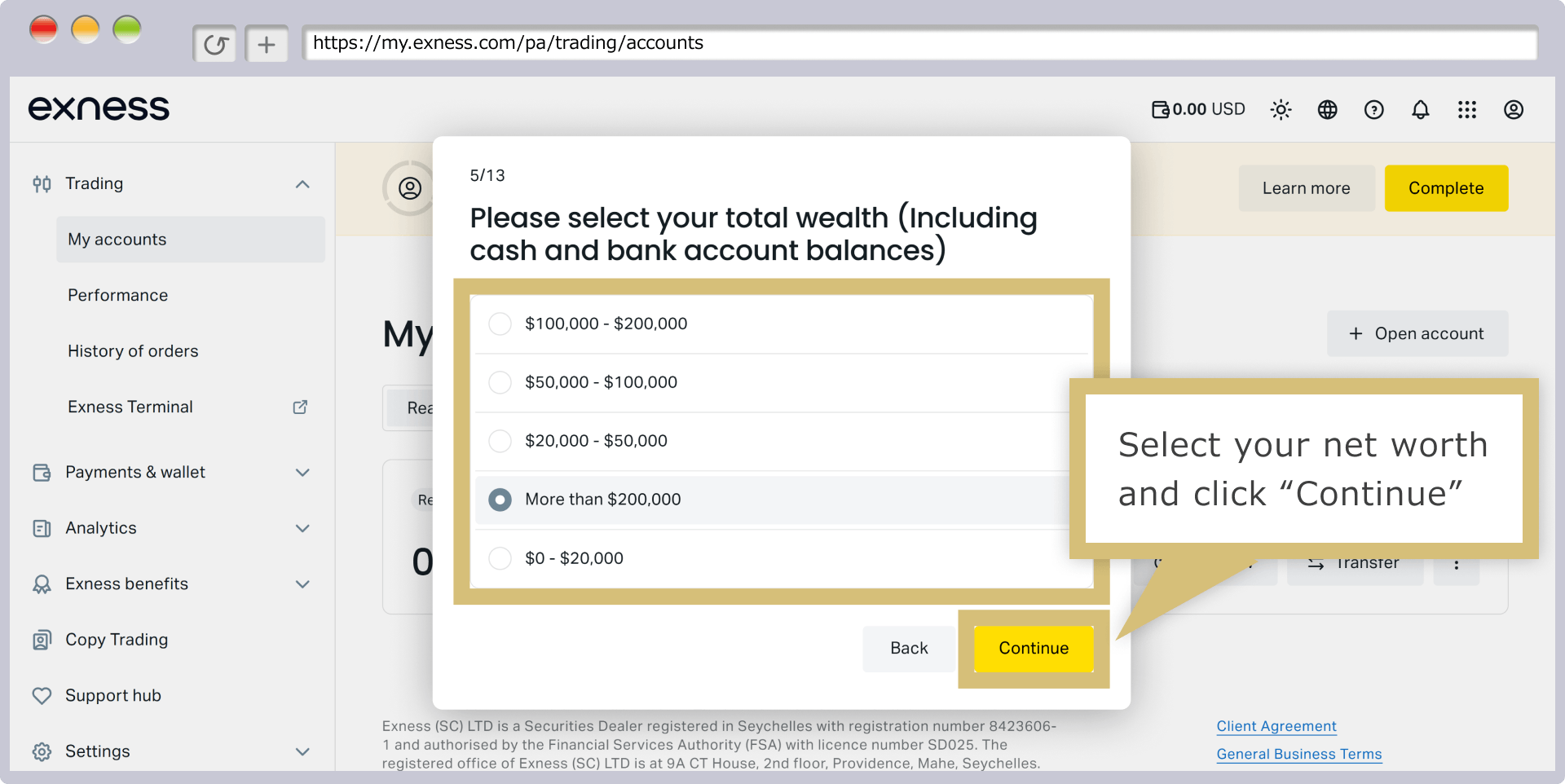
When the screen titled "Please enter your annual take-home pay" appears, select your take-home pay amount and click "Continue."
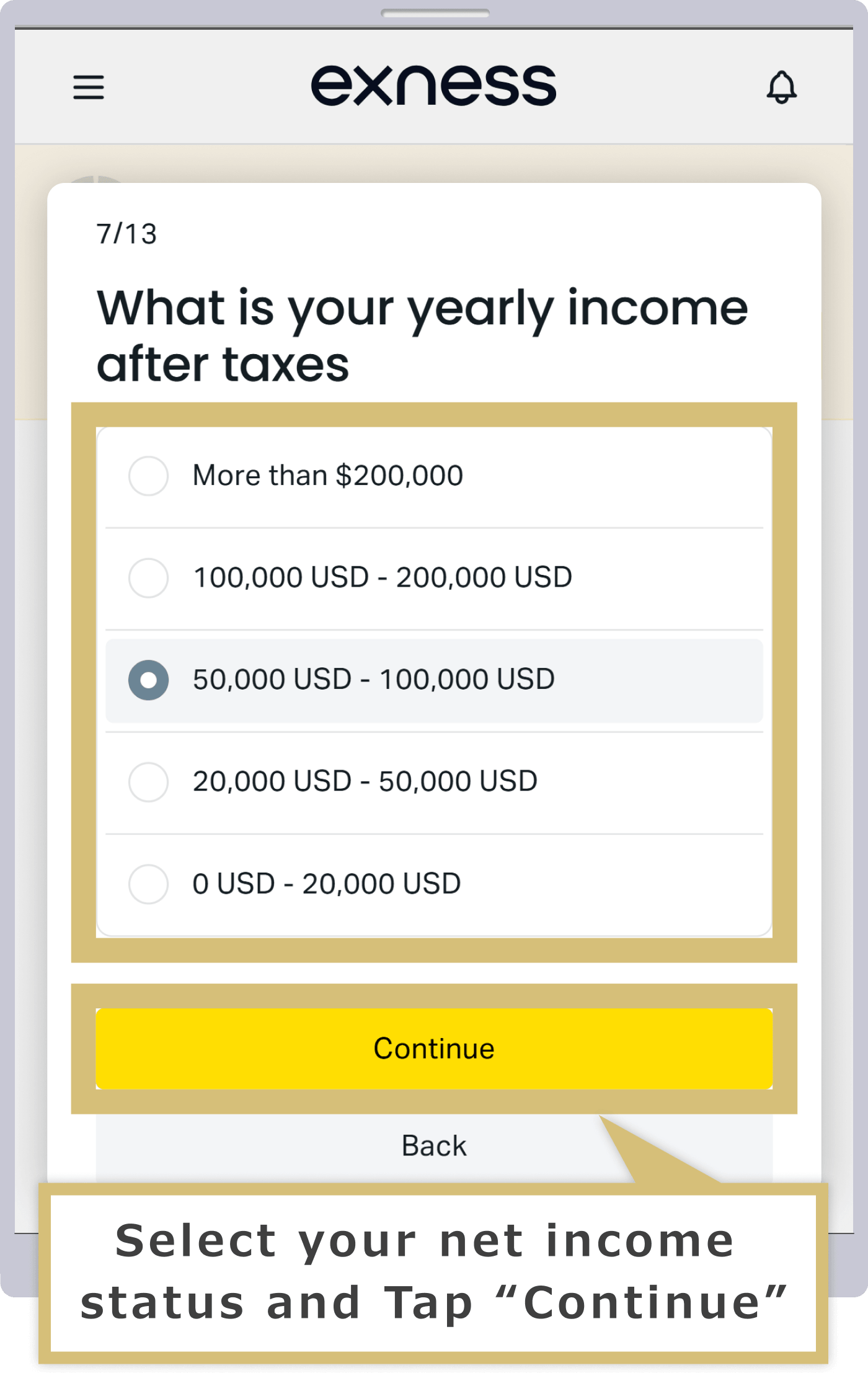
When the screen asking, "Please enter your annual take-home pay," appears, select your take-home pay amount and tap "Continue."
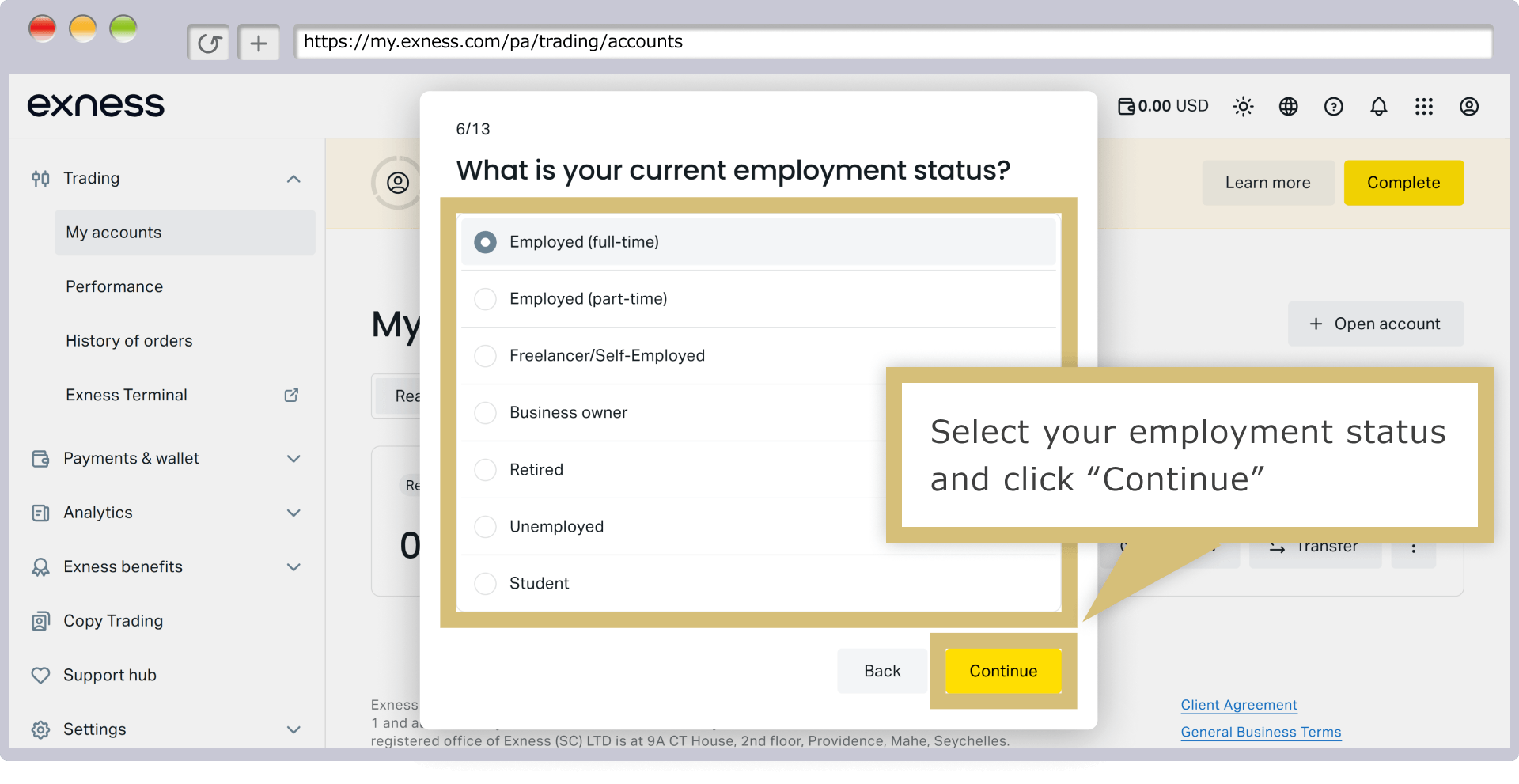
When the screen asking, “What percentage of your annual income do you plan to allocate to investing with Exness?” appears, select your investment percentage and click “Continue.”
When the screen asking, “What percentage of your annual income do you plan to allocate to investing with Exness?” appears, select your investment percentage and tap “Continue.”
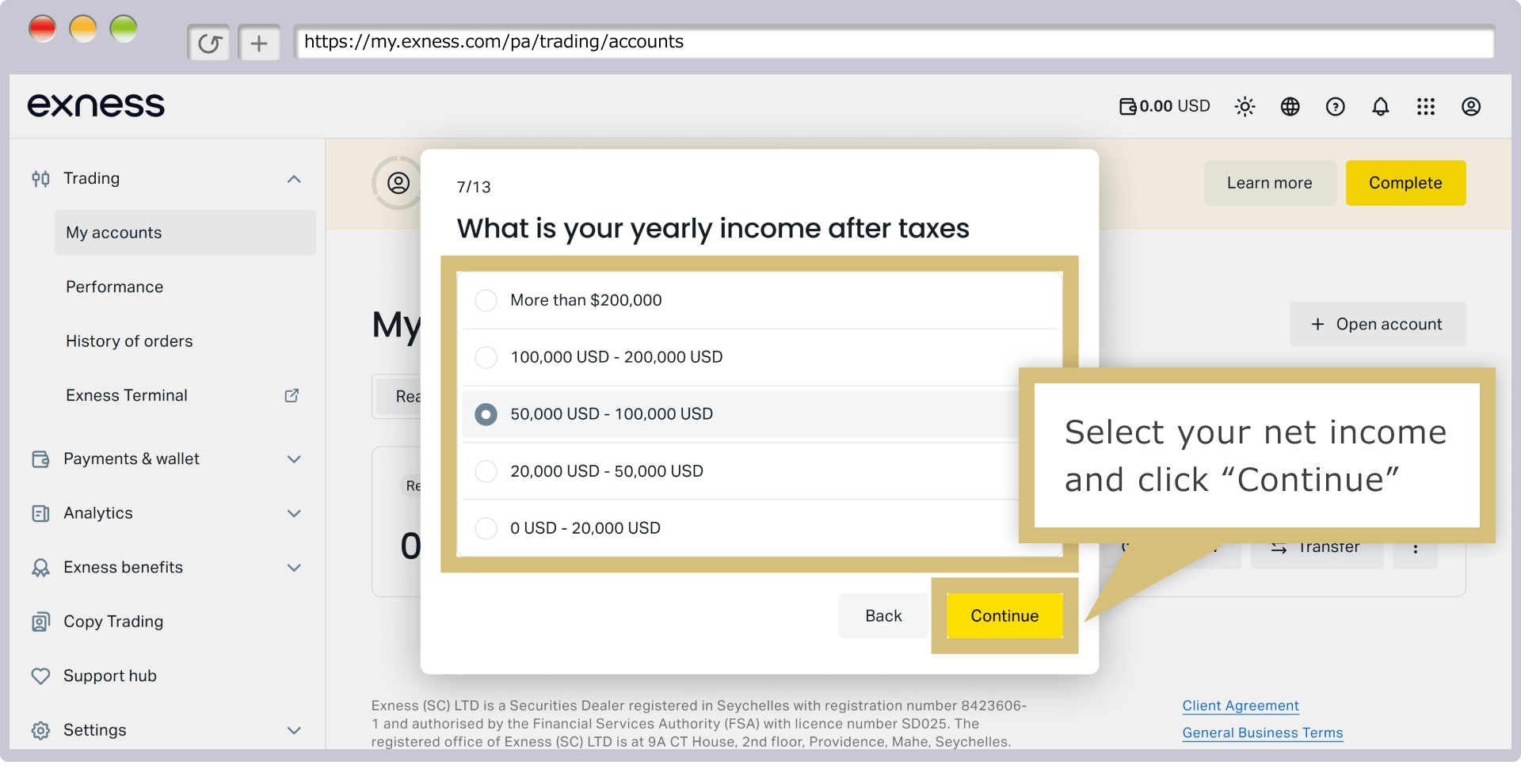
When the screen asking, “Please tell us about your experience trading CFDs with real funds over the past three years,” appears, select your trading experience and click “Continue.”
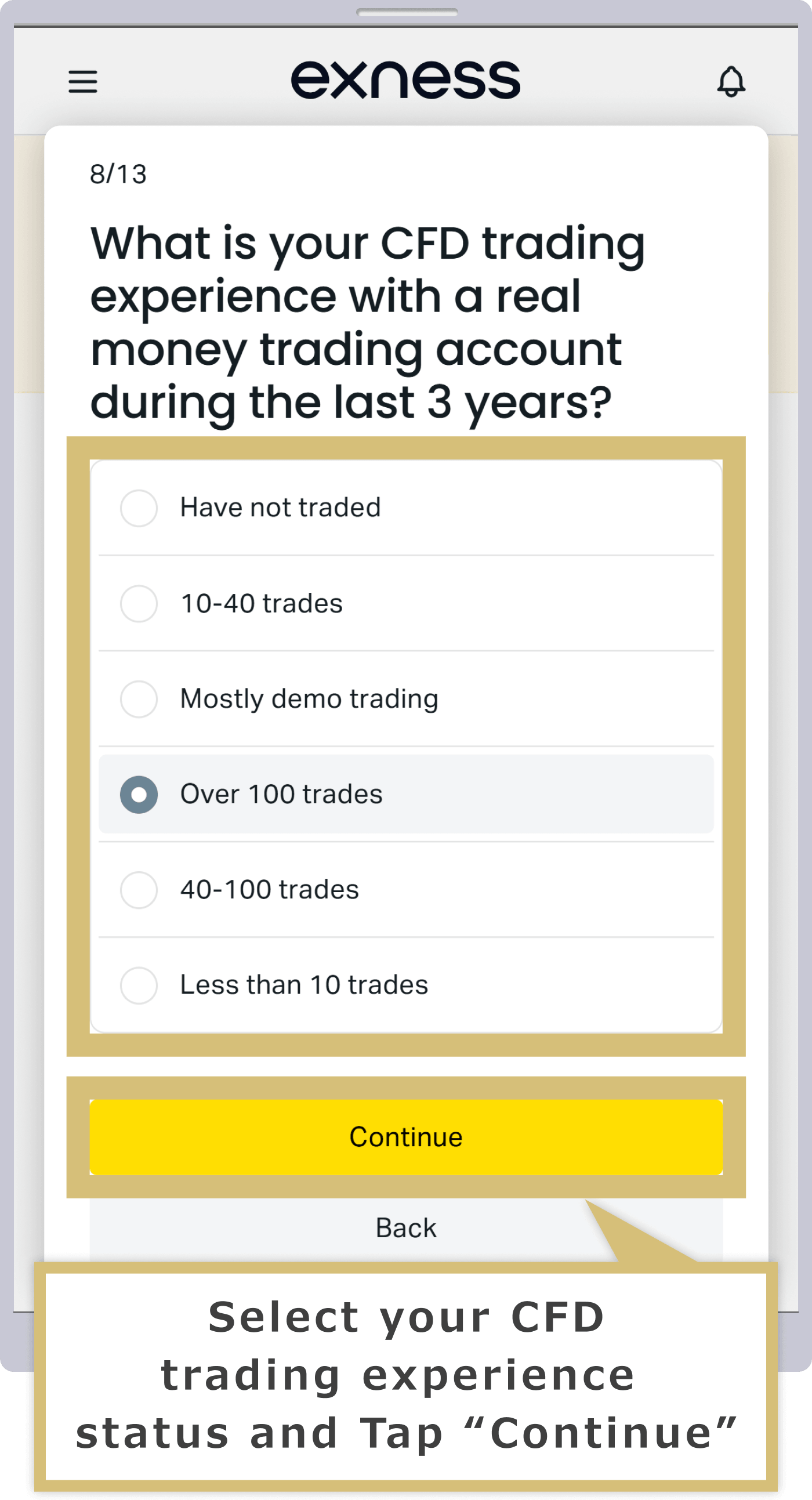
When the screen asking, “Please tell us about your experience trading CFDs with real funds over the past three years,” appears, select your trading experience and tap “Continue.”
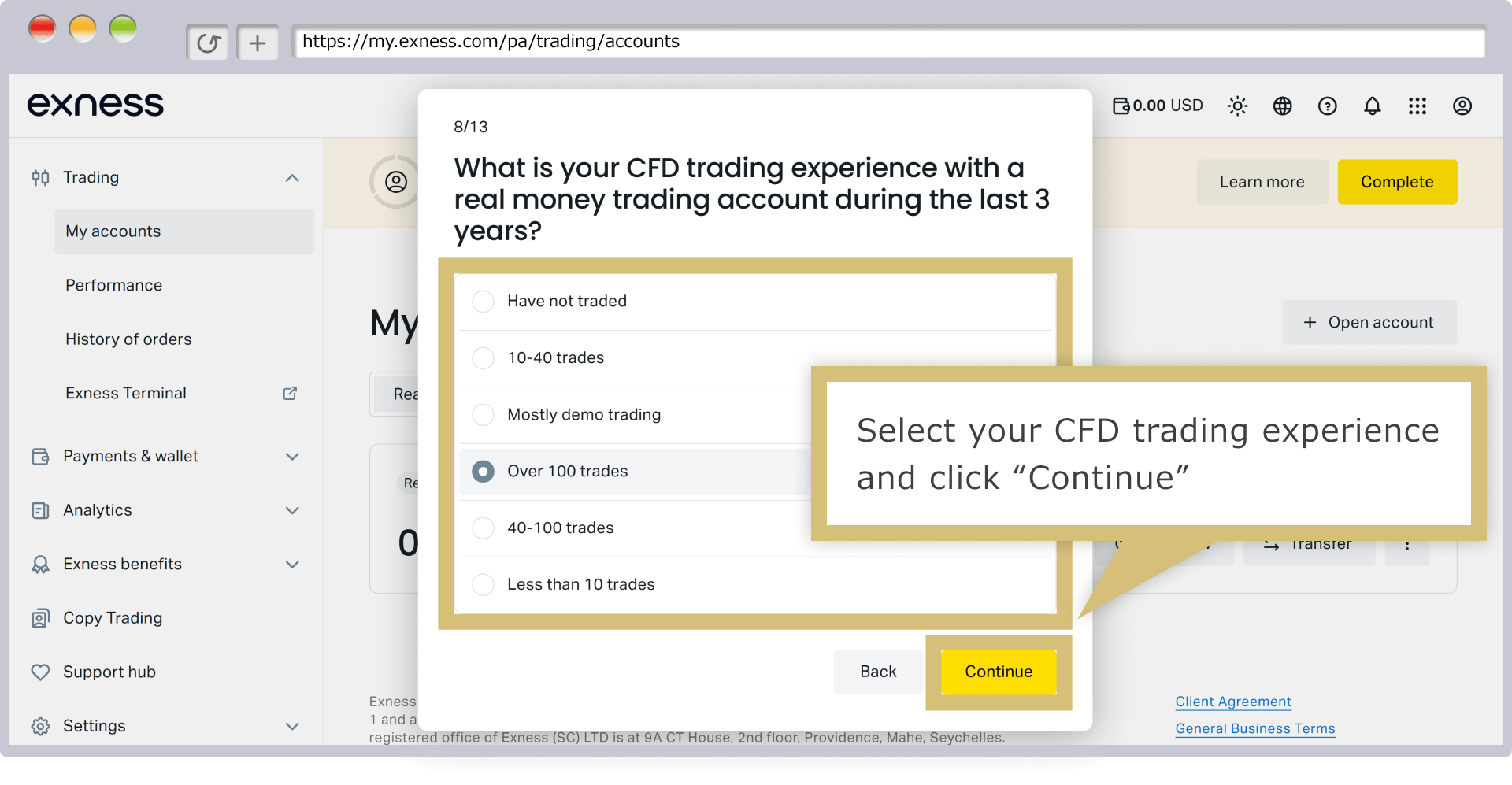
When the screen asking, “Do you have any relevant education or work experience related to financial markets or trading?” appears, select the appropriate option and click “Continue.”
When the screen asking, “Do you have any relevant education or work experience related to financial markets or trading?” appears, select the appropriate option and tap “Continue.”
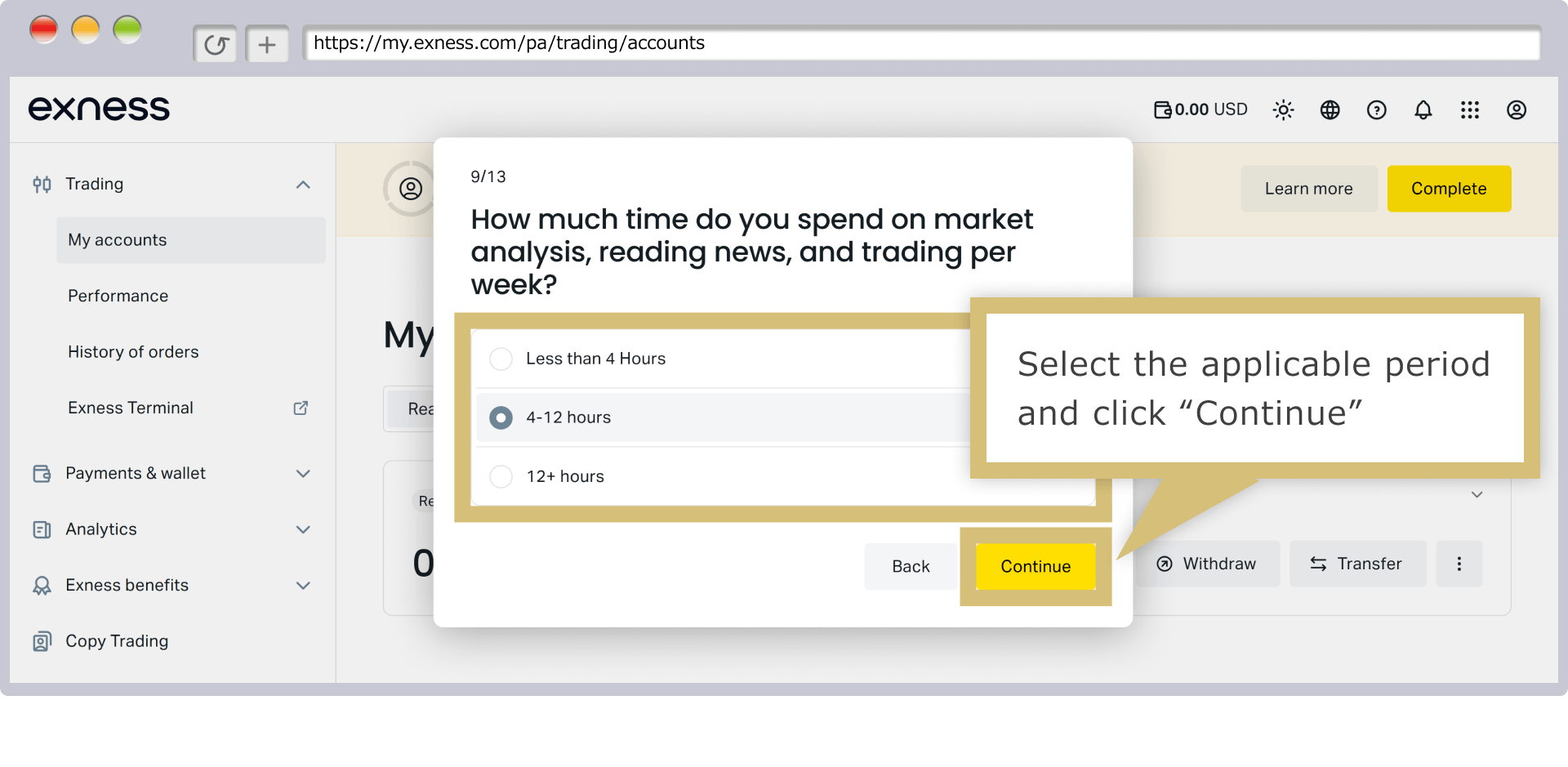
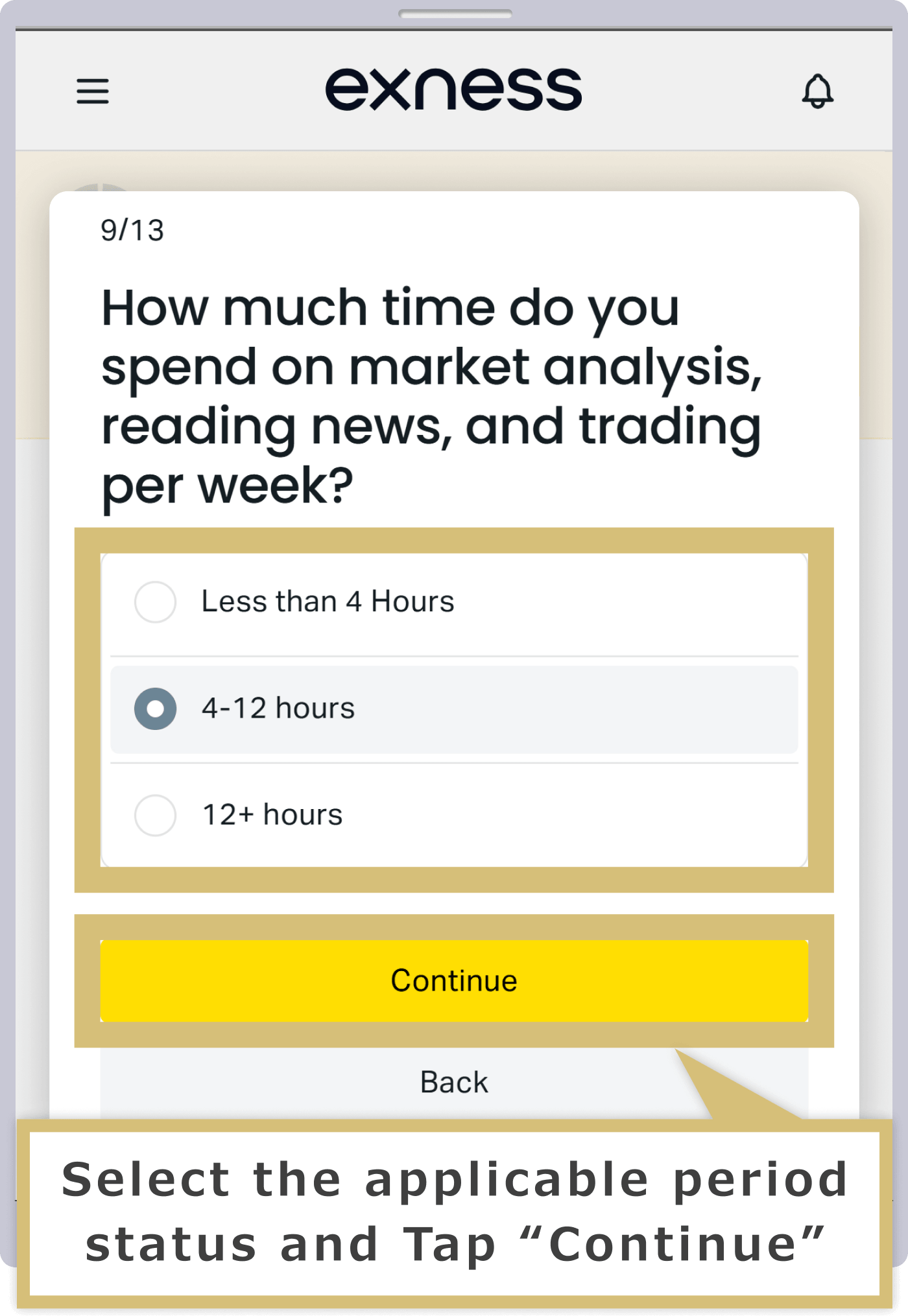
When a question regarding "required margin" appears, select an answer and click "Continue."
When a question regarding "Required Margin" appears, select your answer and tap "Continue."
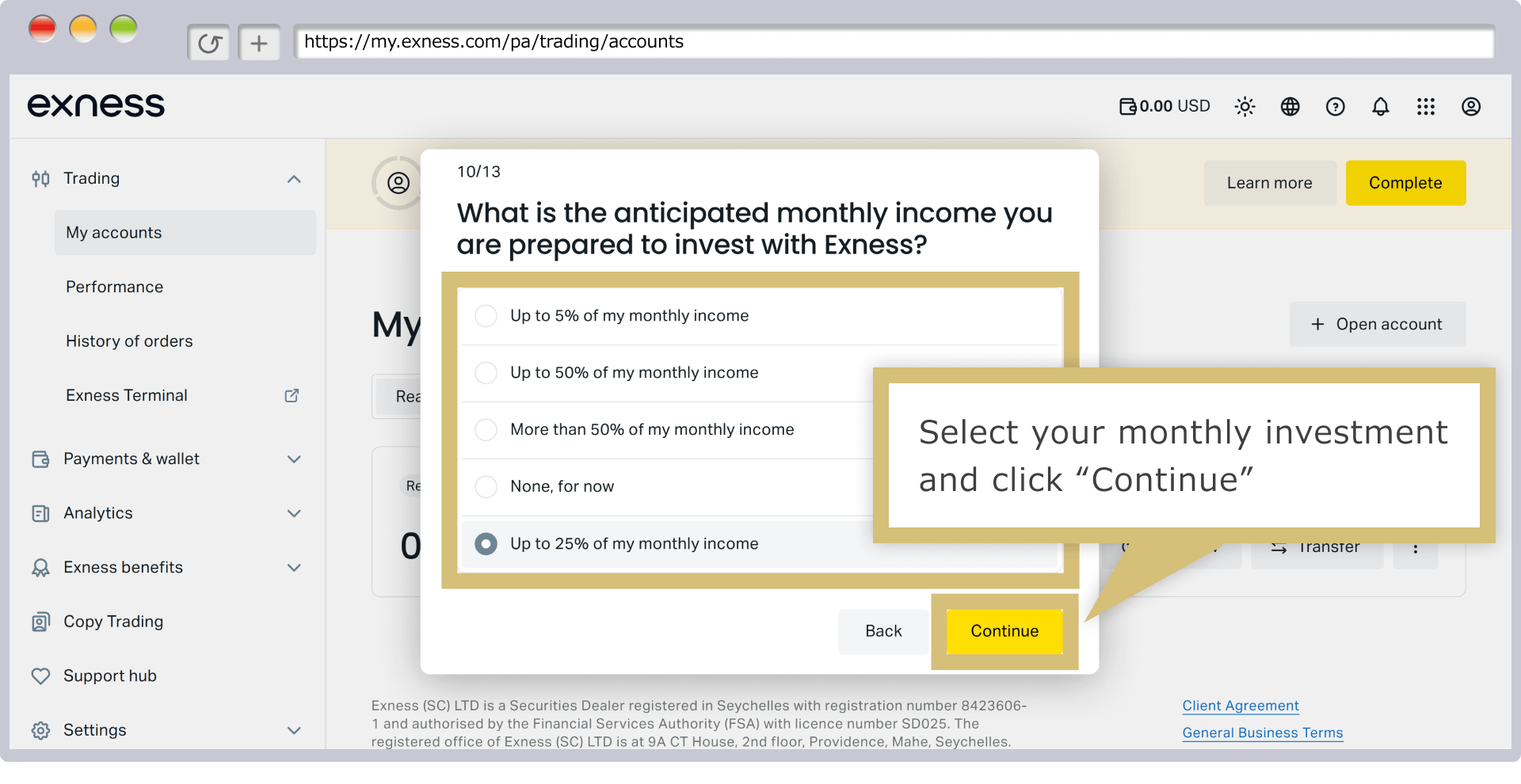
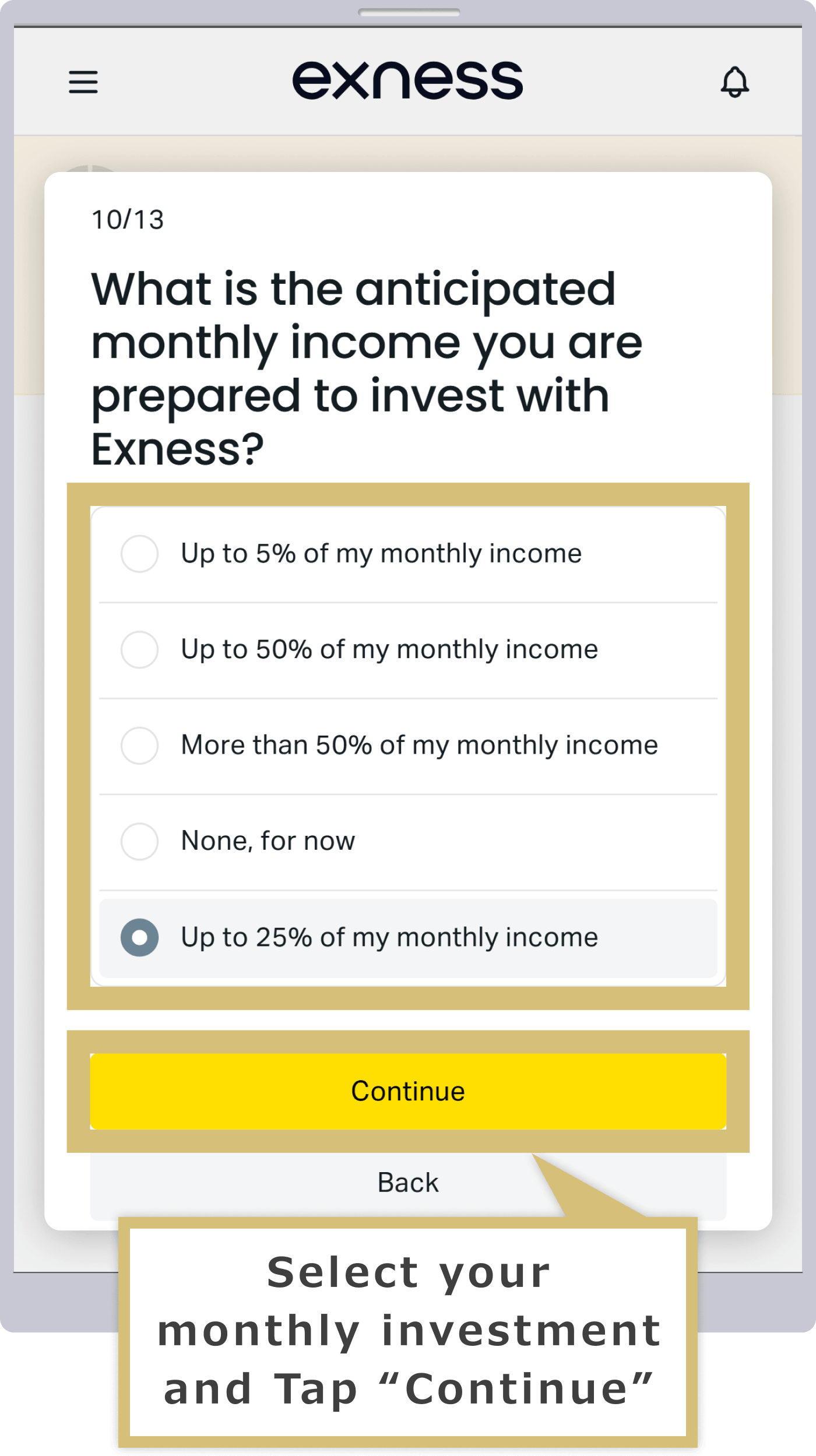
When a question regarding "forced settlement" appears, select your answer and click "Continue."
When a question about "forced settlement" appears, select an answer and tap "Continue."
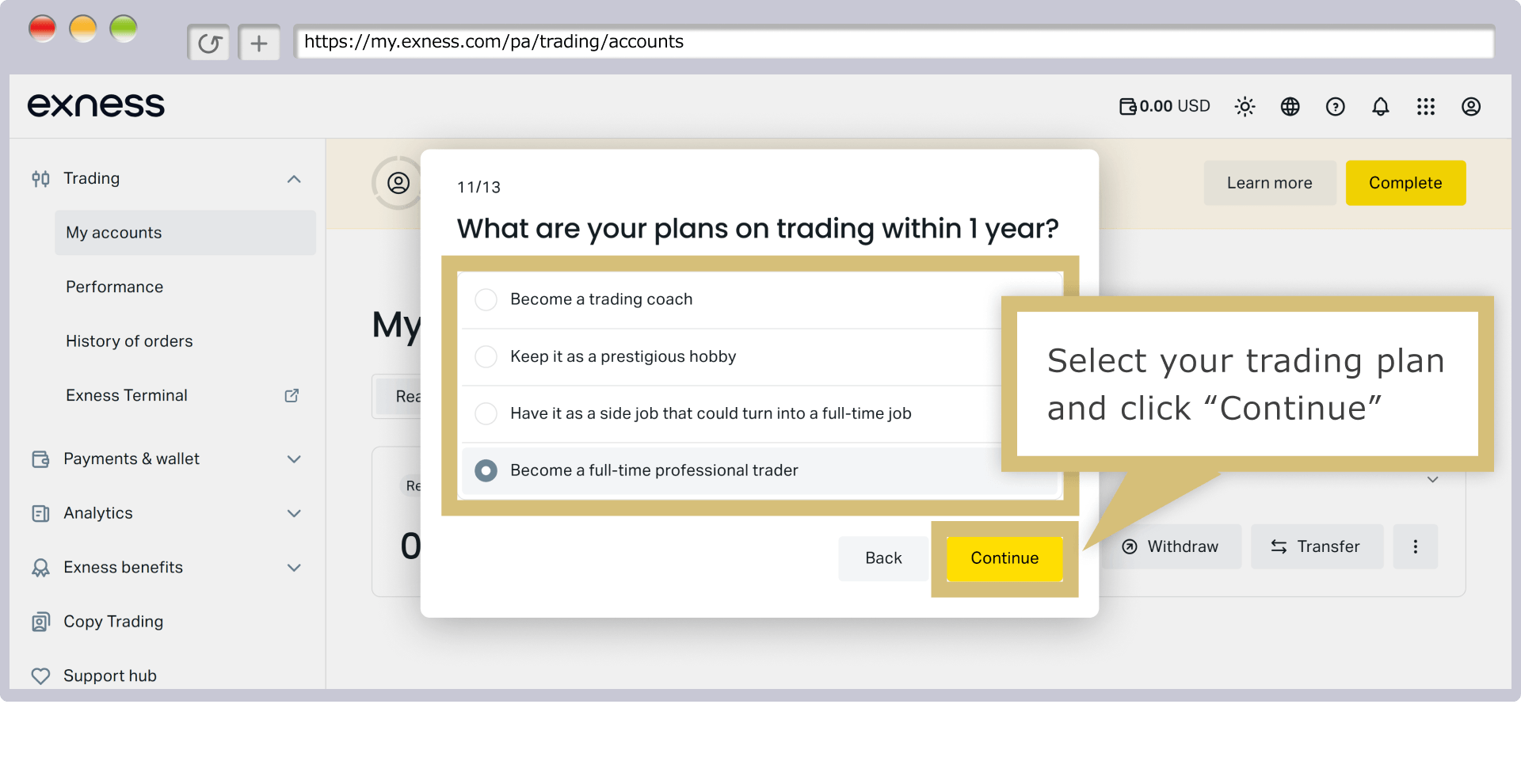
When the screen that says, “Please carefully consider your financial situation and risk tolerance,” appears, review the information and click “Submit.”
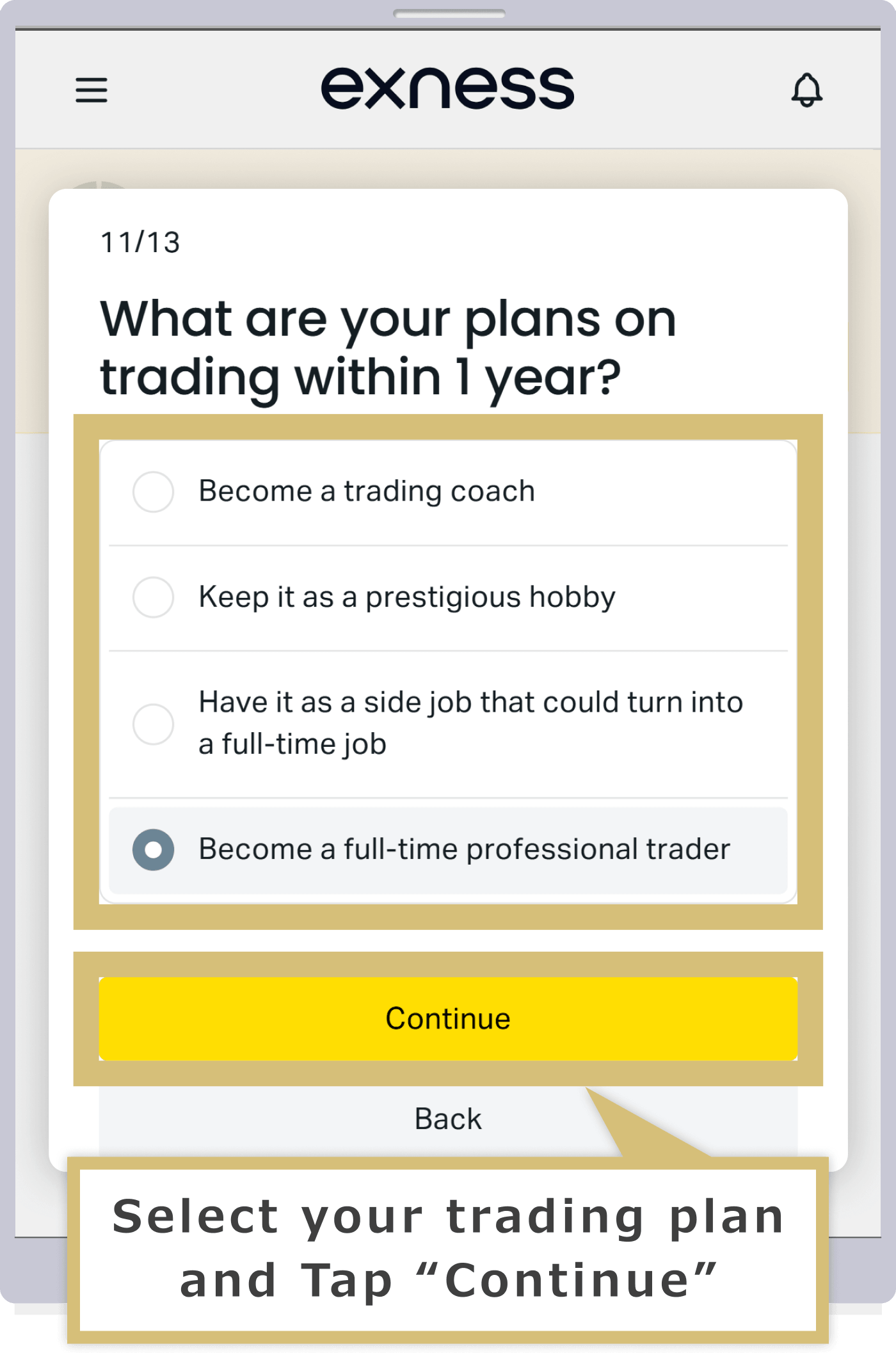
When the screen that says "Please carefully consider your financial situation and risk tolerance" appears, review the information and tap "Submit."
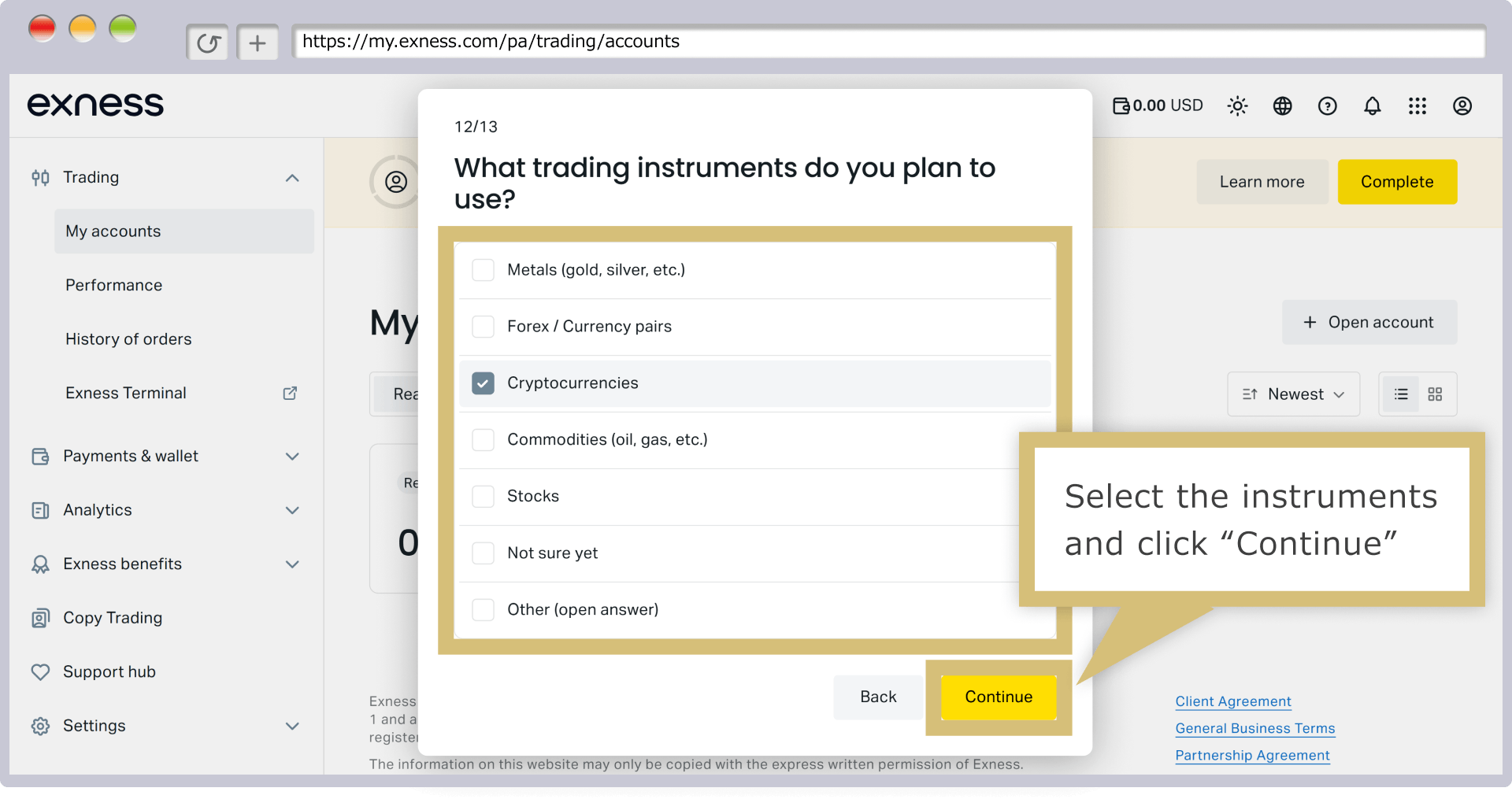
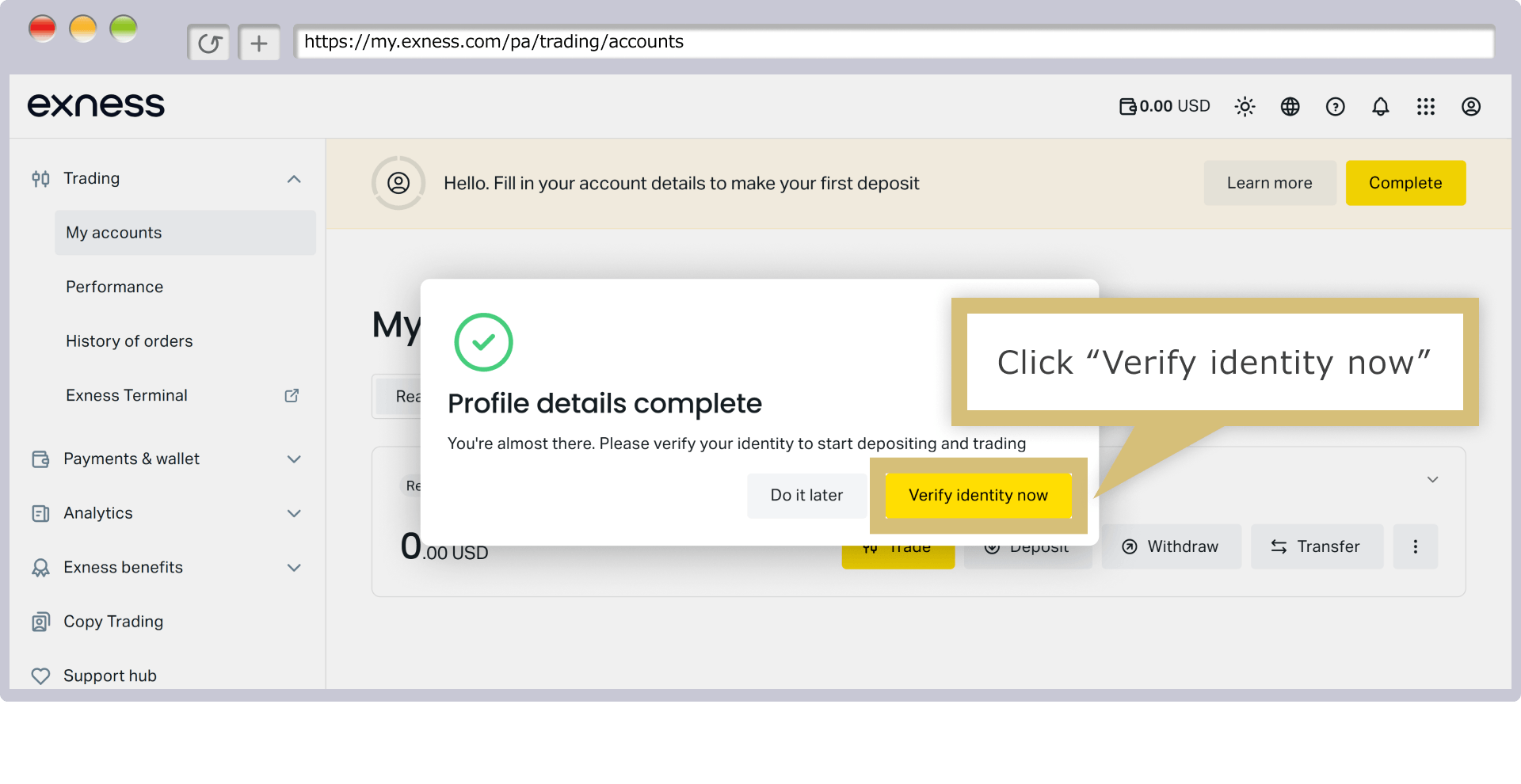
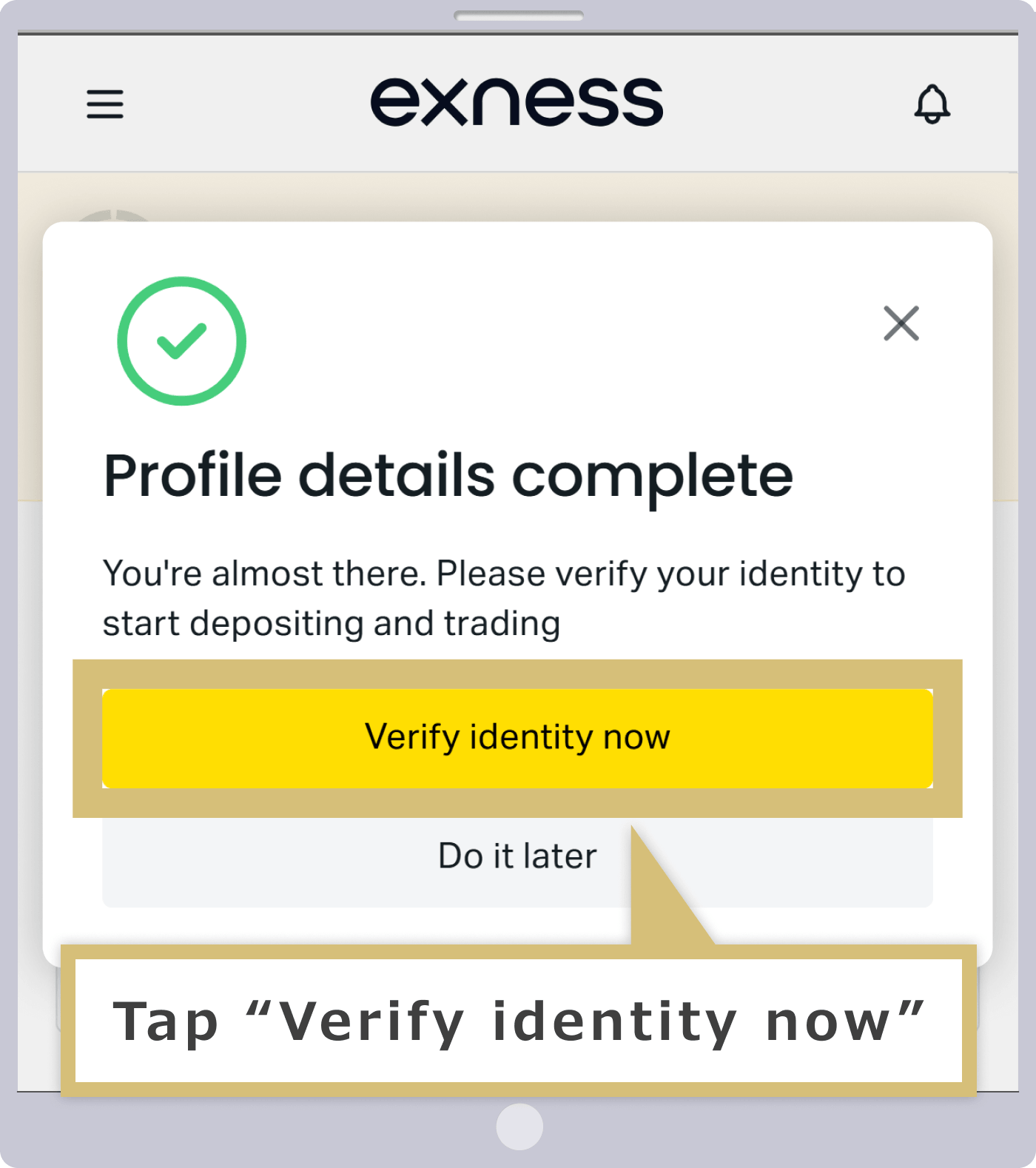
Once you see the message "Your profile information is complete," your profile registration is finished. If you'd like to make a deposit and start trading, you'll need to submit the required documents and complete the identity verification process. Click "Verify Your Identity Now" to complete identity verification using your documents.
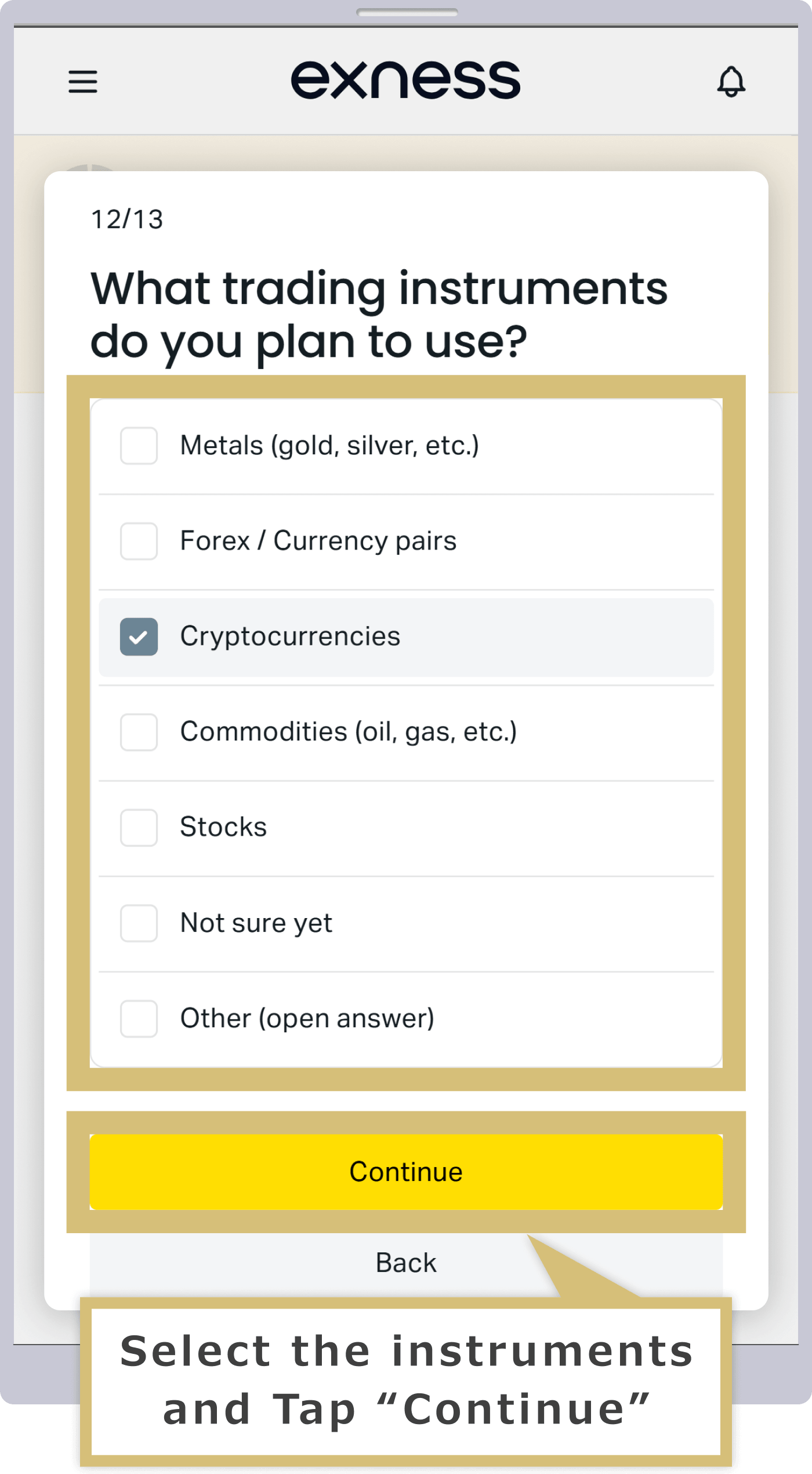
Once you see the message “Your profile information is complete,” your profile registration is finished. If you’d like to make a deposit and start trading, you’ll need to submit the required documents and complete the identity verification process. Tap “Verify Your Identity Now” to complete identity verification using your documents.
Document Certification (Name Verification)
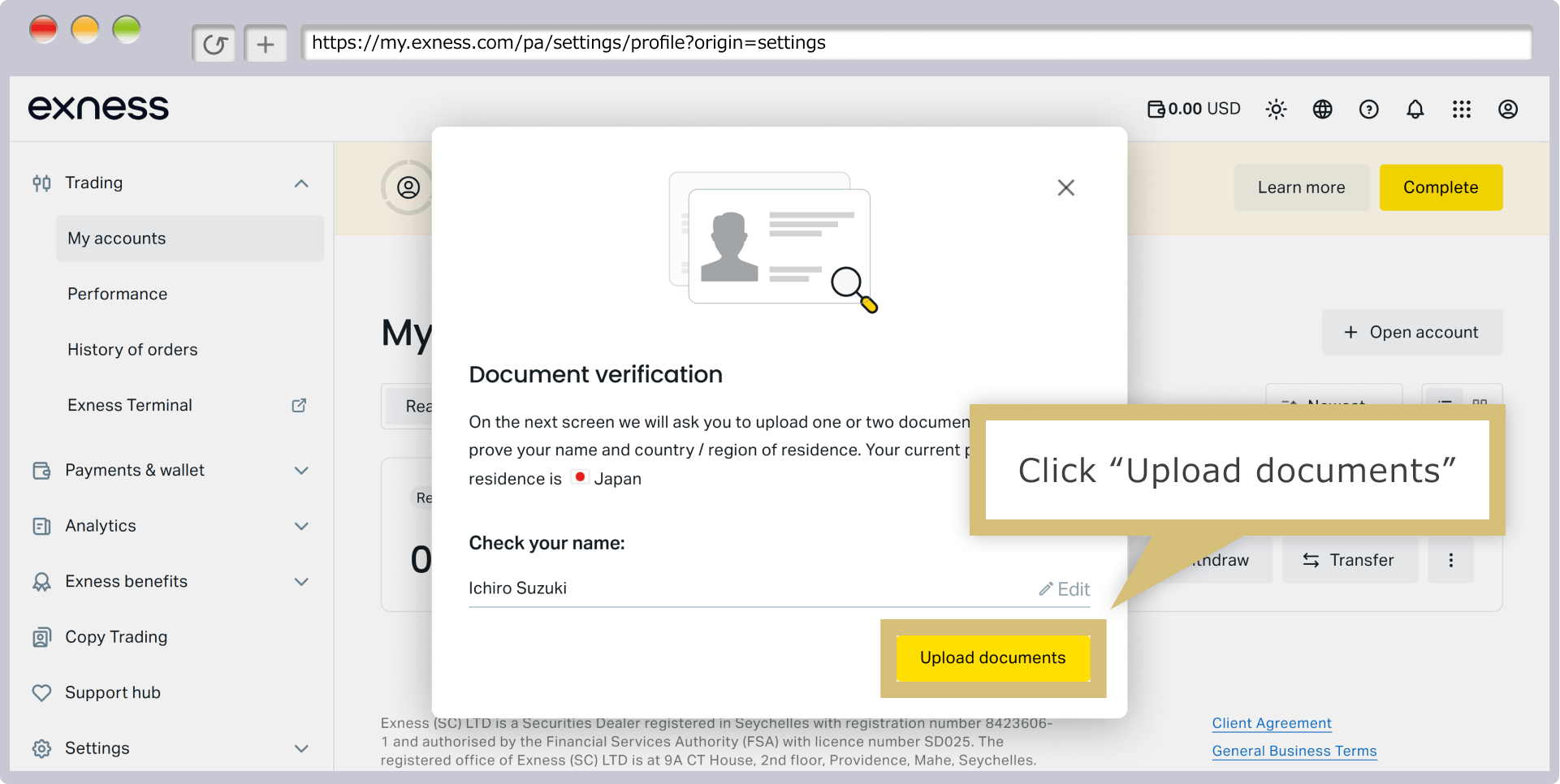
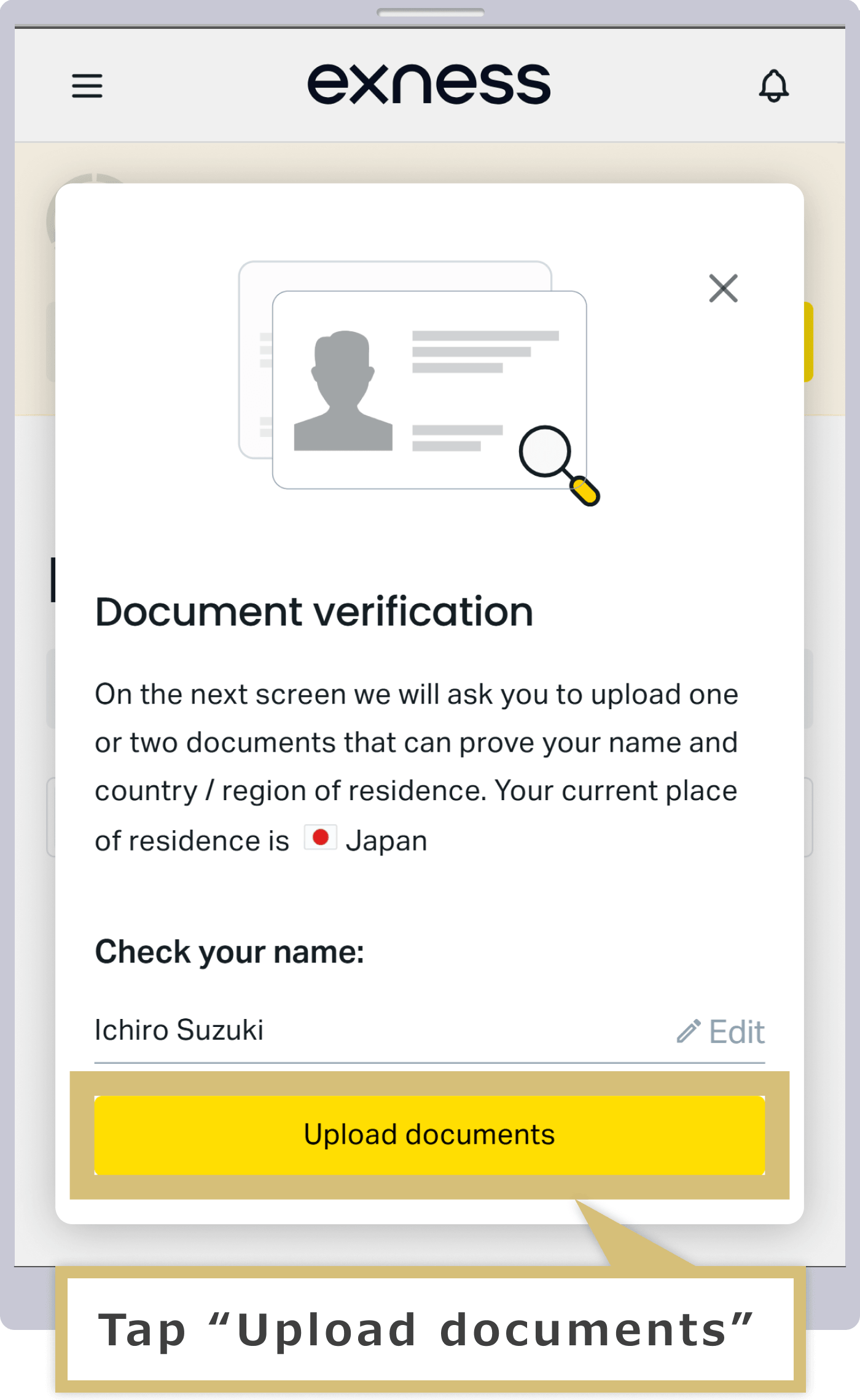
When the document verification screen appears, check that your name is correct, then click "Upload Document."
When the document verification screen appears, check that your name is correct, then tap "Upload Document."
When the "Data and Privacy" screen appears, review the "Privacy Notice" and "Consent to the Processing of Personal Data," then click "Continue."
When the "Data and Privacy" screen appears, review the "Privacy Notice" and "Consent to the Processing of Personal Data," then tap "Continue."
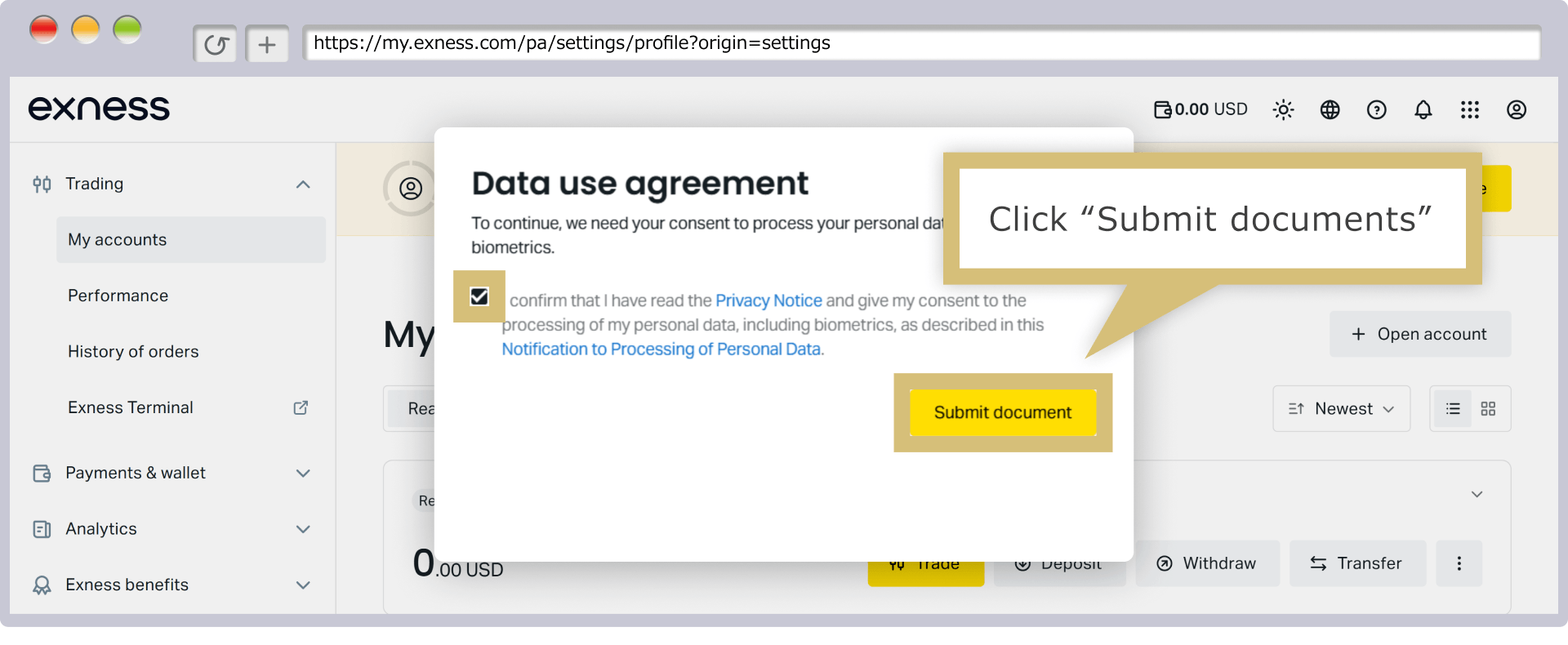
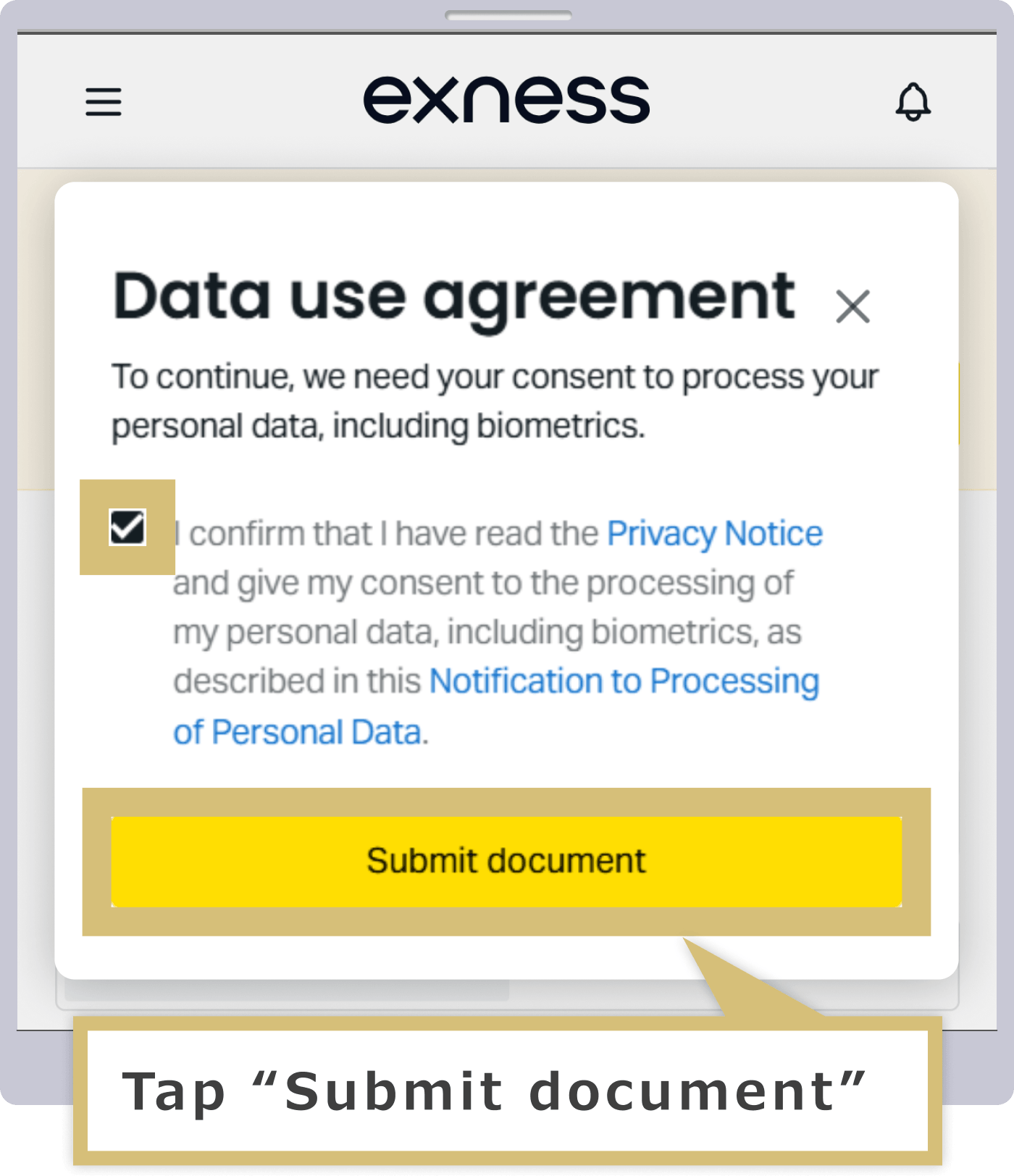
Verification of Identity Documents
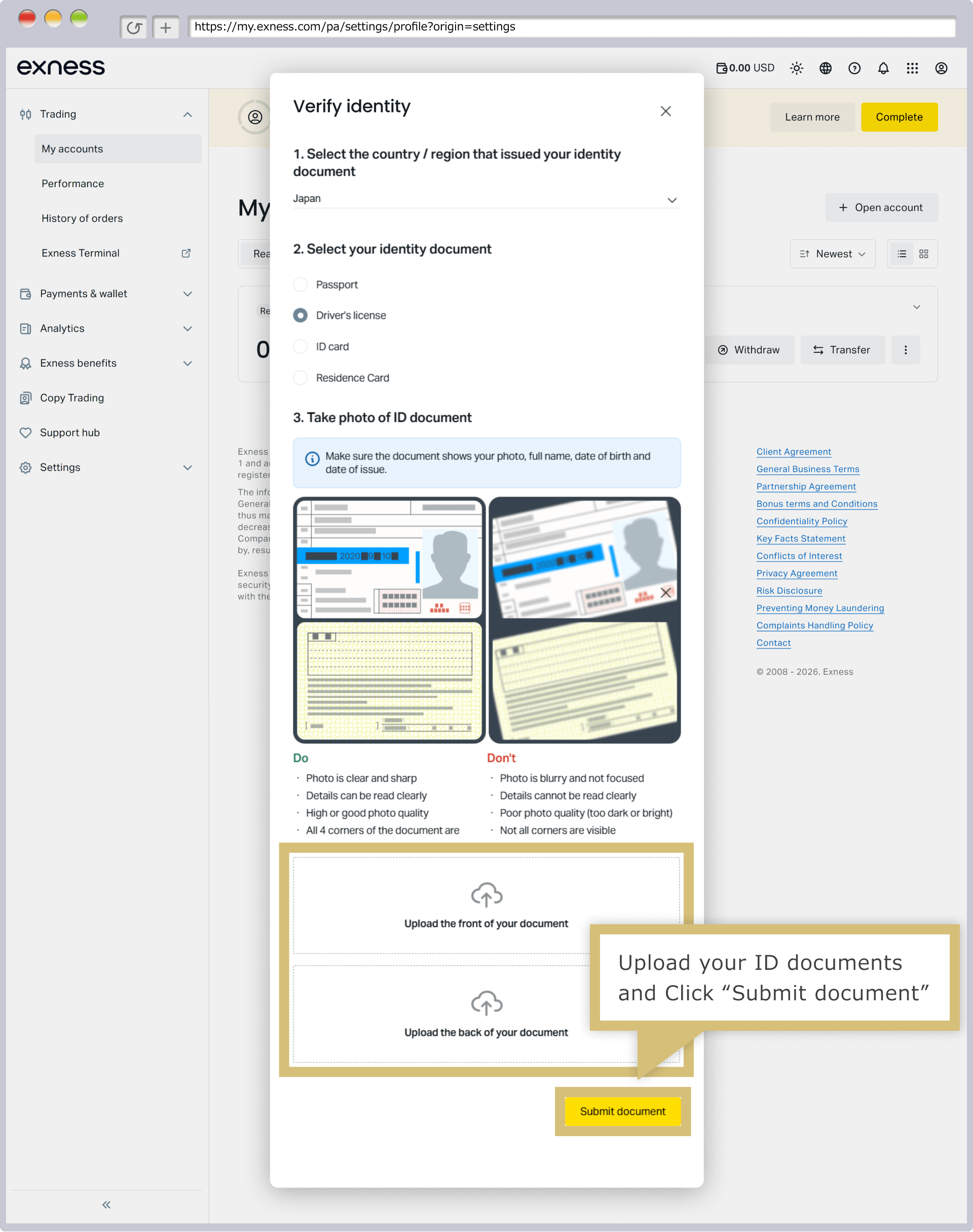
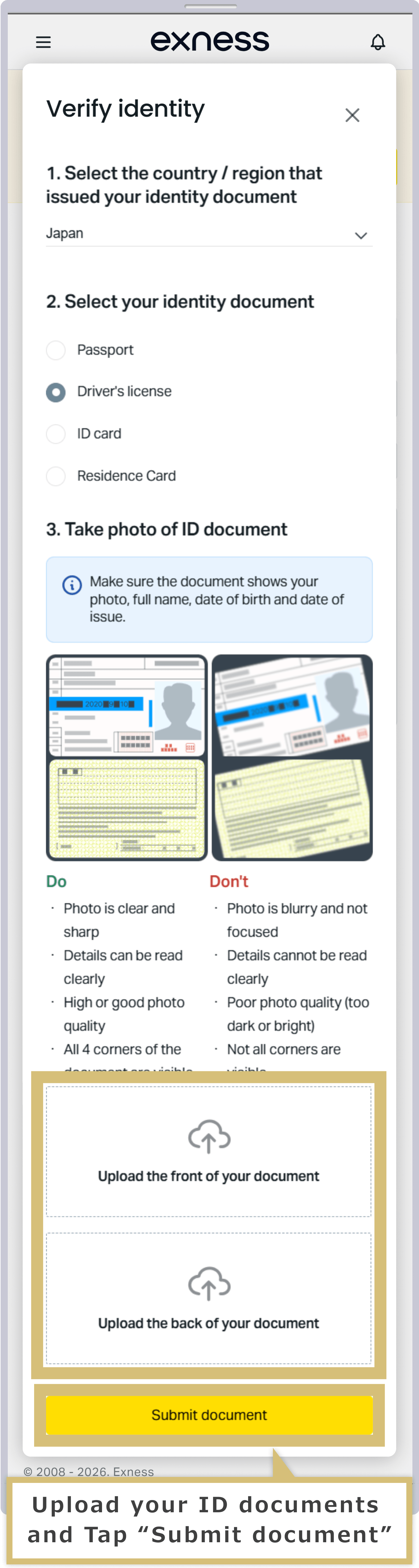
When the identity verification document authentication screen appears, select the “Country of Issuance” and “Document Type” for the identity verification document you are submitting from the list.
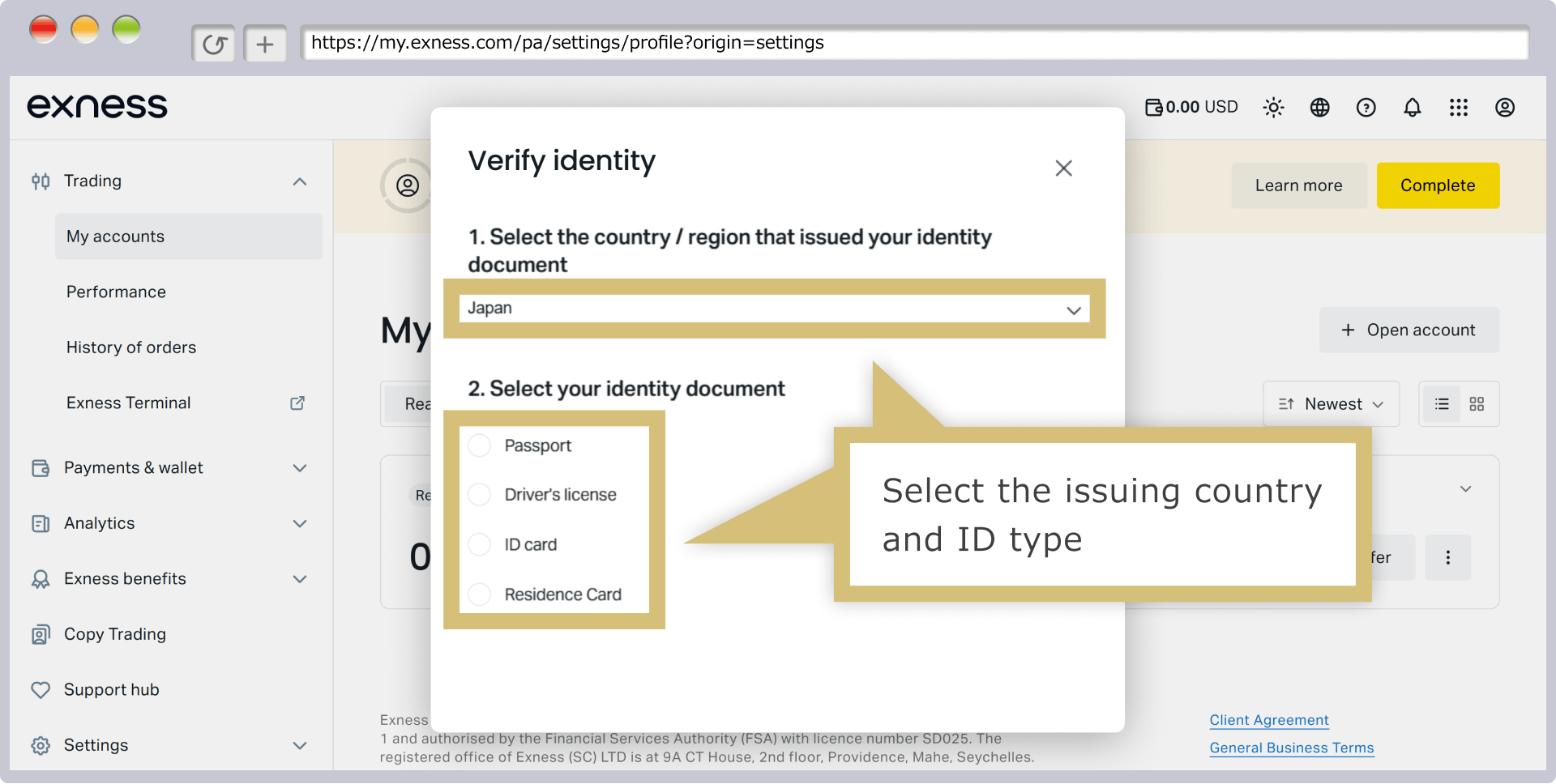
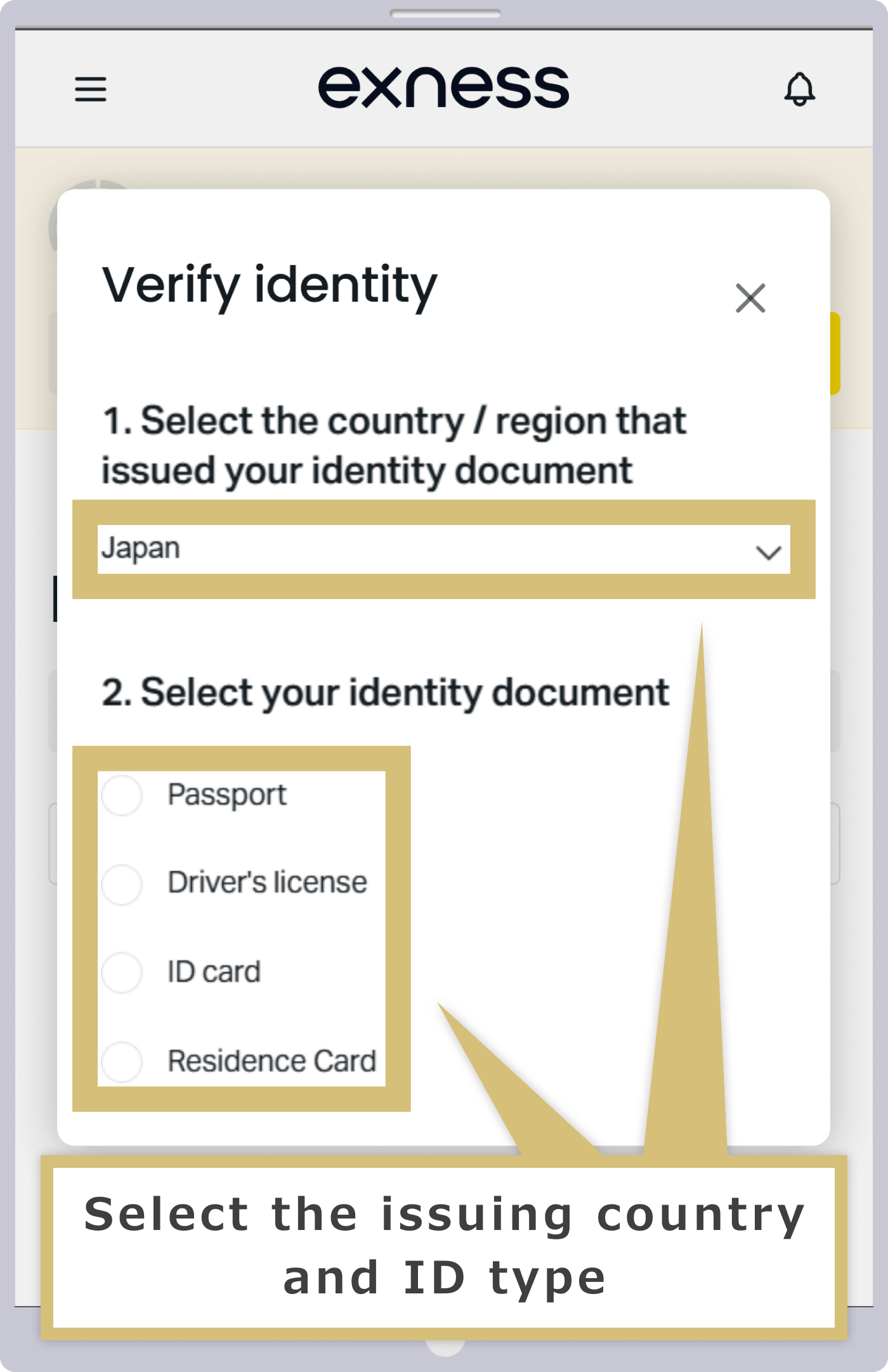
Depending on the type of identification document you select, the upload screen will appear. Please upload an image of your identification document that you have taken a photo of or scanned and saved in advance.
Address Verification (Submission of Proof of Address)
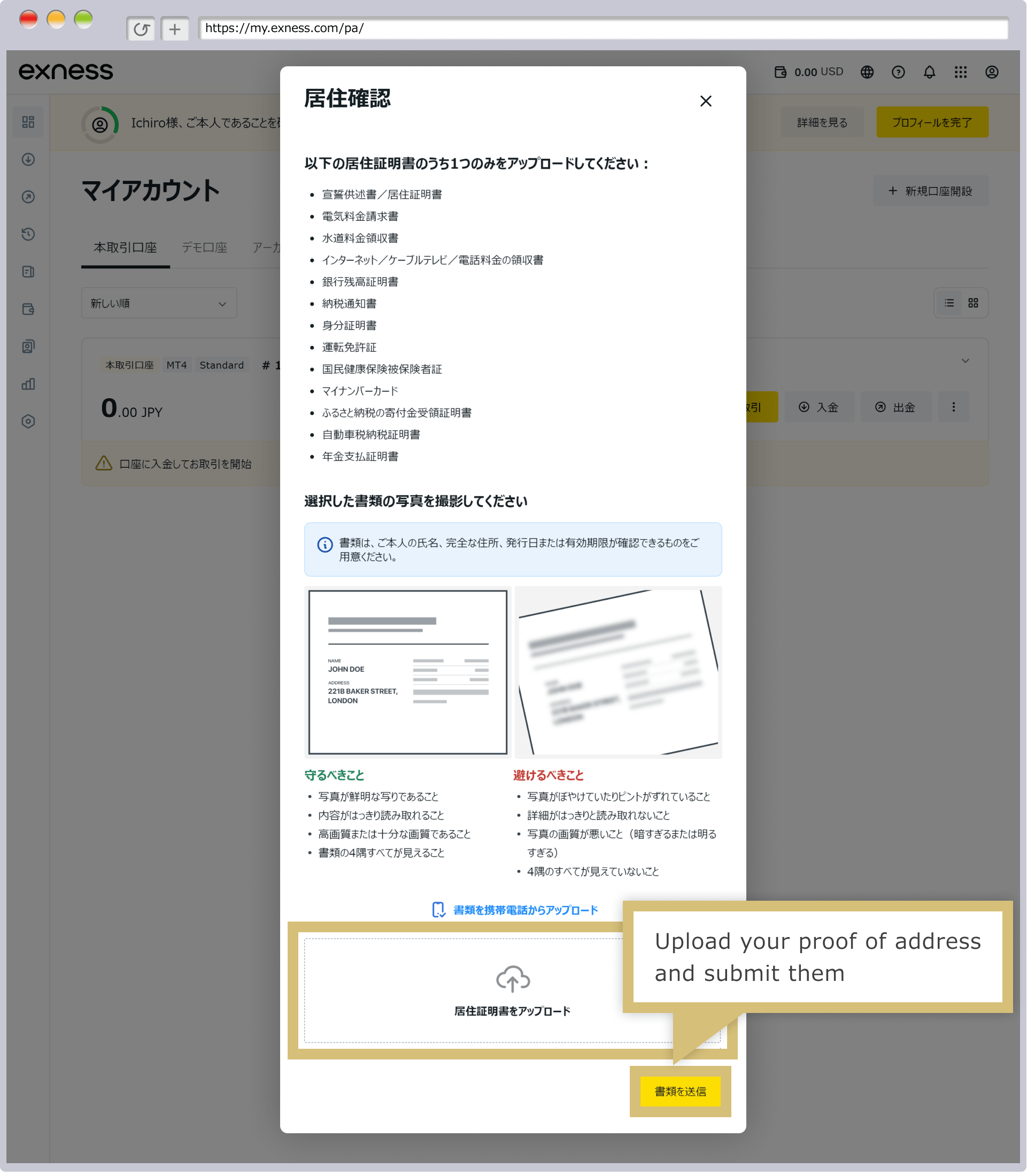
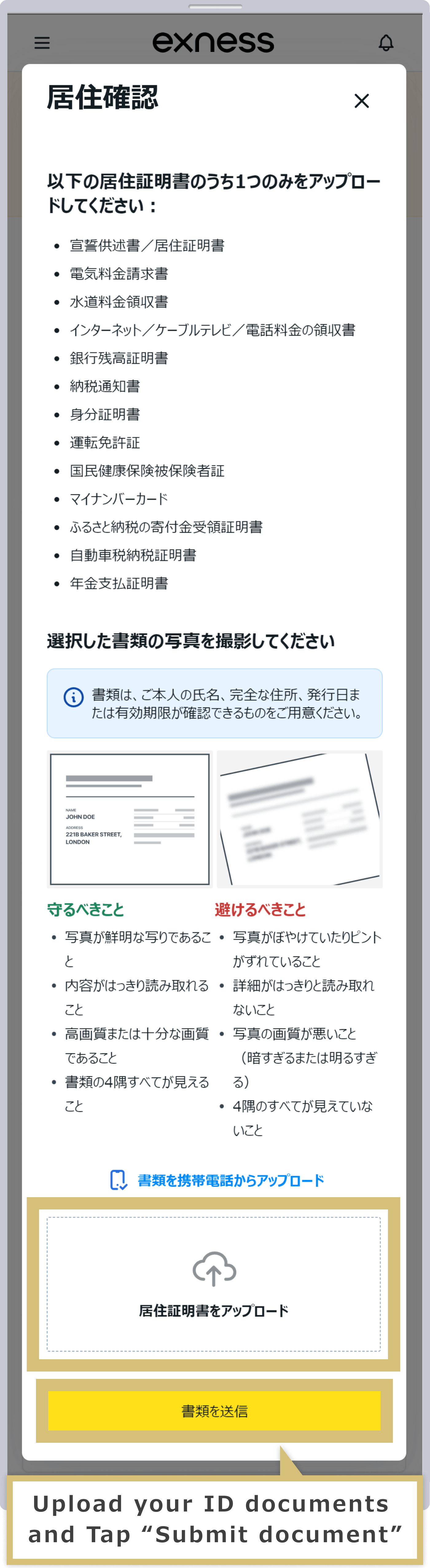
When the address verification screen appears, please upload an image of your proof of address (residence certificate) that you have previously photographed or scanned and saved. Once you have finished uploading your proof of address, click “Continue.”
When the address verification screen appears, please upload an image of your proof of address (residence certificate) that you have previously photographed or scanned and saved. Once you have finished uploading your proof of address, tap “Continue.”
Once you see the message "The documents you submitted are currently being reviewed," the submission of your supporting documents is complete.
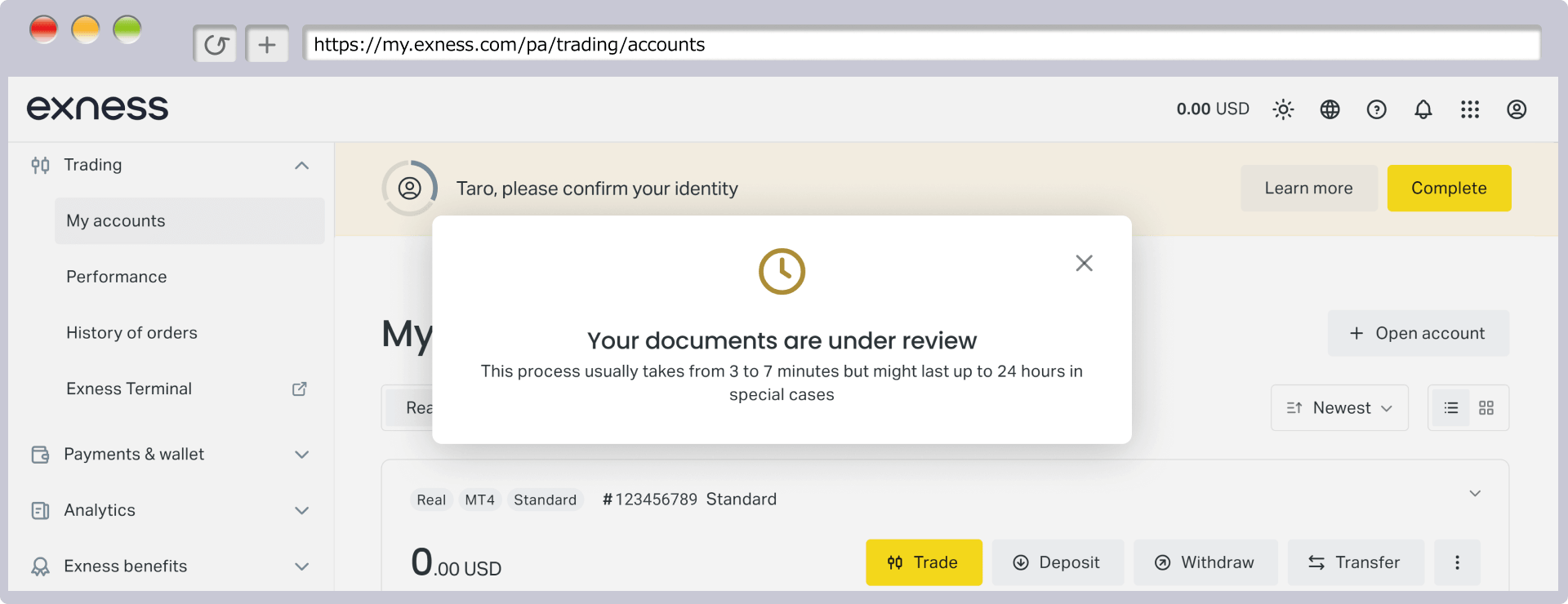
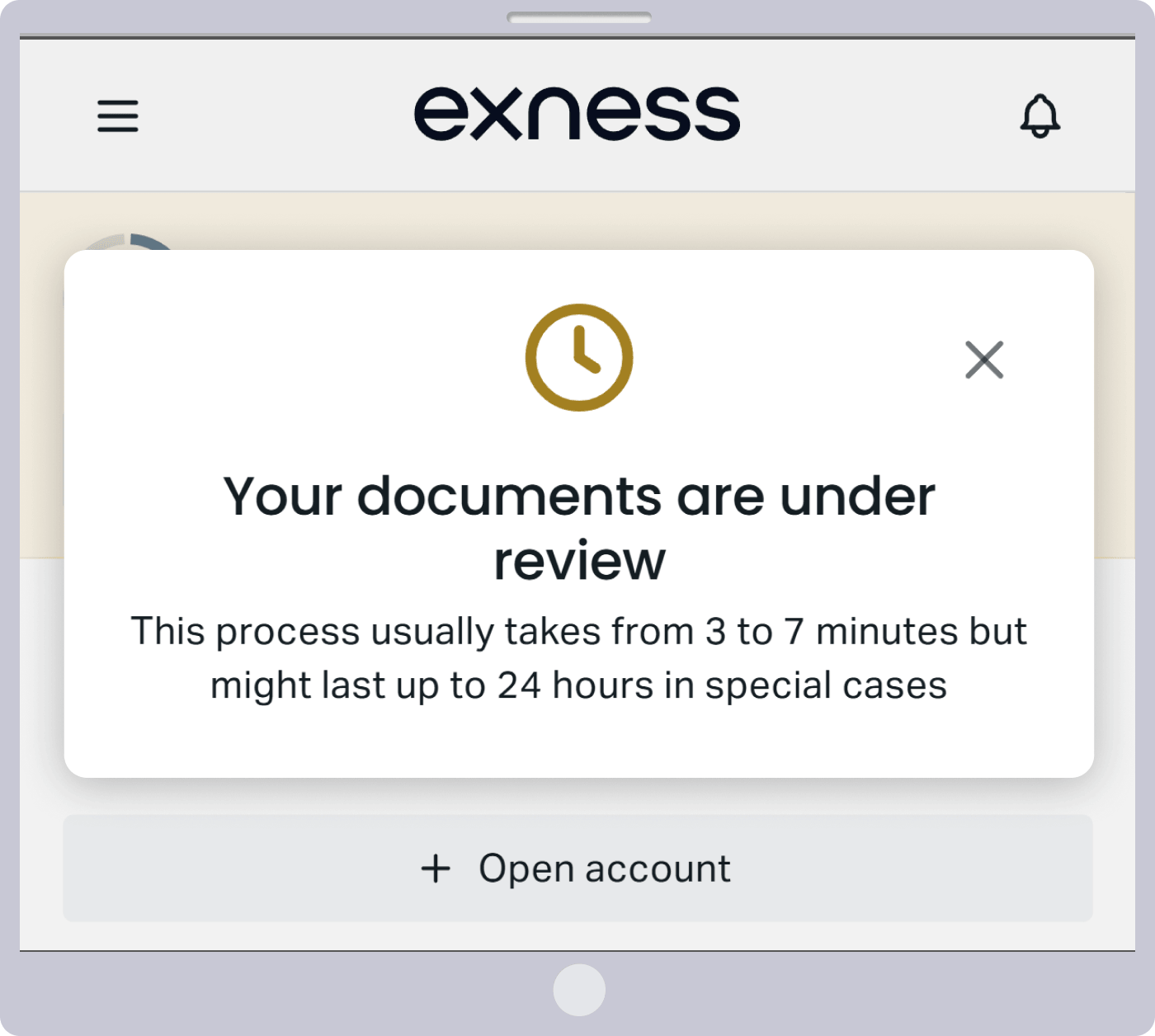
An email with the subject line “Your documents have been submitted successfully” (ID verification documents/proof of address) will be sent to the email address you registered with Exness. Exness will then process your verification. The verification process typically takes between 3 minutes and 24 hours to complete.
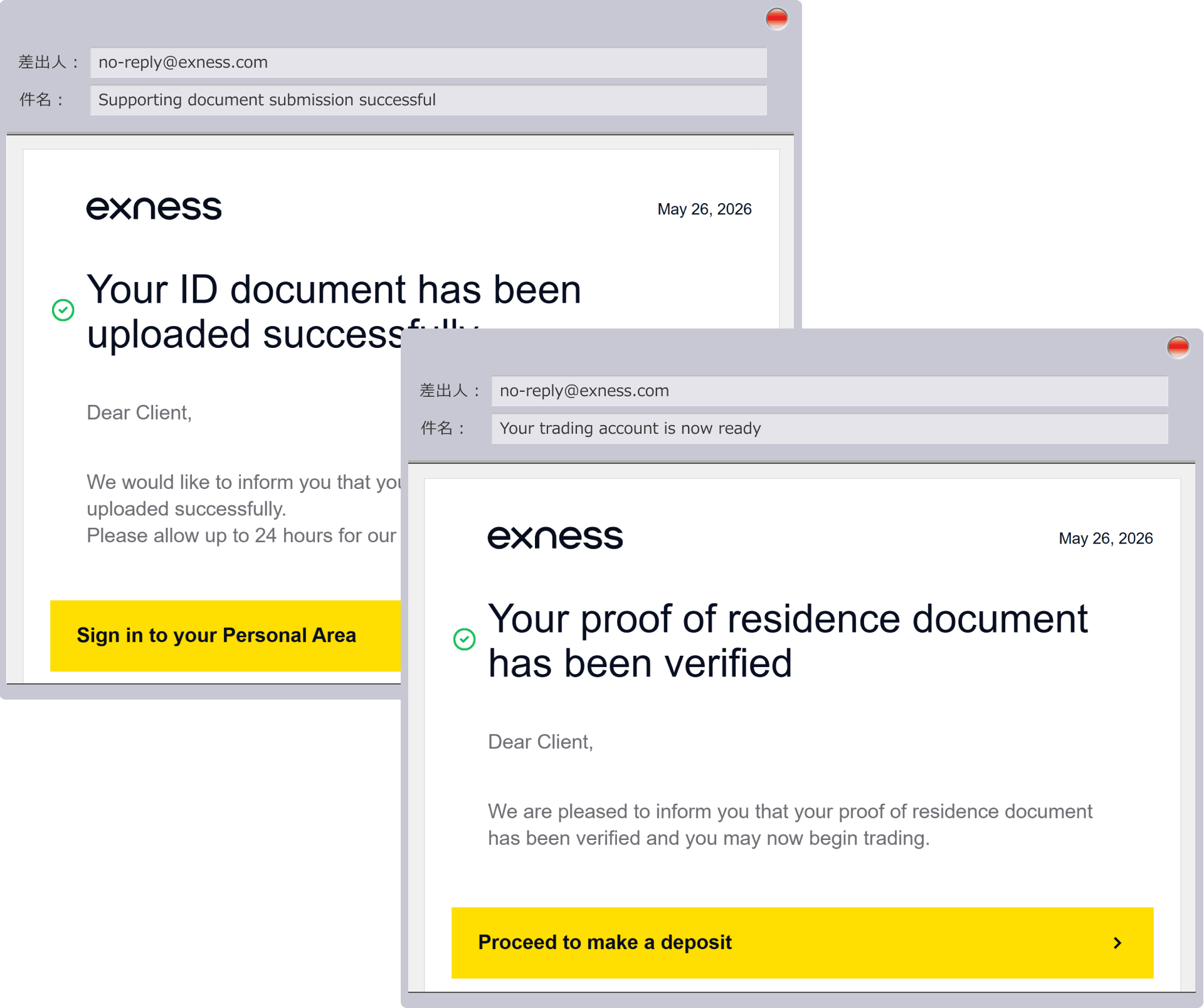

Identity Verification Complete
Once your documents are approved by Exness, you will receive an email notifying you that your profile verification is complete at the email address you provided during registration.
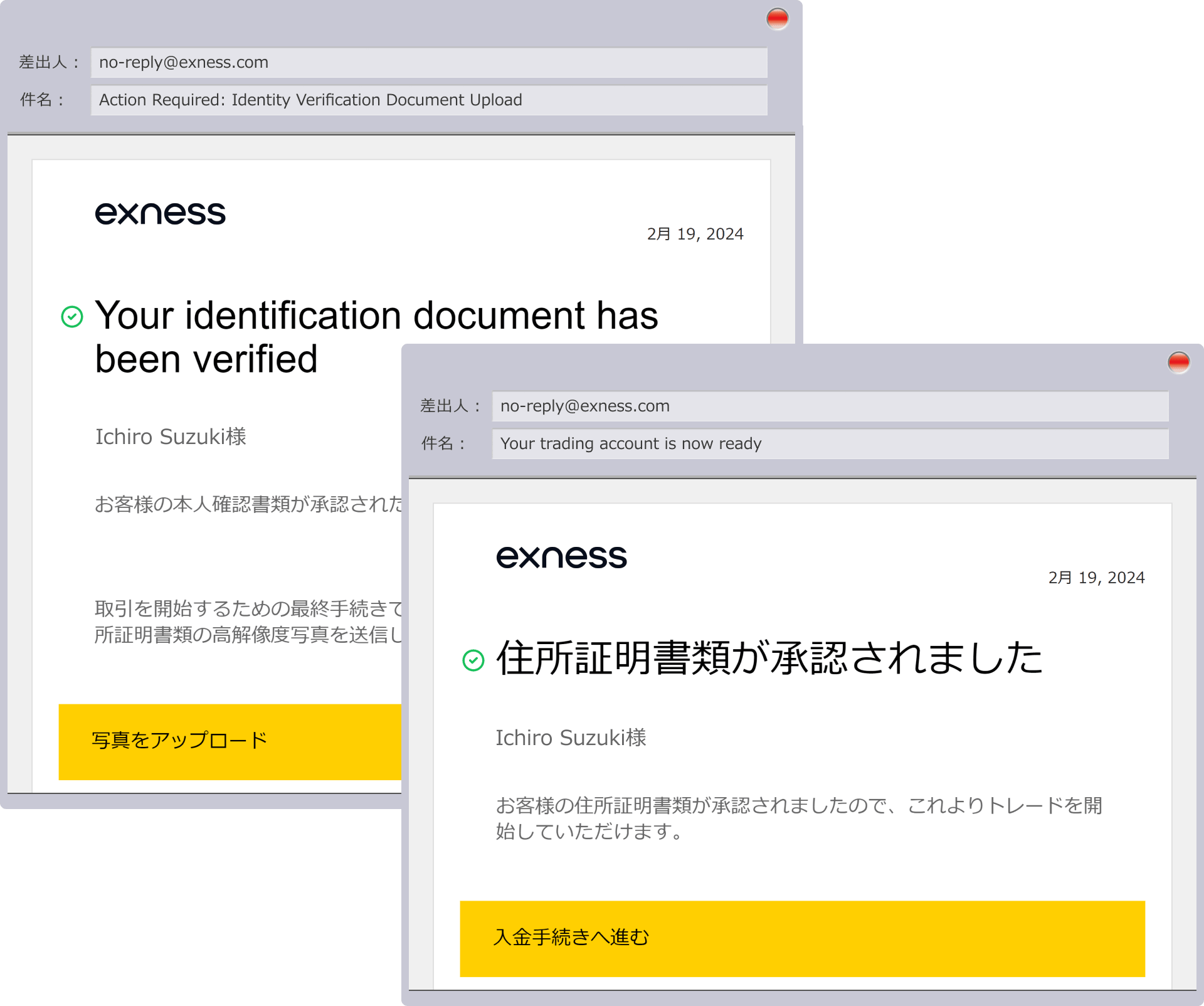
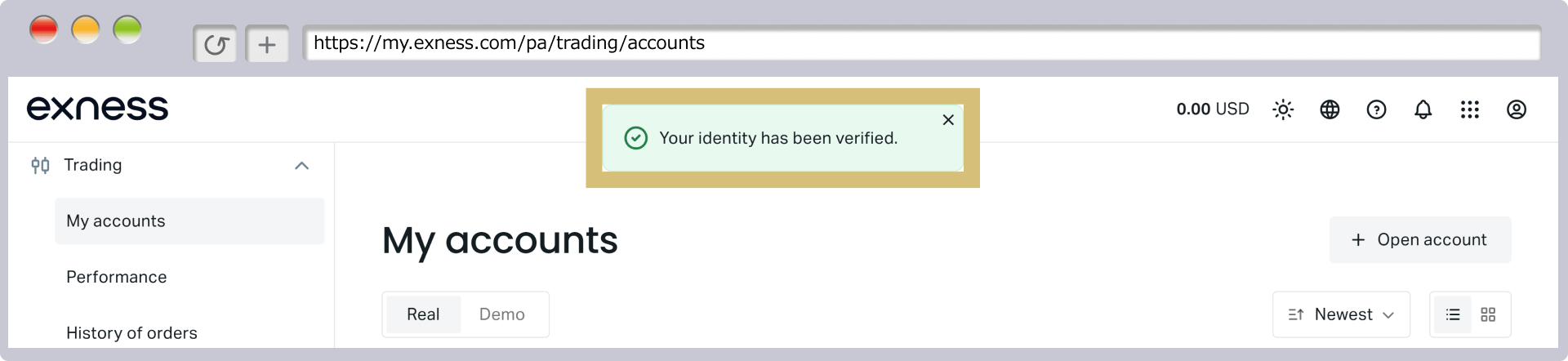
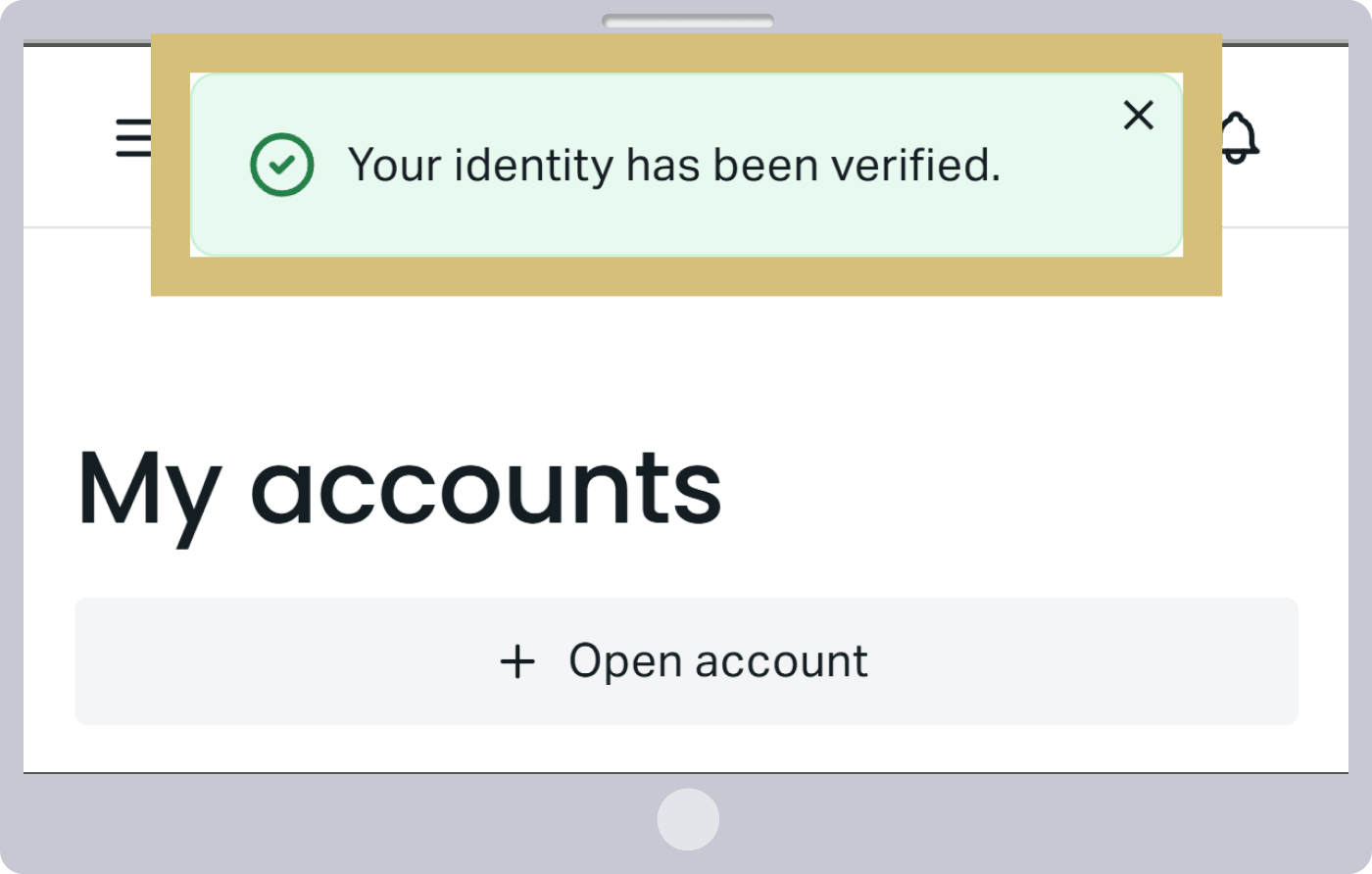
This completes the profile verification process for your Exness live trading account. Please log in to your Personal Area to check your account’s approval status. Once you see the message “Your documents have been successfully approved!” at the top of the Personal Area screen, you will be able to use all Exness services.
Exness: How to Verify Your Identity for a Live Trading Account (Video)
You can watch a video explaining the identity verification process for your Exness live trading account.

Exness: Frequently Asked Questions (FAQ) Regarding Profile Verification for Live Trading Accounts
-
Do I need to mail documents for Exness profile verification (ID verification)?
No, Exness’s profile verification (identity verification) is conducted entirely online, and you can submit the required documents—such as proof of identity and proof of current address—by uploading them. After logging in to your Personal Area, click “Start Trading” and follow the on-screen instructions to complete the process.
Read More
21.12.2021
-
Can I trade before completing my Exness profile verification (identity verification)?
No, you must complete profile verification (identity verification) to trade with a live account at Exness. However, you can still use a demo account to try trading even before verification is complete.
Read More
21.12.2021
-
My Exness profile verification (ID verification) isn't being approved. Why is that?
If there are any issues with your Exness profile verification (identity verification), you can check the reason for the rejection in your Personal Area or in the email from Exness with the subject line "Regarding Document Verification." Please prepare the documents again and resubmit them by clicking "Resubmit" in your Personal Area.
Read More
21.12.2021
-
How long does it take for Exness to approve my profile verification (ID verification)?
At Exness, profile verification (identity verification) is typically completed within 3 minutes to 24 hours after you submit your identification document and proof of current address. Once you receive an email notification of approval at your registered email address, you will be able to use all services within the Exness Personal Area.
Read More
21.12.2021
-
Please tell me what documents are required for Exness profile verification (identity verification).
For profile verification (identity verification) with Exness, you will need a valid photo ID (such as a passport or driver's license) and proof of current address issued within the last 6 months (such as a certificate of residence, utility bill, or bank statement).
Read more
21.12.2021