














Exness: Comprehensive Japanese-Language Support
Japanese Support
Exness: Comprehensive Japanese Language Support
Exness’s Japanese Support Desk offers three types of support—live chat, email support, and phone support—to address our customers’ various questions and inquiries. No matter which method you choose, our Japanese-speaking staff will assist you in resolving your issues.
From opening an Exness account to making deposits and withdrawals, as well as inquiries regarding trading, we provide detailed support in Japanese on a wide range of topics, so you can use Exness with confidence.
About Exness Japanese Support
At Exness, we aim to create an environment where our clients can trade with confidence, and we provide attentive Japanese-language support for inquiries on a wide range of topics.
Exness offers three types of Japanese-language support
There are three ways to contact Exness’s Japanese support desk: “Live Chat,” “Email,” and “Phone.” While the available hours and response times vary depending on the method you choose, you can expect courteous support in Japanese regardless of which method you use.
Exness: 3 Ways to Contact Us
| How to Contact Us | Hours of Operation | Time Required to Respond |
| Live Chat | Weekdays 8:00 a.m. to midnight (Japan Time) | Immediately |
| 24-Hour Service | Generally within one business day | |
| Phone | Weekdays 8:00 a.m. to midnight (Japan Standard Time) | Immediately |
| Live Chat | |
| Hours of Operation | Weekdays 8:00 a.m. to midnight the following day (Japan Standard Time) |
| Time Required to Respond | Immediately |
| Hours of Operation | 24-hour service |
| Time Required to Respond | Generally within one business day |
| Phone | |
| Hours of Operation | Weekdays 8:00 a.m. to midnight the following day (Japan Standard Time) |
| Time Required to Respond | Immediately |
Before Contacting Exness Japanese Support
Before contacting Exness’s Japanese support desk, please check Exness’s “Frequently Asked Questions” first.Exness’s “Frequently Asked Questions” section provides answers to a wide range of questions, from how to open an account to account management, how to use the trading platform, and methods for deposits and withdrawals. Many questions that arise when using Exness can be resolved by checking the relevant FAQ in the “Frequently Asked Questions” section.
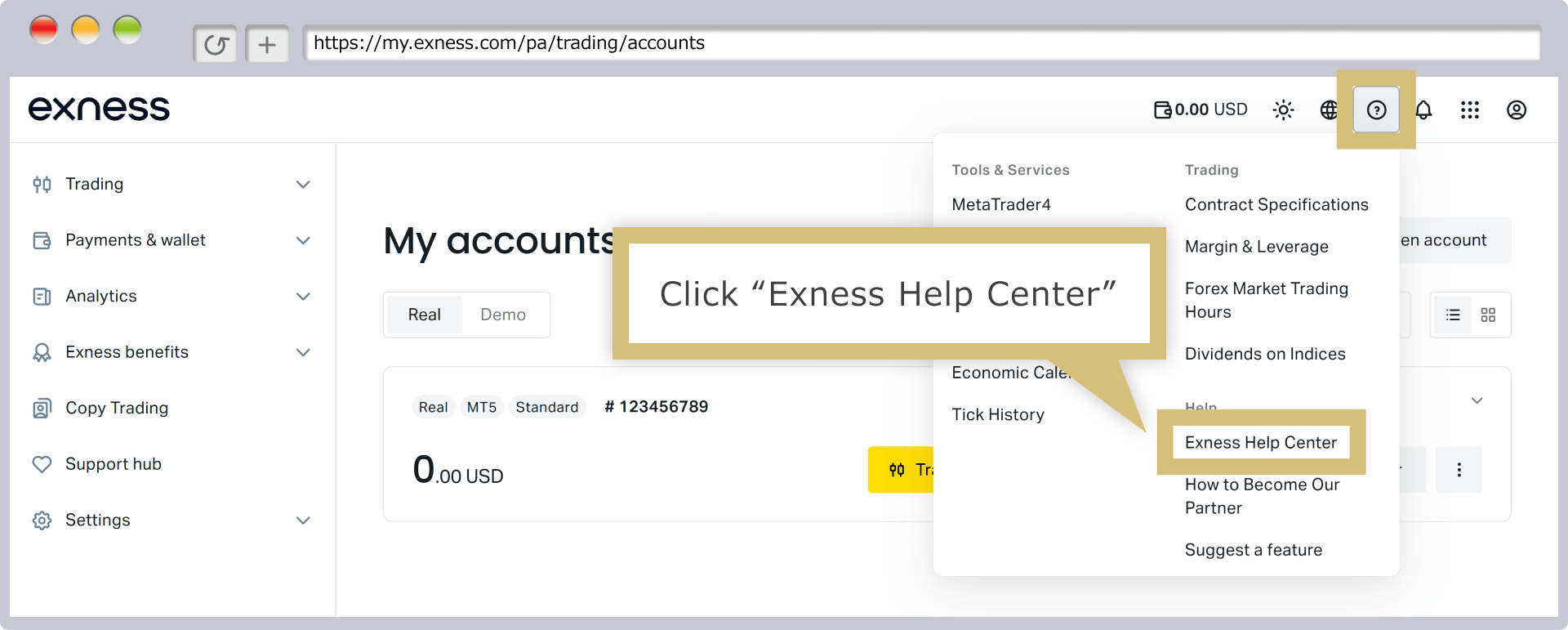
Additionally, once you log in to your Exness Personal Area, you can access the FAQs in the Help Center by selecting "Exness Help Center" from the "?" icon in the upper-right corner. You can search for keywords in the Help Center's search bar or select the relevant category to view related FAQs.
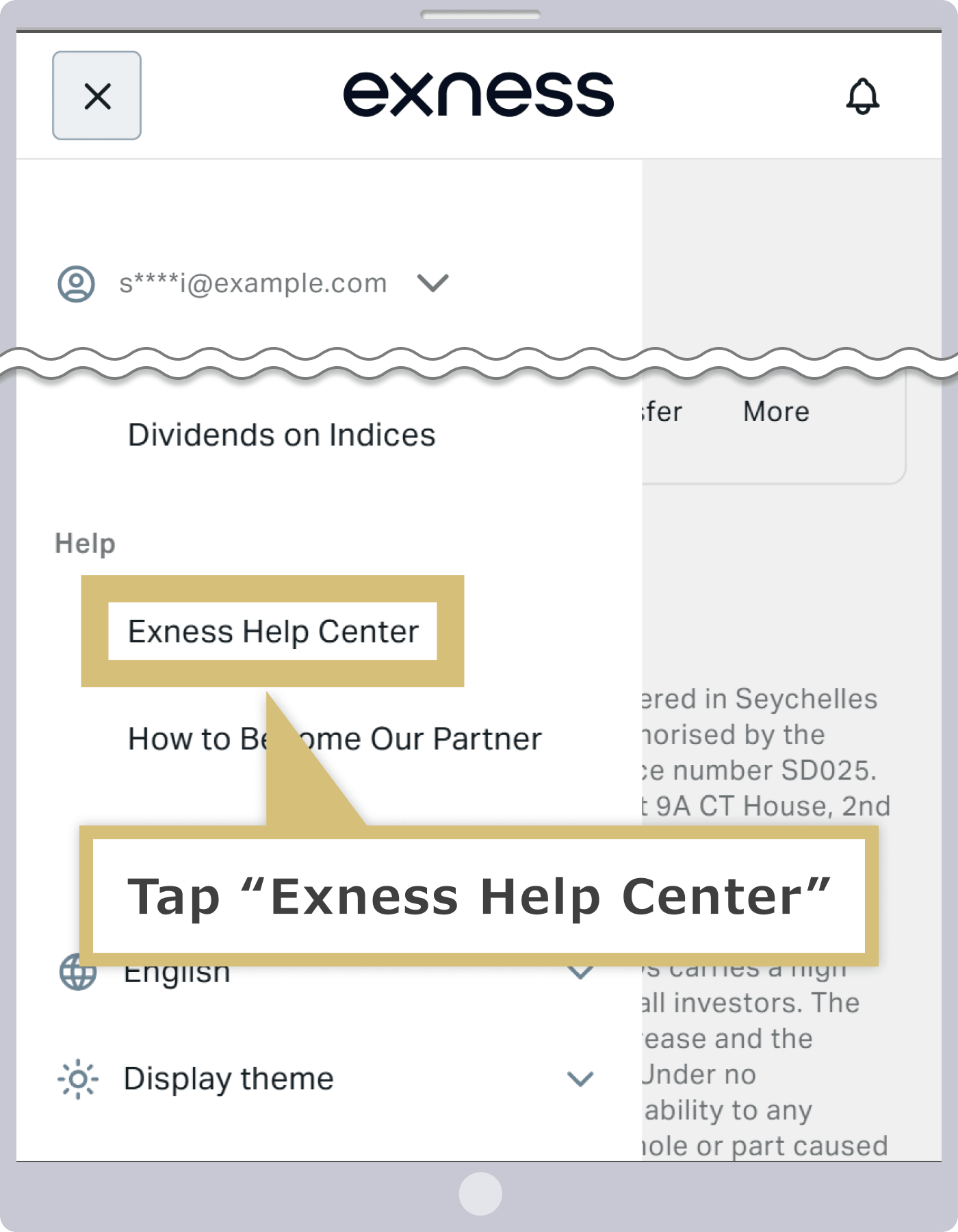
In addition, once you log in to your Exness Personal Area, you can access the FAQs in the Help Center by selecting “Exness Help Center” from the “Help” menu on the left. You can search for keywords in the Help Center’s search bar or select the relevant category to view related FAQs.
If you’ve “checked the Exness FAQ but still couldn’t find a solution” or “would like more detailed information,” please contact the Exness Japanese Support Desk.

How to Contact Exness Japanese Support
Exness’s Japanese support offers three ways to contact us—live chat, email, and phone—to address any issues or questions you may have. Since the available hours and response times vary by method, please review the details of each option and choose the one that best suits your situation and the nature of your inquiry.
How to Use Exness Live Chat
Exness's live chat is a convenient support tool that allows you to contact Japanese-speaking support staff via text chat from your smartphone, computer, or tablet.
How to Contact Exness via Live Chat
You can easily access Exness’s live chat from your Personal Area. Initially, you’ll interact with Exness’s virtual assistant via automated responses, but if your issue isn’t resolved, you can be transferred to a Japanese-speaking support representative to speak with them directly in real time. If the automated responses don’t resolve your issue, please let us connect you to the support desk.
Exness Live Chat Hours
Exness’s live chat is available on weekdays from 8:00 a.m. to 12:00 a.m. the following day (Japan Standard Time), and you can receive real-time support entirely in Japanese. Depending on the nature of your question, we may need to verify details internally before responding via email; however, live chat is recommended if you need an immediate answer or have an urgent question.
| How to Contact Us | Hours of Operation | Time Required to Respond |
| Live Chat | Weekdays 8:00 a.m. to midnight (Japan Time) | Immediately |
| Live Chat | |
| Hours of Operation | Weekdays 8:00 a.m. to 12:00 a.m. the following day (Japan Time) |
| Time Required to Reply | Immediately |
How to Use Exness Email Support
Exness’s email support accepts customer inquiries 24 hours a day, so you can ask questions immediately whenever you have them. This service is ideal for complex issues or situations requiring detailed information, and since all email correspondence is saved as a record, you can review the content later.
How to Contact Exness Email Support
If you wish to use Exness email support, please send your inquiry to the email address below, including your name and account number (if you have one).
| Exness Support Desk |
[email protected] |
After you send the email, you will automatically receive a confirmation email from the Exness Support Center. This email contains a support ticket number; keeping this number on hand will help ensure that future communications proceed smoothly. You can also log in to your Exness Personal Area to create a ticket and submit your inquiry.
Exness Email Support Hours
Exness’s email support is available 24 hours a day, and you will typically receive a reply from a Japanese-speaking support representative within one business day. You can submit inquiries at any time, 24 hours a day; however, since we are closed on weekends and holidays, if you send an inquiry on a weekend, you will receive a reply on the following Monday or later.Please note that depending on the nature of your inquiry, it may take some time to receive a response.
| How to Contact Us | Hours of Operation | Time Required to Respond |
| 24-hour service | Generally within one business day |
| Hours of Operation | 24-hour service |
| Time Required to Reply | Generally within one business day |
How to Use Exness Phone Support
With Exness's phone support, you can receive support entirely in Japanese through direct conversations at no charge.
How to Contact Exness Phone Support
With Exness’s phone support, you can speak directly with a Japanese-speaking support representative to ask any questions you may have. Because the service uses an internet connection, the call will be treated as an international call; however, since it is a toll-free number, you will not be charged for the call. The phone number for the Exness phone support desk is as follows. You can call from your smartphone as well.
| Exness Phone Support Desk |
0120-409-740 |
Exness Phone Support Hours
Exness phone support is available on weekdays from 8:00 a.m. to 12:00 a.m. the following day (Japan Standard Time). However, please note that Exness phone support lines are often busy, and it may be difficult to get through. Depending on the nature of your inquiry, you may need to contact us via chat or email, so please be aware of this in advance.
| How to Contact Us | Hours of Operation | Time Required to Respond |
| Phone | Weekdays 8:00 a.m. to 12:00 a.m. the following day (Japan Standard Time) | Immediately |
| Phone | |
| Hours of Operation | Weekdays 8:00 a.m. to midnight (Japan Time) |
| Time Required to Respond | Immediately |
How to Use Exness Live Chat
Exness’s Japanese-language live chat support provides real-time assistance. It’s ideal for urgent inquiries and simple questions, and you can easily access the live chat screen from your Personal Area. Here are the steps for using Exness live chat:
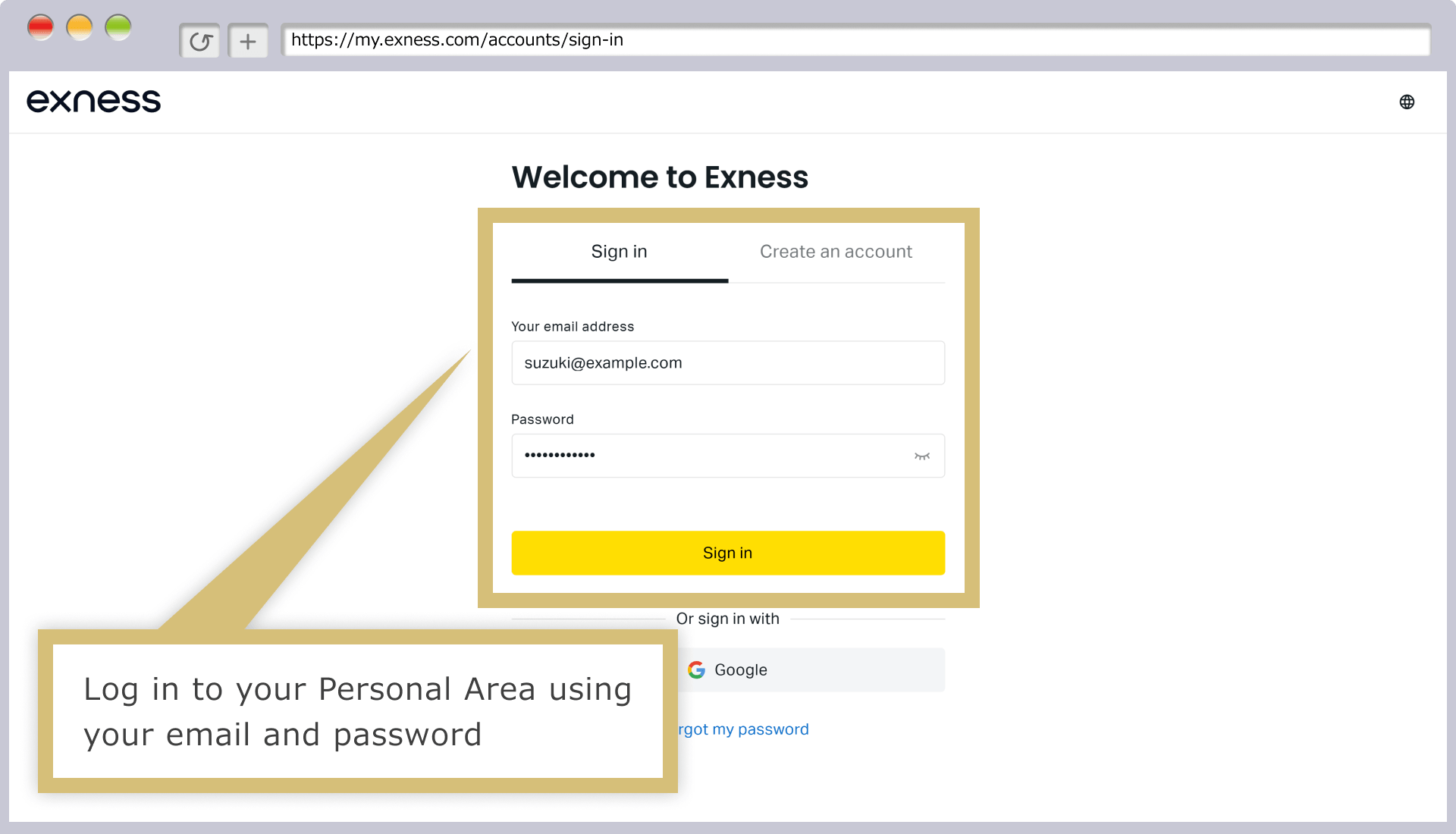
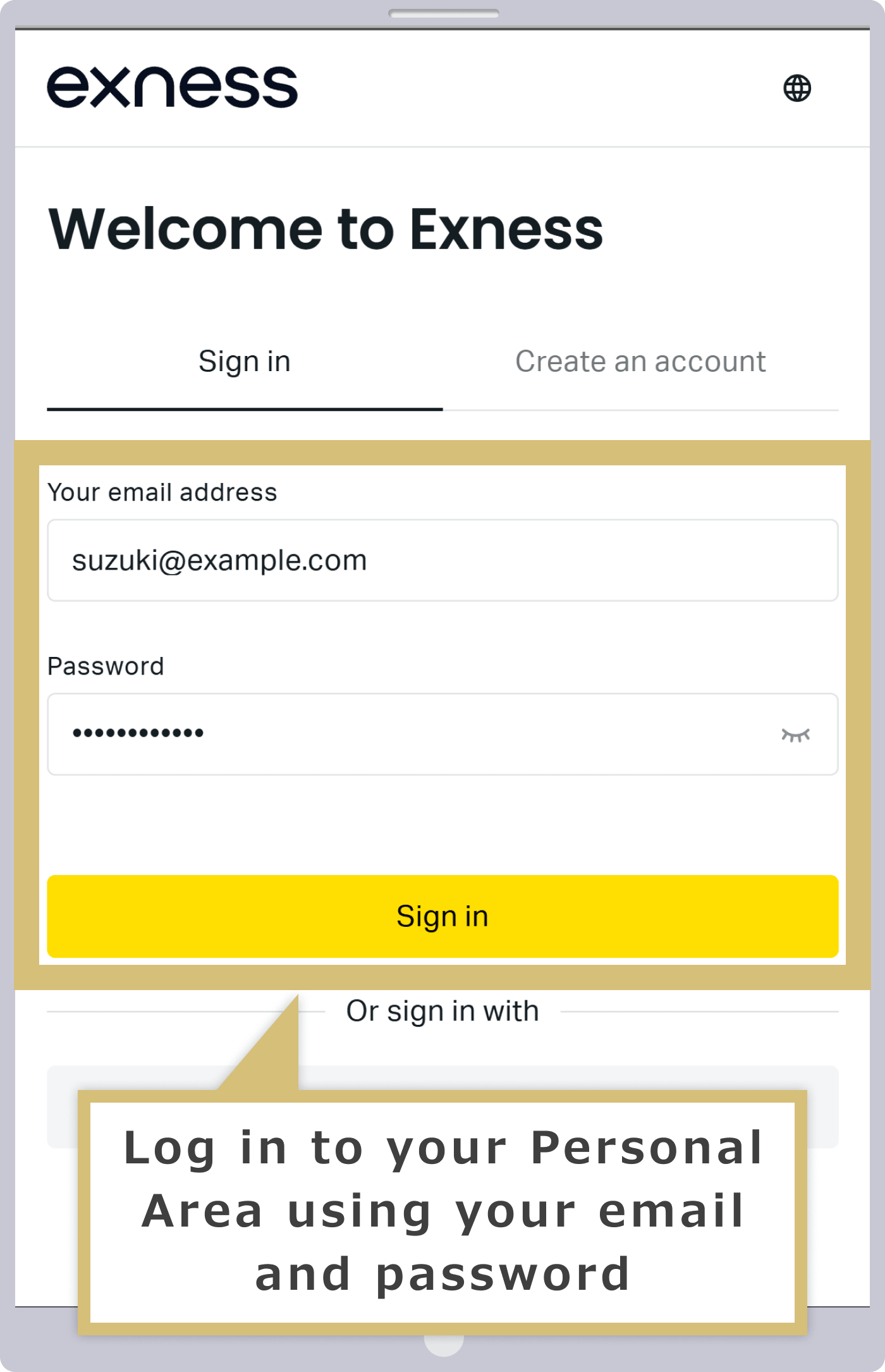
Log in to your Personal Area
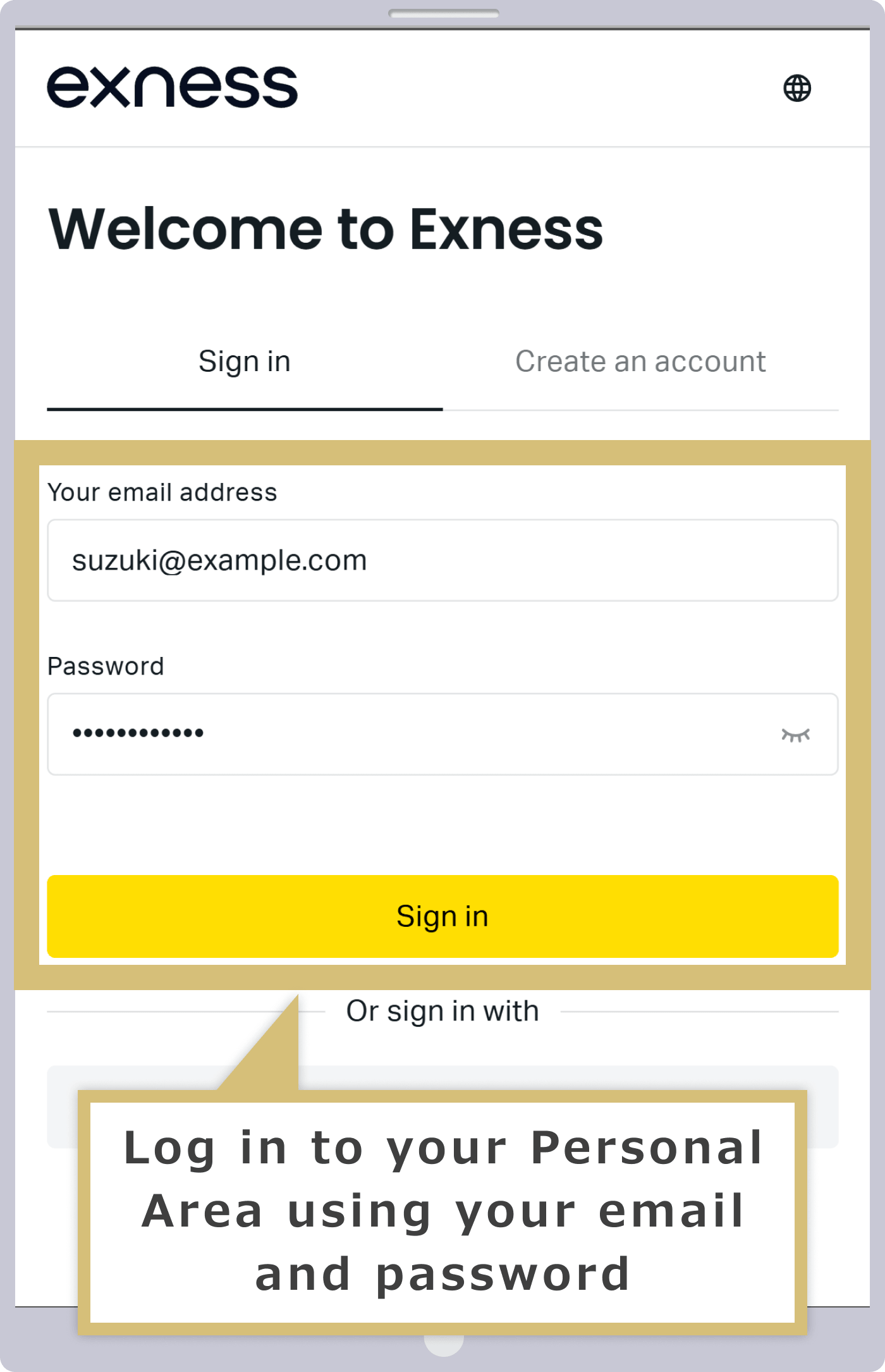
Enter the "email address" you used to register with Exness and the "login password" for your Personal Area to log in to your Exness Personal Area.
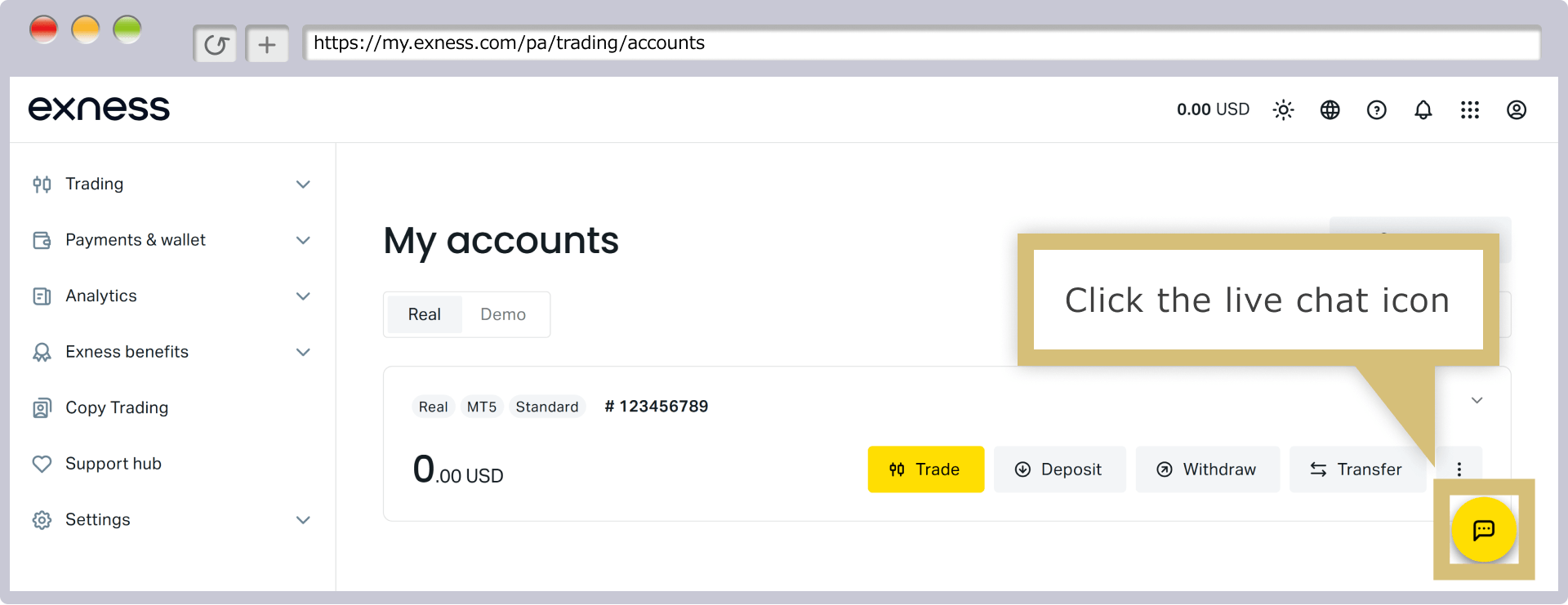
Click the chat icon
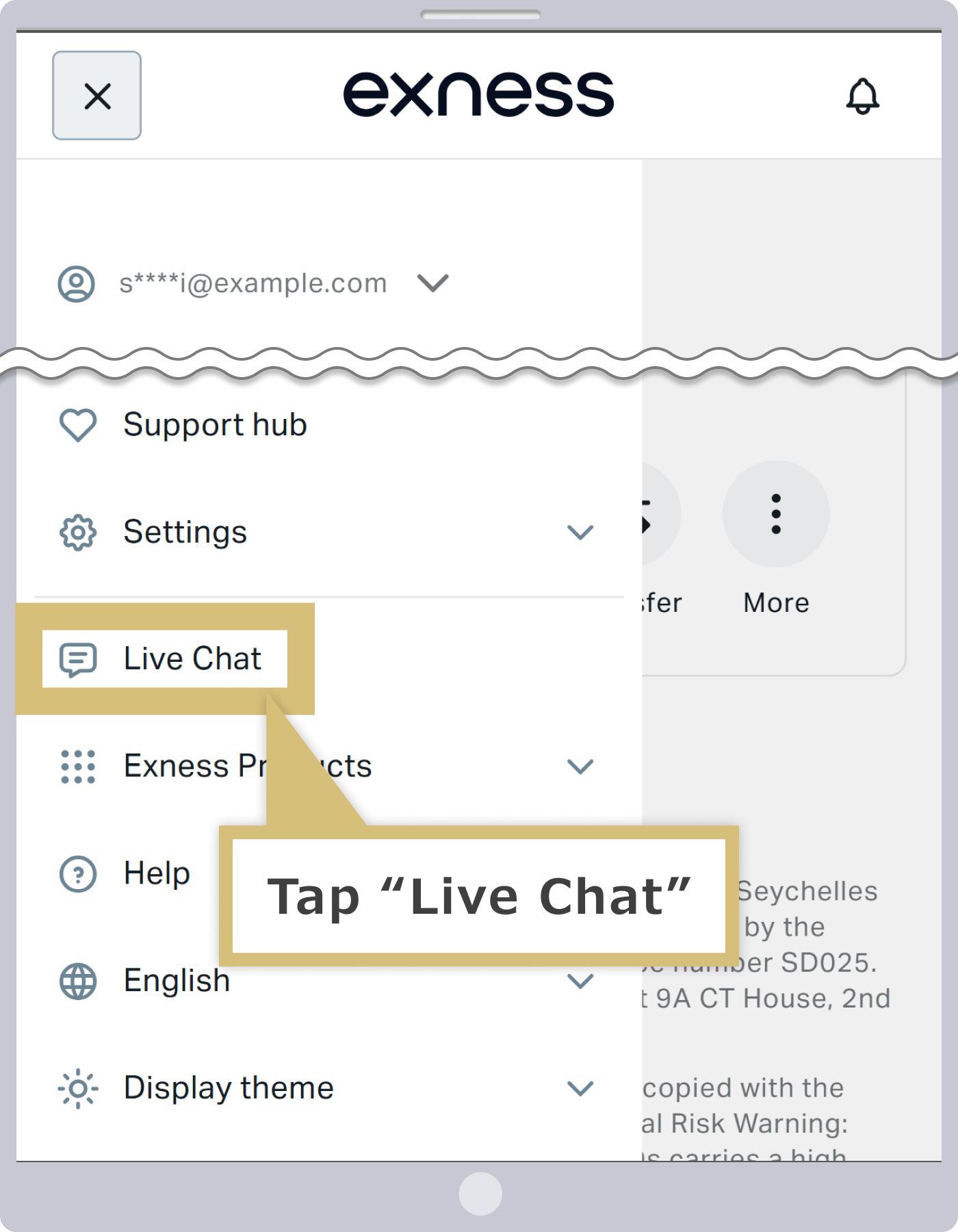
Tap the chat menu
After logging in to your Exness Personal Area, click the live chat icon in the lower-right corner.
After logging in to your Exness Personal Area, tap "Live Chat" in the left-hand menu.
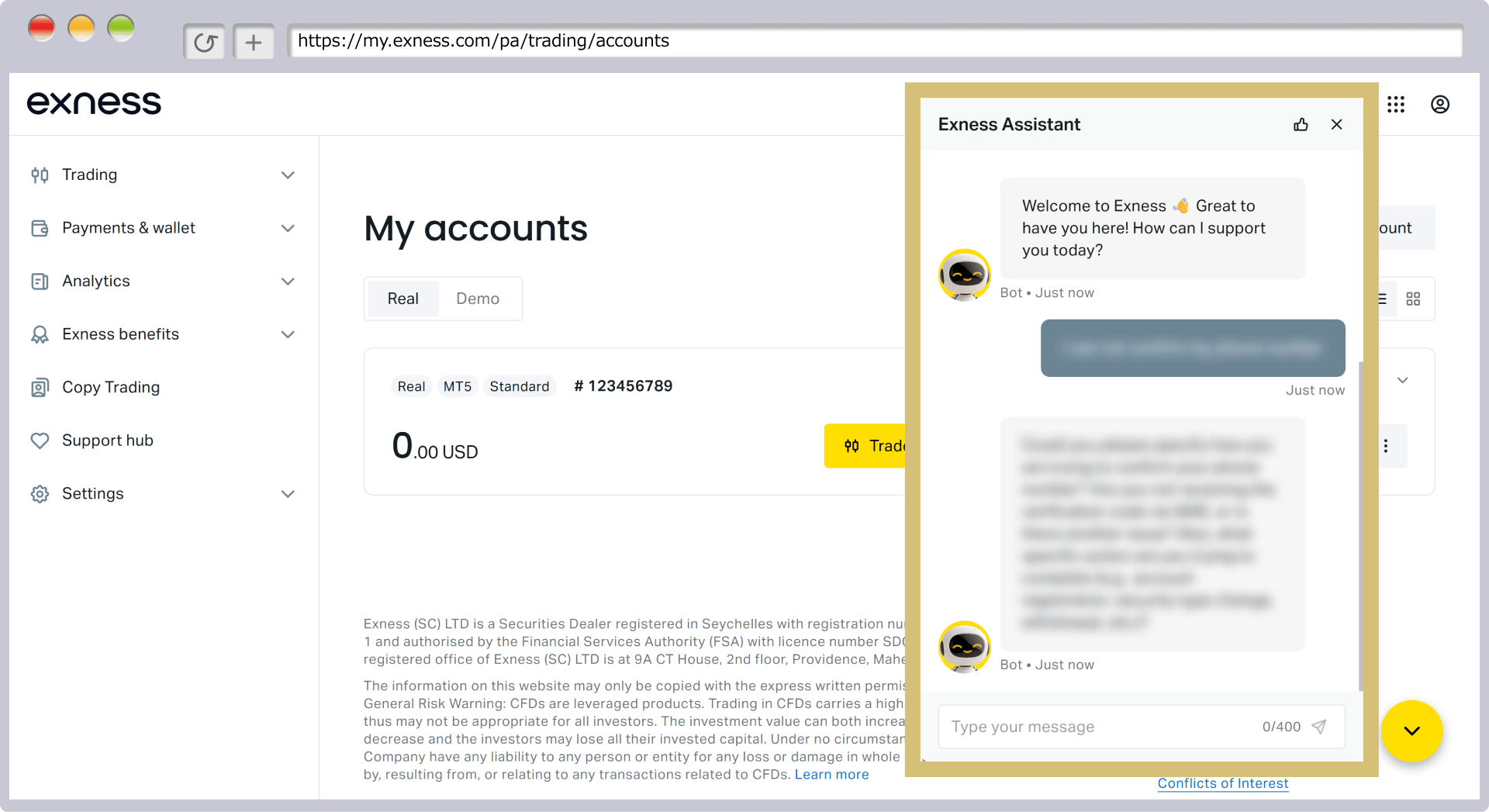
Submit Your Inquiry
Submit your question to the Exness Assistant. You'll receive real-time responses with advice on how to resolve the issue and the necessary steps to take.
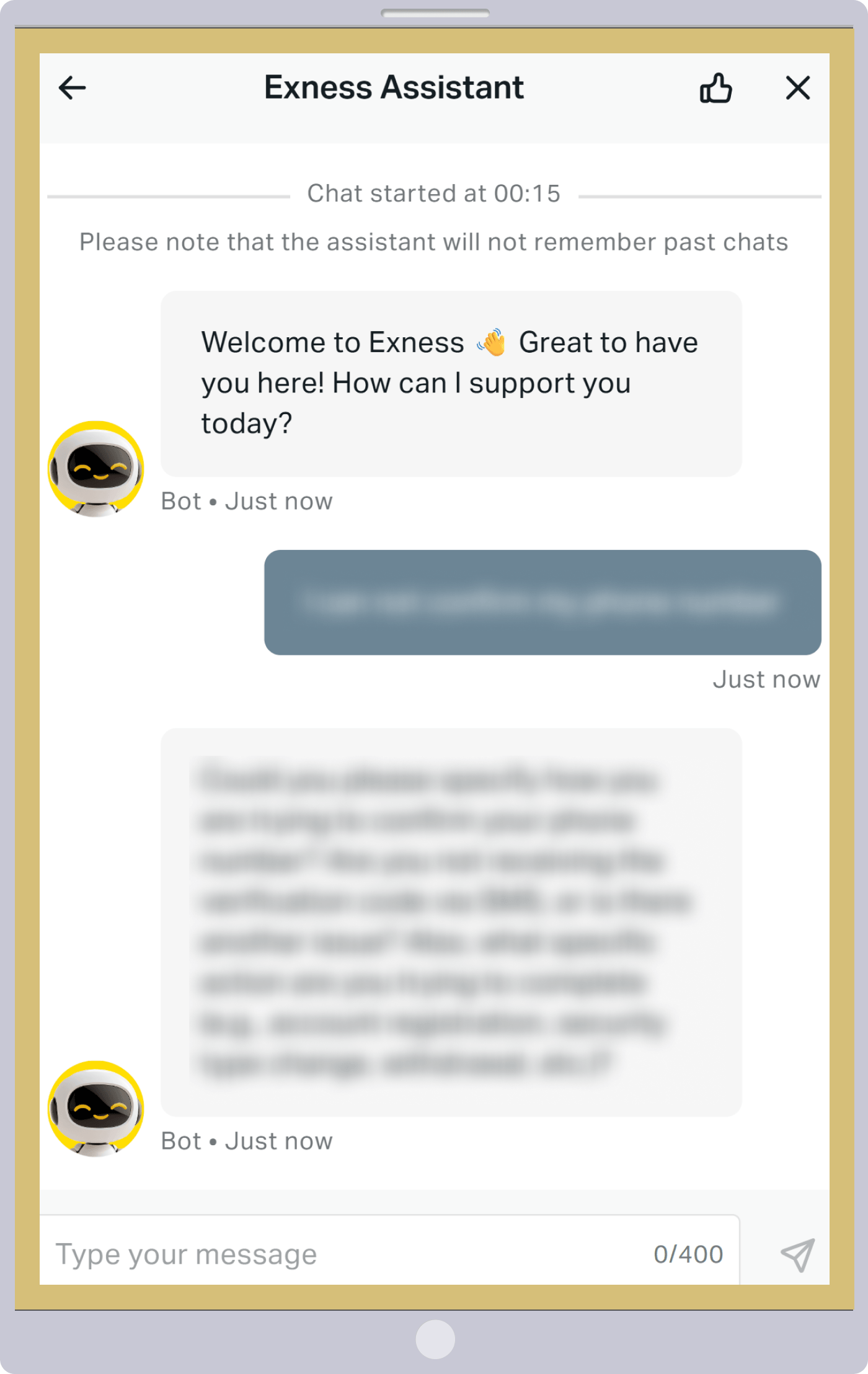
End Chat
To end a live chat, select the "×" icon in the upper-right corner of the chat screen, then click the "End Chat" button that appears.
To end a live chat, select the “×” icon in the upper-right corner of the chat screen, then tap the “End Chat” button that appears.
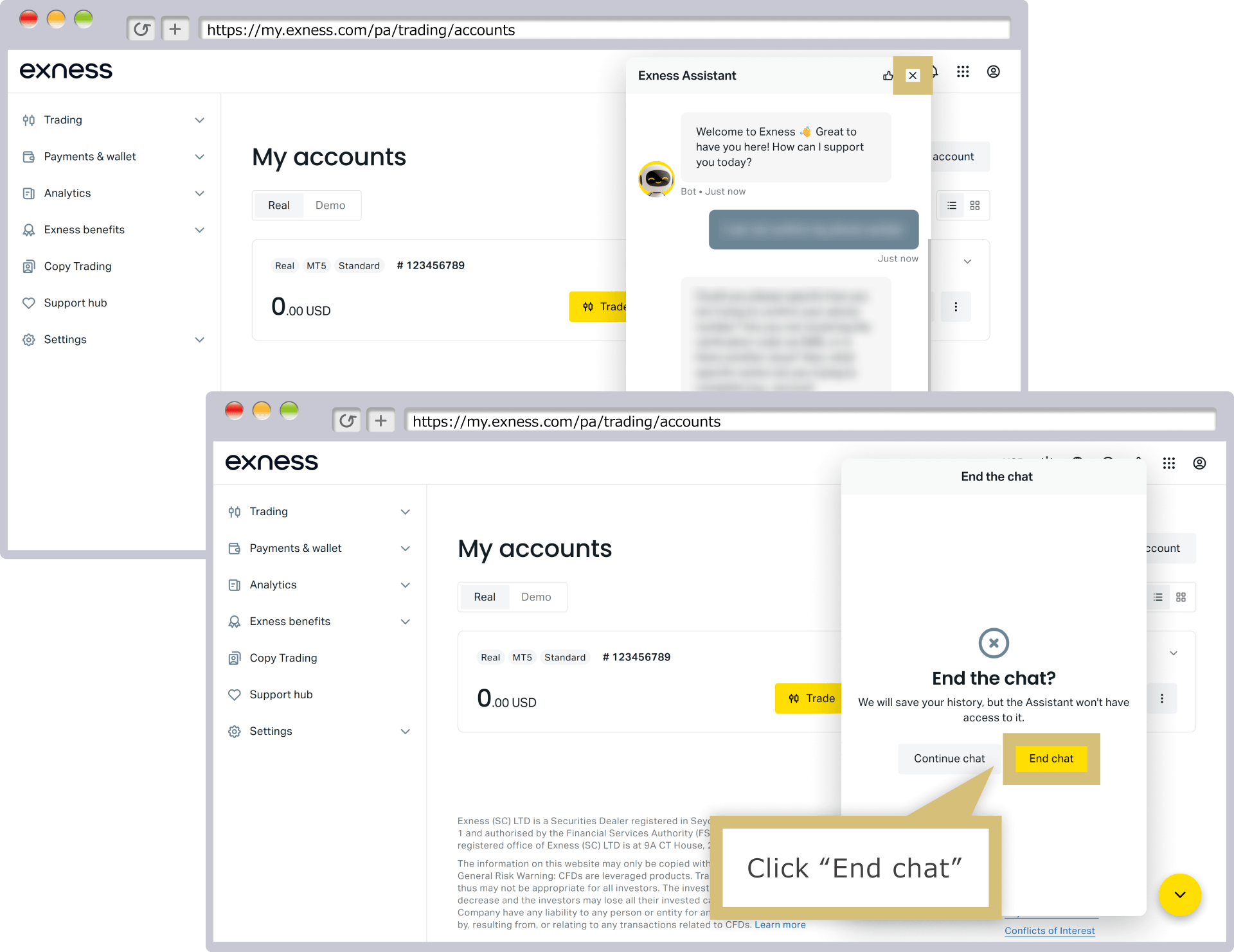
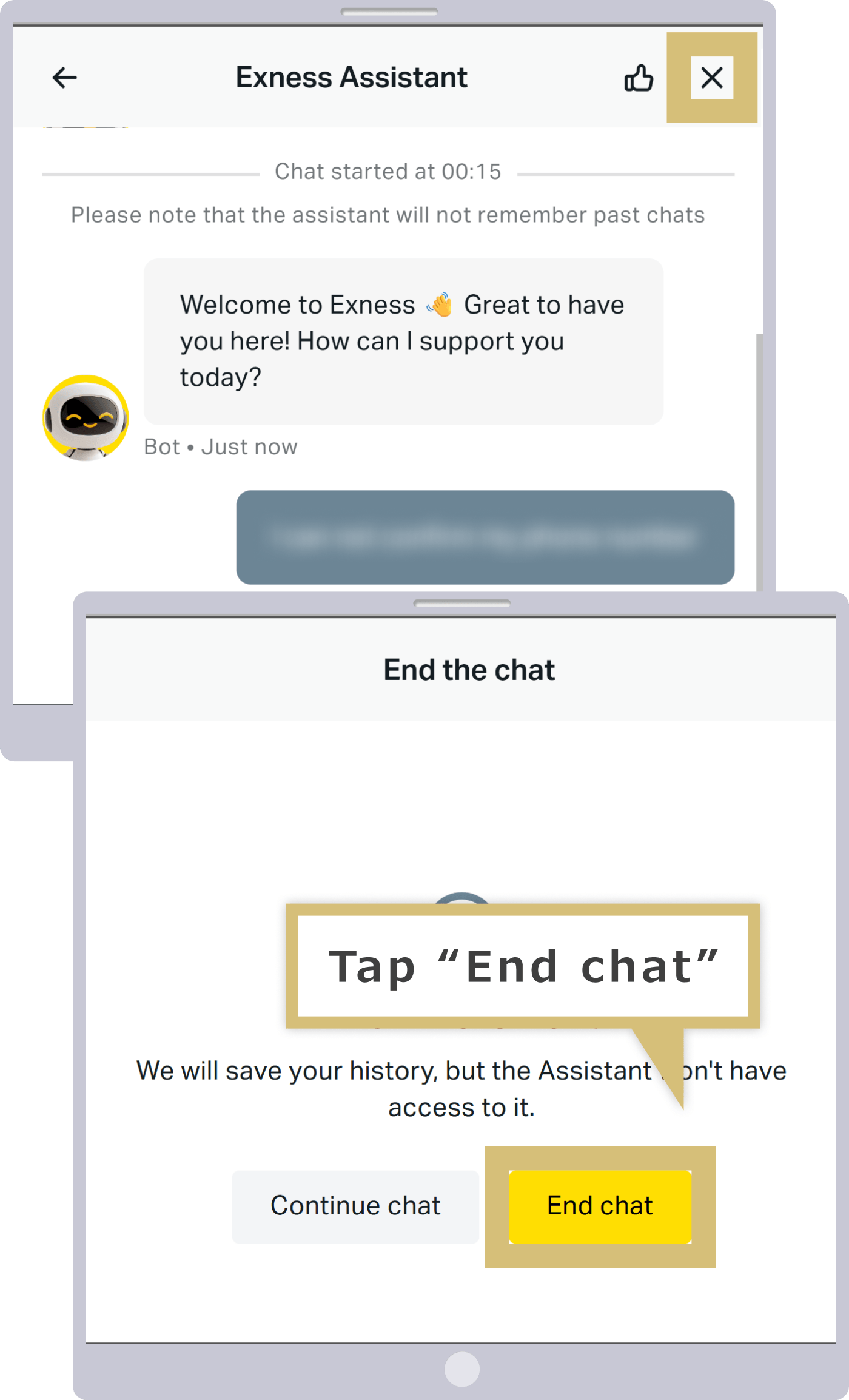
After your Exness live chat ends, you may be asked to provide feedback to help us improve our services, so we appreciate your cooperation in responding.
Steps for Creating a Ticket from the Exness Personal Area
Once you log in to your Exness Personal Area, you can create a ticket and submit an inquiry online. The steps for creating a ticket from the Exness Personal Area are as follows.
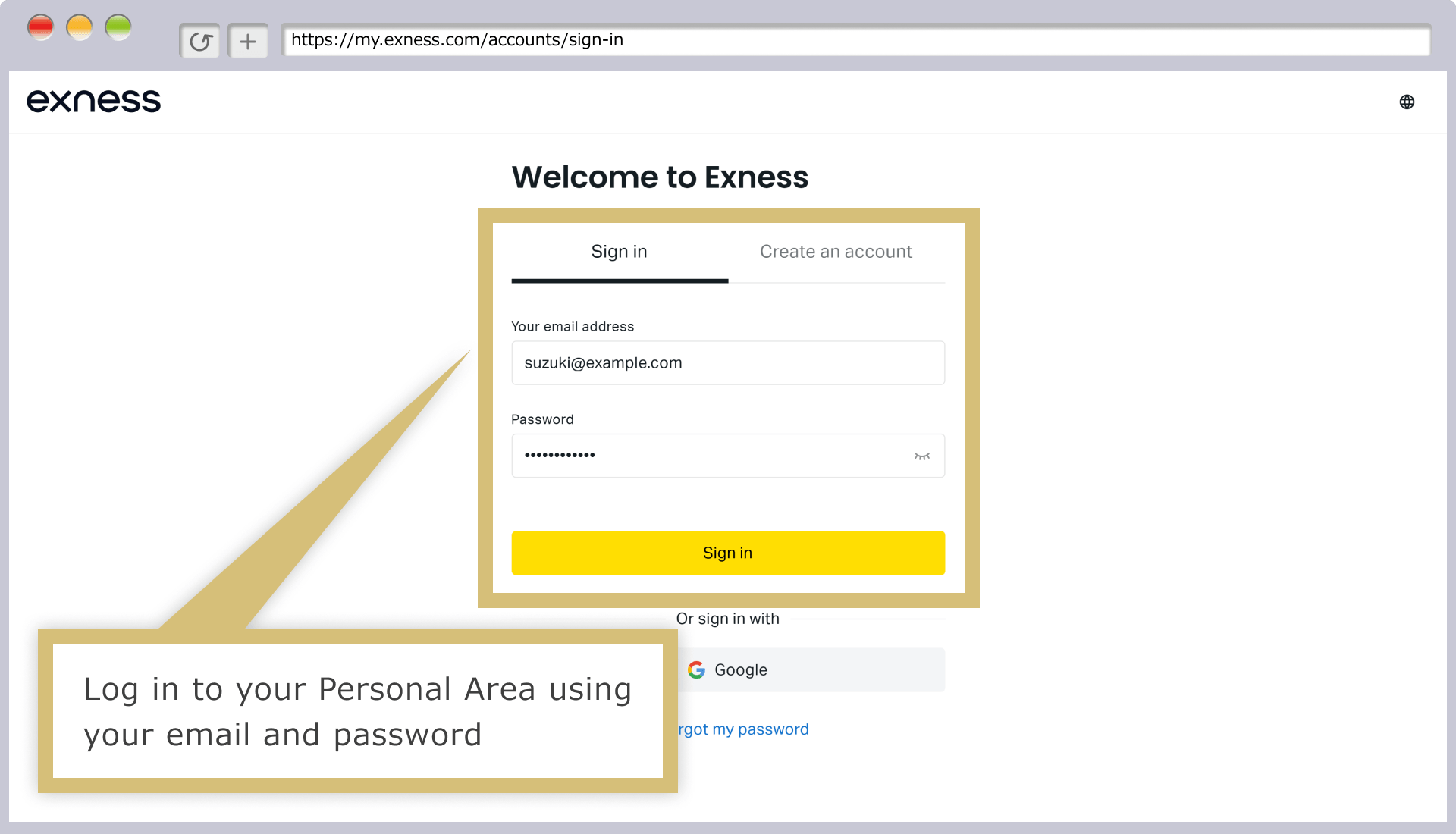
Log in to your Personal Area
Enter the "email address" you used to register with Exness and the "login password" for your Personal Area to log in to your Exness Personal Area.
Create a Ticket
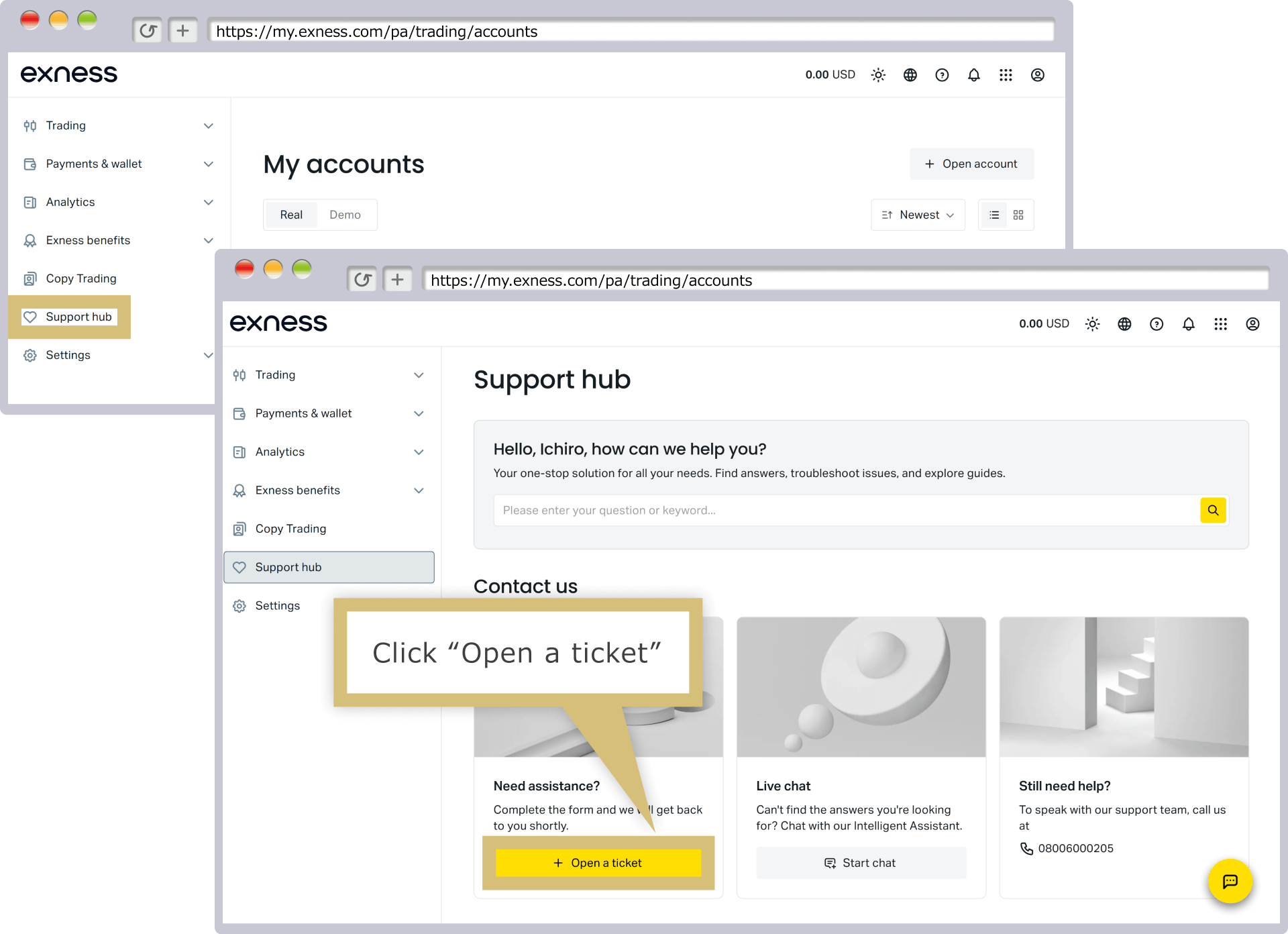
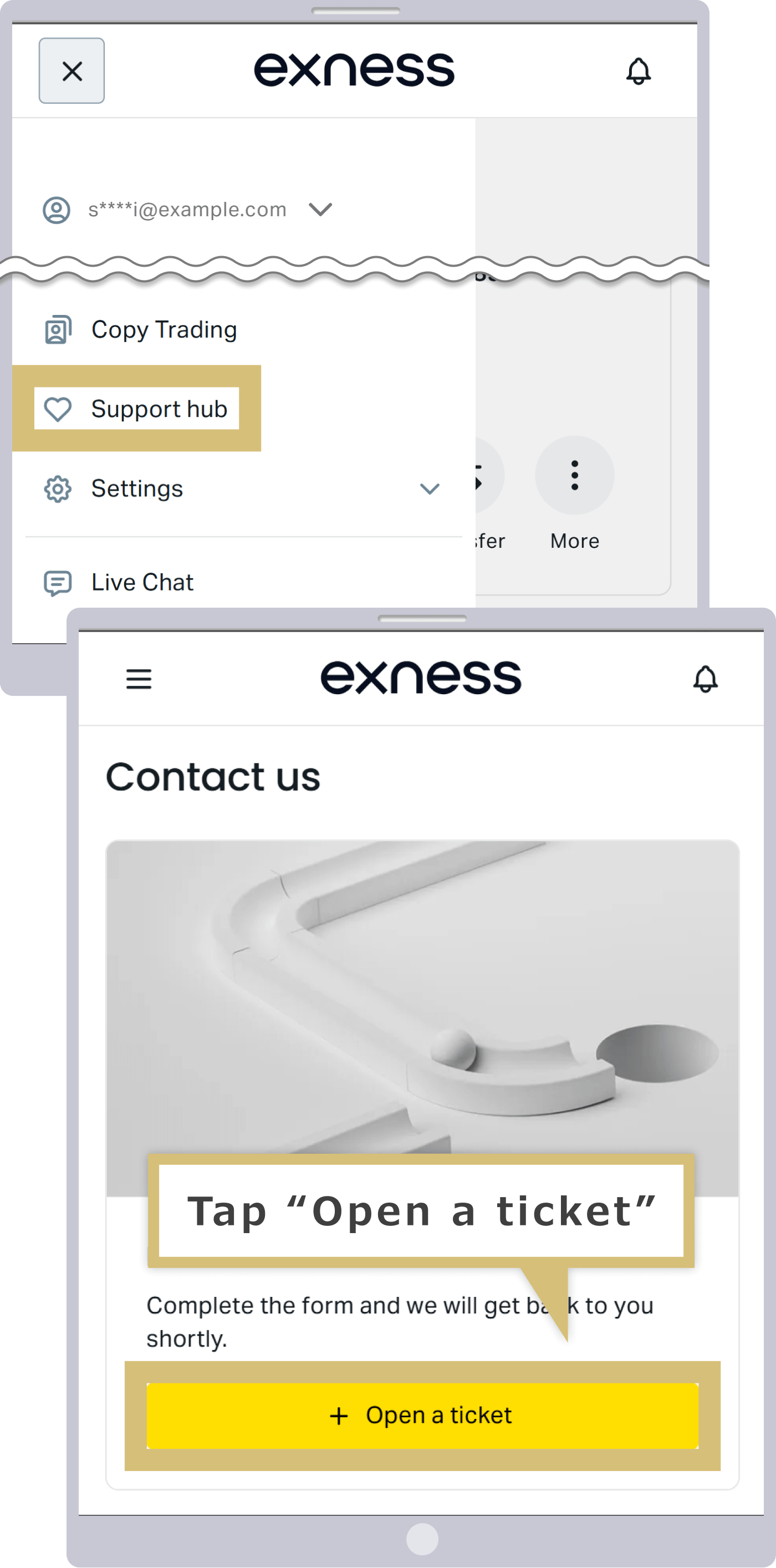
In the Support Hub in your Personal Area, click "Open a Ticket."
From the Support Hub in your Personal Area, tap "Open a Ticket."
For new inquiries, select "No, this is a new ticket" and click "Continue."
For new inquiries, select "No, this is a new ticket" and tap "Continue."
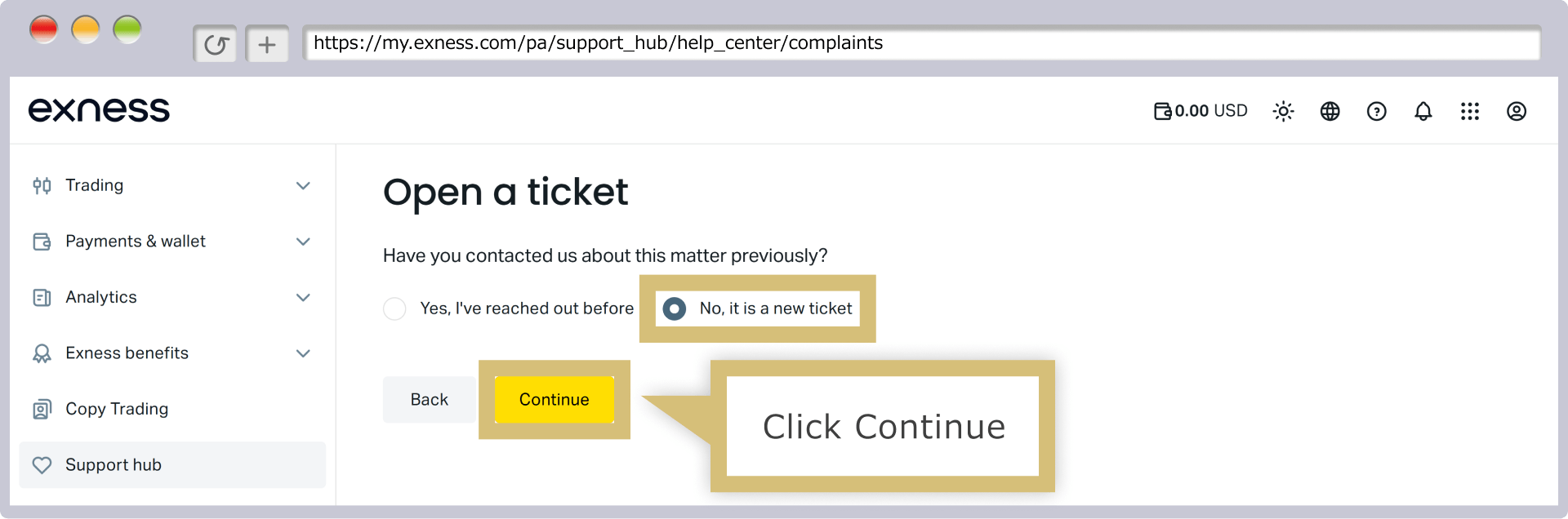
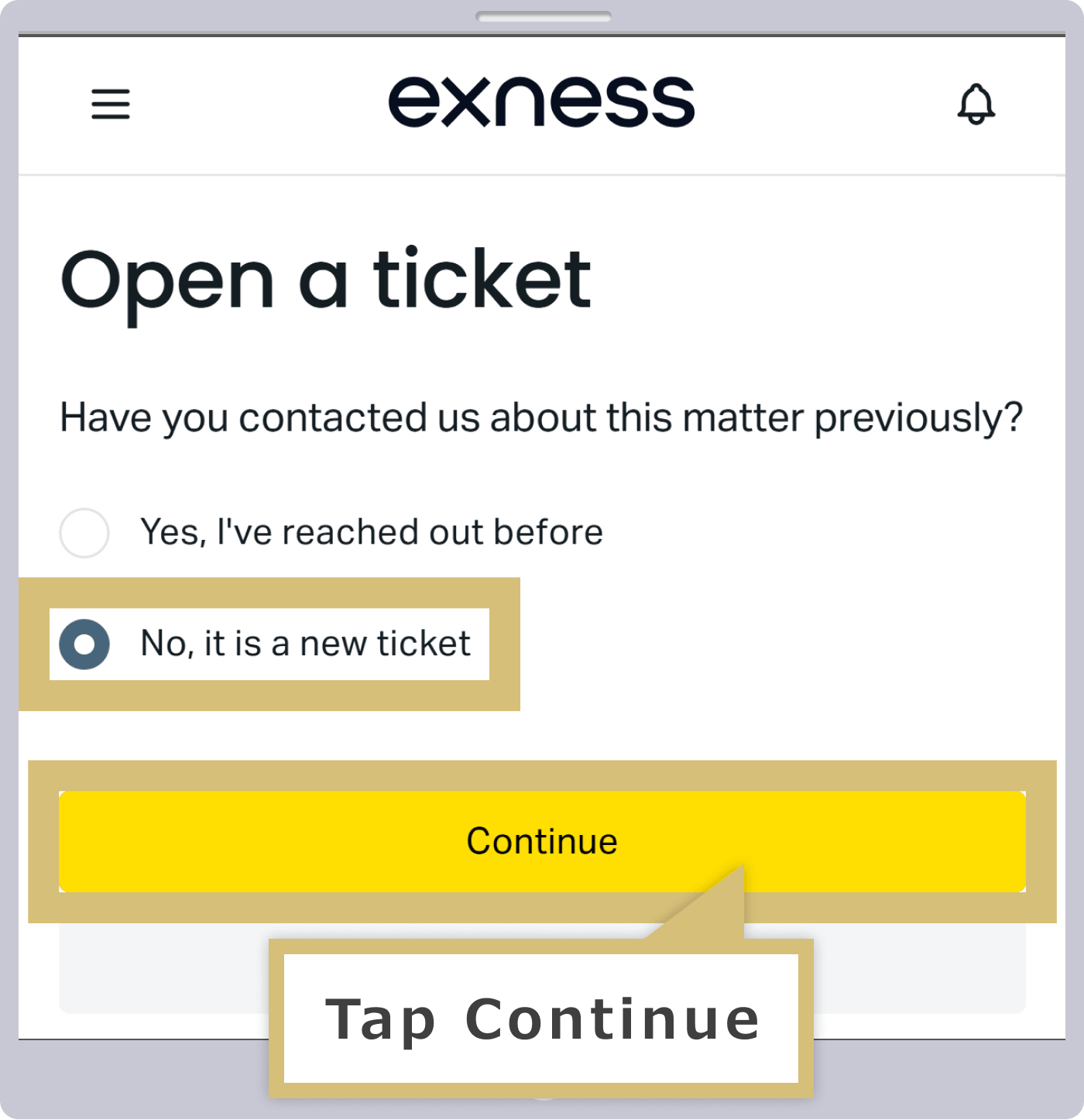

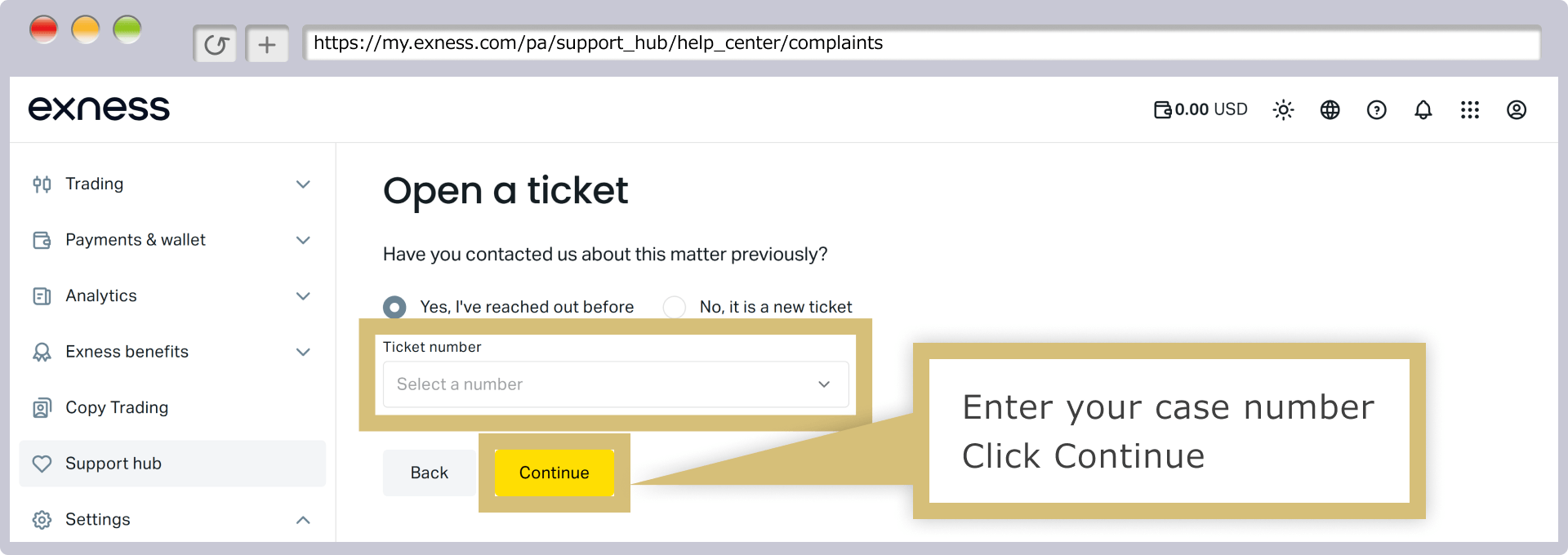
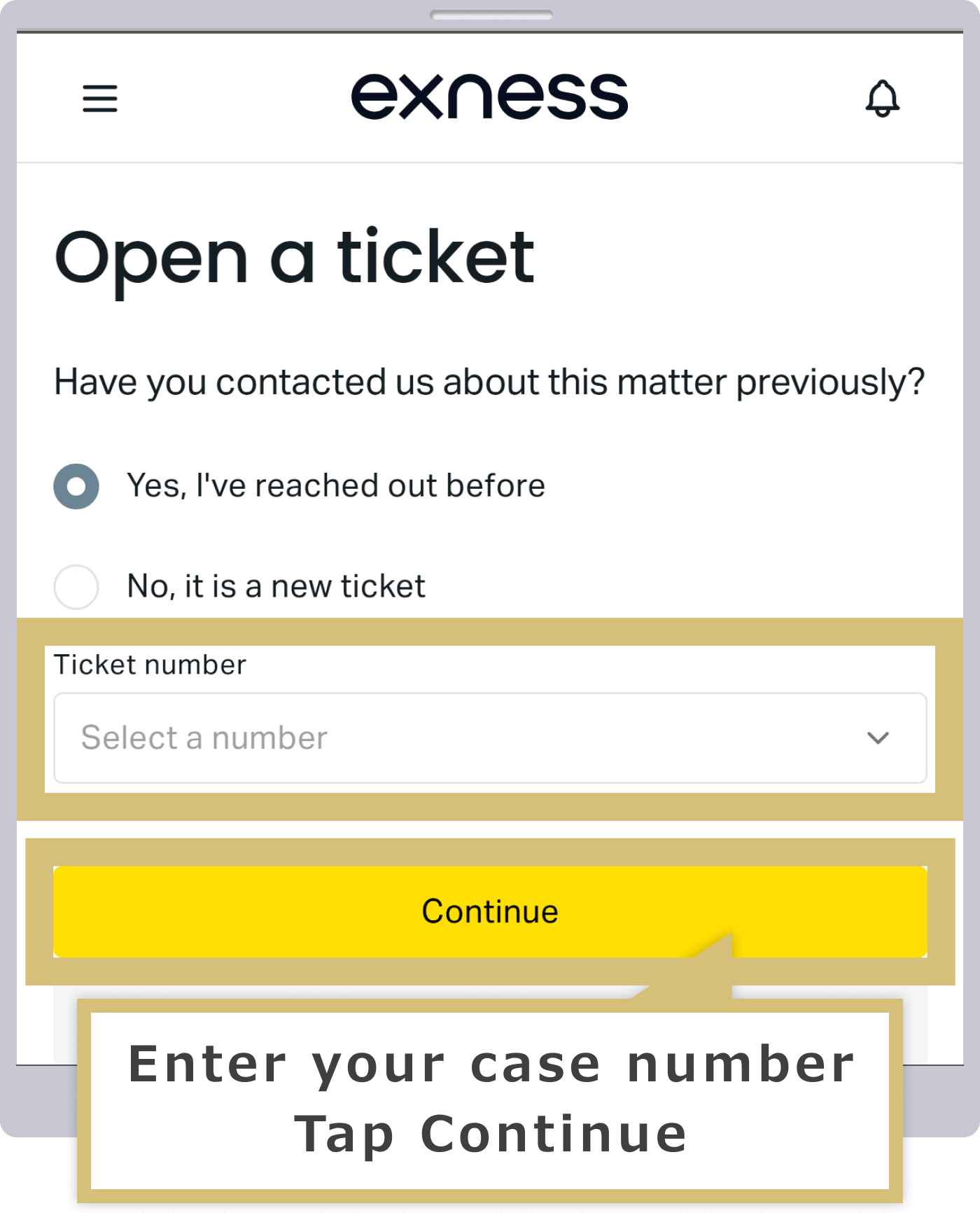
If you have previously contacted Exness Support regarding the same issue, please select “Yes, I have contacted you before.” A ticket number selection field will appear; select the ticket number issued when you contacted us previously, then click “Continue.”
If you have previously contacted the Exness support desk regarding this same issue, please select “Yes, I have contacted you before.” A ticket number selection field will appear; select the ticket number issued when you previously contacted us, then tap “Continue.”
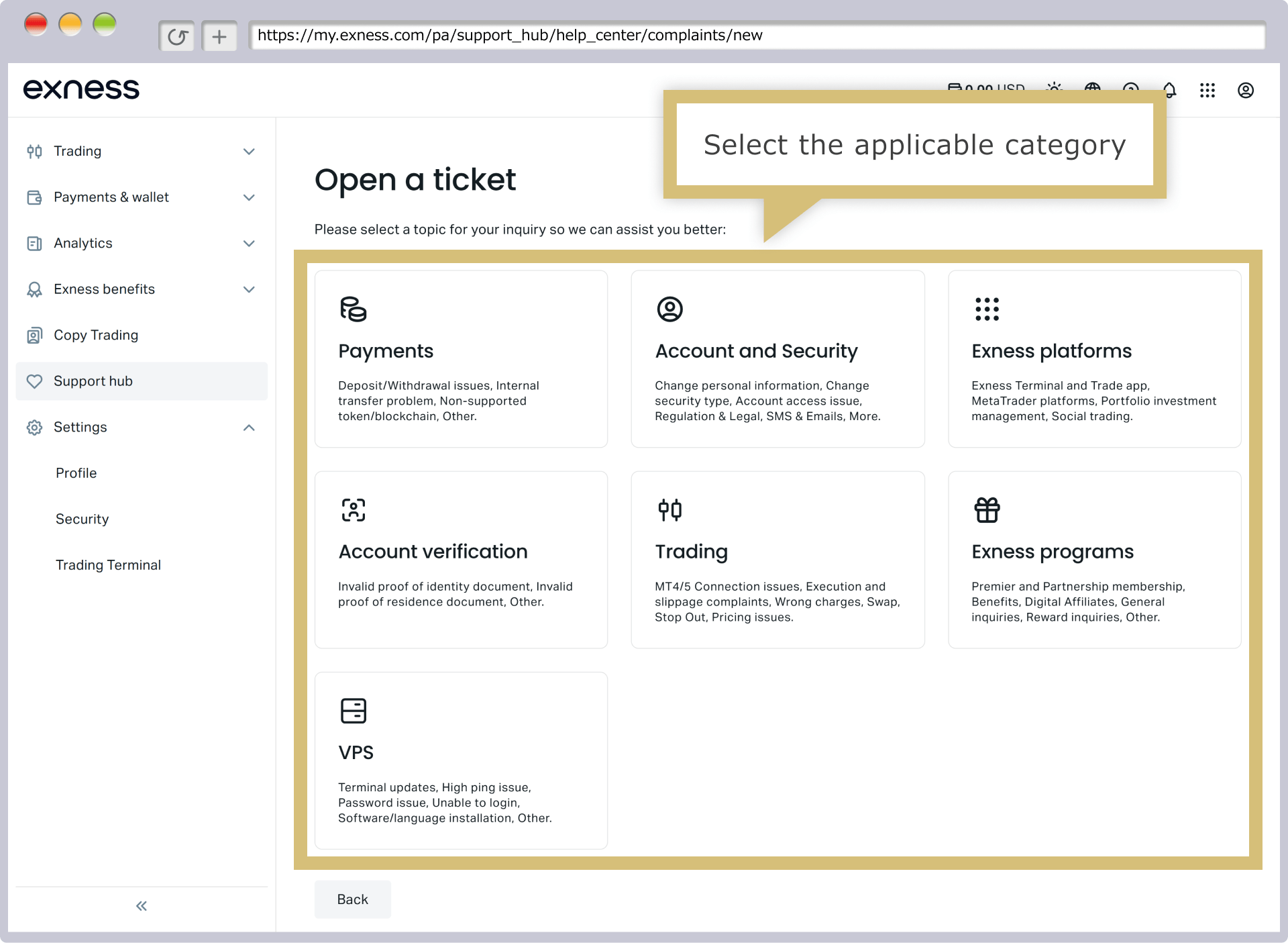
Click the category that corresponds to your inquiry.
Tap the category that best matches the nature of your inquiry.
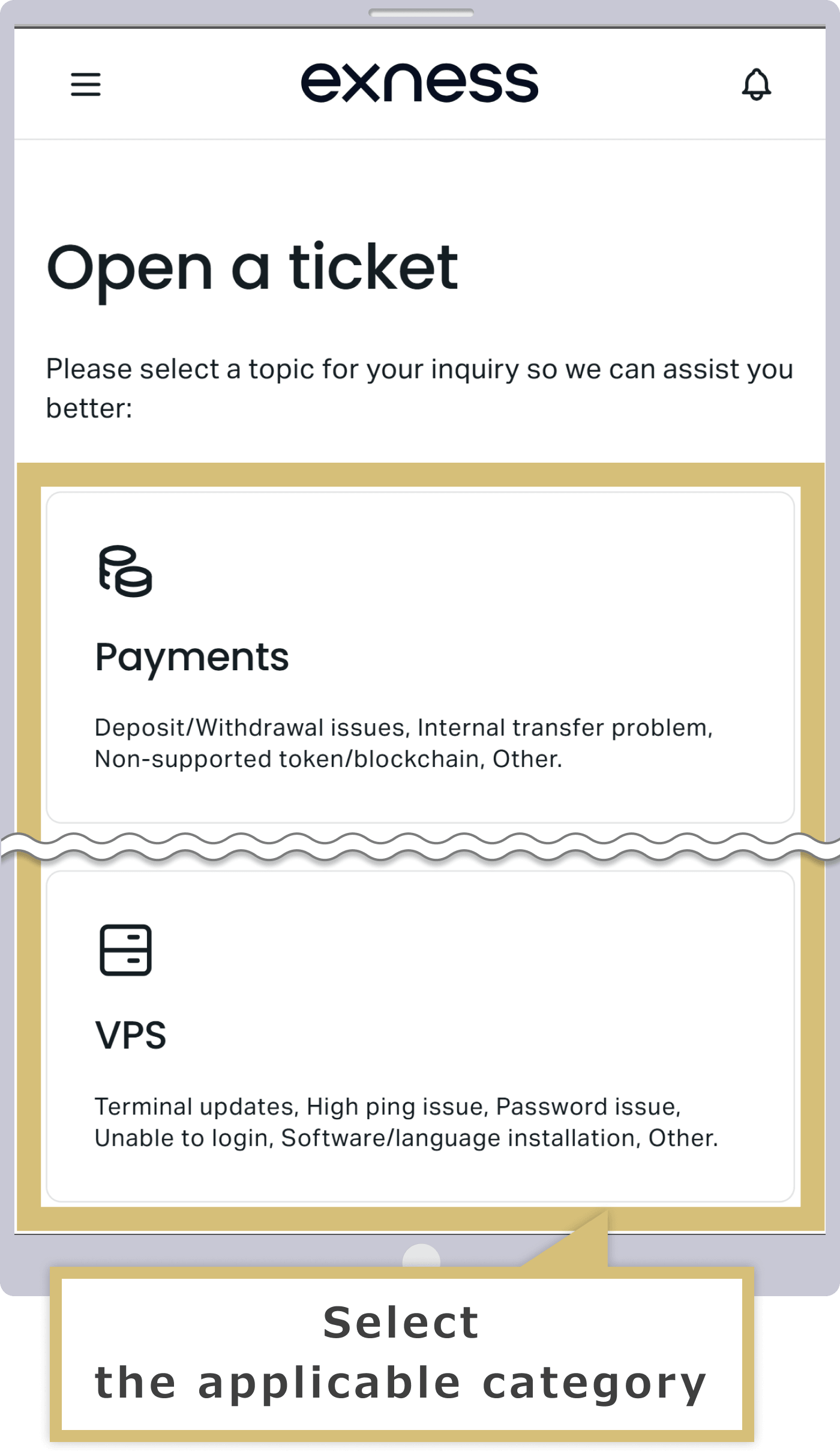
Select the type of request
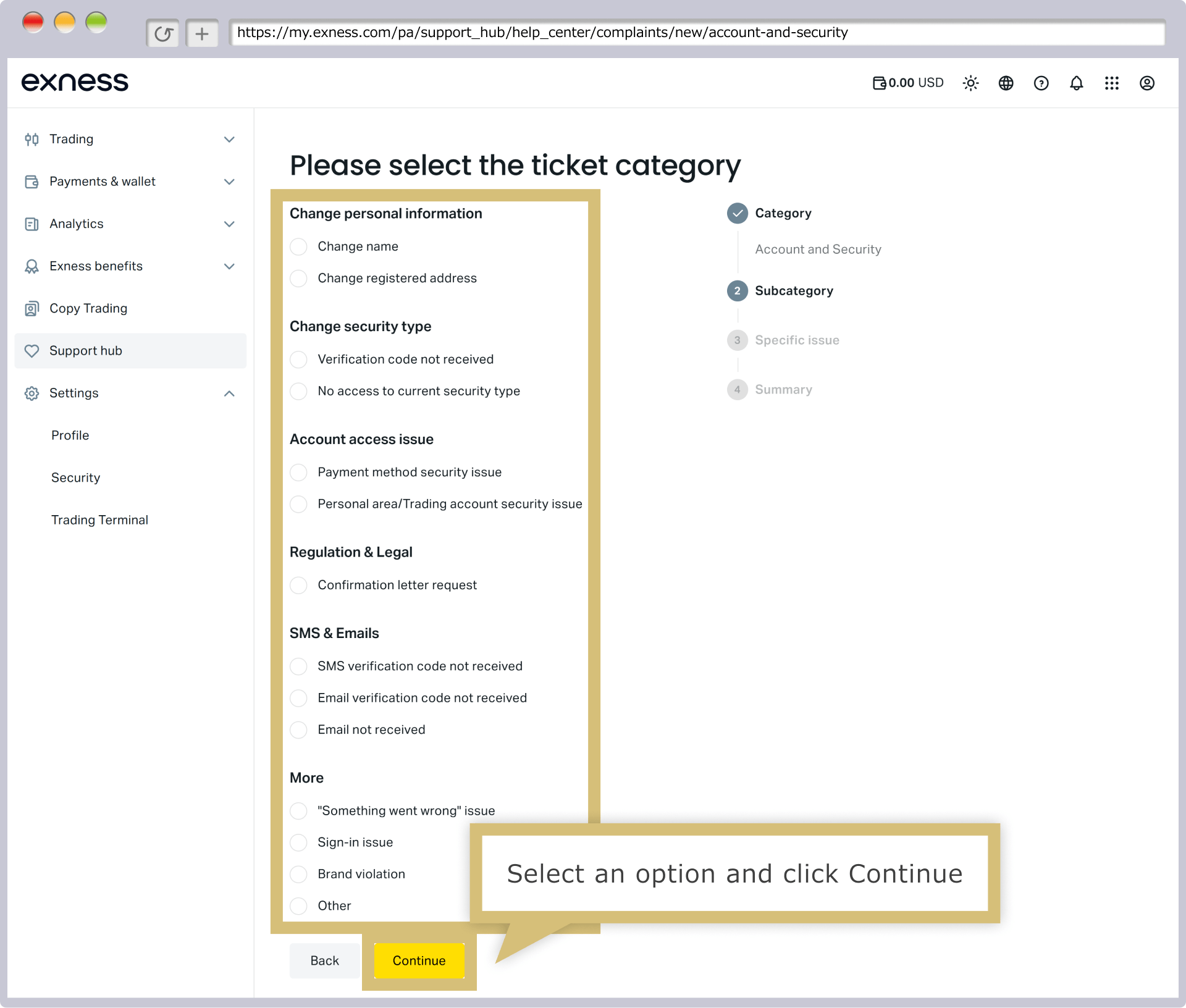
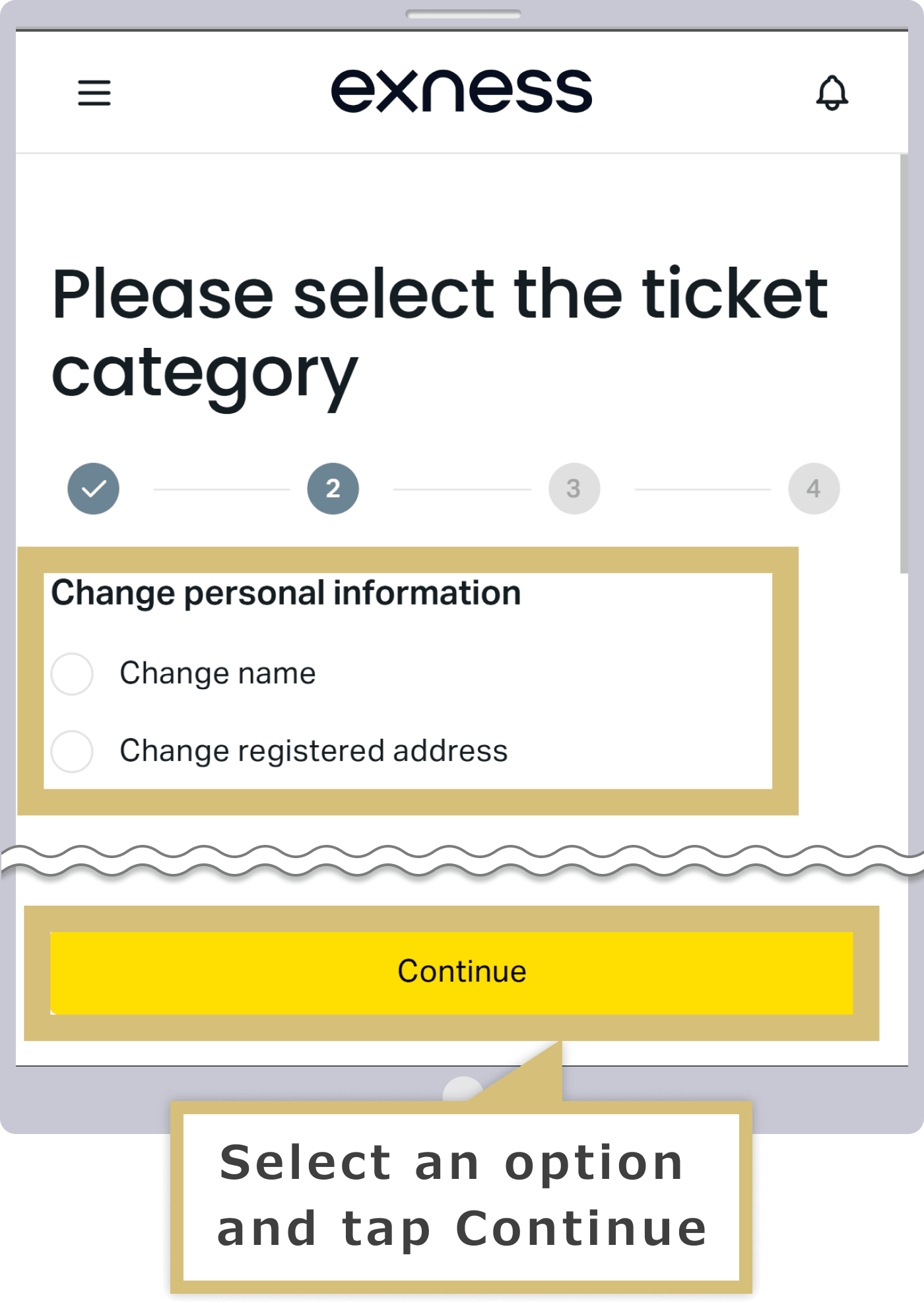
Select the subcategory that best matches the details of your inquiry, then click "Continue."
Select the subcategory that best matches the details of your inquiry, then tap "Continue."
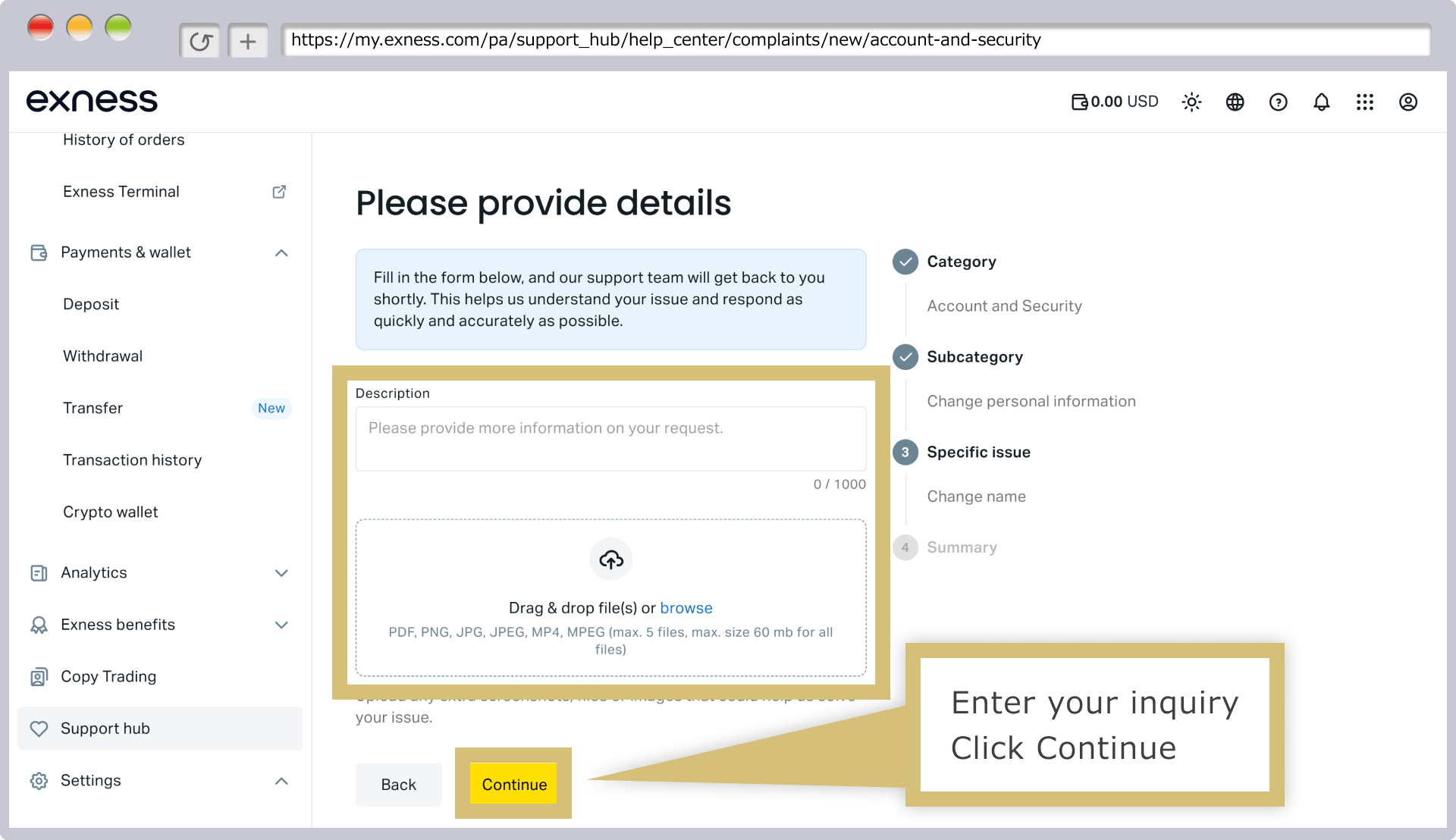
Enter the details of the issue
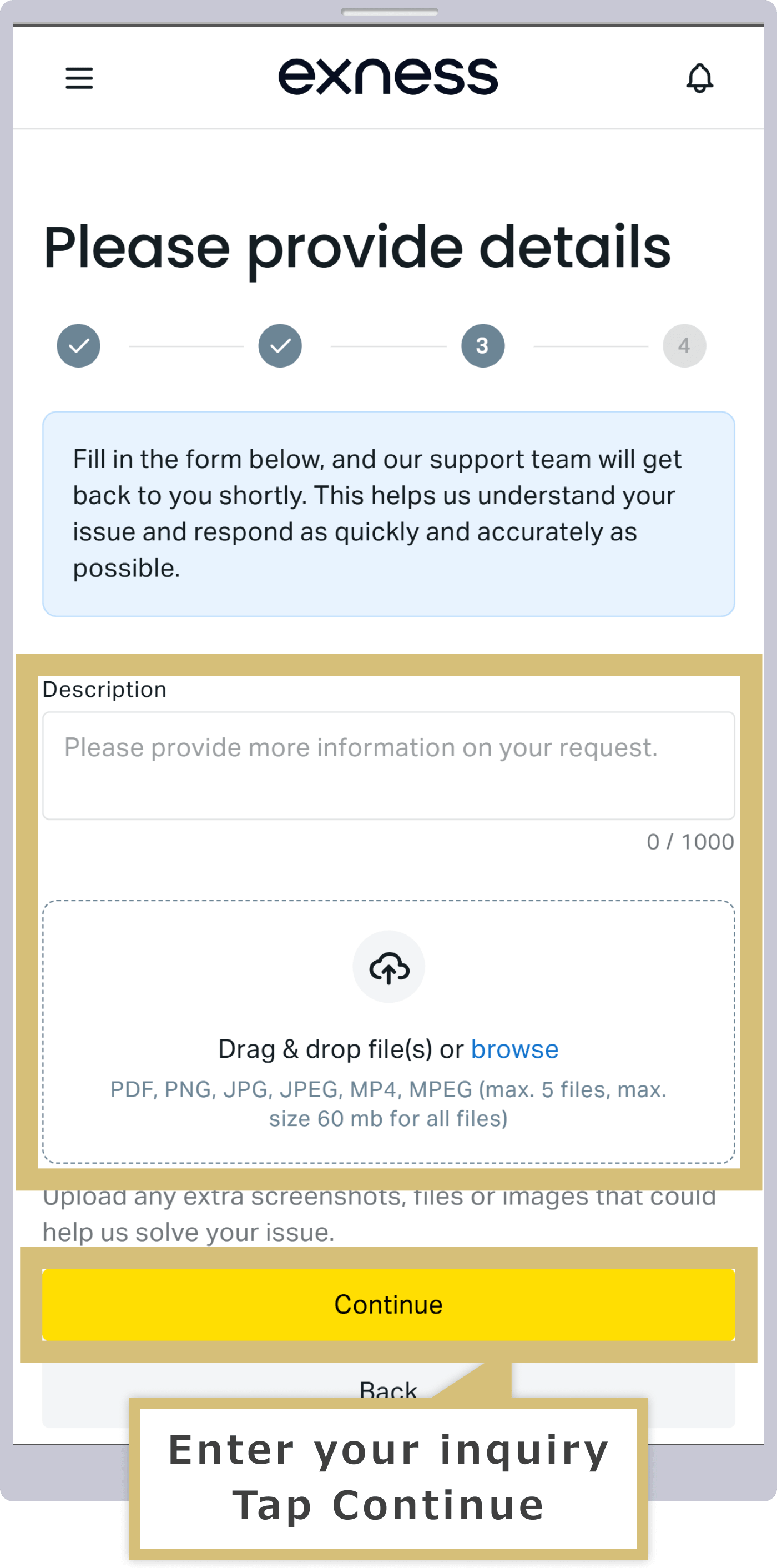
Please enter the details of your inquiry in 1,000 characters or less. If you have any attachments, upload them and then click “Continue.” Depending on the nature of your inquiry, you may be required to provide attachments or your account number.
Please enter the details of your inquiry in 1,000 characters or less. If you have any attachments, upload them and then tap "Continue." Depending on the nature of your inquiry, you may be required to provide attachments or your account number.
Submit Ticket
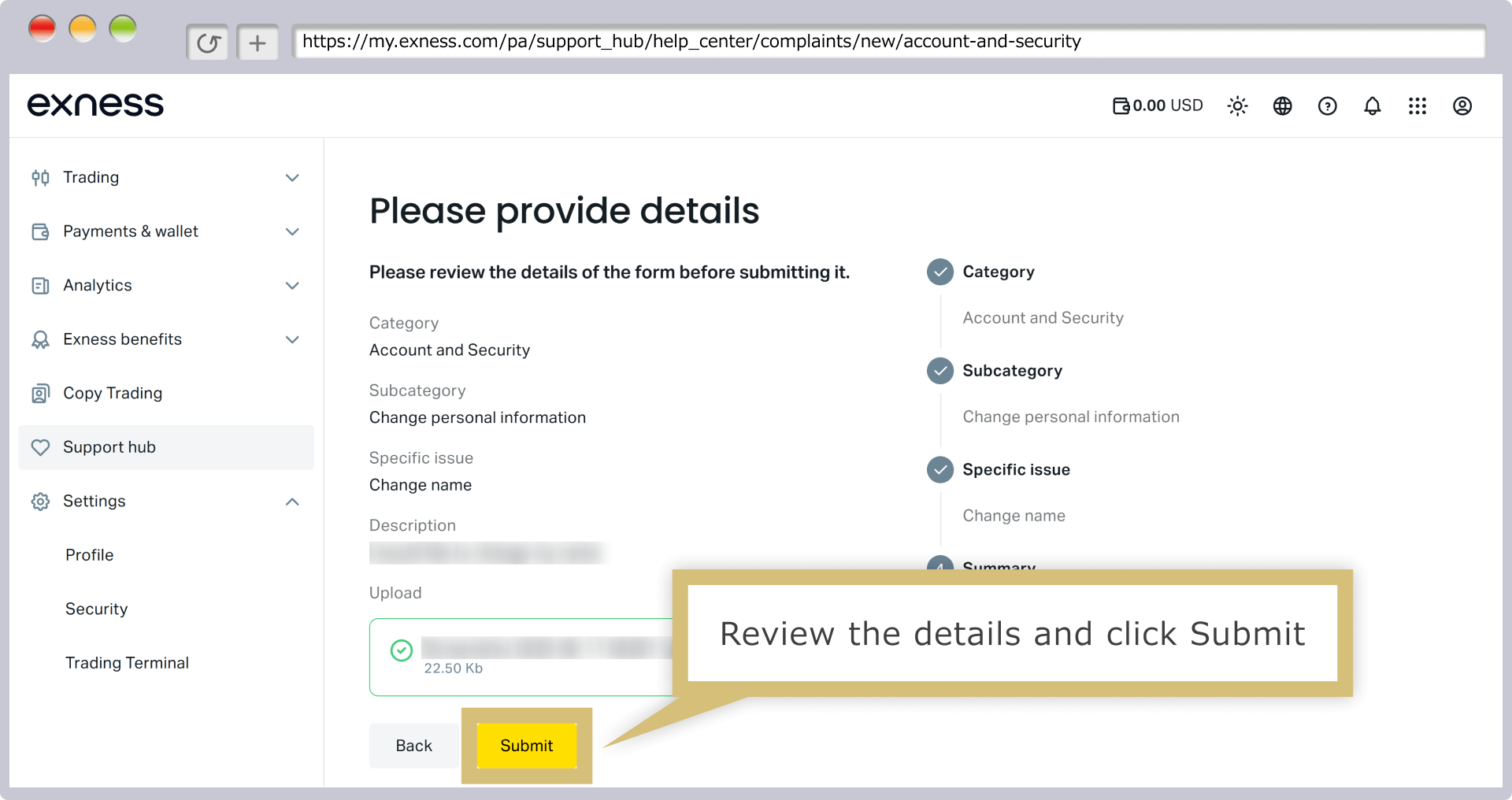
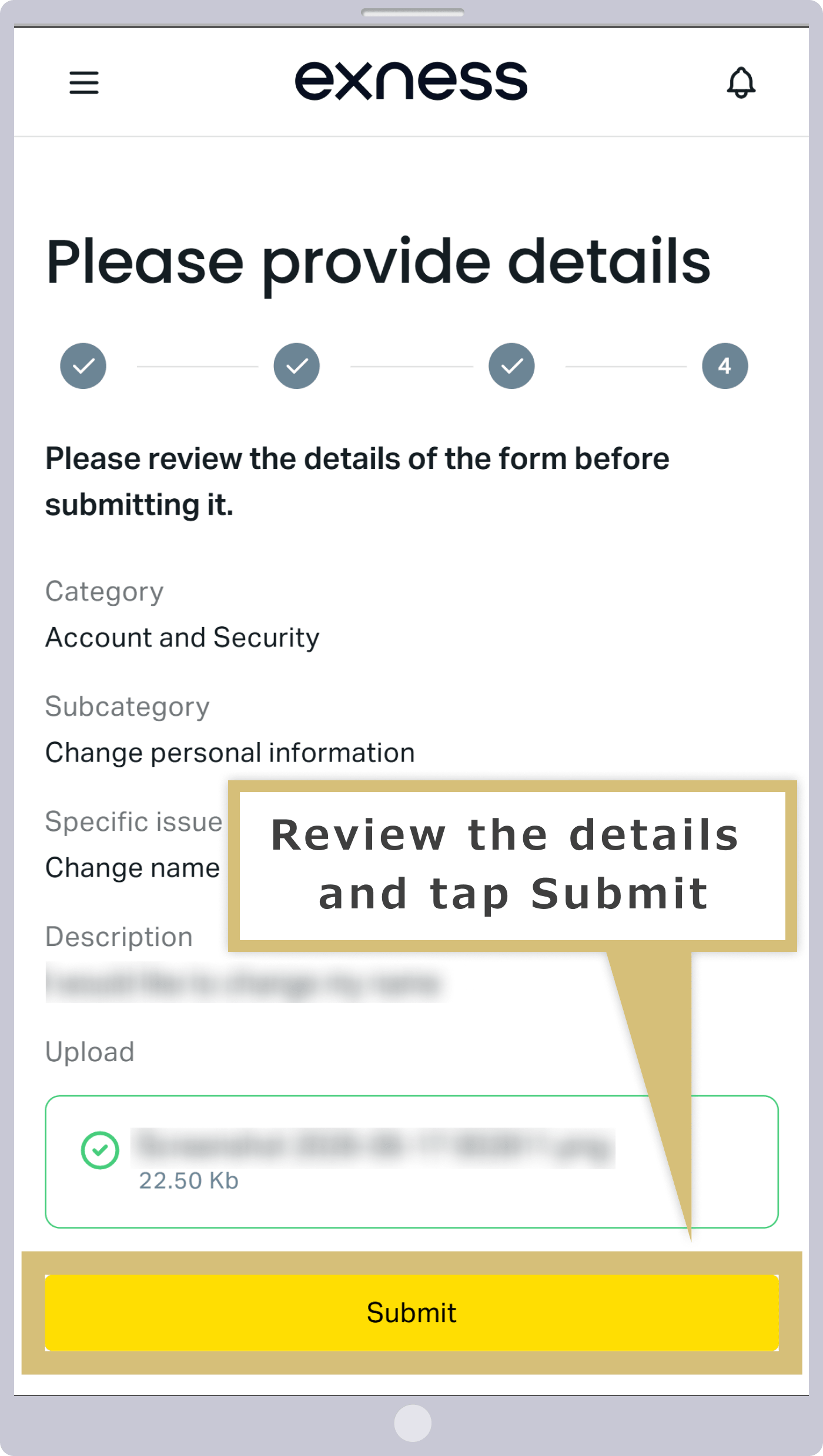
Review your entries, and if everything is correct, click "Submit."
Check your entries, and if everything is correct, tap "Submit."
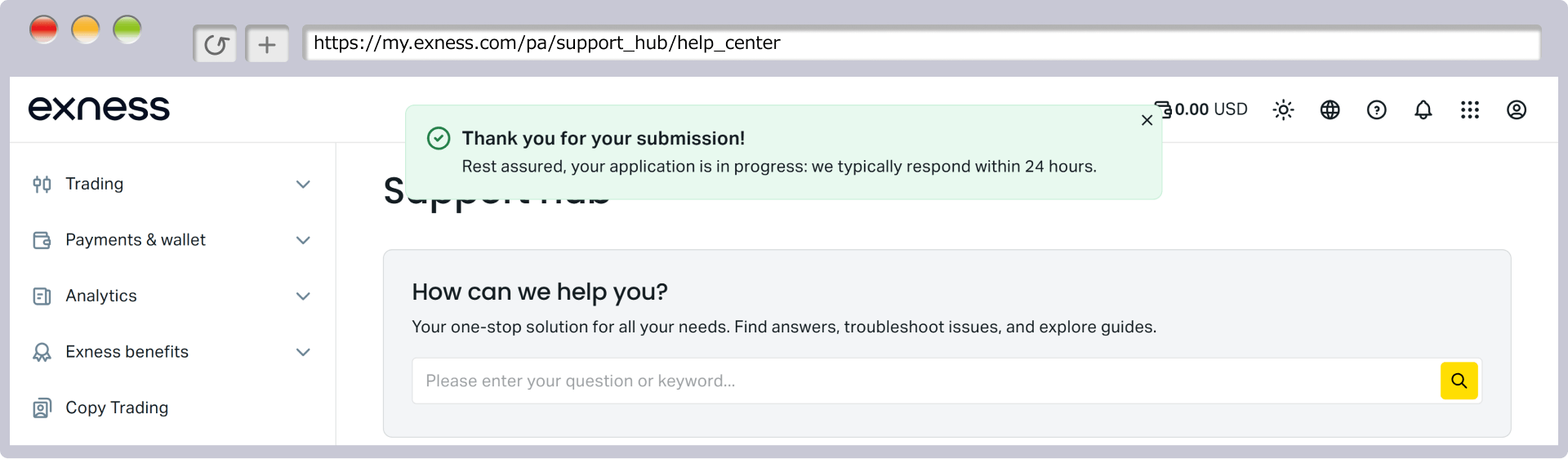
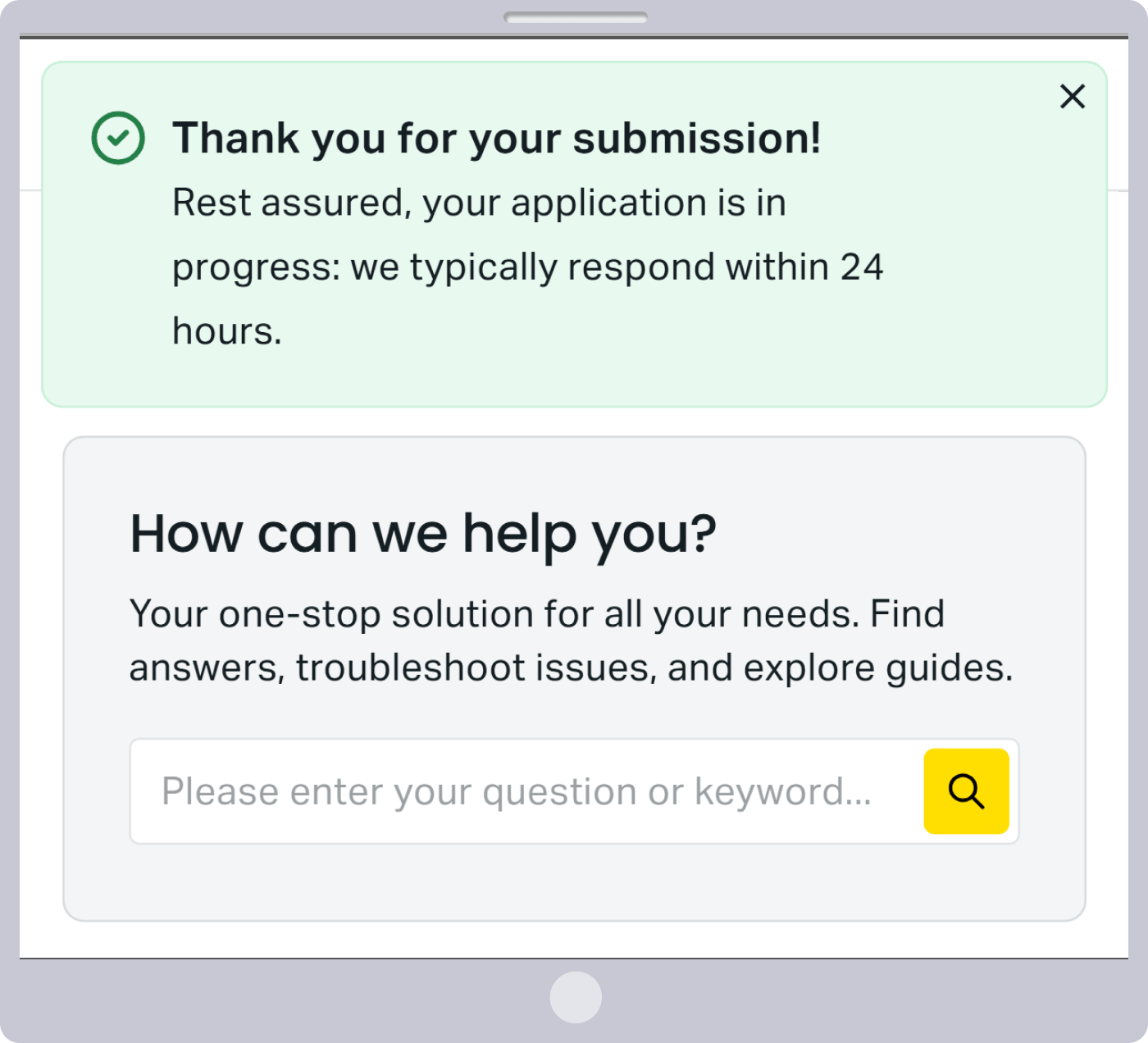
Once you see the message "Thank you for your submission," your ticket has been successfully submitted.
Check the ticket confirmation email
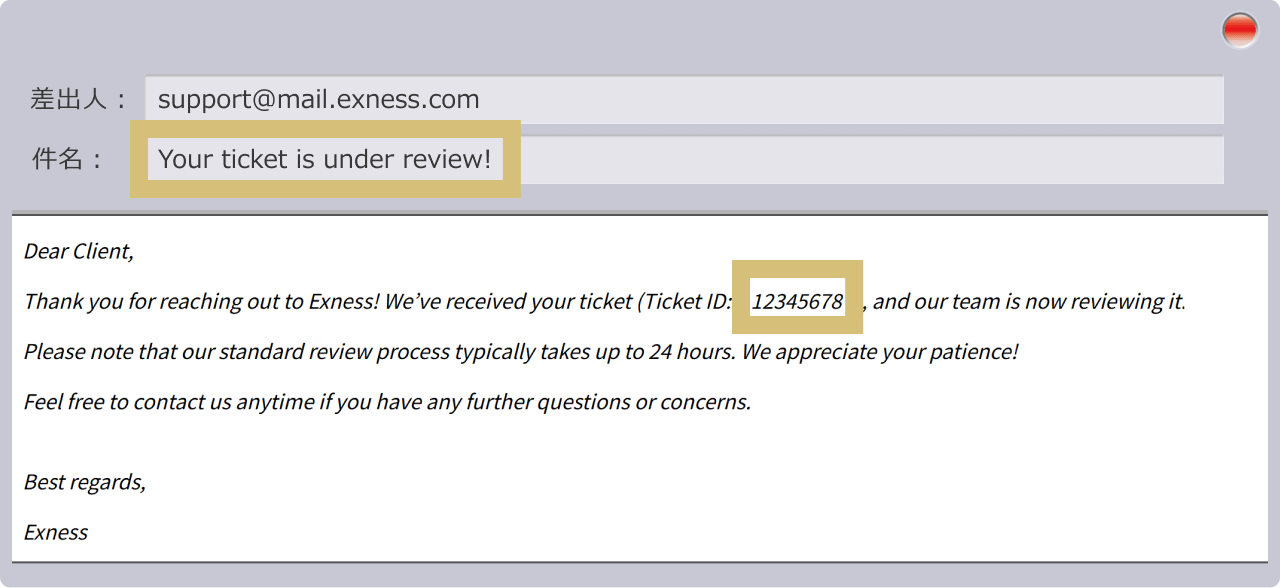
Once you submit your ticket, you’ll receive a ticket confirmation email with the subject line “Your ticket is currently being reviewed!” at the email address registered with Exness. Make a note of the “ticket number” listed in the body of the email—this will help ensure a smooth process for any future correspondence.
That completes the process of creating a ticket through the Exness Personal Area. Please wait for a response from the Exness Japanese Support Desk, which will be sent to the email address you provided during registration.You will typically receive a reply within one business day. If you do not receive a response after a few days, please check your spam folder to see if the email was filtered there. If you still cannot find it, please resend the email (or create a new ticket), or contact the Exness Support Desk via other methods, such as live chat or phone.
Questions About Exness Japanese Support (FAQ)
-
I haven't received a reply from Exness's Japanese email support.
If you haven’t received a reply from Exness Japanese Email Support after a few days, please check to see if the reply has been filtered into your spam folder. If you still can’t find it, there may be an issue, so please use one of our other contact methods.
Read More
29.05.2024
-
Are there any call charges for Exness's Japanese phone support?
No, there are no call charges for the caller when contacting Exness’s Japanese phone support. Although the call may seem like an international call because it uses an internet connection, it is a toll-free number, so you can use it at no cost—even from your smartphone.
Read More
29.05.2024
-
Can I communicate directly with a staff member via Exness's Japanese live chat?
Yes, Exness’s Japanese live chat support allows you to communicate directly with Japanese support staff. Initially, you’ll interact with a virtual assistant via automated responses, but if your issue isn’t resolved, you’ll be transferred to a Japanese support staff member so you can communicate directly in real time.
Read more
29.05.2024
-
Please tell me the hours of operation for Exness's Japanese support desk.
Exness’s Japanese live chat support and Japanese phone support are available on weekdays from 8:00 a.m. to 12:00 a.m. the following day (Japan Standard Time). Exness’s Japanese email support accepts customer inquiries 24 hours a day. Please contact us using the method that is most convenient for you, depending on your situation.
Read More
29.05.2024
-
Can I contact Exness support in Japanese?
Yes, Exness offers support from staff who speak Japanese. There are three ways to contact us: “Live Chat,” “Email,” and “Phone.” Please choose the method that best suits your situation and the nature of your inquiry to receive courteous support in Japanese.
Read More
20.06.2021